The real question today is not whether a survey tool has AI, but what it does with it once the work gets messy: when you need a solid questionnaire quickly, when open-ended feedback starts piling up, and when insights have to travel from “interesting” to “actionable” fast and without a hassle.
In a survey workflow that closes the customer feedback loop, there are three moments where AI can genuinely move the needle. It can help you:
- Create a survey that is structured, clear, and aligned with a specific goal - not just a generic set of questions.
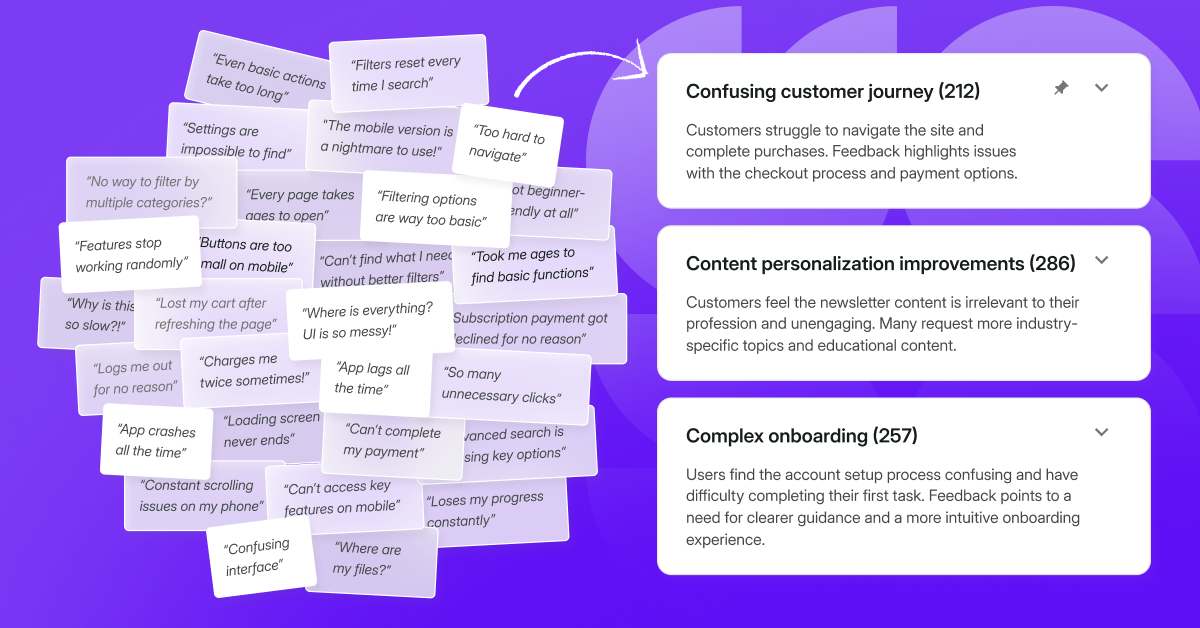
- Analyze qualitative responses at scale by clustering themes, summarizing patterns, and keeping a trail back to the underlying answers so you can verify what you’re seeing.
- Act on insights by routing them into the tools your team already uses - whether that means creating a ticket, triggering a follow-up, or syncing context back to your CRM.
Below, we’ll break down what “good” looks like in each layer, then compare tools based on how well they support the full loop.
Tl;dr: here’s a table with all the tools mentioned in the article.
Must-have AI survey tool capabilities - an overview
AI shows up across most survey platforms in a few predictable places. What varies is how deep it goes, and whether it helps beyond the “draft a survey” functionality.
Creation
This is the part everyone sees first: describe a goal, get a draft survey. The better implementations also help you tighten the survey into something you can actually ship without spending an hour rewriting.
Common capabilities:
- Drafts that come with a sensible structure (not just a list of questions)
- Help with tone and clarity so questions do not sound robotic
- Smart handling of logic and branching, especially for different segments
- A way to turn vague prompts into usable questions
What “good” looks like
You get a draft you can ship with only light edits. The structure makes sense from the first question to the last, and the logic follows how real users think instead of how survey builders think. The tool nudges you toward better answer quality, so you don’t end up with polite, vague responses that look nice but tell you nothing.
Analysis
AI proves its worth once responses start piling up, especially open text. The baseline is summaries. The more useful layer is themes, patterns, and traceability back to real responses so you can validate what you are seeing.
Common capabilities:
- Topic clustering across many responses
- Summaries supported by examples you can inspect
- Segmentation, so you can compare themes across cohorts
- Search that helps you find feedback without manual tagging
What “good” looks like
You can spot the main themes in minutes, and still trace every takeaway back to real responses. The summaries stay specific and verifiable, with examples you can pull up to sanity-check the story. And when someone asks “is this just one loud segment?”, you can slice the patterns by cohort without rebuilding the analysis from scratch.
Action
This is the part most tools underdeliver on. Insights are only valuable if they move into execution without friction. Action can be AI-driven, integration-driven, or both, but it needs to connect to the way your team already works.
Common capabilities:
- Routing insights into ticketing and product workflows
- Notifications and sharing that do not require “export and paste”
- CRM updates that keep feedback attached to accounts and contacts
- Automation options for follow-ups when something important happens
What “good” looks like
An insight turns into a next step without manual handoffs. The right people see it where they already work, with enough context to act, not just a vague summary. And once you set the rules, routing and follow-ups keep running in the background, so closing the loop doesn’t depend on someone remembering to copy and paste.
How we made this test
We reviewed a mix of survey and feedback tools that actively market AI features, then fact-checked what those features actually do today.
We aimed to make this comparison grounded in how AI helps with the three jobs teams actually need from surveys: creation, analysis, and action. So, we focused on:
- How AI helps you create surveys faster, including prompt-based builders, templates, and follow-up question support
- How AI helps you analyze open-text feedback, including topics, summaries, sentiment, and “ask the data” style querying
- How easily insights move into execution, including integrations and workflow options when a signal matters
We based the comparison on official vendor product pages, pricing pages, documentation, and release notes where available. We also used community feedback from review sites and app marketplaces to capture recurring strengths, frustrations, and real-world limitations.
From that, we extracted the most practical capabilities and constraints. Some limitations are stated clearly by vendors or users. Others show up indirectly through plan gating, usage thresholds, language support, or workflow design.
Use this as a starting point for your own evaluation - and a shortcut to the AI details that usually take the most time to verify. AI features change quickly, so it’s still worth double-checking what’s included in the plan you’re considering when you start a trial. Listed brands are not placed in order of importance or ranking of any sort.
Our perspective and how we kept this fair
We’re team Survicate and our goal is to be transparent about this comparison. We know our product well, including its limitations, and we’re not going to pretend Survicate is the best fit for every team. In some cases, a competitor will genuinely be the better pick - and we’ll call that out as we go.
Survicate
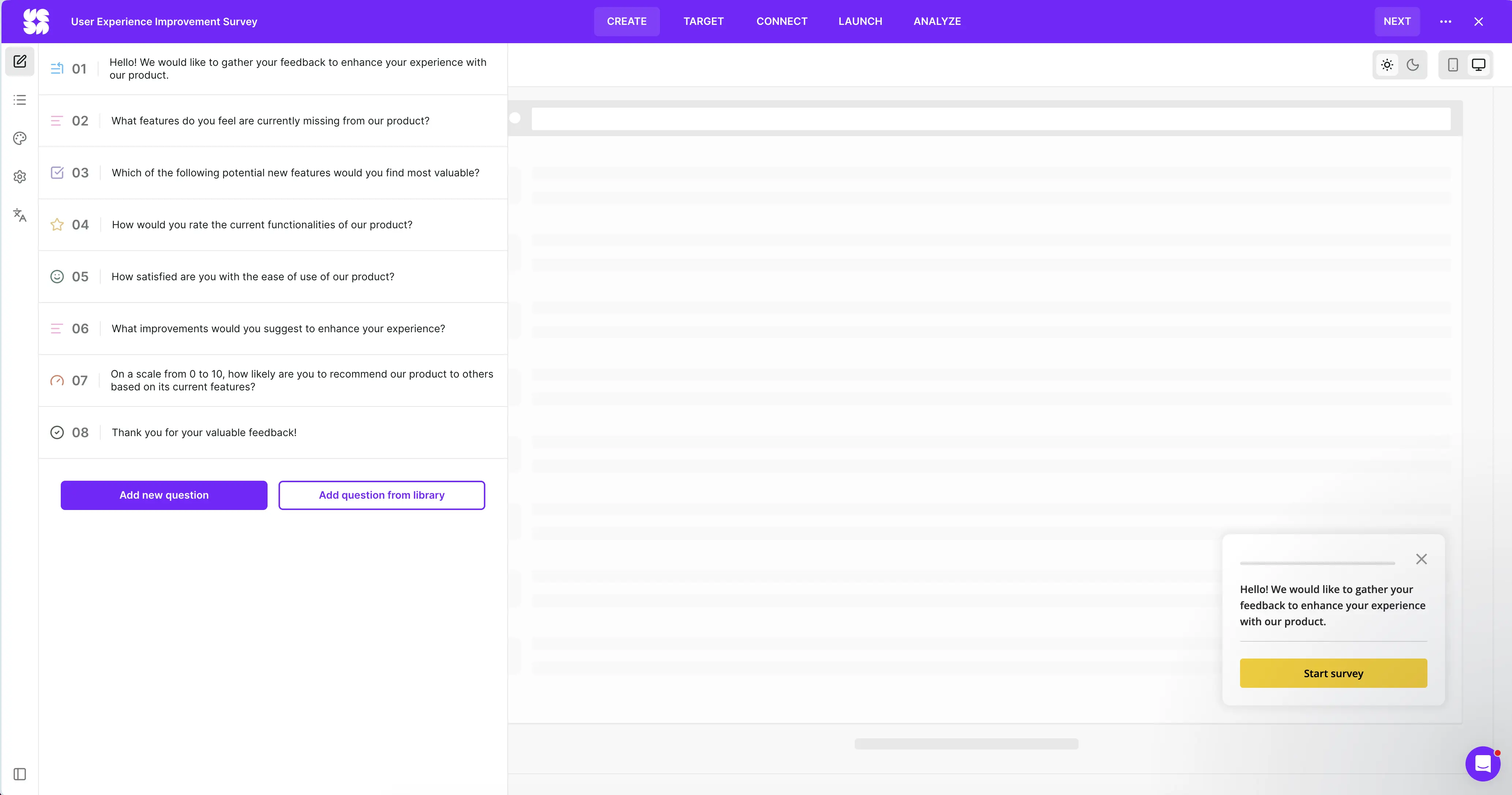
Survicate is a customer feedback platform built for running surveys across email, web, in-product, and in-app/mobile, with targeting and integrations that keep feedback tied to customer context. It works well when you want to collect feedback continuously and then move from raw responses to patterns and follow-ups without a lot of manual sorting.
What are Survicate’s AI-powered features?
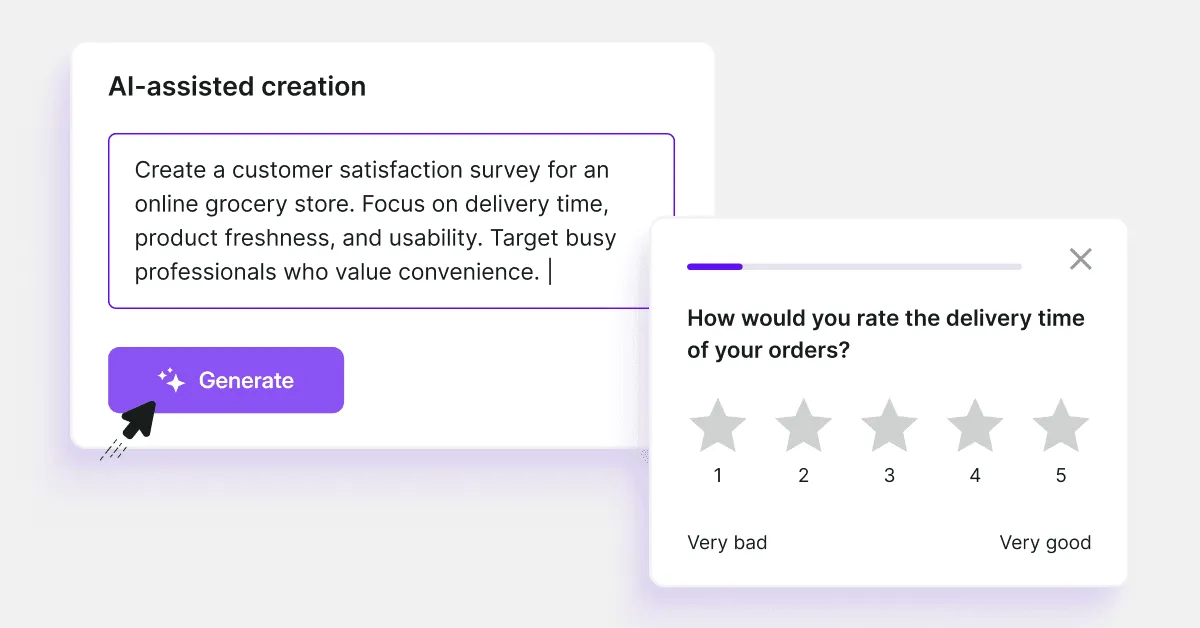
- AI survey creator lets you create surveys in less than a minute. You just need to describe your goals briefly.
- AI survey translation automatically translates your surveys into up to 50 languages using Google Translate and DeepL, so you can collect feedback from global audiences without manual translation work.
- AI Topics, an AI text response analysis - automatically categorizes open-ended answers into topics (available once you collect more than 50 text answers).
- AI follow-up questions help you add relevant follow-up questions to text answers.
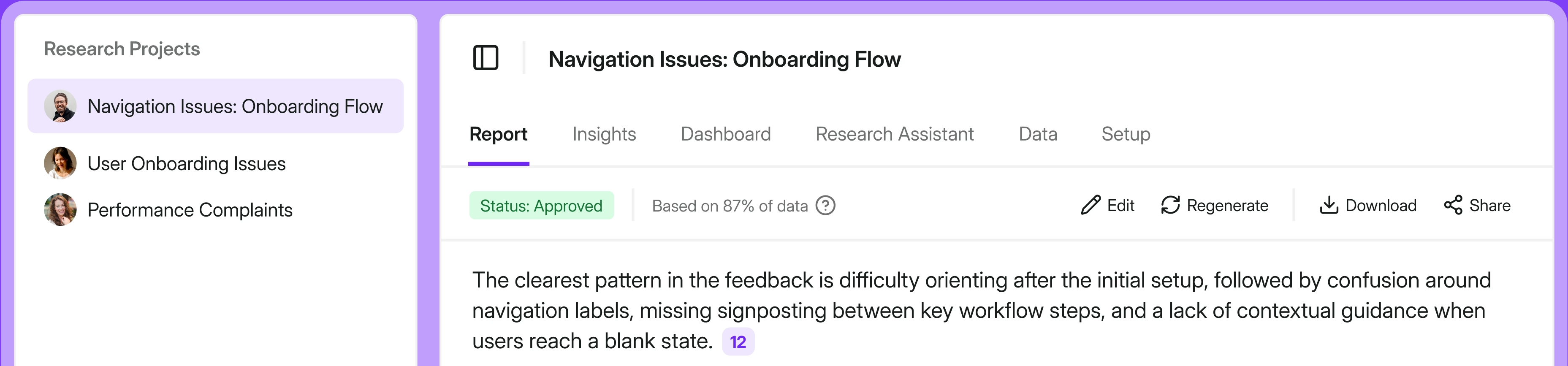
- Research Hub lets you run focused research projects across 15+ sources including surveys, Zendesk, Intercom, Gong, and app store reviews, and generate AI-assisted reports you can share with stakeholders directly.
- Research Assistant lets you ask questions across all your connected feedback, including surveys, and get answers backed by real customer quotes, for instance directly from Slack.
- AI Templates Library provides you with ready surveys to meet your needs.
Survicate’s AI is built to support the full Create, Analyze, Act loop, so you can move from “we should ask this” to “here’s what to do next” without drowning in manual work.
On the creation side, AI Survey Creator turns a one to two sentence goal into a ready survey in about 25 seconds, and you can lean on the AI Survey Template Library when you want a proven structure fast.
For analysis, AI Topics and text response summarization group open ended feedback into themes, and Research Hub lets you run research projects across surveys plus other sources like support tools, call notes, reviews, and CSV uploads, with an AI Research Assistant to query it in plain language.
For action, integrations with tools like Jira and Linear help push insights into tickets and product work, so closing the loop is not a copy-paste routine.
What are some Survicate pros?
- The AI layer helps you keep up once open-text feedback starts piling up, so qualitative data is easier to triage and turn into themes and follow-ups.
- Insights can flow straight into Jira, Linear, Slack, or HubSpot, so a theme or a low score can become a ticket, alert, or CRM update without manual handoffs.
- Research Hub is useful when feedback comes from multiple sources, because it brings everything into one place so teams can work in a single workflow.
- Integrations feel “native” to the workflow - you can route feedback to the right owner and keep context attached, instead of exporting results and rebuilding the story elsewhere.
- It works well for multichannel programs, so you can run feedback collection across email, web, in-product, and mobile without switching platforms.
- Survicate is easy to get up and running with - users consistently highlight a smooth setup and an interface that’s quick to learn.
- Support is a recurring strong point in reviews, especially when teams need help with setup details and edge cases.
- Targeting is a big advantage when you want “in the moment” feedback, not generic blasts - behavioral targeting and contextual triggers come up as a real differentiator.
What are some Survicate cons?
- On mobile surveys, AI translations are available on standard themes only, and custom CSS is not supported on mobile.
- Research Hub report generation doesn’t offer a real-time analysis experience, for those who look for instant AI analysis.
- Research Hub is only available to users with Survicate access. You can't share a live report externally.
- The AI analysis layer (Topics, Research Hub) works best with text answers. Teams whose surveys rely heavily on closed-ended questions get a more limited AI experience.
Pricing
Survicate has a free plan and a free trial, so you can test the workflow before you commit. Paid plans start at $56/month (billed annually) and mostly scale with how many responses you collect and how much data you pull into Research Hub. AI features for building surveys are available across plans, while the more advanced AI layer - Research Hub and higher Research Assistant limits - unlocks as you move up tiers.
QuestionPro
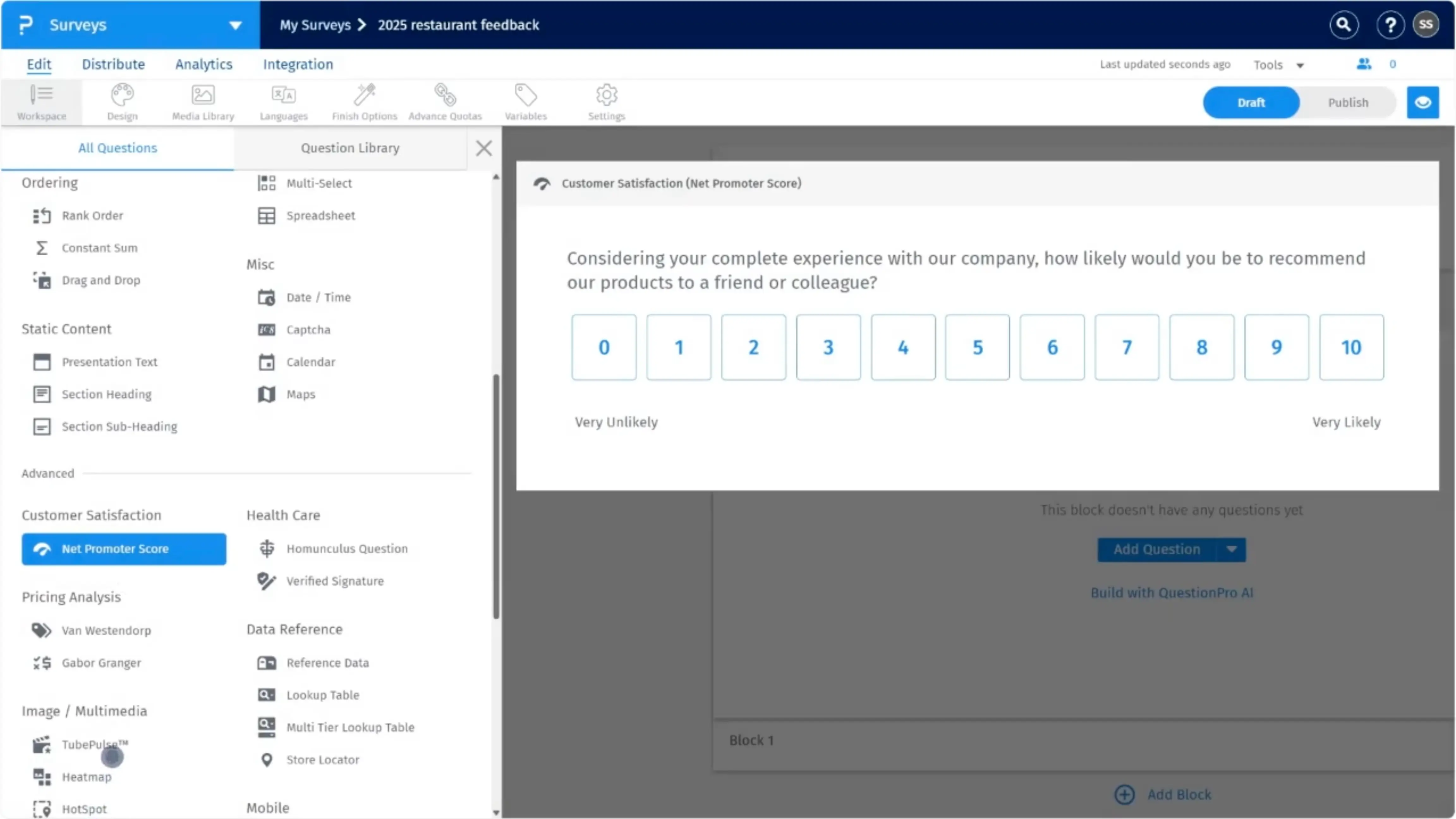
QuestionPro is a survey platform that provides a comprehensive set of tools for survey creation, distribution, and analysis, suitable for academic research and business insights.
What are QuestionPro’s AI-powered features?
- QxBot (QuestionPro AI) lets you generate a survey by simply entering a short prompt.
- A sentiment analysis tool to understand the emotional tone of open-text responses.
- AI text analysis can also help categorize open-ended feedback by theme (not just positive or negative sentiment).
- Data quality checks powered by AI help detect and flag low-quality responses, as well as potentially fraudulent or duplicate submissions.
Through the Create, Analyze, Act lens, QuestionPro uses AI mainly to speed up survey drafting and make qualitative feedback easier to digest at scale, with an extra emphasis on data quality. The action side is more dependent on integration - you can route results into other tools, but the closed-loop workflow depends on how you set up those handoffs.
What are some QuestionPro pros?
- It’s a good fit when you need a more “research-grade” survey setup, not just quick one-off forms.
- You can move from a rough draft to a workable questionnaire fast, and then still have room to build something more complex when needed.
- The platform gives you multiple ways to operationalize results outside the tool, so it doesn’t become a reporting dead-end.
- Community feedback often highlights responsive customer support as a strong point.
What are some QuestionPro cons?
- Once you get into advanced setups, the product can feel complex, and the UI has a learning curve compared to simpler survey tools.
- Pricing and licensing come up as a recurring friction point - plans are billed annually and priced per user, so costs can rise quickly as you scale.
- Customization is a recurring frustration, especially if you want surveys and emails to look the way you want, or have more flexibility in dashboards and exports.
- There’s no built-in way to pull feedback from multiple sources into a single place. Turning findings into something stakeholder-ready is still largely manual work.
Pricing
Pricing tiers start with the Advanced plan for $99/month per user. A free plan is also available.
SurveyMonkey
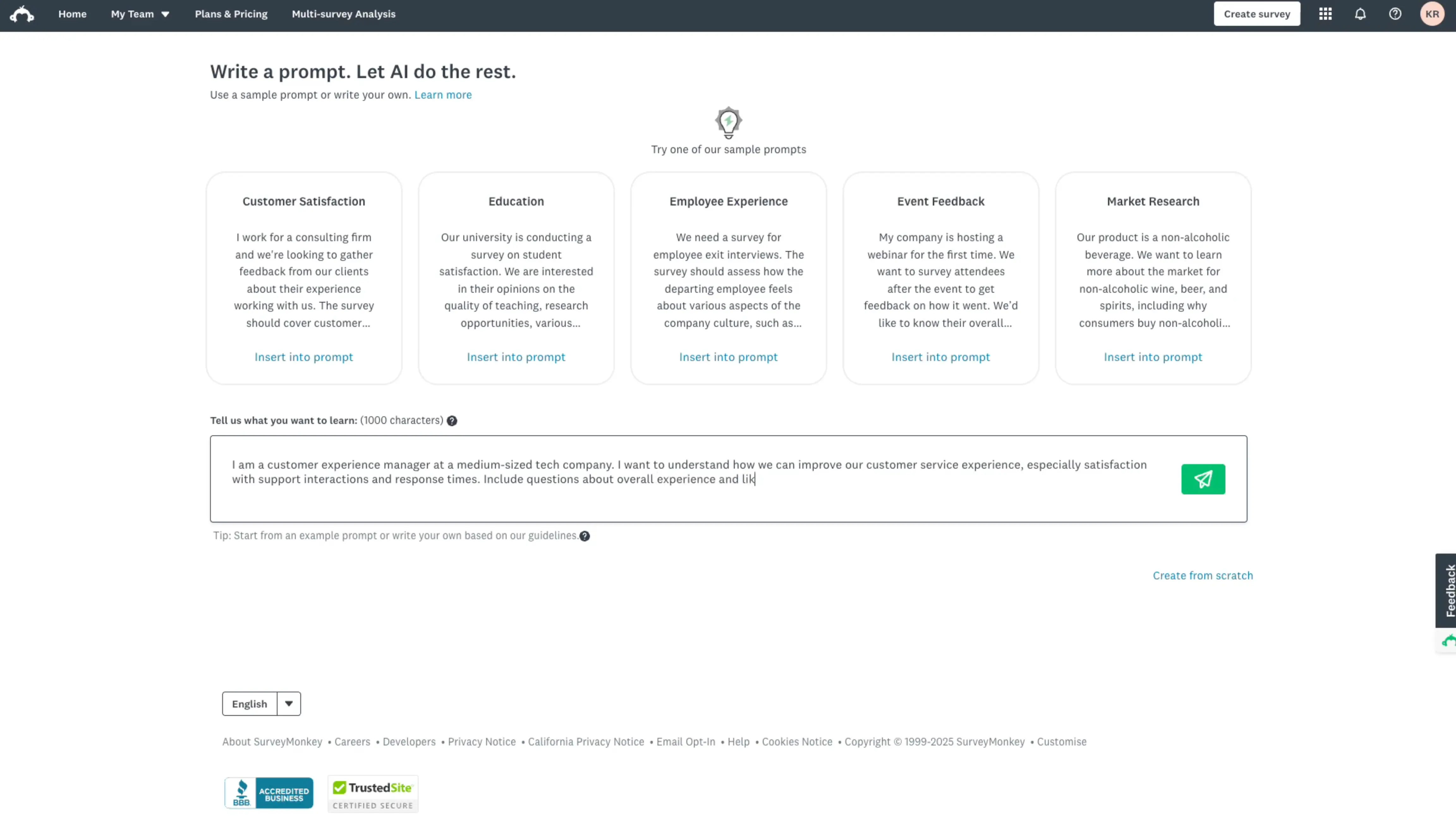
SurveyMonkey is a popular tool that offers intuitive survey creation, distribution, as well as feedback analysis features.
What are SurveyMonkey’s AI-powered features?
- Build with AI helps you generate a survey from a short prompt, and can also import an existing survey draft into a SurveyMonkey survey.
- Survey Genius uses machine learning to review your draft, suggest improvements, and estimate time to completion (and completion rate).
- Sentiment analysis automatically categorizes text responses as positive, neutral, or negative.
- Response Quality uses machine learning to flag low-quality responses to help you clean data and improve reliability.
SurveyMonkey's AI is strongest in Create and Analyze. It can draft a survey from a prompt, tighten it with draft review, and estimate completion rates. On the analysis side, it tags open-text sentiment and flags low-quality responses, though Response Quality has practical limits: English surveys and US data center only.
Act: AI doesn't carry into this step. You get a dashboard and integration options, but there's no AI involved in turning findings into something shareable. No generated report, no plain-language summary you can hand to a stakeholder. Moving from analysis to action is a manual step.
What are some SurveyMonkey pros?
- It’s consistently easy to get a survey out the door, even for non-specialists - that “quick to build and send” theme shows up a lot in user feedback.
- Templates and question types can save some time when you need something standard and defensible rather than a fully bespoke experience.
- Reporting is strong enough for most teams - you can get charts quickly, filter results, and share outputs without exporting everything to another tool first.
What are some SurveyMonkey cons?
- A lot of the “useful stuff” is gated - reviewers often mention running into limitations unless they upgrade, which can be frustrating if you start on a lower tier.
- Some AI features come with practical constraints that aren’t obvious from a high-level feature list - for example, Response Quality only works for English surveys and only in the US Data Center.
- AI access can be a bit of an admin and governance topic in team setups, since AI features are centrally managed rather than just “on” for everyone by default.
- AI analysis builds on your text analysis setup, and what you can do with open-text insights depends on the plan and enabled features.
- There’s no built-in hub for pulling feedback from other channels into one place. SurveyMonkey can summarize and chart survey results, but cross-source synthesis still happens outside the platform.
Pricing
SurveyMonkey has a free Basic plan, and Build with AI is available to all users. Paid plans that include the broader AI analysis toolkit (e.g., Analyze with AI + Thematic Analysis, plus sentiment and poor-quality response flagging) start at Team Advantage for $30/user/month (starting at 3 users, billed annually). Learn more about SurveyMonkey's pricing here.
Typeform
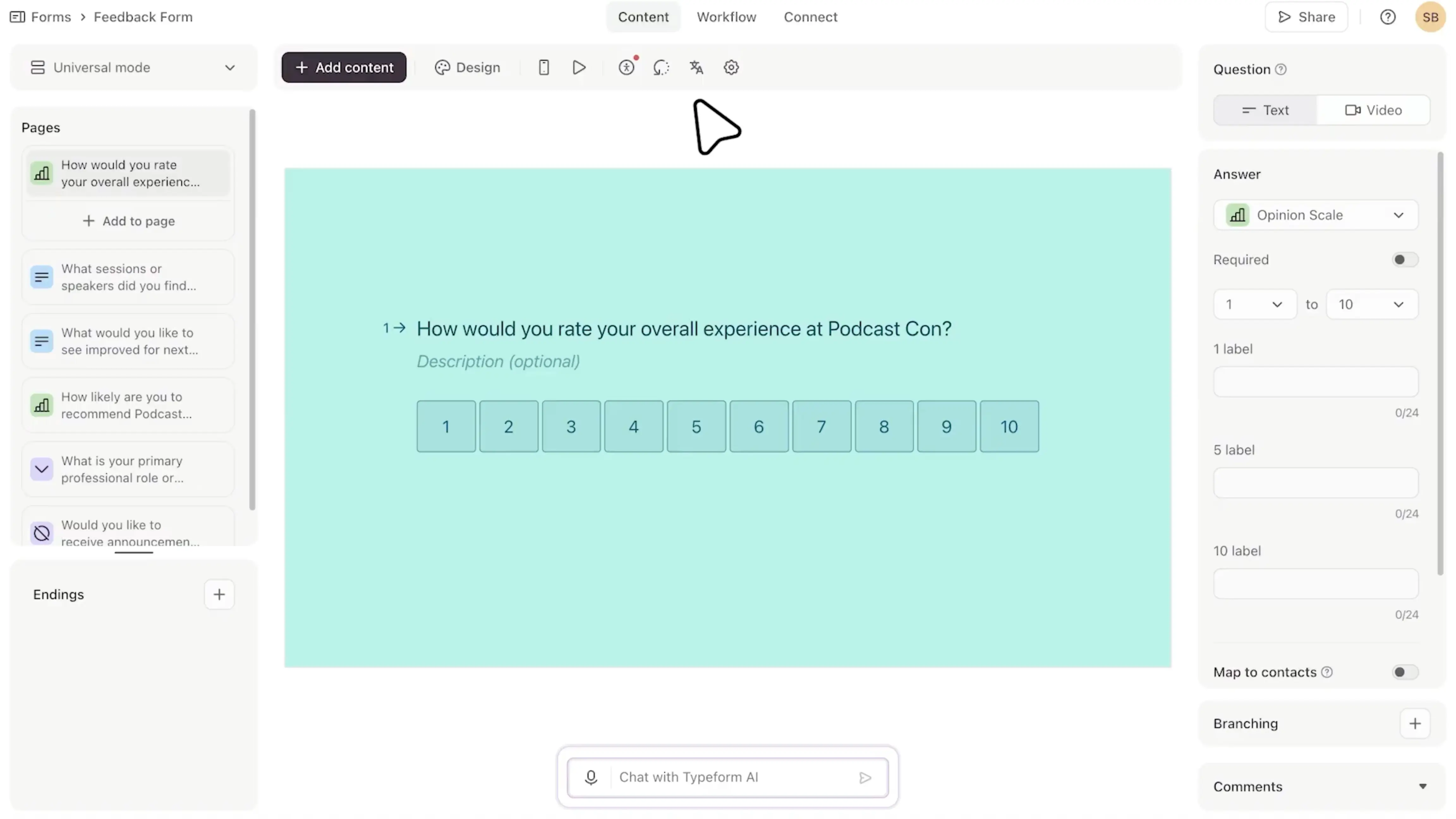
Typeform is a survey tool that focuses on creating well-designed forms and surveys using a conversational interface.
What are Typeform’s AI-powered features?
- Typeform AI (AI Form Builder) can generate a form from a short prompt, and it also supports AI Form Import (e.g., from Google Forms), AI Form Translation (25+ languages), and an AI Content Optimizer for polishing question wording.
- AI Brand Kit (“Match my brand”) can pull your logo and brand colors from your website URL to apply them to your form.
- Clarify with AI automatically asks up to two follow-up questions when a respondent’s open-text answer is vague, so you can get more detail without writing every follow-up yourself.
- Smart Insights (Insights AI) analyzes results with an AI summary, topic detection, and sentiment analysis, and lets you “Ask AI” questions to generate insights
Typeform’s AI is strongest in Create and Analyze, while Act happens only through integrations and automations. The platform doesn’t offer a multi-source feedback repository or an AI-driven report layer, so you still have to package insights into something shareable and actionable yourself. On creation, it can generate a form from a prompt, import or translate a draft, polish wording, and apply branding automatically, and it can also ask up to two follow-up questions when an answer is vague. For analysis, Smart Insights summarizes results and surfaces topics and sentiment, with an “Ask AI” style way to query what people are saying.
What are some Typeform pros?
- You can get from “idea” to a workable form quickly, especially if you’re starting from a prompt, importing an existing draft, or translating a form for a new market.
- It’s easier to get usable detail from open-text answers, because Typeform can automatically ask follow-up questions when someone’s response is vague.
- For quick readouts, Smart Insights and Ask AI can speed up the “what are people actually saying?” step with summaries, topics, and sentiment, without building a whole analysis workflow yourself.
- Community feedback in general praises the respondent experience and design polish, which can be helpful when completion and brand perception matter.
What are some Typeform cons?
- Pricing and response caps are a recurring pain point in reviews - it gets expensive fast once you need higher volumes or more advanced functionality.
- AI features are not “one bundle for everyone” - Smart Insights availability depends on plan, and on Enterprise or Growth Custom it can be disabled by default at the admin level.
- Clarify with AI isn’t available on the lower core tiers - it only shows up on Talent, Growth, and Enterprise plans.
- The response limit on Basic is easy to hit because it’s shared across all forms in the workspace (not per form).
- There’s no centralized, AI-driven way to analyze feedback from multiple sources, and no report layer that helps turn findings into decisions. Acting on insights still means pulling inputs together and packaging the story yourself.
Pricing
Paid plans start at $28 for 100 responses per month. A free plan is also available. Note: AI features are split across plans (and some may require admin enablement), so it’s best to double-check what’s included in the plan you’re considering. Learn more about Typeform's pricing here.
Hotjar
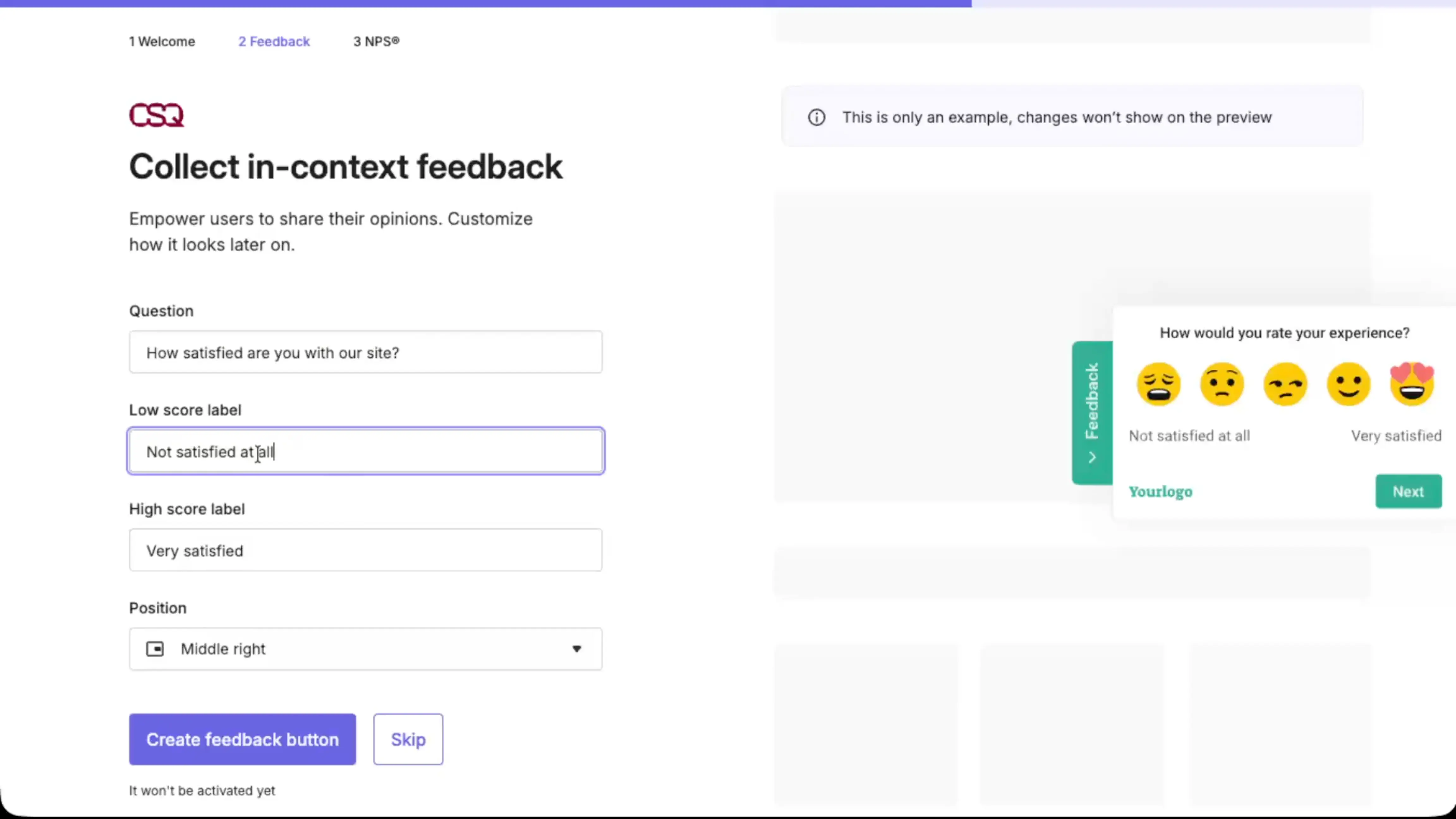
Hotjar is a behavior analytics platform best known for heatmaps and session recordings. If you remember it as a standalone product, note that Hotjar is now part of Contentsquare - Surveys and Feedback are now positioned under Contentsquare’s platform, and pricing is listed there.
What are Hotjar’s AI-powered features?
- AI survey generator lets you describe your goal and generate a survey draft, with 40+ templates as a starting point.
- AI summary reports automatically generate a high-level readout of survey results.
- Sentiment analysis helps you quickly scan open-text responses by emotional tone.
- Automated tags can apply your chosen tags to existing and new responses, so you’re not doing manual categorization.
Hotjar’s AI features sit mostly in Create and Analyze, with Act depending on how you wire insights into your workflow. For creation, the AI survey generator can draft an on site survey from a goal, with templates as a starting point. For analysis, it gives you AI summaries, sentiment, and automated tags, so open text is faster to scan and categorize. Hotjar is great for sharing evidence in context - a replay plus a handful of responses can be more convincing than a dashboard. But on the action layer, it stays behind: it won’t pull feedback from other channels into one place or generate a decision-focused report, so teams still end up doing the synthesis outside the tool before they can turn it into follow-ups, tickets, or changes.
What are some Hotjar pros?
- Hotjar is practical when you want to go from a quick on-site question to understanding what happened on the page, because you can pair feedback with behavior signals like recordings and heatmaps.
- It’s easy to launch lightweight surveys without a heavy setup
- It’s simple to share evidence with stakeholders - a replay link plus a few responses often tells the story better than a dashboard screenshot.
- The free tier is usable for small-scale learning, so you can validate the workflow before you pay for higher response volume.
What are some Hotjar cons?
- Hotjar works best for website feedback - if you need deeper survey logic, broader distribution channels, or more control, a dedicated survey platform can be a better fit.
- AI helps you get a quick read, but you still need manual judgment for nuance, especially when feedback is mixed or context-heavy.
- At higher volume, you’re mainly paying for response allowance, so costs can climb once you want surveys running continuously across multiple pages or segments.
- On the action layer, Hotjar has no research repository to bring feedback from other channels into one place, and no AI report layer to package the key takeaways for your team.
Pricing
Hotjar’s survey and feedback features are priced under Contentsquare’s Voice of Customer plans. The free plan includes the AI survey generator and AI summary reports, and covers up to 100 survey and feedback responses per month (plus 5 user tests or interviews). Paid plans, starting at €39/month, mainly increase the monthly response allowance.
Qualtrics
Qualtrics is an enterprise experience management platform used to run research and Voice of Customer programs at scale, not just quick one-off surveys.
What are Qualtrics’ AI-powered features?
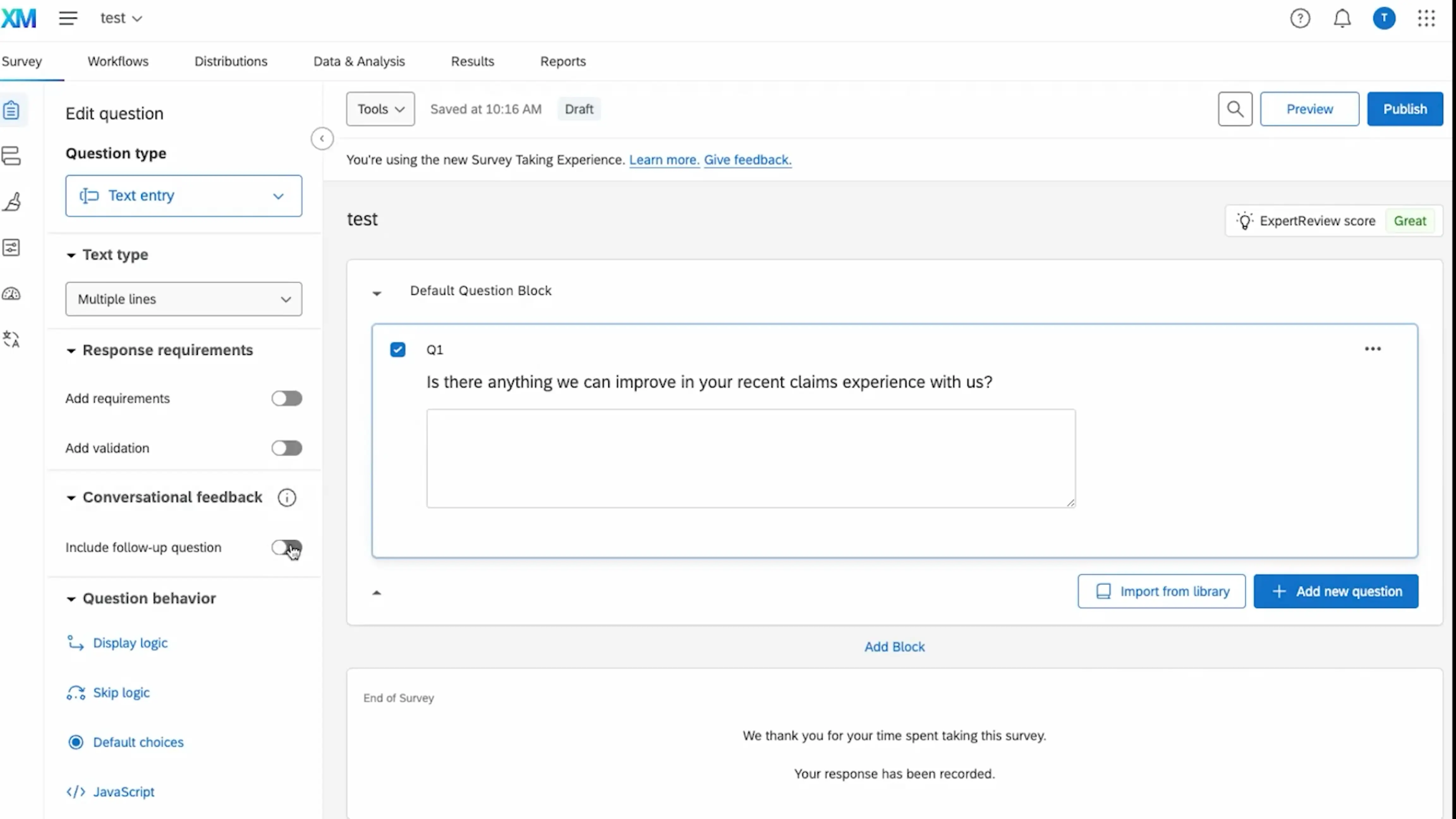
- Conversational Feedback (Adaptive Follow-up) uses AI to generate personalized follow-up questions based on a respondent’s open-text answer, so you can turn vague comments into richer, more actionable input.
- Automated Text Analytics and Text iQ help analyze open-ended feedback with topic detection and sentiment, including AI-assisted topic model creation (and, in XM Discover, an AI topic hierarchy generator).
- Stats iQ supports automated statistical analysis to help you test hypotheses, uncover patterns, and run more advanced analysis without doing everything manually.
- For acting on insights, Qualtrics supports Workflows automation, including an AI Response task that lets you run prompts inside workflows, plus Experience Agents that can recommend and draft actions in ticketing workflows (with human approval).
Qualtrics’ AI covers Create, Analyze, and Act, but it’s built for running research and VoC programs at enterprise scale. On creation, it can generate adaptive follow up questions to deepen open text feedback. For analysis, Text iQ and Stats iQ help with topics, sentiment, and automated statistical work.
Act is where it gets serious: Experience Agents can trigger real-time actions inside surveys and tickets, and the AI Response Task runs generative prompts inside workflows to summarize, classify, translate, and draft responses. The tradeoff is cost and overhead - capabilities depend on your suite, admin settings, and usage limits, and XM Discover is built for ongoing monitoring in dashboards, not for quickly producing a simple report you can share with the team.
What are some Qualtrics pros?
- Open-text feedback is easier to handle at scale, because Text iQ supports topic-based categorization and richer sentiment classification.
- It’s easier to operationalize follow-ups when you use Qualtrics Actions and ticketing workflows - lets you route feedback, assign ownership, and automate steps after a response comes in.
- If you want to embed generative AI into your process, the AI Response Task lets you run prompts inside workflows to summarize, extract, classify, or draft responses as part of the same automation.
- Enterprise governance is strong - admins can control whether third-party generative AI features are allowed and whether new ones are enabled by default.
What are some Qualtrics cons?
- It can feel heavy if you only need basic surveying - complexity and a steep learning curve are recurring themes in user feedback.
- Cost is often a blocker, and implementation can be expensive and time-consuming compared to simpler survey tools.
- AI capabilities are not “one bundle” - availability depends on the specific suite and org settings, and some features may be off until an admin enables them.
- Data workflows can take effort: users sometimes call out friction when bringing data in from other systems, or when trying to manipulate data inside Qualtrics at scale.
- Text iQ comes up as an area that could be improved in real-world use, especially once you need more control over reporting and customization.
- Qualtrics' ACT use case is typically aimed at market researchers and revolves around dashboards and always-on monitoring, not focused, project-specific research reports to share directly with stakeholders.
Pricing
Qualtrics offers a free account with basic survey functionality (3 active surveys, up to 500 responses total). The only self-serve paid plan with published pricing is Qualtrics Strategic Research at $420/month ($5,040 billed annually) for 1,000 responses shared across users; it includes advanced analysis features, including video feedback summarization powered by generative AI.
Most other Qualtrics products and suites are sold via custom quotes and usage-based metrics.
Refiner
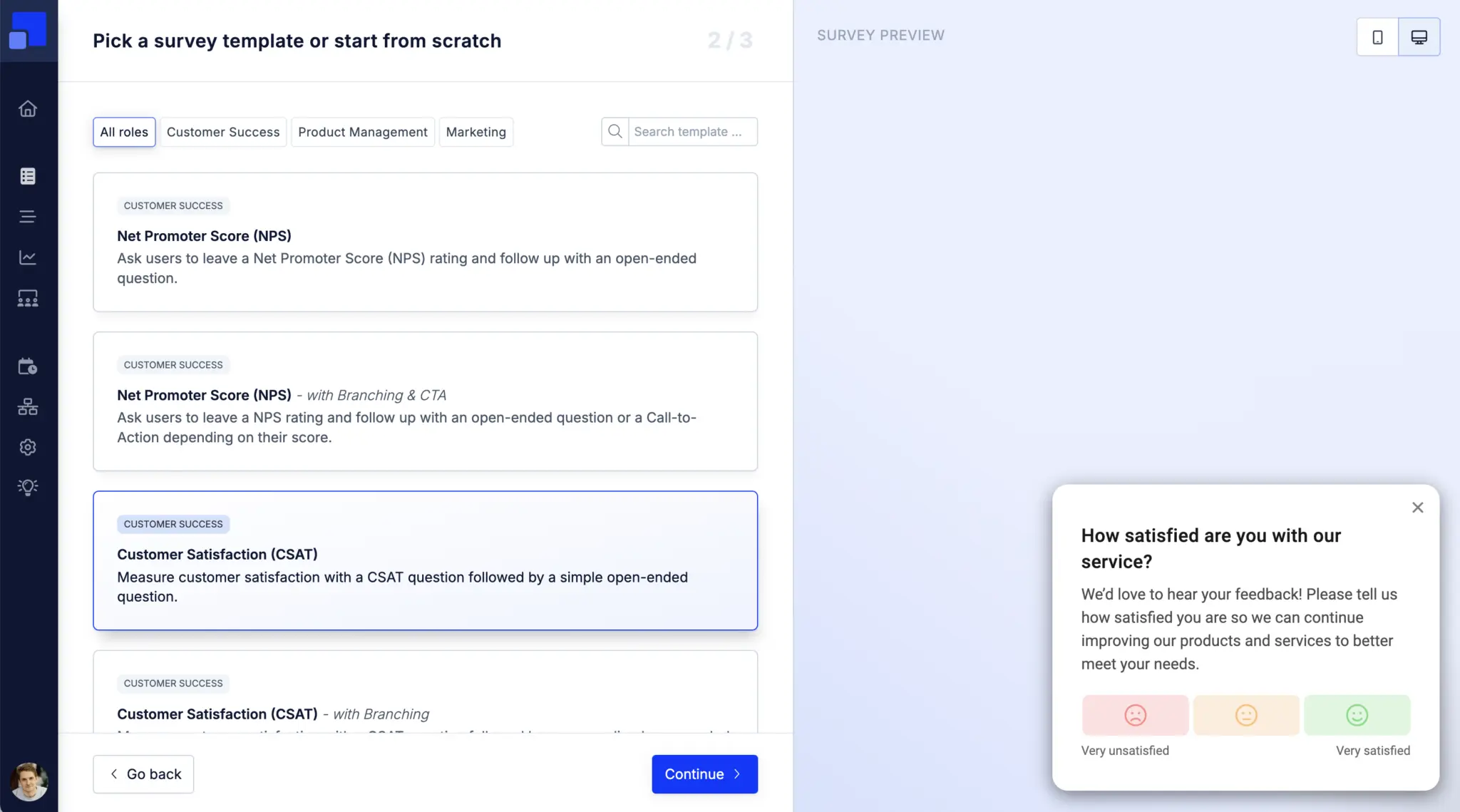
Refiner is an in-app microsurvey tool built for SaaS and digital products. You can run surveys in-product and on websites, or outside the product using email and link surveys.
What are Refiner’s AI-powered features?
- AI Response Tagging automatically applies your tags to new responses, so you don’t have to label feedback by hand.
- AI can translate missing survey text tokens with one click from the Translation Hub or directly in the survey editor.
- Refiner’s AI features are designed around “in-platform” processing - they use AWS Bedrock and state that customer data isn’t used to train external models.
Refiner’s AI sits mostly in Analyze, with a light touch on Create. It can auto-tag open text responses based on your tag definitions, and translate missing survey text tokens from the Translation Hub or directly in the editor. It also runs AI requests via AWS Bedrock and states customer data stays in its controlled environment and isn’t used to train external models.
On Act, you can push feedback out through the API and the integrations you set up, but the native integration ecosystem is fairly limited for some stacks. There’s also no centralized place to pull feedback from multiple tools into one view, and no built-in research report layer, so the synthesis still happens outside Refiner.
What are some Refiner pros?
- You get in-app feedback in context, with targeting across web and mobile, not only link or email surveys.
- Easy to roll out and manage day to day - community feedback often highlights a clean UI and responsive support.
- Works well with modern product and data stacks, so feedback can flow into the tools teams already use.
- Helps if you need multilingual surveys and you’re dealing with a growing pile of open-text feedback.
What are some Refiner cons?
- Reporting and dashboards can feel limited if you need more control over analysis and presentation.
- Some teams miss more advanced automation and workflow options beyond basic routing and alerts.
- Pricing is MAU-based and not fully self-serve, so it can be harder to estimate cost up front.
- On the action layer, there’s no centralized place to combine feedback from other sources or generate a clear research report, so teams still have to pull inputs together elsewhere before they can act on them.
- Best suited to targeted microsurveys - not so much for complex research questionnaires.
Pricing
Refiner offers a 30-day free trial with access to all survey features and integrations, capped at 100 survey responses. When the trial ends (or if you cancel a paid subscription), your account moves to a free plan that includes Essentials features.
Paid subscriptions start at $83/month and remove response caps. Growth plan adds features like event tracking, Translate with AI, and deeper data integrations.
Conclusion: choosing the right AI survey tool for your workflow
If there’s one takeaway from this comparison, it’s that AI survey tools don’t automatically give you AI-driven research. Survicate stands out because it centralizes feedback beyond surveys in an AI research repository and turns it into focused research reports, which makes it a strong fit for product managers and user researchers who want depth without an enterprise rollout.
Choosing the right tool for AI survey creation
Prompt-based survey generation is becoming standard. SurveyMonkey is the right pick if you need a widely recognized brand for external research or academic-style surveys where response credibility matters. Typeform is a strong pick if you care most about conversational design and visual polish.
QuestionPro works well when you need more advanced research logic without going fully enterprise. At the enterprise end, Qualtrics is the most capable option here, with adaptive follow-ups and strong governance - but you pay for that in cost and setup complexity. For most product and research teams, the creation step is less of a differentiator than what happens after the survey launches.
Choosing the right tool for AI survey analysis
Basic sentiment and simple categorization are table stakes now. SurveyMonkey and QuestionPro can help you spot sentiment and themes in open-text feedback, but they still analyze survey results in isolation. Refiner helps keep open-text responses organized with auto-tagging, but it’s still centered on the feedback you collect inside Refiner.
Qualtrics does this at enterprise scale, with enterprise cost and complexity. Survicate brings a similar “multi-source” approach to product and research teams through Research Hub - pulling from 15+ sources like support tickets, call transcripts, app store reviews, and more - then letting you query and verify findings with Research Assistant.
Choosing the right tool for AI survey action
Almost every tool on this list supports integrations and basic automation - the difference is how direct those paths are, and what you can do with the insight once it’s surfaced. Qualtrics has the most sophisticated automation layer, including Experience Agents that can trigger real-time actions inside workflows.
For teams that don’t need that level of automation, Survicate covers more of the day-to-day product stack with native integrations to Jira, Linear, Slack, HubSpot, and Intercom, so feedback can easily turn into tickets, notifications, or CRM updates. The bigger differentiator is Research Hub: instead of stopping at a dashboard, it lets you turn multi-source findings into a clear research output you can share across the org.
So which tool should you choose?
- If your priority is survey aesthetics, Typeform could be worth taking a look.
- If you run an enterprise experience management program with dedicated ownership and budget, Qualtrics is the category leader.
- If you need more advanced research logic without going fully enterprise, QuestionPro is an option to consider, and if you want lightweight in-product microsurveys, Refiner is built for that.
- For most product and research teams, Survicate is a compelling all-around choice: it covers the core survey workflow end to end, plugs into the tools teams actually use, and adds a unique layer on top - a multi-source AI research repository with report-style outputs you can share, so insights don’t stay trapped in a dashboard, and instead turn into clear takeaways your team can act on.
Author’s note (last verified: 18 May 2026): Statements such as ‘best’ reflect our opinion and typical use cases, not a universal guarantee. This comparison is based on publicly available information and our best understanding at the time of writing. Vendors may change features, pricing, and packaging without notice. For the latest details, please check the official sources or reach out to the vendor directly.




.svg)

.svg)