Running an NPS program looks simple enough, right? You ask "How likely are you to recommend us?", the scores come in, and a number lands on a dashboard. So much for the theory. In practice, that number is where most programs stall. The score gets reported to leadership, nobody agrees on what to do next, and three months later, the detractor behind the score enters renewal with a cancellation already taking shape.
If you run customer success or CX, that is the part that actually matters. A detractor response is a potential churn signal, and your job is to catch it and act before the renewal is already at risk. The score still matters, but it is not the whole point. What you need from the tool is the alert, the account name behind it, a way to route it to the right person fast, and a view of whether detractor volume is creeping up in a specific segment over time.
So in this guide I compare 7 NPS software tools through one lens: which ones help you catch at-risk customers, not just count them. I work on the team at Survicate, so I have a clear view of where we win and where another tool is the smarter pick, and I have tried to keep this honest on both counts.
NPS Software Compared by G2 Rating, Strengths, and Best Fit
| NPS software | G2 rating | Known for | My 2 cents |
|---|---|---|---|
| Survicate | 4.6 / 5 | Multichannel NPS plus a research repository that explains why a segment is churning | Strongest when you need to route a detractor to the right account owner in real time and then see the themes behind a segment's NPS drop across surveys, support, and CRM. Less of a fit if you want native case management or frontline location operations inside the NPS tool itself. |
| Retently | 4.7 / 5 | B2B SaaS relationship and transactional NPS with AI that flags score drivers | Fast to launch, well supported, and with AI that points at which topics and segments moved your score. In-product and behavioral targeting are shallower than dedicated in-app tools, so it is weaker if your NPS lives inside a mobile app. |
| AskNicely | 4.7 / 5 | Frontline and multi-location NPS with coaching and recognition | Best suited to service businesses where customer experience depends on staff, branches, or locations. Not really relevant for SaaS teams, and pricing is demo-gated with a per-send model. |
| SatisMeter | 4.7 / 5 | Lightweight in-app NPS to spot unhappy users | Very easy to drop into a web or mobile app to catch unhappy users early. Reporting depth runs out fast, so it struggles when you need to explain why a segment's detractor volume is rising. |
| Zonka Feedback | 4.7 / 5 | Omnichannel feedback with real-time alerts and closed-loop case management | Strong for teams that need formal closed-loop workflows across many channels, including offline and location-based touchpoints. Can be too heavy for SaaS teams, and deeper AI theme analysis sits in a much pricier tier. |
| Nicereply | 4.5 / 5 | CSAT and NPS attached to your helpdesk, measured per agent | A clean way to bolt NPS and CSAT onto Zendesk or Freshdesk and track it per agent. It measures support quality more than account-level churn risk, so it is limited as a standalone retention system. |
| Qualtrics | 4.3 / 5 | Enterprise experience management with closed-loop workflows | The most capable platform on this list and the most expensive. The safer call for large enterprises running complex, multi-department VoC programs; usually too much for a SaaS team that mainly needs to route detractors to a CRM. |
6 must-have features in NPS software built for churn prevention
Before the tool-by-tool rundown, here is the checklist I used. If your goal is to catch at-risk customers rather than report a number, these are the capabilities that matter most.
- Real-time detractor alerts. The moment a customer scores you a 0 to 6, the right person should know. A daily digest is too slow when a renewal is weeks away.
- Account-level identity, not anonymous responses. You need to know which account left the score, ideally tied to the contact and company record, so the alert means something.
- Routing to the right owner. The alert has to reach the account owner or CS manager in the place where they already work, whether that is Slack, Microsoft Teams, or a task in your CRM.
- Segment-level trends over time. One detractor is a customer to follow up with, whereas a rising number of detractors in your mid-market segment over two months is a retention pattern you need to understand.
- Open-text theme analysis. The score tells you something is wrong. The open-ended answers, analyzed at scale, tell you what. Bonus points if the tool can pull those themes across more than just survey data.
- CRM and support integrations. Closing the loop means the feedback flows into the systems your team already works in, such as spotting at-risk customers before they leave inside HubSpot, Salesforce, Intercom, or Zendesk.
A quick note on the score itself: a detractor is anyone who answers 0 to 6, and not every detractor is about to leave. Here’s a refresher on what counts as a detractor and how the math works.
How I did this review
What I looked for
I scored each tool against the six must-haves above, with extra weight on the features that help teams spot and act on detractors in time:
- speed of alerts,
- whether responses carry account identity,
- how easily an alert reaches the right person,
- and how well the tool surfaces themes by segment over time.
Channel coverage and integrations mattered too, because you need to reach customers where they are and push the response into the systems where your CS team can act on it. For more on why that loop matters, see our take on reducing churn the right way.
How I validated the claims
For each competitor I read recent reviews on G2 and Capterra, checked Reddit threads from teams that have switched NPS platforms, and confirmed features and pricing on each vendor's own site and help center. Where a claim comes from reviews rather than the vendor, I have said so. For the Survicate section, I drew on direct experience with the product and feedback from our own customers. Features, pricing, and packaging tend to change in time, so check the source before you commit.
The rundown: how 7 NPS tools help you catch at-risk customers
A few tools here are dedicated NPS apps. Others are broader feedback or experience platforms that include NPS alongside many other workflows. I evaluated each one against what a B2B SaaS customer success or CX team needs to spot churn risk and act on it, rather than against every feature the tool offers. Listed brands are not placed in order of importance or ranking of any sort.
Survicate: multichannel NPS with a research layer for understanding churn risk
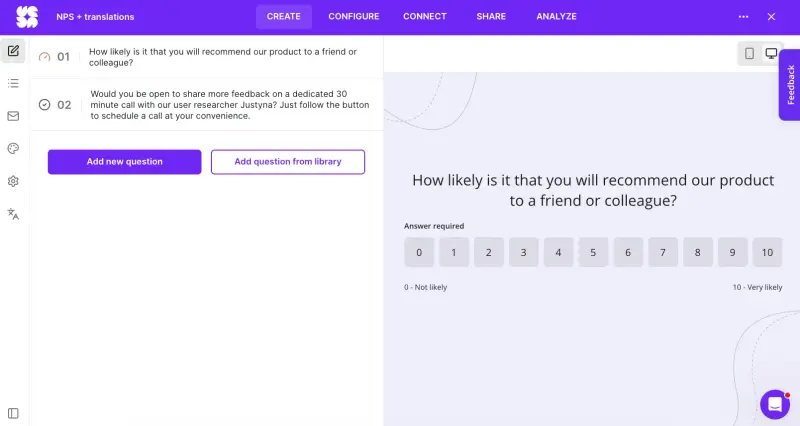
Survicate is an AI-native customer feedback platform built around two things: collecting feedback across the customer journey, and turning it into something you can act on. For an NPS program, that means you can run the survey wherever your customers are, identify the account behind a low score, and route the response without exporting anything.
What does Survicate do?
Survicate runs NPS surveys across in-product (web and mobile app via SDK), website, email embeds, shareable links, and Intercom Messenger. When a detractor responds, you get a real-time notification in Slack, Microsoft Teams, or email. The response is tied to the contact and account through native integrations with HubSpot, Salesforce, Braze, Intercom, and Zendesk. So the alert is not "someone is unhappy", it is "this account is unhappy, here is who owns it".
Survicate’s main advantage for churn prevention is Research Hub, its AI research repository. It connects survey responses with other feedback sources such as support tickets, CRM notes, and call transcripts, then lets you run a focused research report filtered to a segment and a time window. That is how you go from "our NPS dipped" to "here are the 34 detractor responses from mid-market accounts in the last 60 days, and these are the three themes driving them", with each conclusion linked back to the exact quote and the customer who left it.
Who is Survicate primarily for?
It fits SaaS and digital product teams in upper mid-sized companies with more complex digital journeys- specifically the customer success or CX manager who treats NPS as an early-warning system rather than a quarterly report. If your customers live in your app, your website, and your inbox, and your stack runs on HubSpot, Salesforce, or Intercom, Survicate gives you the main pieces of a retention-focused NPS program: collection, alerting, routing, and analysis by segment.
What is Survicate's ease of use?
You can build and launch an NPS survey in minutes without code, from a template or with AI from a one-line description. Mobile in-app surveys need an SDK, which is normal for any native app survey and a quick install in Survicate's case. Reviewers on G2 consistently call the interface clean and the setup fast.
What is Survicate's customer support like?
Survicate offers human live chat support with no bots, and publishes a 97% satisfaction rate and a 2 minute first response time on its site. In practice, support tends to come up in reviews as a reason teams stay rather than complain.
What are the main pros of Survicate?
- Real-time detractor alerts to Slack, Microsoft Teams, and email, with responses tied to account and contact records, so the right owner knows who to follow up with
- Multichannel delivery, including in-app on web and mobile, so you can ask for NPS in the channels customers already use
- Research Hub for segment-level, cross-source theme analysis, with quotes traced back to the customer
- Per-response pricing, plus 10 user seats on the Growth plan and more on higher tiers, so your CS team can share one workspace
- AI follow-up questions that ask detractors for more context after a low score, plus automatic categorization of open-text answers
What are the main cons of Survicate?
- It is not a dedicated helpdesk-native survey tool. A purpose-built helpdesk tool like Nicereply maps post-ticket satisfaction to Zendesk or Freshdesk agent scoring more directly
- It is not built for frontline, multi-location, or offline operations such as field service or in-store kiosks
- It is not an enterprise research suite with conjoint analysis or contact-center workflows
- It is typically too expensive for small companies. If you're looking at only running one NPS survey to gather 100 or so responses, you won't utilize the full potential of Survicate, and will instead end up overpaying
Pricing
Survicate's paid plans start from $56 per month on the Growth plan (billed annually), which includes multichannel surveys, multilingual surveys, AI features, custom branding, and 10 user seats. There is a free plan, and the full ladder runs up through Pro and Enterprise for larger teams. The 10-day free trial gives you the pro-level features so you can test the real workflow with no card required.
My hot take: how well does Survicate hold up for catching at-risk customers?
For a SaaS customer success or CX team, Survicate is strong in the part of NPS many teams struggle with (and most tools skip): the path from a single detractor response to a clear next action. Real-time alerts carry the account name, integrations route them where your team works, and Research Hub answers the question that usually follows an NPS dip, which is "which customers, and why".
Running NPS next to CSAT and connecting it to HubSpot or Braze covers most of what a growing retention program needs: recurring NPS, follow-up metrics, CRM context, and a way to analyze recurring themes and act on them.
Survicate will not be the right fit for everyone, here is when to pick someone else
I work on the Survicate team, so I want to be clear about where it is not the best fit and where a competitor can be the better choice.
- If your NPS program runs entirely over email and leans on heavy automation, recurring sends, event triggers, and automated follow-ups to non-responders, Retently is purpose-built for that, whereas Survicate isn’t.
- If your "frontline" is people rather than a product, think hospitality, healthcare locations, or field service, AskNicely is built for that world with its coaching and location dashboards.
- And if you are a large enterprise that needs localized survey logic across many markets, a contact-center workflow, and advanced statistical modeling, Qualtrics is the heavier, enterprise-grade option that makes more sense.
- For everyone else running NPS in a SaaS business, the closer comparison is between the lighter NPS and feedback tools on this list.
Retently: B2B SaaS NPS with AI-assisted score driver analysis
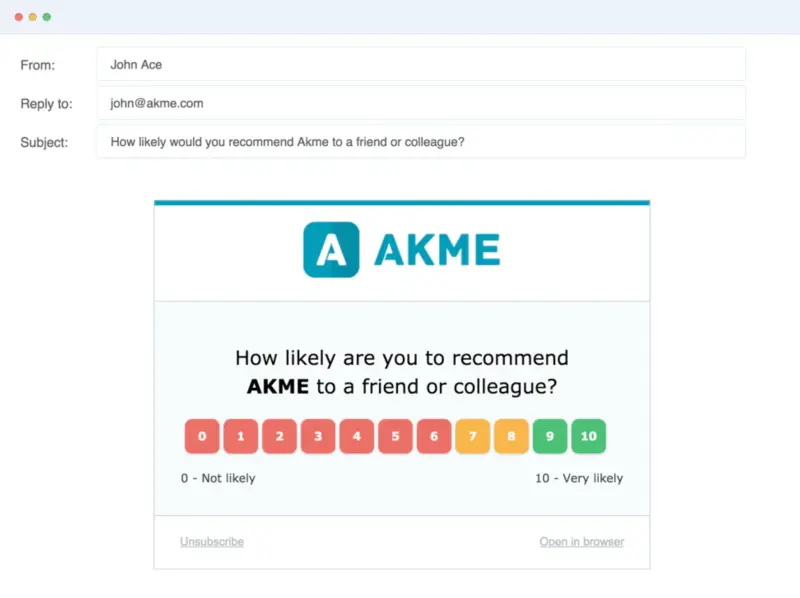
Retently is a dedicated NPS, CSAT, and CES platform aimed at B2B SaaS and ecommerce teams. For CS teams, the useful part is that Retently does not stop at the NPS number. Instead, it tells how the score changed, which customer groups were affected, and what topics may have driven the change
What does Retently do?
Retently runs surveys across email, in-app, SMS, and web, with segmentation built in so you can track how NPS and detractor volume change across customer groups over time. Its AI layer flags which topics, segments, and touchpoints are driving score movements, and automated actions help get a low score in front of the right person and start the follow-up process. Retently also supports promoter-focused automations, such as asking satisfied customers to leave a public review.
Who is Retently primarily for?
Mid-market B2B SaaS teams running relationship and transactional NPS, especially those whose CRM is HubSpot or Pipedrive and who want clean trend reporting without heavy setup.
What is Retently's ease of use?
Ease of use is one of the reasons Retently shows up well in reviews. Reviewers on G2 and Capterra repeatedly mention launching a first survey in less than 30 minutes, and one user reported in-app response rates jumping significantly after switching. Some Capterra reviewers do mention a learning curve around the menus and reporting layout.
What is Retently's customer support like?
Support comes up often as a positive point in Retently reviews. Across G2, Capterra, and SoftwareAdvice, users often mention fast live chat and helpful onboarding support. That matters most for teams that are still figuring out survey cadence, segmentation, and follow-up rules.
What are the main pros of Retently?
- AI analysis that flags the topics and segments behind a score change
- Segment trend tracking over time, useful for spotting a rising detractor pattern
- Fast setup and high response rates reported by users
- Strong, responsive support that comes up often in reviews
- Automated actions for routing feedback, triggering follow-ups, and alerting the team when a low score comes in
What are the main cons of Retently?
- In-product and behavioral targeting are shallower than dedicated in-app tools, so it is weaker if your NPS lives inside a mobile app
- Some reviewers find the reporting menus cluttered
- The product interface is English-only
- One reviewer noted it lacked alerts for unusual drops in response volume
Pricing
Retently offers a 14-day free trial. Public paid plans start at $89 per month and go up to $299 per month before custom Enterprise pricing, with costs scaling based on survey volume, seats, and the number of survey campaigns you need.
My hot take: how well does Retently hold up for catching at-risk customers?
I view Retently as one of the most focused tools here for relationship and transactional NPS. For a B2B SaaS team running NPS over email and in-app, connecting to HubSpot or Pipedrive, and wanting AI to point at the cause of a dip without a heavy build, it is a well-supported choice at fair value.
Where it falls short is depth of in-product targeting: if you need to trigger an NPS survey after a specific in-app workflow on mobile, its behavioral options are limited compared with tools built for in-product surveys. For a program that lives mainly in email and a CRM, it is well worth a close look. If the bigger problem is explaining detractor themes across multiple feedback sources, look for a tool that has a stronger research layer.
AskNicely: NPS as a coaching tool for frontline teams
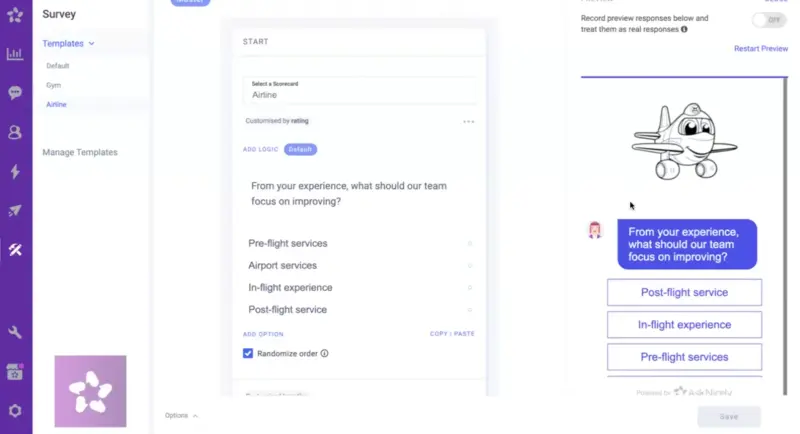
AskNicely is an experience management platform built for service businesses that want to improve frontline performance using NPS and CSAT. It is a different kind of tool from the SaaS-focused options here, as its focus is on frontline management: helping managers understand and improve the service experience by team, employee, or location.
What does AskNicely do?
AskNicely collects NPS, CSAT, CES, and 5-star feedback over email, web, and SMS, then routes it into team analytics by employee, branch, and location. Managers can use coaching and recognition tools, including a dedicated mobile app where frontline staff track their own feedback scores and goals. That includes built-in response, escalation, and workflow management for following up on detractor feedback after a service interaction.
Who is AskNicely primarily for?
Service and multi-location businesses where people deliver the experience: hospitality, healthcare networks, traditional financial services, and field service. If frontline staff performance drives your CX, AskNicely is a natural fit. For a SaaS product team, the fit is weaker, which our AskNicely comparison digs into.
What is AskNicely's ease of use?
Reviewers on G2 praise how quickly you can launch and how mobile-friendly and approachable the surveys feel. The limitation is its limited set of question types, since it only offers NPS, CSAT, CES, and 5-star formats.
What is AskNicely's customer support like?
Support is where reviews become more mixed. Several G2 reviewers describe the chat support as understaffed or slow, with one noting it can feel like reaching "a small team on the other side of the world." For some users, response times feel more like email support than live chat.
What are the main pros of AskNicely?
- Purpose-built for frontline coaching, recognition, and location-level NPS
- Easy to launch, with surveys that work well on mobile
- Built-in escalation and workflow tools for following up on detractors
- Strong integrations with field-service and CS tools, including ChurnZero and Salesforce
What are the main cons of AskNicely?
- Limited question types (NPS, CSAT, CES, and 5-star only)
- Pricing is not public; you have to book a demo to see the product
- It charges per survey sent, so you pay for sends that never get a response
- Some G2 reviewers complain about slow or limited support, and one 1-star reviewer flagged an oversized "powered by AskNicely" logo on their surveys
Pricing
AskNicely does not publish fixed plan prices on its website, so you need to book a demo for a quote. Third-party pricing data suggests starting prices from around $199 per month (SoftwareSuggest) to $399 per month (Capterra, GetApp). Its model also charges per survey sent rather than per response, so model the cost carefully if you survey a large list.
My hot take: how well does AskNicely hold up for catching at-risk customers?
To me, AskNicely makes the most sense in a specific kind of CX program, as it uses NPS as part of frontline coaching and recognition layer for customer-facing teams, rather than an account-level churn prevention system for SaaS. For example, for a hotel group tracking satisfaction across properties or a healthcare network managing dozens of locations, that operational layer is useful in a way a standard survey tool usually cannot match.
For a SaaS product team though, much of that value is less relevant, because your "frontline" is an app or a website, not staff who need a leaderboard. In that scenario, Retently is closer to a focused SaaS NPS workflow, without account-level alerts, routing, and research reports for understanding detractor themes by segment. If frontline performance drives your CX strategy, AskNicely belongs on your shortlist, but model the cost carefully because pricing is demo-gated and based on sends instead of responses.
SatisMeter: lightweight in-app NPS to spot unhappy users early
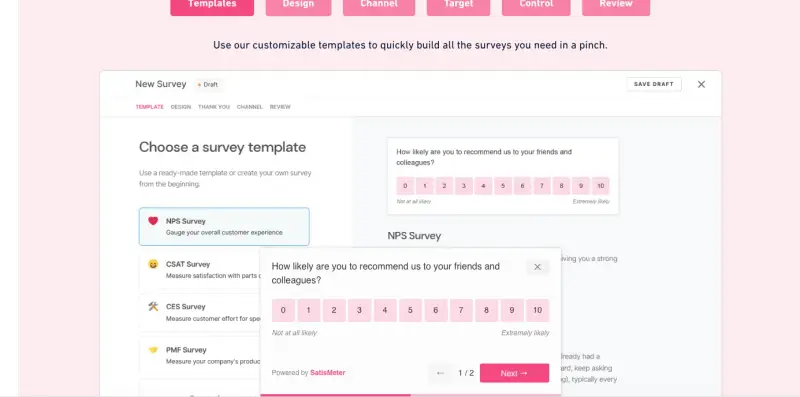
SatisMeter collects in-product NPS, CES, and CSAT inside web and mobile apps. Its whole pitch is catching unhappy users before they churn, which puts it squarely on this angle.
What does SatisMeter do?
SatisMeter shows short survey pop-ups in your app, triggered by events and targeted by user attributes, and it also supports email. Setup runs through Segment or a few lines of code, and the unobtrusive format drives an average response rate the vendor puts around 35%. It is designed, in its own words, for reaching out to unhappy customers and preventing churn.
Who is SatisMeter primarily for?
SaaS and subscription product teams, often smaller ones, who want a simple way to measure in-product NPS and act on low scores without standing up a full CX platform.
What is SatisMeter's ease of use?
Setup is quick, and reviewers on G2 (where it holds a 4.7) praise how simple and fast the interface is. On the other hand, reviewers note limited survey customization and reporting, and a learning curve on the more advanced features.
What is SatisMeter's customer support like?
Support gets good marks in reviews, delivered through chat, email, and a knowledge base. It is not positioned as 24/7 enterprise support, but reviews from smaller teams are generally positive.
What are the main pros of SatisMeter?
- Short in-app surveys designed for higher response rates
- Event triggers and user-attribute targeting for surveying specific user groups and product moments
- Response-based pricing with unlimited projects, users, and surveys
- Quick setup through Segment
What are the main cons of SatisMeter?
- Narrow scope, with limited survey customization and reporting depth (per G2 and Capterra reviewers)
- Cost scales with response volume as you grow
- Analytics are not built for cross-source, segment-level theme analysis across surveys, support, CRM, and calls, so explaining why detractor volume is rising is harder
- Advanced features take more time to learn
Pricing
SatisMeter has a free plan with 25 responses per month, and its public paid plan starts at $199 per month for 1,000 monthly responses. Pricing is based on responses received, not surveys sent, and SatisMeter says it does not charge overage fees. A quote-based Enterprise plan is also available.
My hot take: how well does SatisMeter hold up for catching at-risk customers?
SatisMeter is strongest when you need one thing quickly: dropping an in-app NPS survey into a product to catch unhappy users early, with minimal setup. I get what they are doing and I must say, for a small SaaS team that wants in-product NPS this week, that speed matters.
The harder part starts when someone asks why the trend is moving. So, the moment leadership asks why detractor volume is climbing in a particular segment, or you need analysis that pulls support and CRM data alongside survey responses, SatisMeter starts to feel narrow compared to competing tools with a research layer.
Zonka Feedback: omnichannel feedback with real closed-loop workflows
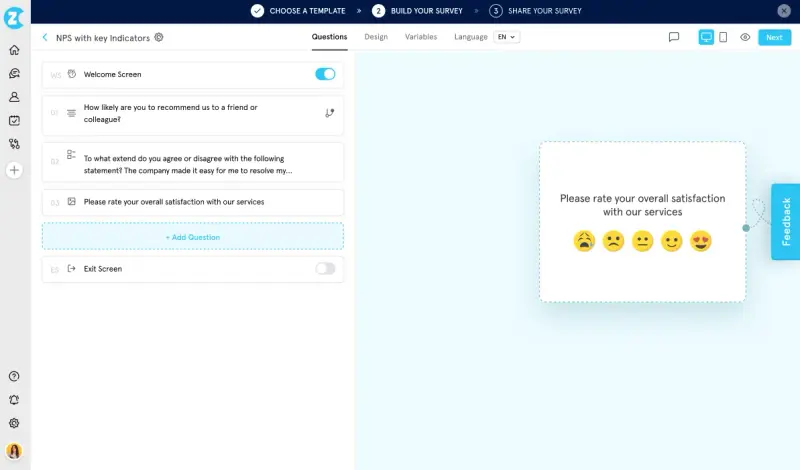
Zonka Feedback is a broad feedback management platform that measures NPS, CSAT, and CES across many channels and routes negative feedback into follow-up workflows.
What does Zonka Feedback do?
Zonka collects feedback across email, SMS, WhatsApp, web, in-app, kiosks, and offline modes, and integrates with 50-plus platforms including Salesforce, HubSpot, Intercom, and Zendesk. For this use case, Zonka’s strongest part is what happens after a low score comes in: real-time alerts, intelligent routing, case management, and closed-loop workflows that get the right team onto a detractor quickly. A separate AI Feedback Intelligence tier adds thematic analysis, sentiment, and an "Ask AI" chat over your feedback, which is the part you would need for explaining why detractor volume is rising in a segment.
Who is Zonka Feedback primarily for?
CX and VoC leaders across industries, including teams with physical locations and offline touchpoints. It suits organizations that need to unify many channels and run formal closed-loop case management.
What is Zonka Feedback's ease of use?
The basics are easy to set up, and it holds a 4.7 on G2. Power users who configure custom entities, taxonomies, and complex workflows should expect to invest some setup time, which reviewers and the vendor's own materials acknowledge.
What is Zonka Feedback's customer support like?
Zonka offers a help center, developer resources, and demo-based onboarding, with support levels and SLAs that depend on your plan. Enterprise customers typically get more dedicated options.
What are the main pros of Zonka Feedback?
- Broad channel coverage, including WhatsApp, kiosks, and offline
- Real-time alerts and routing to the right team
- Built-in case management and closed-loop workflows
- CX automation and a centralized feedback inbox for managing detractor follow-up
What are the main cons of Zonka Feedback?
- The AI that explains why detractor volume is rising sits in a much pricier AI Feedback Intelligence tier
- A lot of its channel breadth (kiosks, offline) is wasted on a digital-first SaaS team
- Configuration depth means a longer setup for advanced workflows
Pricing
Zonka does not publish fixed plan prices on its website and instead describes flexible plans tailored to each business, so you need to request a quote. Third-party listings, including G2 and TrustRadius, suggest starting prices around $199 per month for Feedback Management and $999 per month for AI Feedback Intelligence. Treat these as reference points rather than official current pricing.
My hot take: how well does Zonka Feedback hold up for catching at-risk customers?
Zonka is one of the more complete systems here for acting on detractor feedback. The alerts, routing, and case management help a team respond quickly. The broad channel coverage is a real advantage if your CX program spans digital, offline, and location-based touchpoints. For a SaaS retention program, though, I see two limits that matter quite a lot.
First, the analysis that tells you why a detractor volume is rising in a segment lives in a separate, expensive AI tier, so the "why" is not really included until you pay up. Second, much of its reach (kiosks, offline, WhatsApp) solves problems most digital-first product teams do not have. Zonka is strong for multi-channel and multi-location CX, especially when you need formal case management. But for a digital-first SaaS team, it is heavier than necessary.
Nicereply: CSAT and NPS bolted onto your helpdesk
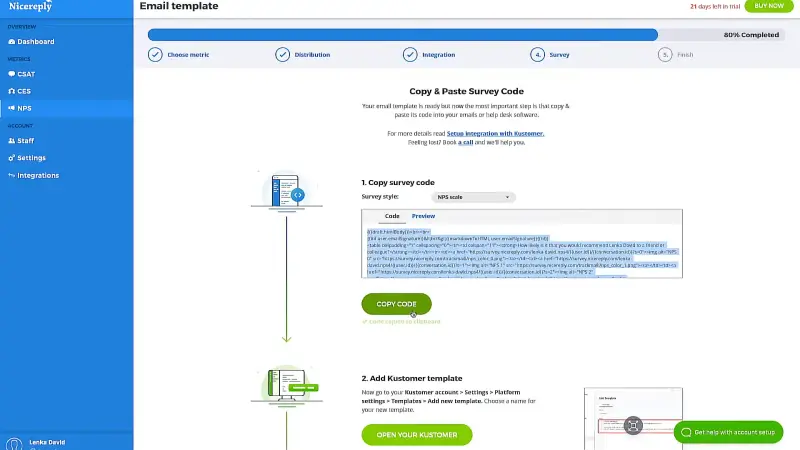
Nicereply is a customer satisfaction platform built for support and success teams, with NPS as one of three metrics alongside CSAT and CES. Most of its value sits inside the helpdesk workflow, so it is strongest at measuring support interactions rather than account-level churn risk.
What does Nicereply do?
Nicereply triggers one-click CSAT, NPS, and CES surveys after ticket resolutions, in email signatures, via links, and through website pop-ups. It integrates directly with Zendesk, Freshdesk, Front, Help Scout, Intercom, HubSpot, and Pipedrive. It tracks scores per agent, team, and company over time, with leaderboards for coaching. Nicereply can push notifications to Slack, Microsoft Teams, and email when feedback comes in after a support interaction.
Who is Nicereply primarily for?
Support and success teams whose customer relationship lives inside a helpdesk and who want to measure satisfaction after interactions. Companies like Microsoft, Lenovo, and HubSpot use it for exactly that.
What is Nicereply's ease of use?
Reviewers on Capterra and GetApp describe quick onboarding, and a nice touch is that every integration works on every plan with no tier gating. The in-signature survey method also can help response rates because customers reply to an email they were already opening.
What is Nicereply's customer support like?
Reviews describe the team as responsive and helpful, and Nicereply holds a 4.5 on G2 across a large review base.
What are the main pros of Nicereply?
- Native helpdesk integrations across the major support tools
- In-signature and post-resolution surveys for collecting feedback right after support interactions
- Per-agent and per-team analytics with coaching leaderboards
- Affordable, with no integration gating between plans
What are the main cons of Nicereply?
- Reporting is basic compared with enterprise platforms
- It is not a helpdesk or ticketing system itself
- It measures support-interaction satisfaction more than account-level churn risk
- Analytics are not built for cross-source, segment-level theme analysis
Pricing
Nicereply starts at $59 per month for the Starter plan (3 seats and 100 survey responses) and scales up to $449 per month on higher tiers, with a 14-day free trial.
My hot take: how well does Nicereply hold up for catching at-risk customers?
To me, Nicereply is a strong fit when your main churn signal is poor support experience and you want NPS or CSAT attached directly to helpdesk interactions. If your CX program lives inside Zendesk or Freshdesk, it is quick to set up and the in-signature surveys make sense because they collect feedback inside an interaction the customer is already having. This is all good.
But the limit for this angle is what it measures: support-interaction quality, more than the health of an account heading toward non-renewal. Its reporting also will not tell you which customer segment is turning into detractors over time. So, as a support-quality tool it is well worth your attention; as a standalone NPS-for-retention system it is (too) light.
Qualtrics: enterprise-grade NPS for complex CX programs
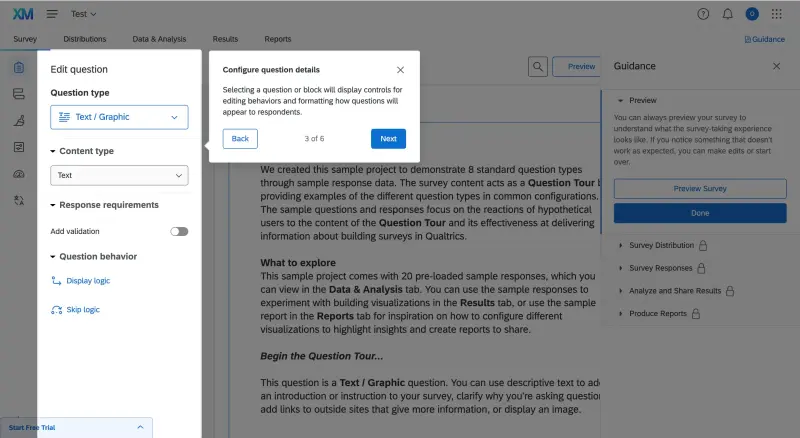
Qualtrics is a well-known enterprise platform for experience management. It can run an NPS program at a scale most lighter tools are not built for, which is both its strength and the reason it is the wrong tool for many CX teams reading this.
What does Qualtrics do?
Qualtrics CustomerXM combines surveys with advanced logic, text and sentiment analytics, dashboards, closed-loop ticketing, and AI-driven recovery workflows for detractor recovery, across many markets and languages. For an NPS program, it can detect a detractor, open a case, and route it, with the analytical depth a large research team expects.
Who is Qualtrics primarily for?
Large enterprises with a dedicated CX team, multiple markets, and complex research needs. It is also, notably, the migration path Qualtrics is steering Delighted customers toward since its product sunset on June 30, 2026.
What is Qualtrics's ease of use?
The setup and administration are the hard part. G2 reviewers rate its ease of setup well below the lighter tools here, and getting value out of it generally assumes admins and a rollout plan rather than a self-serve afternoon.
What is Qualtrics's customer support like?
Enterprise customers get structured support and account teams. Qualtrics CustomerXM sits around a 4.3 on G2, and reviewers often praise its capability and reliability, while also pointing to the learning curve.
What are the main pros of Qualtrics?
- The most capable and scalable platform on this list
- Advanced statistics, text analytics, and dashboards
- Closed-loop case management and AI-driven workflows
- Support for multi-language and multi-market programs
What are the main cons of Qualtrics?
- Quote-only pricing, typically at enterprise budget levels
- Steep learning curve and long implementation
- Overkill for SMB and mid-market NPS programs
- Generally needs dedicated admins to run
Pricing
Qualtrics does not publish pricing. You contact sales for a quote, and deals are scoped at enterprise scale. The only public self-serve price is for Strategic Research, which starts at $420 per month and is built for research projects, not for running an account-level NPS program. In practice, Qualtrics contracts often run into tens of thousands of dollars per year, and larger enterprise setups can go much higher, according to buyer-reported pricing data.
My hot take: how well does Qualtrics hold up for catching at-risk customers?
Qualtrics is the most capable platform here, and also the most complex and the most expensive. If I were a decision-maker at a publicly listed company running NPS across 15 markets with localized logic, custom integrations, and a CX team to manage it, I could go for Qualtrics. Its level of capability probably justifies the cost.
But for a SaaS company whose team just wants to track NPS and CSAT monthly and route detractors into HubSpot, it is the wrong fit, and the implementation can easily become the project instead of the NPS follow-up workflow you wanted in the first place. If you are evaluating Qualtrics only because Delighted has closed, it is worth weighing the lighter tools on this list before defaulting to the heaviest one.
Which NPS software is right for you?
The answer is that it depends on where your customers are and what you do after a detractor responds. But for the specific job of catching at-risk customers before they churn, the choices sort cleanly.
I would narrow it down by use case:
- Survicate is the strongest fit when you are a SaaS customer success or CX team and need the full churn-prevention workflow. Research Hub is the key difference here: it helps you move from “our NPS dropped” to the actual themes behind the decline, with responses tied back to customers and segments.
- Retently is a well-supported pick if your program lives entirely within email and your CRM, and you want AI to instantly point out the cause of a score dip.
- AskNicely makes the most sense if your "frontline" is staff across physical locations, as it easily connects NPS with team coaching and service recovery.
- SatisMeter offers a lightweight, friction-free way to collect in-app NPS and catch unhappy users early.
- Zonka Feedback fits best if you require omnichannel coverage with formal case management (provided you can justify the cost of its AI tier).
- Nicereply is the neat, go-to add-on if your CX runs strictly inside a helpdesk.
- Qualtrics remains the default platform that scales for large enterprises with the massive budget and dedicated teams to match.
Whichever you choose, the tools are only half of it: the teams that prevent churn are the ones that actually respond to detractors quickly, a habit that matters more than whether NPS is still the right metric at all.
Want to see the churn-prevention workflow in action? You can start a free Survicate trial and run your first NPS survey in a few minutes.
FAQ
What features actually matter in NPS software if my goal is preventing churn?
Prioritize the action side over the survey side. Real-time detractor alerts, account-level identity on every response, routing into the channels your team uses, and segment-level trend tracking are what let you intervene before a renewal. Open-text theme analysis is the difference between knowing a segment is unhappy and knowing why. A score on a dashboard, on its own, changes nothing.
How fast should I respond to a detractor, and does the tool's alert speed really matter?
Quickly. A low NPS score is one of the clearest churn warning signals a customer can give you, so a daily or weekly digest can mean catching a churn signal a week too late. A tool that pings the account owner in Slack or Teams the moment a 0 to 6 lands is doing the single most important thing an NPS program can do.
What is the most common mistake teams make when choosing NPS software?
Buying for the score and not the workflow. Plenty of tools calculate NPS - and stop there. The mistake is picking one that cannot tie a response to an account, route it to a person, or show you trends by segment, and then wondering why the program never reduces churn. Map the path from "detractor responds" to "owner acts" before you compare features. It also helps to be clear on the NPS questions worth asking so the open-text answers are actually useful.
I use Delighted, which has shut down. What should I switch to?
Delighted was discontinued by Qualtrics on June 30, 2026, so its users do need a new home. The default nudge is toward Qualtrics, but that is a much heavier and pricier platform than most Delighted teams want. If you valued Delighted's simplicity, a lighter NPS tool such as Retently, SatisMeter, or Survicate will feel closer to home, and Survicate adds the cross-source analysis Delighted never had. Whatever you pick, I’m crossing fingers you had time to export your historical data before the cutoff ;-)
Author's note (last verified: August 18, 2026): Statements such as "best" reflect our opinion and typical use cases, not a universal guarantee. This comparison is based on publicly available information and our best understanding at the time of writing. Vendors may change features, pricing, and packaging without notice. For the latest details, please check the official sources or reach out to the vendor directly.