Researchers are being asked to move faster without losing the things that make their research worth trusting: credibility and quality. That's not a new tension. But it's gotten harder to manage.
We've spent the last several months talking to researchers about this exact frustration, and more, including how researchers can use AI without removing the human judgement their findings rely on.
100+ conversations, across different company sizes, different research maturities, different relationships with AI.
Two words came up the most: quality and trust.
Researchers we’ve talked to were opposed to what AI had been doing to their work: generating plausible-sounding conclusions they couldn't stand behind, stripping the traceability out of findings, and creating new problems on top of the old ones.
Research Hub is Survicate's answer to these issues.
The 3 major problems with generic LLMs
Let's take a few steps back.
When researchers try to speed up their work with already-available tools, most reach for the same handful: Claude, ChatGPT, or NotebookLM…
Aka, Generic LLMs adapted - with varying degrees of success - to do something they weren't built for. Which turns out to come with a handful of problems.
Problem 1: the context window

The first problem we want to address is one you definitely encountered, but maybe aren’t familiar with the technical name it comes with.
Basically, when feeding large datasets directly into an LLM, the model suffers from something called the 'lost in the middle' degradation. This is where content positioned in the middle of a long context window being systematically underweighted.
At 50k+ tokens (roughly 1,000–2,000 data rows), the model may silently miss or misrepresent a substantial portion of your feedback data, even if you upload the data in smaller chunks yourself. LLMs still concatenate them into a single flat context, so middle-positioned files still end up in the forgotten zone.
Think of it this way: if you’re reading a 1,000-page book, you’ll likely remember the beginning and the ending really well. But the middle may become a little blurry.
Research Hub addresses this by chunking data and aggregating results BEFORE passing them to the model. That way we’re ensuring every data point is processed, not just the ones that happen to land at the edges of the context window.
But we’re not just chunking.
Our models also assign sentiment and insights (as vectors) to specific sentences or phrases. Each chunk is then short and specific enough for AI to retain the context. Nothing gets buried. Every sentence gets evaluated in full. And the end result is of high precision with traceable attribution, and insights that reflect what customers actually say.
The need to have a solution like this becomes even more important as you scale.
But of course, context windows are not the only problem with generic LLMs.
Problem 2: prompt purgatory and untraceable output
The second issue we want to mention is the fact that the output LLMs generate is only ever as good as your prompt.
We call this the prompt purgatory.
Basically, to get to “decent results”, you have to put in immense time and effort, build your own agents, set up all the rules, read a bunch of playbooks, and you still end up not trusting the AI conclusions fully.
So you re-prompt, start from scratch, add the context in again and again, wondering if you’re really saving time setting it all up in the first place.
Even after getting to a plausible sounding output, you get brought back down to planet Earth as soon as a key stakeholder calls a specific insight into question.
“Hey, where did that come from, who said that, and what exactly did they say?”
This is where all your hard work prompting falls apart, your generic LLM can't pinpoint the point it made to a specific user.
With generic LLMs, you can’t trace individual conclusions back to their original sources.
Problem 3: no memory, no consistency, no persistence
And even if you solve the prompt problem, there's a deeper architectural issue generic LLMs can't get around.
Namely that every session starts from scratch. Nothing accumulates, nothing persists. Intelligence resets every time you start a new chat.
And yes, I hear you: "Why don't I just keep the "tab" open, or just use the same chat". Well that goes back to what we said earlier about context windows. At some point, your AI will start paraphrasing what you said before.
Ask your AI the same question twice and you may get different themes, different counts, different emphasis. It's how language models generate output.
So you can't trend anything over time, can't compare findings from January to findings from June, and can't build a consistent taxonomy that means the same thing across sessions, sources, and team members. LLMs do it all in their own ways.
For one-off questions, this is all fine.
For research that needs to hold up in a stakeholder meeting, inform a roadmap decision, or be referenced six months from now, it's a fundamental limitation no prompt engineering fixes.
What researchers actually told us they needed
Whether you’re fully aware of the above-described problems with generic LLMs or not (you likely are), you definitely have said something along these lines:
- "Stop trying to replace me." Researchers don't want AI that skips human judgment. They want AI that handles the grunt work of synthesis: pulling themes from 200 feedback points, connecting patterns across multiple sources and formats, so they can spend their time on what actually requires expertise. The interpretation. The call on what matters.
- "Let us share the business context." Generic output doesn't get approved. When a report lands in front of a PM or a leadership team, they need findings framed in terms that mean something to their roadmap, their personas, their current priorities. Researchers know this context. They want to be able to give it to the AI so the output is specific enough to actually be useful.
- "Give me control over the synthesis." The researcher is the expert, not the AI. What researchers kept asking for wasn't less involvement in the process. It was more: a structured way to review every finding, refine every conclusion, and put their name on a report they fully own.
This is exactly what we kept hearing in the interviews from researchers themselves, whether they already tried to play around with AI or not.
So the AI itself is not the evil here.
If applied in a trustworthy and controllable way, it can help researchers match the speed that’s currently required of them without losing their credibility and expertise.
Introducing Research Hub
So this is exactly what we shipped. Meet Research Hub.
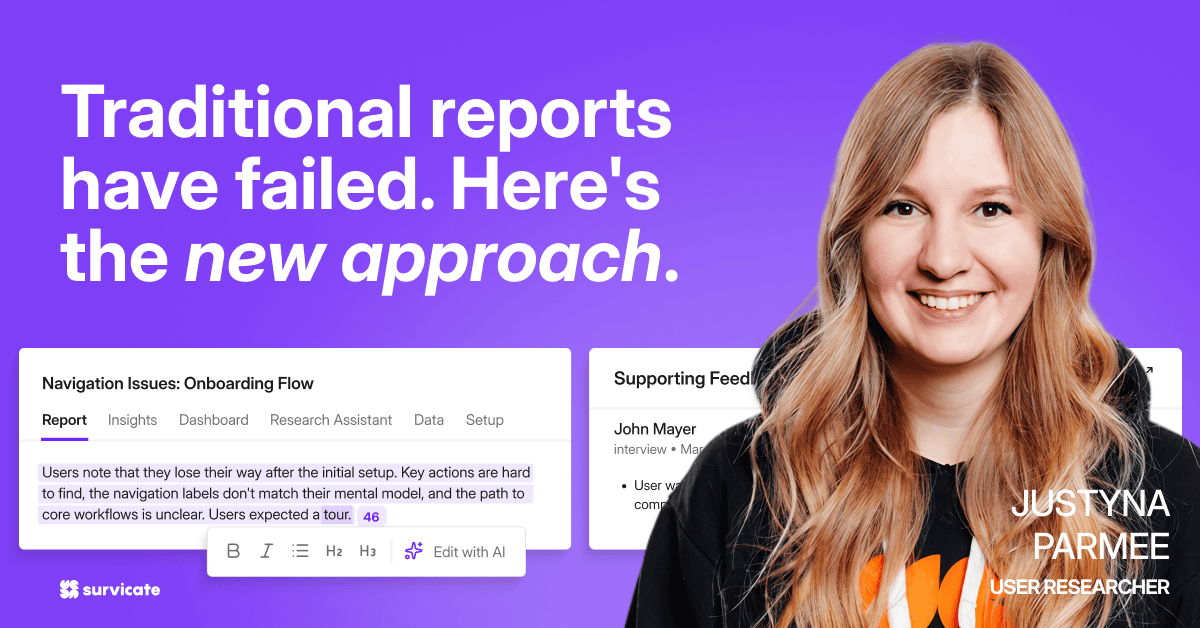
Research Hub is a credible AI research repository that handles the data synthesis across 15+ sources (and uploaded files) in a continuous or one-off-project-basis ending in a report that follows proven research methodology (built-in by design).
Easy data triangulation with multiple sources

If you ever dreamt of having an easily-accessible place for all your research data updated and organized in real time with no manual tagging, Research Hub is that place for you.
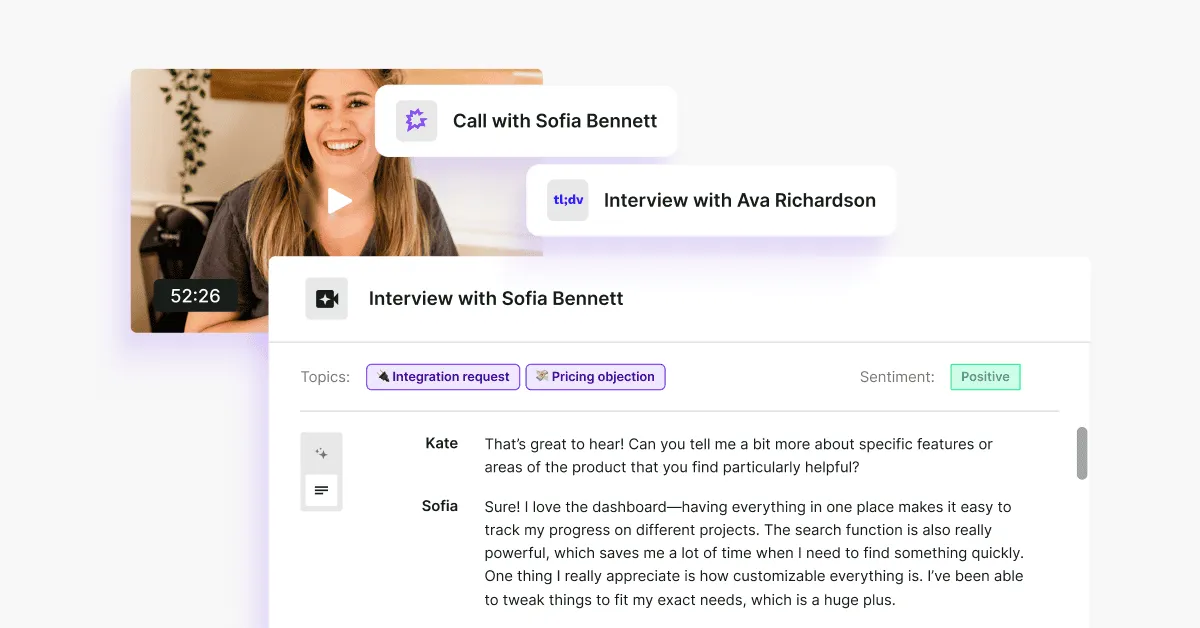
It connects data from 15+ sources, from App Store reviews, through Intercom conversations, to tl;dv or Google Meet transcripts with our team working constantly on adding extra sources you can connect Research Hub to.
But besides extracting and updating data from multiple sources in real time, it also allows you to add in more information with external files, from user interviews (yes, Research Hub can easily transcribe calls too) to Google Sheets files with survey results or your research notes.
Speaking of surveys, we’re currently one of the very few research repository platforms on the market with surveys built-in (Survicate, at a core, is a survey platform after all), so your team’s budget doesn’t have to stretch to connect the repository with an external survey tool. Just saying!
Full control and context

Obviously, connecting and monitoring sources is just that. Adding one more space for you to track and analyze insights in.
Research Hub gives you a structured way to work through the AI synthesis with two things: projects and context.
Creating a project is designed to feel like the way you'd start research today.
You decide what sources to analyze, the time frame to work with, and the description or goals attached to your research project. All of this detail helps guide Research Hub.
Projects can be one-time (answering a specific question, like sudden user drop off on a new feature) or continuous (for things like overall user experience with a product).
For the second, it’s the part where you’re no longer working with AI that has no memory and no consistency.
With Research Hub, you start by adding the business context (we can even extract it automatically for you). You do this once, and then every subsequent project starts with this knowledge.
Your personas, your products, your company’s description.
And then…
Groundwork done for you in a trust-worthy way

Multiple agents (you can’t really hack away with Claude skills) do the work of reviewing the data, cross-checking information, connecting insights to specific quotes so that you receive a report that’s credible.
A report where every finding is traceable back to its original source, every conclusion can be edited, cut, and refined.
And that’s because Research Hub works at the sentence level, finding supporting evidence in the exact fragment that's relevant. It's the most significant under-the-hood change in this release, and the main reason findings are more precise and traceable than ever before.
You decide what the end result is like, approving a report that’s fully yours.
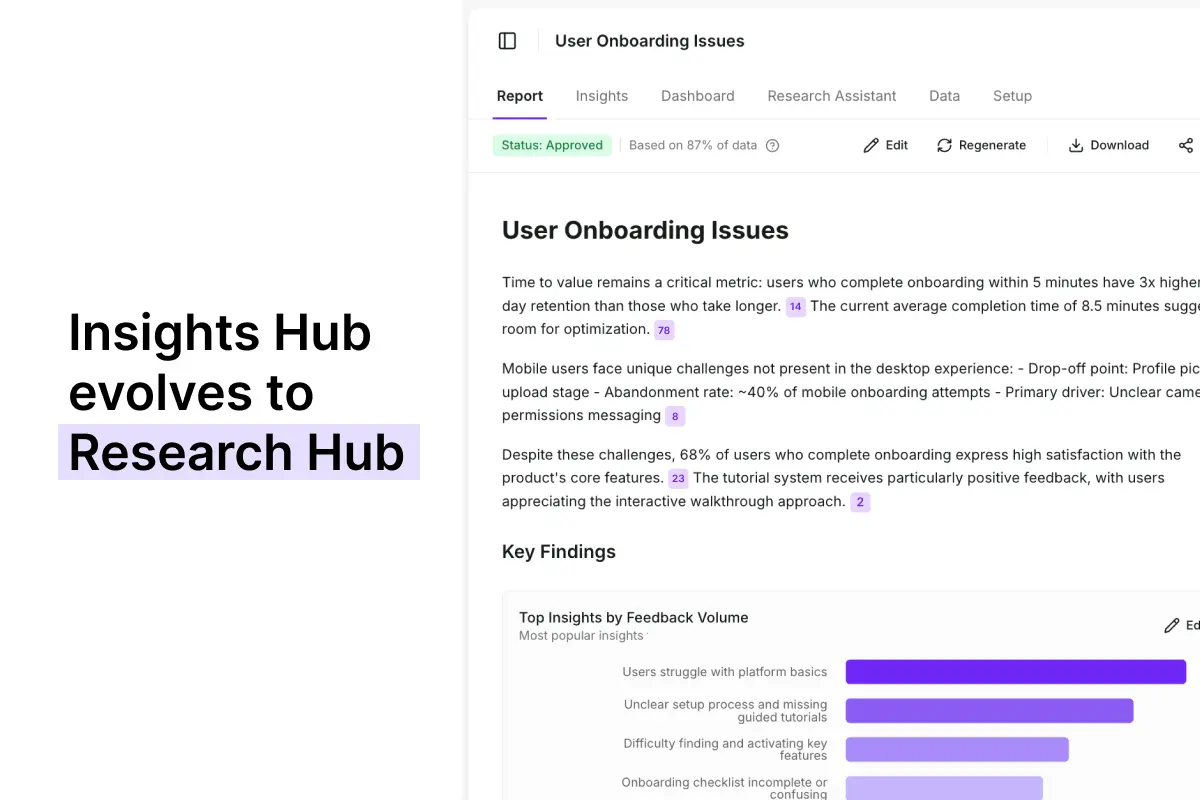
Insights Hub evolved to Research Hub
We've initially built Insights Hub, an organized space to aggregate feedback data from across sources and analyze it in one place. Our users really wanted to use it to find insights but the key problems were lower than expected quality (insights too generic) and lack of control over how these insights were created.
Now, Research Hub is the evolution of Insights Hub with a completely new methodology and agentic model behind it, which comes with much better quality of the output and more control given to the user on how the analysis part is handled.
Before: Insights Hub

So what did it look like before?
When we first started playing around with data synthesis, we started with the part of Survicate that’s called the Insights Hub.
And it was almost like a segway into today’s Research Hub.
Data could be connected and centralized across sources. Patterns surfaced automatically. Themes organized by source and time frame.
But all the synthesis happened at the platform level across everything, all at once.
There was no way to scope it to a specific research question. No project structure to organize findings around a hypothesis. The insights were there (although a bit too generic for our liking). The ownership wasn't.
On top of that, the initial Insights Hub fed the entire dataset to the AI as a single block of text.
Which ran into a well-documented LLM limitation called "lost in the middle" we’ve mentioned earlier: models systematically under-attend to content buried in the middle of long inputs, anchoring instead to the opening and closing.
All leading to a poorer quality output than we expected.
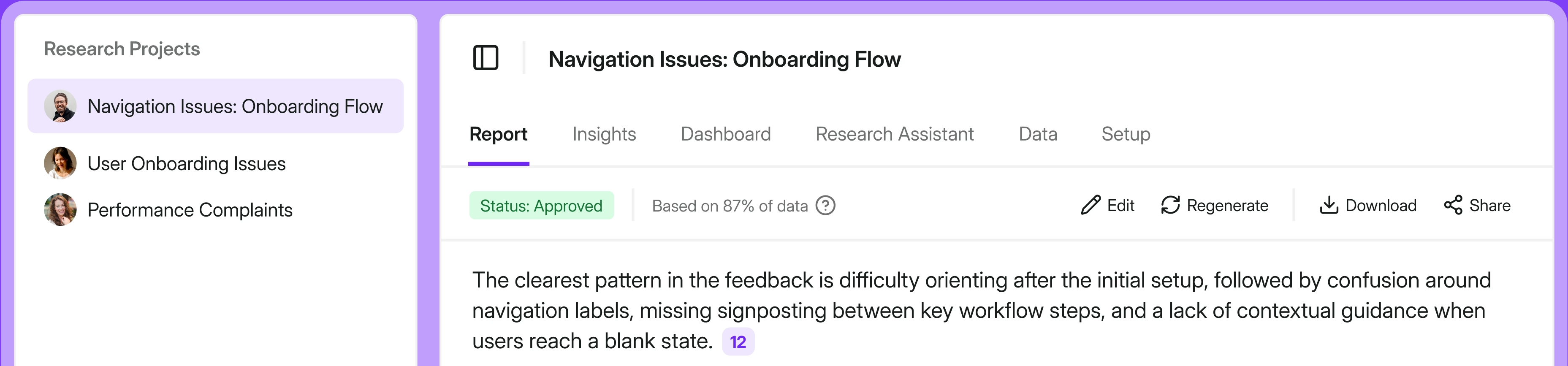
For example: "user onboarding issues" would be the title for the surfaced finding in Insight Hub, but in Research Hub, it would be "enterprise level onboarding issues: new team mates".
Research Hub lets you guide how you get to a given conclusion.
After: Research Hub
Research Hub fixes this at the data level.
Instead of passing a whole dataset in one piece, our system first chunks it into small pieces and assigns sentiment and insights to specific sentences or phrases, not to the source as a whole.
Each chunk is short enough that nothing gets buried. Every sentence gets evaluated in full. So even if Research Hub uses the same underlying model, what reaches that model is fundamentally different—and the output reflects it.
Now, with a new and improved synthesis engine, the tool is organized around projects you define too.
So it’s you who sets the research question, the sources, the time frame, and the business context.
The AI synthesizes within that scope—not across your entire data set, but against the specific thing you're trying to answer.
Findings are structured into a report you review, refine, and approve. The research is yours from start to finish. Perfectly customized for the stakeholder you’re aiming it at.
How can your team use Research Hub?
Let’s get to the meaty part.
What can you actually do with Research Hub?
In Survicate you can run both continuous and ad-hoc research. The below use cases are just examples of projects that could be both continuous and one-time.

Researcher: finding hidden patterns across accessibility issues

The first use case covers accessibility issues, which rarely surface the way other problems do. Users don't always flag them directly. They drop off, work around them, or just stop using the feature entirely without saying why.
You suspect something's there but can't point to it yet. So you create a project in Research Hub, pull in in-app survey responses, support tickets, and usability session transcripts from the past quarter, and set the research question around accessibility friction across your core user flows.
Research Hub synthesizes across all three sources and surfaces patterns around accessibility: recurring drop-off moments, indirect language pointing to navigation difficulty, and a cluster of ticket phrases that map to the same underlying issue. Each finding backed by 20+ mentions and direct quotes.
You review the report, add your own interpretation layer and transcription calls from the interviews you ran on top of the AI synthesis, and deliver findings to your Head of Design and engineering lead with enough evidence to move it from "we think there might be something here" to "here's what we need to fix and why."
Researcher: finding onboarding drop-off reasons
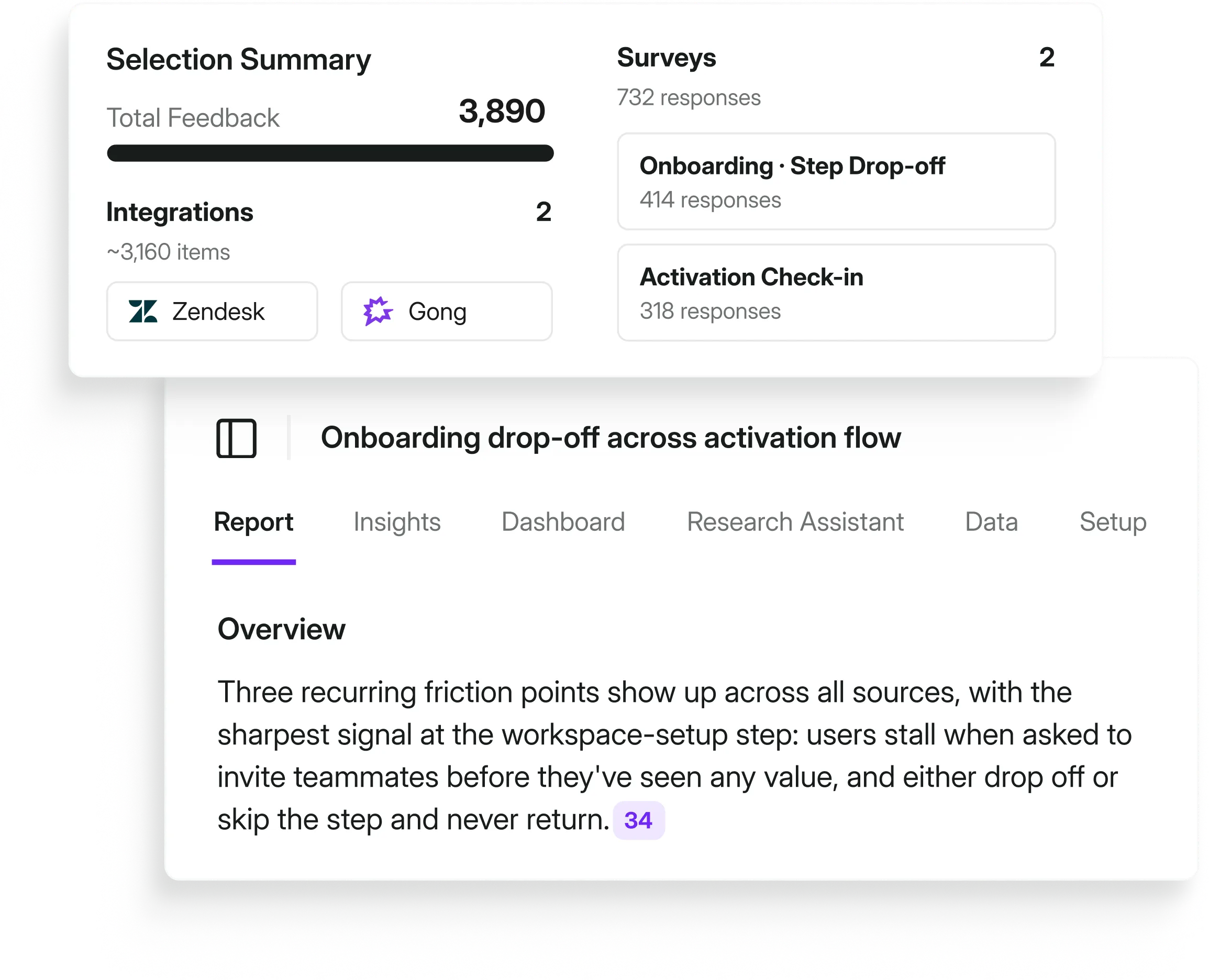
For the second example, let’s say something's off in the onboarding flow and the numbers show it.
So you create a project in the Research Hub, pull in onboarding surveys, support tickets, and success check-ins from the past month, and set the research goals and what you want to learn.
The CS Director demands answers in a short-form format with a dashboard that visualizes the data.
You set the full project and wait…
Research Hub synthesizes across all three sources and surfaces three recurring friction points: each with 25+ mentions, direct quotes, and trend charts as evidence.
You review the findings, customize the report for your CS Director, cut out the things that aren’t relevant, and deliver stakeholder-ready output in two days instead of two weeks.
PM: self-serve validation without queuing researcher capacity

Now, a pattern keeps surfacing in the product usage data: users are dropping off right after the first template selection screen. Your researcher is elbows-deep in a 50-interview diary study running for the next month and not available for a side project.
You need something before the next sprint planning.
You create a project in Research Hub, connect the in-app survey responses, upload notes your team have shared via email, calls, and support tickets from the past six weeks, and frame the question around that specific screen.
Research Hub surfaces four recurring complaints. Each tied to exact quotes, each with a frequency count. You share the output with your researcher for a quick review before it goes anywhere.
No blank page. No waiting. Groundwork done.
CX: the full picture on churn, not just the loudest voices

Your quarterly business review is in three weeks and leadership wants a churn breakdown. The problem: your current read on churn comes from eight escalation calls and whatever made it into the last all-hands. Loud, memorable, not necessarily representative.
You create a Research Hub project pulling from support tickets, NPS open-ends, cancellation survey responses, and six months of interview transcripts.
The synthesis surfaces the three drivers accounting for the majority of churn mentions, the ones that show up most consistently across your entire customer base. With the data to back it up.
Something you can actually stand behind in the room.
Run your first AI research project, free
Sounds about right?
Your first research project is on us. 5,000 data points, free.
Enough to run a real project, see what a traceable report looks like, and decide if it changes how you work.
FAQ (for all the pressing questions you should have)
Is my data safe? Does Survicate train on it?
No. Survicate does not train on your data. Research Hub currently uses OpenAI technology and operates under enterprise-grade security standards, from GDPR to HIPAA. Full details are on our security page.
Does adding business context introduce bias?
This is a legitimate concern and worth addressing directly. Business context, aka, personas, current hypotheses, product areas actually improves the specificity of how findings are described. It doesn't change what the AI surfaces from your data. The AI follows the data. Context just helps it describe findings in terms that are meaningful to your business, rather than generic ones that could apply to anyone.
What is continuous research?
It's a way to monitor the voice of customer across all sources and get notified when a new trend or insight arises on a continuous basis.
With Survicate you can set up a continuous research project based on all of your customer feedback data. Monitor insights, track them in time and notice significant changes immediately when they happen.
I already use ChatGPT or Claude. Why switch?
Generic LLMs are powerful tools. But they're not research repositories.
They don't hold your data across sessions, they don't trace findings back to exact quotes, they have no project structure, and they require you to re-import context every time you start a new conversation.
Research Hub is built specifically for the research synthesis workflow with multiple agents cross-checking data: connected sources, traceable output, researcher-owned reports following research methodology by design, for continuous research. The comparison isn't really LLM vs. LLM. It's a workflow built for research vs. a general-purpose tool you're adapting for research. LLMs might be okay for ad-hoc research, but Survicate was built for both continuous and ad-hoc research.
Why does Research Hub produce better insights than just uploading my data to Claude or ChatGPT?
It comes down to what happens before the AI ever sees your data. When you feed a large dataset directly into an LLM, the model runs into what's called "lost in the middle" degradation: when content positioned in the middle of a long context window gets systematically underweighted.
At 50k+ tokens, roughly 1,000 to 2,000 data rows, the model may silently miss or misrepresent a substantial portion of your data. Splitting files doesn't fix it: when you upload multiple files to something like a Claude Project, they still get concatenated into a single flat context. The file breaks are just formatting markers—they don't reset attention or give each file a fresh start.
Research Hub solves this by chunking data before it reaches the model and aggregating results after. So every data point gets the same attention, not just the ones that happen to land at the edges of the context window. Same model, fundamentally different input, meaningfully better output.
Do I need to verify every citation, or is spot-checking enough?
It depends on the stakes. For exploratory work, spot-checking representative claims per theme is a reasonable approach. For findings going to leadership or influencing roadmap decisions, full citation review is worth the time and Research Hub makes it fast because every claim is one click away from the original source. We'd rather give you the tools to verify everything than ask you to trust output you can't check.
Does this replace our existing research process?
No. It accelerates it. You still control what gets analyzed, how it's synthesized, and what the final report says. Research Hub handles the parts of that process that don't require your expertise, so you can spend more time on the parts that do.
Do I need multiple sources connected to use this?
No. One source works. But multi-source projects produce more defensible findings with proper data triangulation, and that's where the real value shows up in stakeholder meetings. When you can say "this pattern appeared across interviews, support tickets, and app reviews" rather than "this appeared in one data set."


.svg)

.svg)