Whether you’ve just started looking for a survey tool or are a survey pro, you’ve probably heard about SurveyMonkey.
But is it the right choice for you?
Before you dive into creating online surveys, it’s important to understand the pricing structure.
We’re here to break down SurveyMonkey pricing so you can get a full picture of what you get – and also some pricing setbacks you might want to avoid.
Let’s see if it fits your budget and checks all the right boxes.
How much does SurveyMonkey cost per month?
SurveyMonkey offers several pricing plans, each with different monthly costs depending on the features and capabilities you need. Options are available for individuals, teams, and enterprise customers.
What are SurveyMonkey’s individual plans?
At $99 per month, the Standard Monthly Plan is the entry-level option for individuals. It’s a fit for those who need a one-time survey (or a single survey campaign), without any long-term commitment.
What’s included in SurveyMonkey’s Standard Monthly Plan?
SurveyMonkey’s Standard Monthly Plan includes:
- Unlimited surveys and questions
- Up to 1,000 responses per month
- Data export to CSV, PDF, PPT, and XLS
- Basic reporting tools
- 24/7 customer support via email
Overall, it could be a suitable option if you don’t need advanced features like customer branding, advanced logic, or multilingual surveys – but keep in mind it also doesn’t include email performance tracking (open rates, click-throughs, and response rates). Without those metrics, you’ll be largely shooting in the dark, which makes this plan a poor fit for mature teams that treat surveys as a business-critical channel.
What’s included in SurveyMonkey’s Advantage Annual and Premier Annual Plans?
If you're ready for a bigger commitment, you can choose the Advantage Annual Plan or Premier Annual Plan. The prices are:
- $39/month for the Advantage Annual Plan
- $139/month for the Premier Annual Plan
Don’t forget though that they are billed annually, so the actual price on your invoice will be 12 times higher ($468 and $1,668, respectively).
Here there are definitely more advanced features than on the Standard monthly plan. With these plans, you get:
- Multilingual surveys
- Survey logic features beyond skip logic
- Recurring surveys
- More advanced survey data analytics
Still, if you'd like to remove the SurveyMonkey branding or have access to phone support, you’d need to choose the top individual tier – Premier Annual.
What are SurveyMonkey’s team plans?
The prices of SurveyMonkey’s team plans are:
- $30 per user per month with the Team Advantage Plan
- $92 per user monthly with the Team Premier Plan
It’s important to note that any team plan in the SurveyMonkey offer requires a minimum of three users to start, and it’s only billed annually.
What’s included in SurveyMonkey’s team plans?
Team plans are definitely more generous when it comes to the number of responses available. They include:
- 50,000 responses for Team Advantage
- 100,000 responses for Team Premier
They also offer most of the advanced features. Team plans include collaborative and management tools for teams, such as:
- Shared resources (templates, libraries, etc.)
- Advanced permissions
Notably, you can find sentiment analysis in the Team Premier Plan.
What is SurveyMonkey’s Enterprise plan?
The enterprise plans are dedicated to larger organizations, and the pricing is customized based on specific needs. The solutions, however, are also tailored to meet much more extensive requirements and accommodate larger teams with multiple users.
What’s included in SurveyMonkey’s Enterprise plans?
The primary difference with the enterprise plan is its enhanced security. You can expect features such as:
- An admin dashboard
- Single sign-on (SSO)
- HIPAA compliance
This can be useful in case you need customized data exports to your existing tool stack.
Another exclusive benefit of the Enterprise plan is a dedicated Customer Success Manager, providing direct support during onboarding to help maximize platform use. Otherwise, you're left with email or phone support.
Are there additional costs for exceeding quotas?
On the free plan, you can only see 25 responses per survey. If you collect more, you will have to upgrade to get access to all of them.
It’s slightly different for the paid plans. If you go over the number of responses available on your plan, you’re automatically billed for each additional response. It’s $0.15 per response, so it can get pricey if it happens regularly or you run wider research.
What about SurveyMonkey API pricing?
SurveyMonkey doesn’t list a simple, standalone price for API access. Instead, API functionality appears on the higher tier plans, where the pricing page refers to API access for workflow automation and data integration, and says API usage limits are flexible depending on your needs.
That sounds fine on paper, but in practice it means API access isn’t as plug-and-play as the rest of the pricing page may suggest. If APIs are a core part of your setup, you’ll likely need to confirm the details directly with sales – especially around availability, daily limits, and higher-volume usage.
The practical takeaway is pretty simple: if you’re planning deeper API-driven workflows – check the API terms early, before you commit.
Is there a SurveyMonkey free plan?
SurveyMonkey offers a free Basic plan (not listed on the main pricing page). It allows you to create surveys without any financial commitment or credit card requirement. However, this plan is intended for personal use and has significant restrictions.
What are the limitations of the SurveyMonkey free plan?
The main limitations of the free plan include:
- Up to 10 questions per survey
- Up to 25 viewable responses per survey
- You can’t add your own logo, so the survey won’t look branded
- Very basic features overall
What is the problem with these limitations?
At first glance, the 10-question limit may not seem like a problem. But if you're planning a more advanced study, you may be looking for a free survey tool that will let you ask as many questions as you need, like the good old Google Forms.
The cap on viewable responses can also become a real burden. If you collect more than 25 responses, you can only view the full results by upgrading to one of the paid plans.
The free plan includes very basic features, so it’s not really suitable for business purposes. For example:
- There are no email invitations (a common way to distribute surveys),
- No data export (which also makes it harder to migrate if you don’t like or outgrow the tool), virtually no survey logic beyond randomized answer choices,
- No comment box for open-ended responses, which can make many standard surveys far less useful
- No URL parameters for tracking (so you can’t reliably attribute responses to campaigns or sources)
Is there a SurveyMonkey free trial?
One thing to highlight, especially for anyone buying it for business purposes, is that SurveyMonkey does not offer a free trial for its premium functionalities.
You can either try the limited free (Basic) version, or go straight to a paid plan. On the Basic plan you can preview some paid features before sending your survey or form, but you can’t actually use them.
Sometimes, this may be tricky, as you may underestimate your needs.
Why do some customers choose SurveyMonkey?
SurveyMonkey, thanks to its long-standing presence on the market, remains one of the popular options for companies looking to collect survey-based feedback. Based on review aggregators, we can pinpoint several common reasons why customers decide to purchase the platform.
Effective feedback collection
Customers value the platform's ability to gather anonymous feedback, which is essential for implementing meaningful changes within organizations. The anonymity helps respondents feel comfortable sharing their true opinions.

Multiple distribution options
Users can share surveys via various channels, including email, social media, and website embedding, ensuring they reach a wide audience.

Ease of use and integrations
SurveyMonkey features a drag-and-drop survey builder, so even some non-skilled users might find it easy to create surveys quickly and efficiently. Moreover, the platform integrates with popular tools like Salesforce, Marketo, and Zapier, enhancing workflow efficiency.

What are some SurveyMonkey cons, according to users?
Customer support accessibility
Purchasing new software is not only about features, especially when it's B2B, and you pay a lot of money for it. You also need to have the right customer support. And, to say the least, that's not where SurveyMonkey shines bright.
Both Annual Premier and Team Premier plans include phone support, while the Enterprise plans additionally come with a dedicated Customer Success Manager, yet some users say it plainly: the support simply doesn’t work.

Some say it’s not very helpful:

Now, judging by online reviews, it seems that the thing with the customer experience is not always the level of customer service itself, but sometimes the fact that it doesn't really solve problems created by a lack of transparency in the billing policy.
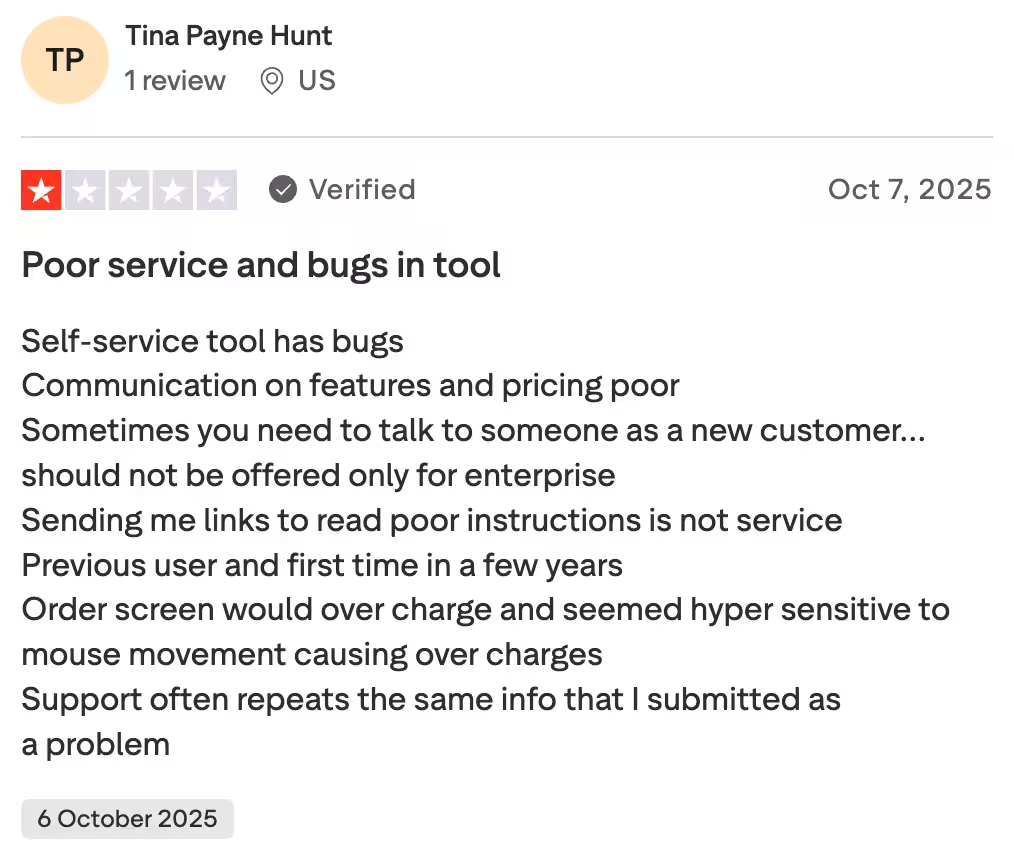
Billing and subscription management
Based on customer reviews on different platforms, one of the most common problems is the account autorenewal. Apparently, SurveyMonkey's default setting is to have autorenewal on, and without manual intervention, the account renews infinitely, even if the user doesn't use it anymore.
Importantly, SurveyMonkey does not refund paid fees under almost any circumstances, which is a very effective recipe for unfavorable customer feedback on online reviewing platforms.
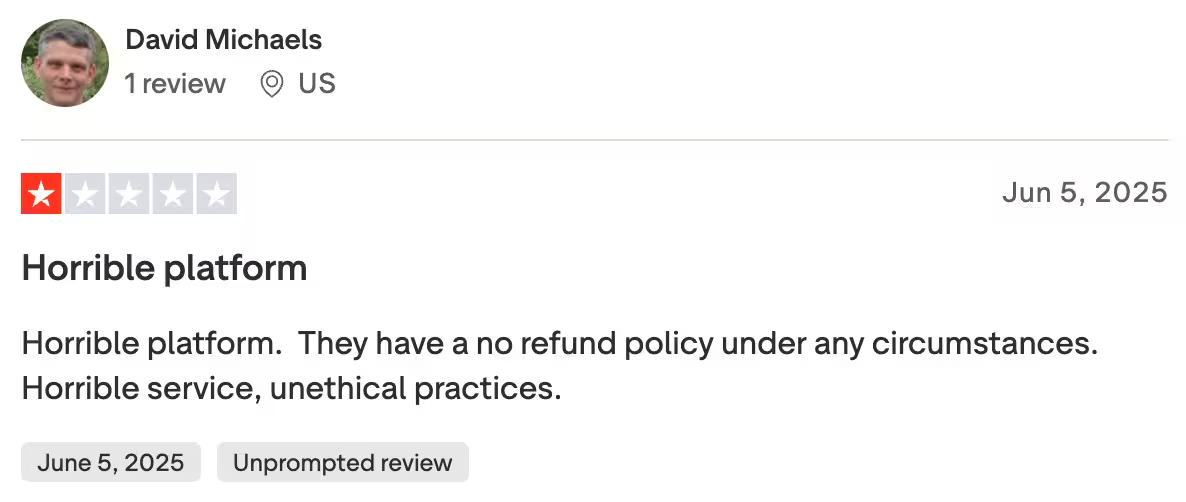
Avoid these SurveyMonkey pricing traps
A few SurveyMonkey’s pricing details are easy to miss if you only look at the headline plan prices. Some issues may not be obvious at first glance but can noticeably affect the total cost once you start using the tool.
Response-based costs can sneak up on you
SurveyMonkey’s response limits are one of those things that may look manageable on paper, but become much less friendly once your survey starts getting traction. If you go over your plan’s limit, SurveyMonkey charges $0.15 per additional response. That means:
- Go over by 500 responses – pay $75 extra
- Go over by 2,000 responses – pay $300 extra
- Go over by 10,000 responses – pay $1500 extra
What makes this more painful is that unused responses don’t roll over, and even deleted responses still count toward your limit. So if you underestimate volume, clean up responses later, or simply have one survey perform better than expected, your costs can climb pretty fast.
Team pricing looks monthly, but the real commitment is annual
At first glance, Team pricing can seem pretty approachable because it’s presented as a per-user, per-month number. The catch is that Team plans require at least three users and are billed annually. So in practice, you’re not really starting at “$30/month” – you’re starting at a much bigger upfront commitment. For smaller teams or companies that just want to test the waters, that can feel like a bigger jump than the pricing card initially suggests.
SurveyMonkey Audience is a separate cost
If you plan to buy respondents through SurveyMonkey Audience, that’s worth treating as a separate budget line from day one. Audience responses are sold separately and aren’t included in your subscription cost, even on high-tier plans. That’s not necessarily unusual for survey panels, but it’s something that can make the total cost of running research noticeably higher than the base plan price suggests – especially if you focus only on the subscription page at first.
Which are the best alternatives to SurveyMonkey?
There isn’t one “best” SurveyMonkey alternative – the landscape is broad, and the right pick depends on what you’re using surveys for. The most practical way to compare similar tools is by use case and then shortlist a few candidates from there:
- For business feedback (CX, product, marketing): Survicate, Opinion Stage, forms.app, Alchemer, QuestionPro, SoGoLytics, HubSpot
- For academic research and advanced methodology: Qualtrics, LimeSurvey, SmartSurvey, SurveySparrow
- For personal projects and lightweight surveys: Google Forms, Typeform, SurveyPlanet, Survio, SurveyLegend
Each option has its own strengths and limitations, so it’s worth doing a quick scan before you commit. For a deeper breakdown, you can also check our SurveyMonkey alternatives piece and use it as a starting point for your own research.
What does Survicate offer?
If you are looking for a powerful customer feedback platform that beats SurveyMonkey in terms of advanced targeting options, support for multi-channel surveys, and leveling up from SurveyMonkey's inherent limitations, you should have a peek at Survicate.
The platform offers competitive, transparent pricing without asterisks or hidden fees. The 10-day free trial allows you to try out all the features of the Pro plan (a credit card is not required).

What plans does Survicate offer?
Overall, Survicate offers a free plan and four paid plans: Starter, Growth, Pro, and Enterprise.
The plans include:
- Free ($0/month) for beginners with 25 responses/month and core features like email/web surveys and CX metrics
- Starter ($89/month), which adds 2 surveys, branding with company logo, export results, and human support
- Growth (from $114/month), which expands to unlimited surveys, recurring feedback, advanced targeting, multilingual support, and team collaboration
- Pro (from $349/month), which adds lifecycle feedback tools, deep integrations, advanced targeting, and multi-survey dashboards
- Enterprise (from $569/month), which offers full access, HIPAA compliance, SAML SSO, custom legal terms, and white-glove onboarding for organizations with complex needs
What is Survicate like to use?
Survicate is modern and has a clean UI and effortless UX.
You can create a survey from scratch, by using one of the expert templates, or generate it with AI – you just need to describe your needs, and Survicate will generate a survey for you.

What else do you get with Survicate besides surveys?
Survicate is a customer feedback platform that makes creating, collecting, and analyzing surveys a breeze. In addition to surveys, your subscription includes so much more.
One of the biggest value-added features is the Research Hub, a research repository. It combines and categorizes feedback from your surveys and different sources, such as:
- Online reviews
- Customer support chats
- Customer calls
- Emails
- Other feedback sources
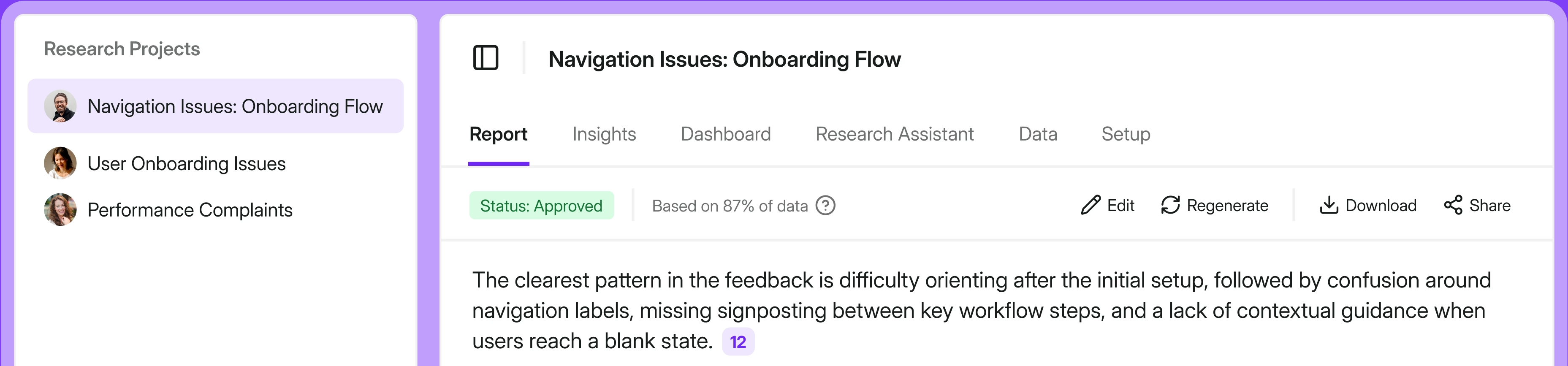
You can filter the results, create custom projects, and dig deeper with Research Assistant, an AI-powered chat that will answer all questions you might have using your feedback data (only).
What is Survicate’s customer support like?
Survicate’s Customer Support Team is just another thing, in the best sense. Blazing fast time to first response, and – on average 2 minutes for the first response, with a median time to close a conversation of under 3 hours.
.webp)
We really have your back and will help remove any roadblocks between you and your customer feedback.
Is SurveyMonkey worth the price?
There are some notable pricing drawbacks to keep in mind, including:
- Limited functionality on lower-tier plans
- Response caps that can lead to additional costs
- Automatic subscription renewals
- A pricing structure that some users find less transparent than expected
Whether SurveyMonkey is worth the price depends largely on how complex your survey needs are and how much you expect them to grow over time.
SurveyMonkey for smaller companies
For smaller companies running simpler surveys, the lower-tier plans may look sufficient at first, but they can become limiting as your program expands and you need more responses or additional features. And if you hit the plan's limits, the cost of additional responses can stack up pretty fast and increase your total cost quite a bit.
SurveyMonkey for bigger companies
For larger organizations handling bigger survey volumes and more advanced logic, SurveyMonkey may be easier to justify. Still, you should be aware of the inherent constraints of SurveyMonkey on higher pricing tiers, notably:
- Limited options for advanced targeting: SurveyMonkey doesn't allow you to trigger surveys based on website behavior, in‑app actions, user segments, events, or advanced audience filters.
- Limited multichannel coverage: SurveyMonkey doesn't offer support for in‑app surveys or automated, native survey embeds across tools like HubSpot, Intercom, Shopify, and Klaviyo.
- Limited growth opportunities: Without more advanced segmentation, richer behavioral context, and automated feedback loops tied directly to CRM and product events, you may struggle to achieve higher response rates with SurveyMonkey.
If you need fuller control over branding, for example, white labelling and removing SurveyMonkey branding require higher-tier plans such as Premier, which can push the total cost up significantly.
That said, if you're looking for a more contemporary feel, flexible surveys easily embedded wherever they're needed, and no hidden charges, check out Survicate's pricing now, or simply sign up for a test drive with the free trial (and no strings attached).
Author’s note (last verified: 23 March 2026): Statements such as ‘best’ reflect our opinion and typical use cases, not a universal guarantee. This comparison is based on publicly available information and our best understanding at the time of writing. Vendors may change features, pricing, and packaging without notice. For the latest details, please check the official sources or reach out to the vendor directly.


.svg)

.svg)