




No items found.
Looking for product adoption software but not sure which one to choose? You’re in the right place. Below, you’ll find 10 product adoption tools that help product teams improve activation and retention, each from a slightly different angle: from onboarding and in-app guidance, through product analytics, to qualitative insight and user support at critical moments.
Sometimes an all-in-one platform makes sense. Other times, a focused tool that solves a specific problem, like onboarding or feature adoption, is the better choice.
That’s why this list is intentionally broad – to help you build the right adoption stack for your individual situation.
You should consider product adoption tools when:
- users don’t reach the aha moment or drop out during onboarding
- important features show low adoption despite being core to the product
- retention is declining or churn is increasing, but the root cause isn’t clear
- you want to educate users faster and reduce the load on support
We start this list with Survicate not because this is the Survicate blog, but because the tool plays a connective role across most adoption stacks – even though it isn’t a product adoption software in the strict sense.
In practice, it complements most tools on this list by adding explicit user feedback at moments where metrics or guidance alone don’t explain what is blocking adoption.
Survicate
What it does
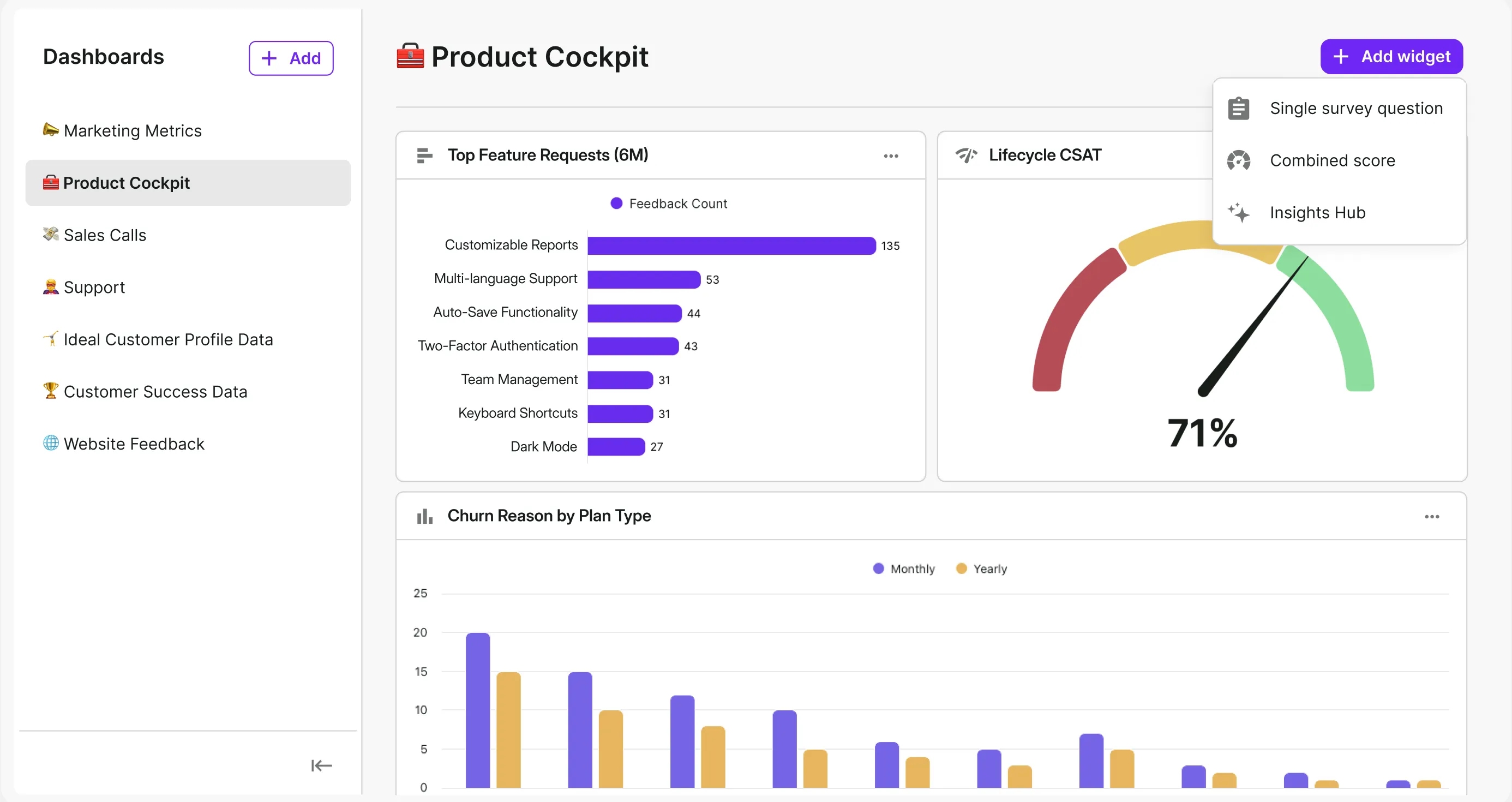
Most tools on this list either guide users (onboarding and in-app guidance), measure behavior (analytics), or handle questions (support). Survicate adds a missing ingredient: capturing user context and reasons at the exact moment of friction, and passing that insight directly into the tools teams already use, such as Jira or analytics platforms.
How it supports activation & retention
Survicate follows a Collect – Analyze – Act workflow:
Collect
You implement in-app surveys based on specific behaviors or events – for example, when a user views a feature but doesn’t use it, or gets stuck during onboarding. Instead of asking “Do you like it?”, you ask “What’s blocking the next step?” at the moment adoption breaks.
Analyze
Responses flow into the Insights Hub, which automatically groups recurring adoption blockers and surface patterns, such as unclear value, missing integrations, or UX friction. The Research Assistant lets you ask direct questions like “Why aren’t users completing onboarding?” and quickly see the most common reasons.
Act
Insights can be turned into action without manual handoffs by sending feedback directly to Jira as product tasks, or to your CRM or marketing automation stack to trigger re-engagement campaigns for users stuck at a specific stage.
Key capabilities
- In-app surveys triggered by custom events (e.g. “feature viewed but not used”)
- Targeted questions based on segments and critical adoption moments (onboarding, first value, feature adoption)
- Insights Hub for automatic categorization and synthesis of “why not” reasons from responses
- Research Assistant for fast Q&A across collected feedback and trends
- Integrations that push insights into Jira, Linear, Mixpanel, CRM, or other tools to close the action loop
Limitations to consider
Survicate doesn’t replace in-app guidance tools or event-based analytics. It’s most effective when you already know where adoption breaks and need to add the missing “why” that metrics alone can’t explain.
Best for
Product teams that want to diagnose and remove adoption blockers at specific moments – onboarding, feature activation, retention drops – and quickly turn user feedback into action: product fixes, backlog priorities, or targeted re-engagement for the right segments.
Pendo
What it does
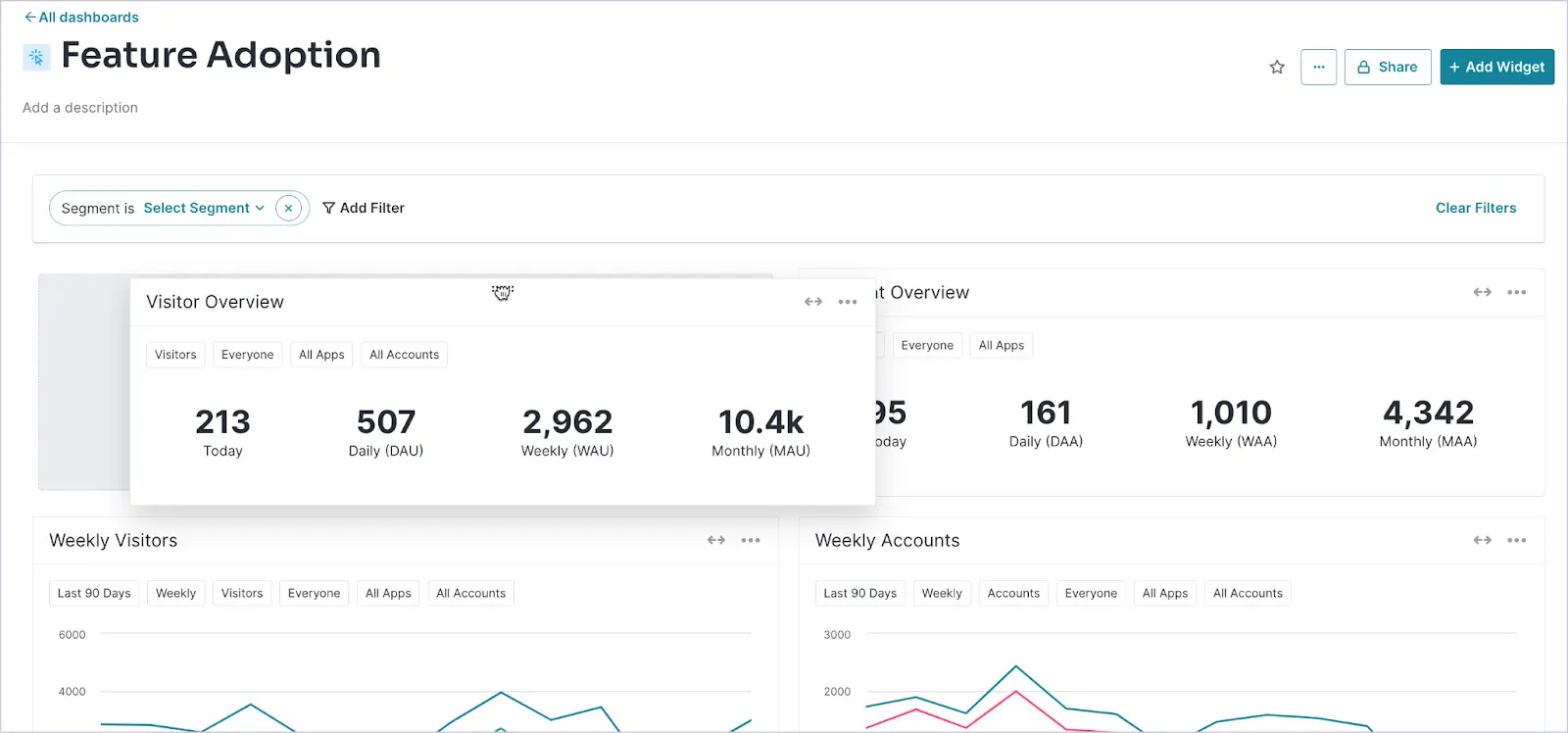
Pendo is an all-in-one product experience platform that combines product analytics, in-app onboarding, and user feedback collection. It helps product teams manage product adoption in a structured way by both understanding how users interact with features and actively guiding them toward key value moments.
How it supports activation & retention
Pendo connects behavioral data with the ability to trigger contextual guides and messages directly in the application. Teams can identify onboarding drop-offs or low feature adoption, then launch targeted guides, checklists in the Resource Center, and in-app messages tailored to specific user segments. Feedback collected during product usage, such as NPS, helps uncover adoption barriers early, before they turn into recurring friction for users.
Key capabilities
- Product analytics focused on feature adoption, including funnels, cohorts, and stickiness
- No-code in-app guides, tooltips, and onboarding checklists
- Built-in feedback surveys and NPS
- AI features, including AI-assisted guide creation and automated behavioral insights
Limitations to consider
Pendo is an enterprise-grade solution. Implementation can be time-consuming, and pricing may be a barrier for smaller teams. Its broad scope also means less depth compared to specialized tools like Amplitude or Survicate.
Best for
Mid-sized and large SaaS companies operating in a product-led growth model that need a single platform to scale adoption across web and mobile and manage user experience at scale.
Appcues
What it does
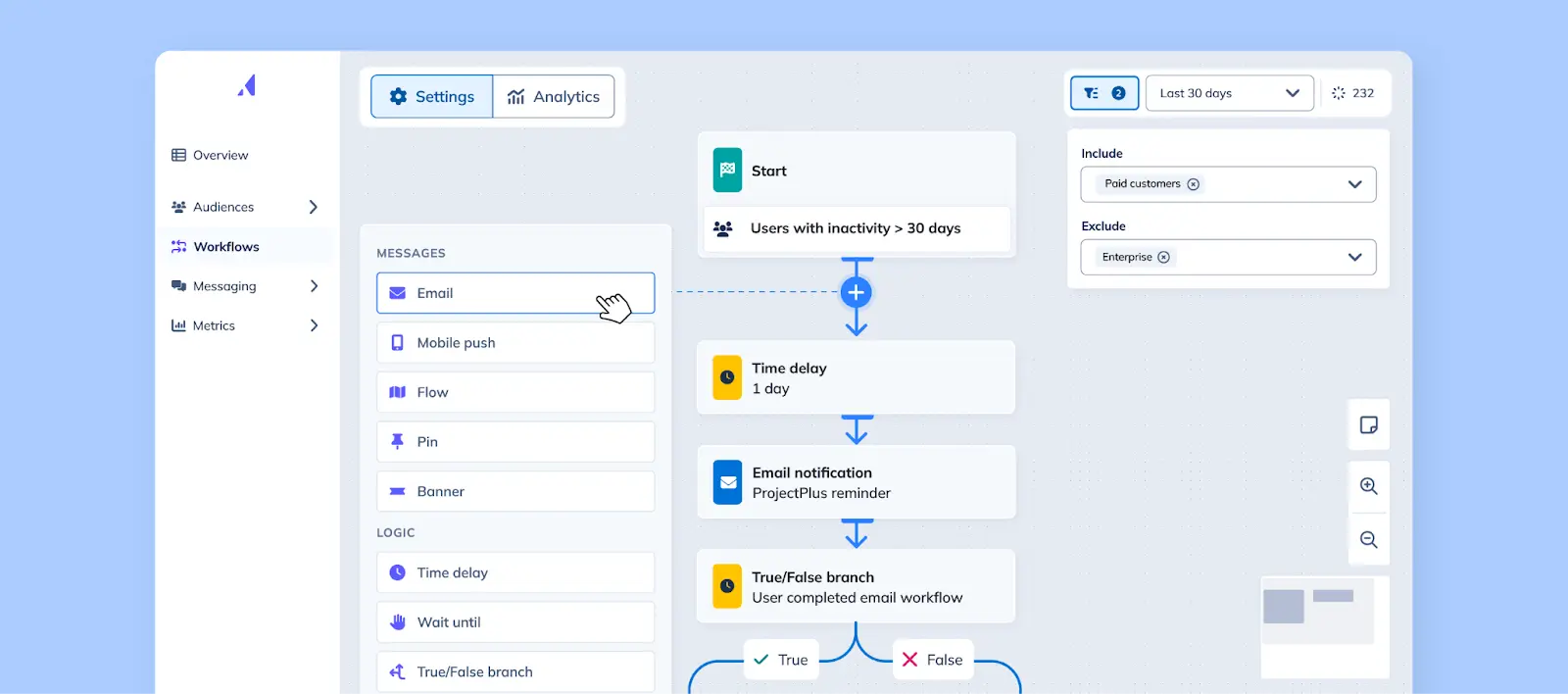
Appcues is a no-code platform for designing user onboarding and in-app communication. It enables product teams to guide users to their first real product value quickly, without requiring developer involvement for every iteration once the snippet or SDK is installed.
How it supports activation & retention
Appcues shortens time-to-value through contextual prompts, tutorials, and checklists shown when users need them. Instead of static onboarding, teams can build dynamic flows tailored to user roles, lifecycle stages, or specific events and actions. After activation, Appcues supports continued adoption by promoting new features and collecting quick, in-context feedback directly in the app.
Key capabilities
- No-code onboarding flows, including modals, tooltips, hotspots, and checklists
- Segmentation and targeting based on events and user attributes
- Flow performance analytics and A/B testing, depending on plan
- AI-assisted content creation and localization
Limitations to consider
Appcues analytics focus mainly on the performance of individual flows. Deeper behavioral and retention analysis typically requires integration with external analytics tools. More advanced visual customization and display logic may require technical support, such as CSS, and some capabilities are only available on selected plans.
Best for
Small and mid-sized SaaS companies that want to iterate quickly on onboarding and maintain full control over the first user experience without involving developers, especially in B2B and PLG products.
WalkMe
What it does
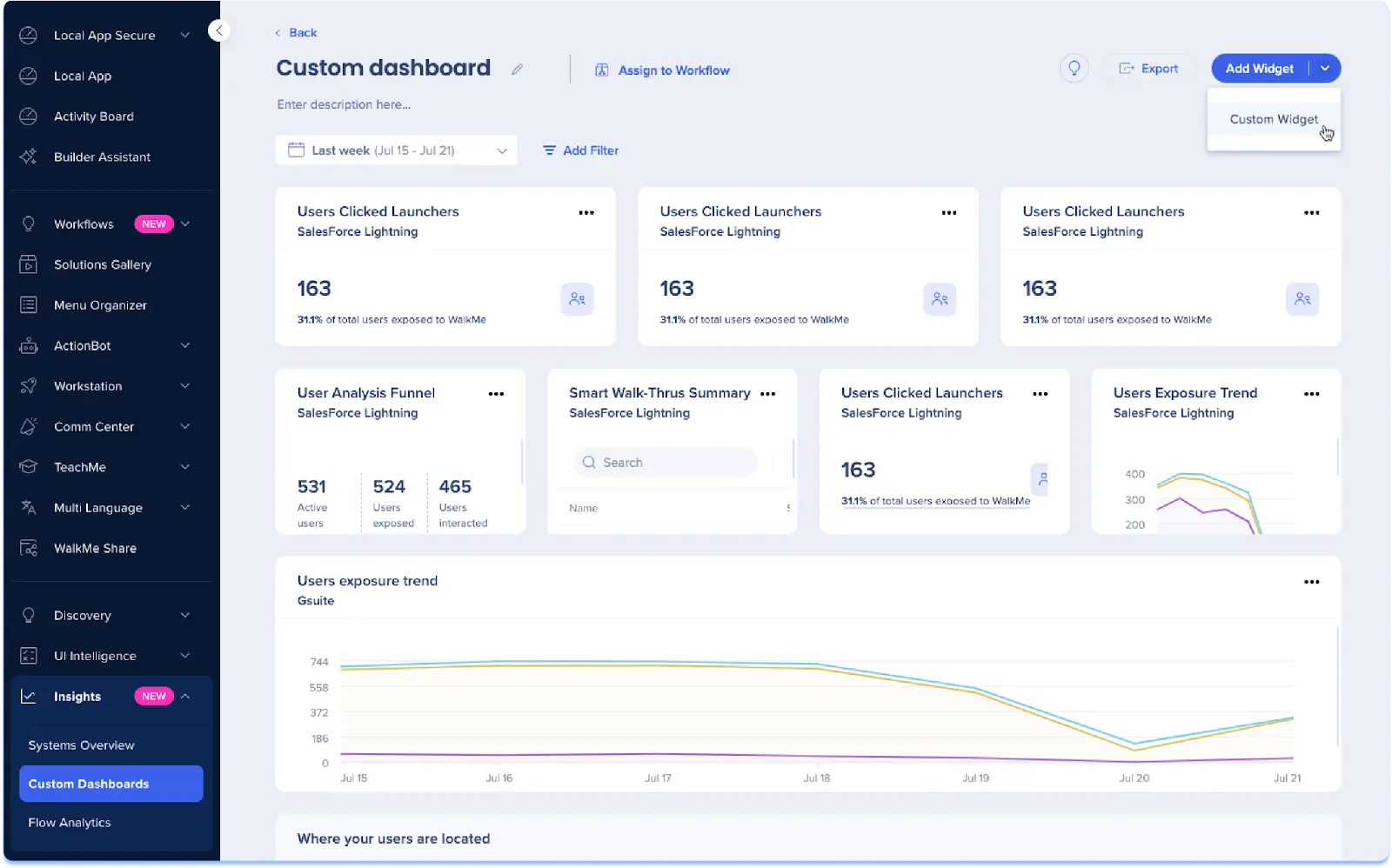
WalkMe is one of the most established Digital Adoption Platforms (DAP). It’s designed for large organizations that need to onboard users into complex systems and processes at scale. Unlike onboarding tools such as Appcues, WalkMe often operates as a guidance layer placed on top of web apps used across the organization, including change management scenarios like CRM rollouts.
How it supports activation & retention
WalkMe guides users step by step through multi-stage processes, enforces correct action sequences, and can react to user behavior during a flow. As a result, users complete critical actions faster and abandon processes less often. Over time, WalkMe helps sustain adoption through in-app announcements and self-service help, while analytics highlight where users get stuck and which areas require targeted micro-training.
Key capabilities
- Smart Walk-Thrus for complex processes, including conditional logic and error handling
- Overlay-based guidance that works across applications, including change management use cases
- Adoption and guidance analytics, such as drop-offs, completions, and problematic steps
- Automations and the ActionBot assistant, plus friction analytics within user flows
Limitations to consider
WalkMe is an enterprise solution. Implementation can be costly and time-intensive, and the editor has a noticeable learning curve. Advanced visual customization may require CSS or HTML, and a large number of active guidance elements requires careful performance management.
Best for
Large organizations and enterprise software providers that onboard users across many complex processes, such as CRM, ERP, HR systems, internal tools, or large B2B platforms, and need a DAP to drive adoption at scale across web, desktop, and mobile.
Userpilot
What it does
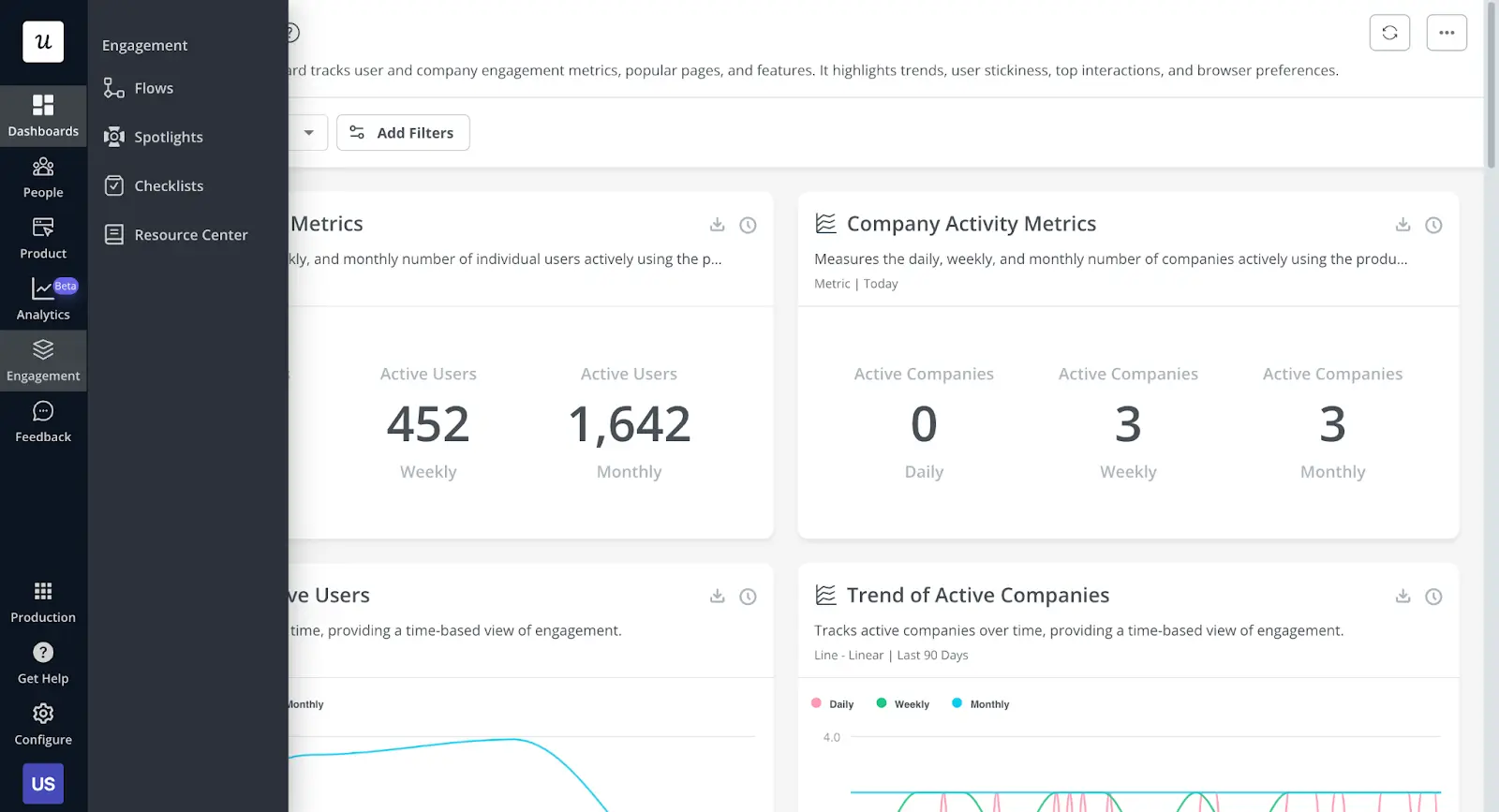
Userpilot is a versatile product adoption tool for product teams that want to build and optimize in-app experiences quickly without writing code. It combines onboarding, adoption analytics, and user feedback, and unlike enterprise-focused platforms such as WalkMe, it targets SaaS teams that rely on fast iteration.
How it supports activation & retention
Userpilot’s key differentiator is real-time behavioral triggers. Flows and messages can react to what a user is doing, or not doing – for example when they get stuck on a screen, skip a critical action, or fail to discover an important feature. This makes it possible to remove friction exactly when it appears, speed up time-to-value, and increase the chances of successful activation. Built-in analytics, including funnel and path analysis, help identify drop-offs and measure whether changes actually improve adoption.
Key capabilities
- No-code UI patterns, including tooltips, modals, hotspots, and checklists, plus flows with conditional logic
- Behavioral triggers based on events and user attributes
- Adoption dashboards with funnel and path analysis, plus A/B testing of experiences
- Simple in-app surveys such as NPS, CSAT, and CES for contextual feedback
Limitations to consider
Userpilot works primarily in web applications and also offers a Mobile SDK. For mobile-first products, it’s worth verifying feature parity and configuration differences between mobile and web. Teams operating in a broader tool ecosystem should also review available integrations and data hosting requirements, such as EU data residency.
Best for
Startups and small to mid-sized SaaS companies that want to iterate quickly on onboarding and feature adoption, test different experience variants, and measure impact without involving developers in every experiment.
Chameleon
What it does
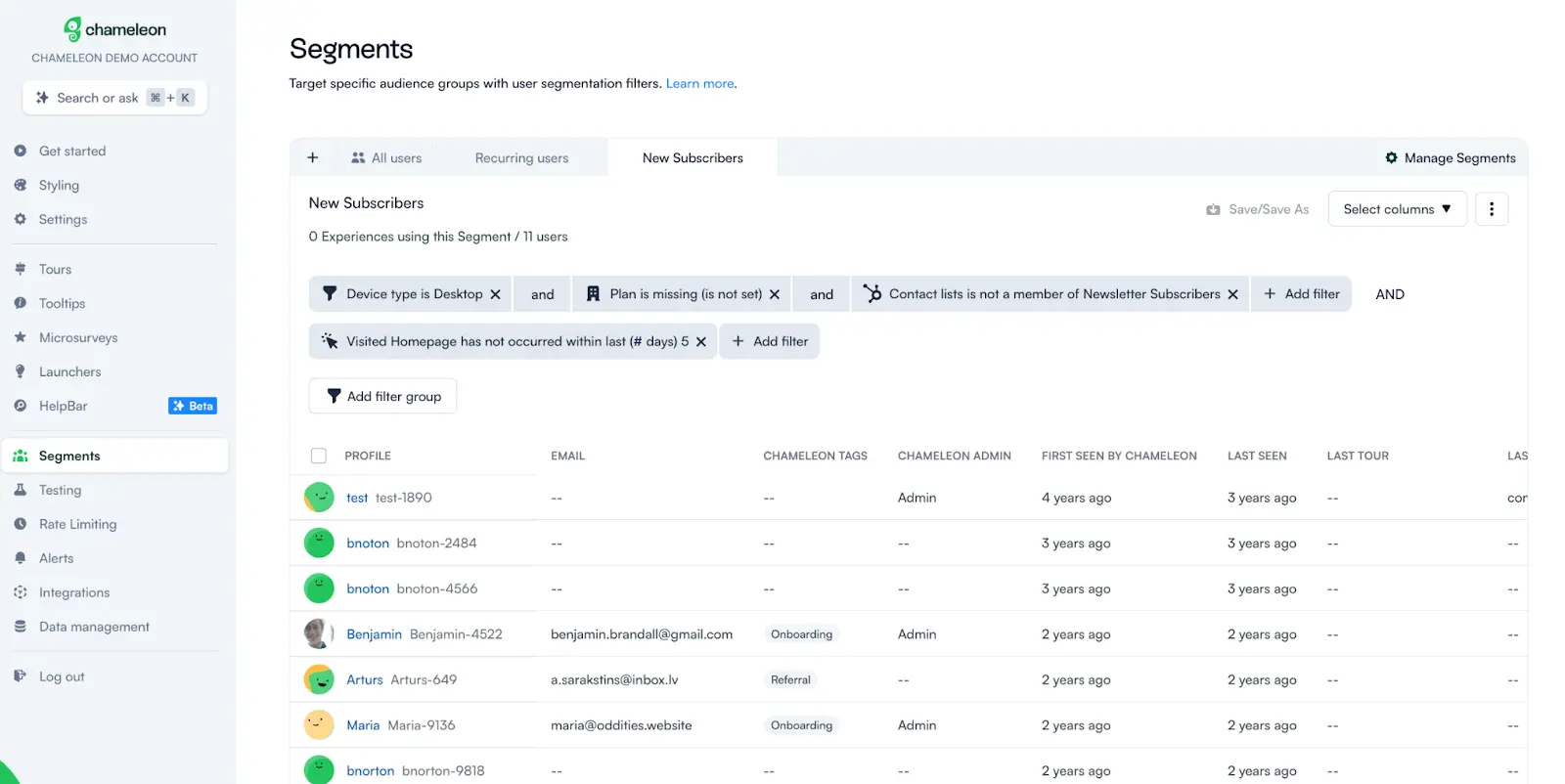
Chameleon is a tool for building contextual in-app experiences that are designed to look and feel native to the product UI. Compared to more template-driven approaches, such as standard no-code onboarding tools, Chameleon offers greater control over styling and placement. For more demanding implementations, it also supports a low-code approach, allowing teams to fine-tune details on the frontend.
How it supports activation & retention
Chameleon supports adoption through contextual messages, tours, and checklists that can be targeted to specific user segments. A strong part of its ecosystem is a layer inside the product that surfaces content from your knowledge base or documentation and can act as a fast in-app help search. On the AI side, Chameleon has expanded into interactive demos following its acquisition of Driveway. A single recorded scenario can be reused to generate materials that support onboarding and user education more efficiently.
Key capabilities
- UI patterns such as tours, tooltips, banners, and launchers, plus Cards as embeddable content blocks in the interface
- Segmentation, targeting, and A/B testing
- HelpBar as a self-service in-app support layer
- AI features focused on interactive demos
Limitations to consider
Chameleon is web-first and does not offer native mobile SDKs like iOS or Android, which some competitors provide. To fully achieve a pixel-perfect, native look, additional styling or implementation work may be required. Configuration can be less plug-and-play than in simpler onboarding tools.
Best for
Design-driven product teams and SaaS companies that want greater control over how in-app experiences are styled and embedded, for example through Cards or other custom elements, and that want to invest in self-service support inside the product. It is also a good fit when you need to quickly produce educational materials around new features, such as interactive demos.
Amplitude
What it does
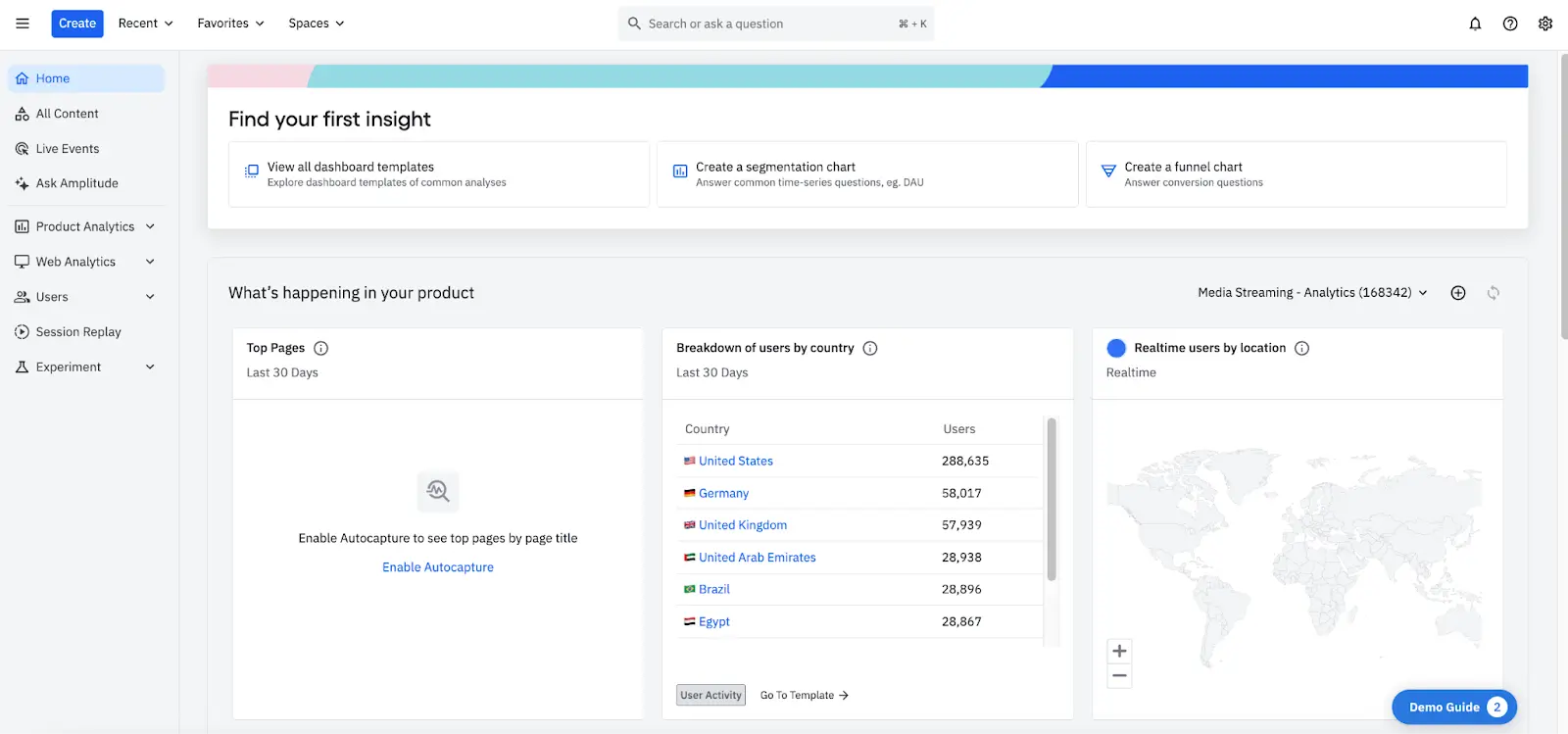
Amplitude is an advanced product analytics platform that helps teams understand product adoption at the level of user behavior. Unlike Appcues, Userpilot, or Chameleon, Amplitude functions primarily as an analytics engine. Instead of guiding users in the interface, it answers a different question for product teams: what actually drives activation and retention, and what blocks them.
How it supports activation & retention
Amplitude acts as a command center for adoption. It shows where users drop off in key funnels, such as onboarding to first value, which paths lead to success and which lead to abandonment, and which features correlate with long-term retention. This makes it possible to design a deliberate golden path and focus onboarding efforts, for example in tools like Appcues or Userpilot, on actions that have the biggest impact on retention. Predictive layers and anomaly detection help teams react earlier, before issues turn into churn.
Key capabilities
- Retention analysis and cohort comparisons, such as users who adopted feature X versus those who did not
- Advanced funnels, path analysis, and behavioral exploration, including happy and friction paths
- Feature adoption reports covering usage, stickiness, and engagement
- Predictive cohorts and automated anomaly detection, supported by AI-driven insights
Limitations to consider
Amplitude requires solid event instrumentation and analytical maturity. Without high-quality data, it is easy to draw misleading conclusions. It is a tool for analysis, not execution. Acting on insights usually requires additional tools for communication or onboarding, or separate Amplitude modules. In practice, teams should also account for the learning curve and the organizational effort involved in maintaining complex cohorts.
Best for
Product and growth teams in PLG companies that want to deeply measure and optimize activation and retention, especially during growth stages and as product complexity increases across web and mobile platforms.
Hotjar
What it does
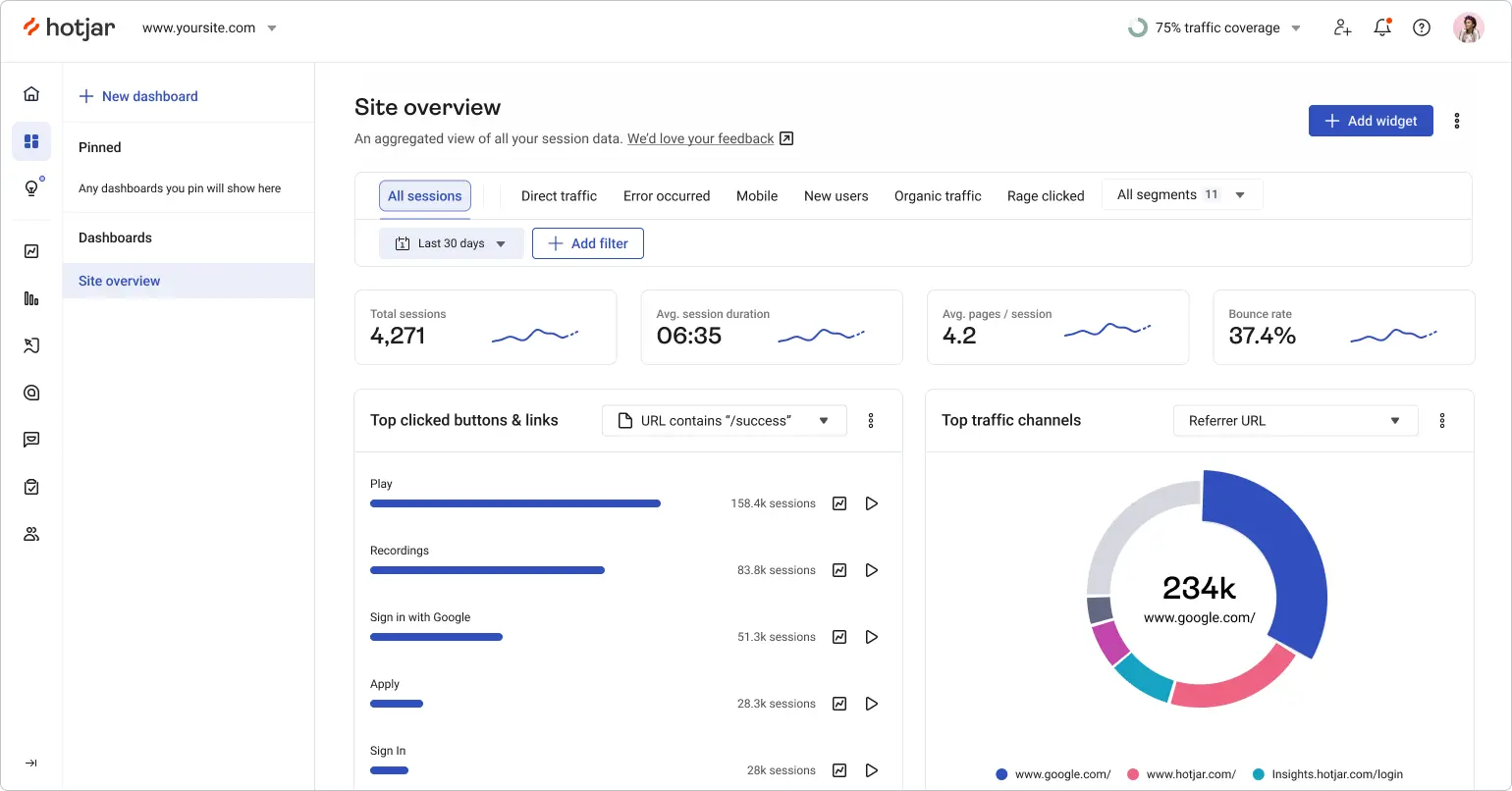
Hotjar is a qualitative user behavior analytics tool. Instead of charts and numbers, it gives you a visual view of how people actually move through your product. Compared to Amplitude, which focuses on event-level data, and onboarding tools like Appcues or Userpilot, which deliver in-app guidance, Hotjar helps explain what is happening in the interface when users fail to reach key actions. It does this mainly through heatmaps, session recordings, and voice-of-customer tools.
How it supports activation & retention
Hotjar helps remove friction that blocks activation. You can see where users get lost, rage-click on non-clickable elements, pause without taking action, or scroll while searching for something they cannot find. This is often the fastest way to answer questions like “why is no one using this feature?” or “why does onboarding break at step three?”. You can also combine behavioral observations with simple on-site feedback. When a user says “I couldn’t find feature X”, you can immediately watch their session and see the full context.
Key capabilities
- Click and scroll heatmaps to understand what actually attracts attention
- Session recordings with filters and friction signals such as rage clicks
- Simple conversion funnels with the ability to review sessions of users who dropped off
- On-site feedback widgets and micro-surveys that can be linked to recordings
Limitations to consider
Hotjar is web-first and does not support native mobile applications. It’s an observation tool, not an execution tool. It will not fix onboarding or send messages on its own, and reviewing recordings can be time-consuming.
Best for
Product and UX teams that want to quickly identify usability issues blocking adoption in a web app, from registration and first steps to critical product flows, especially when the metrics show something is wrong but the reason is still unclear.
Intercom
What it does
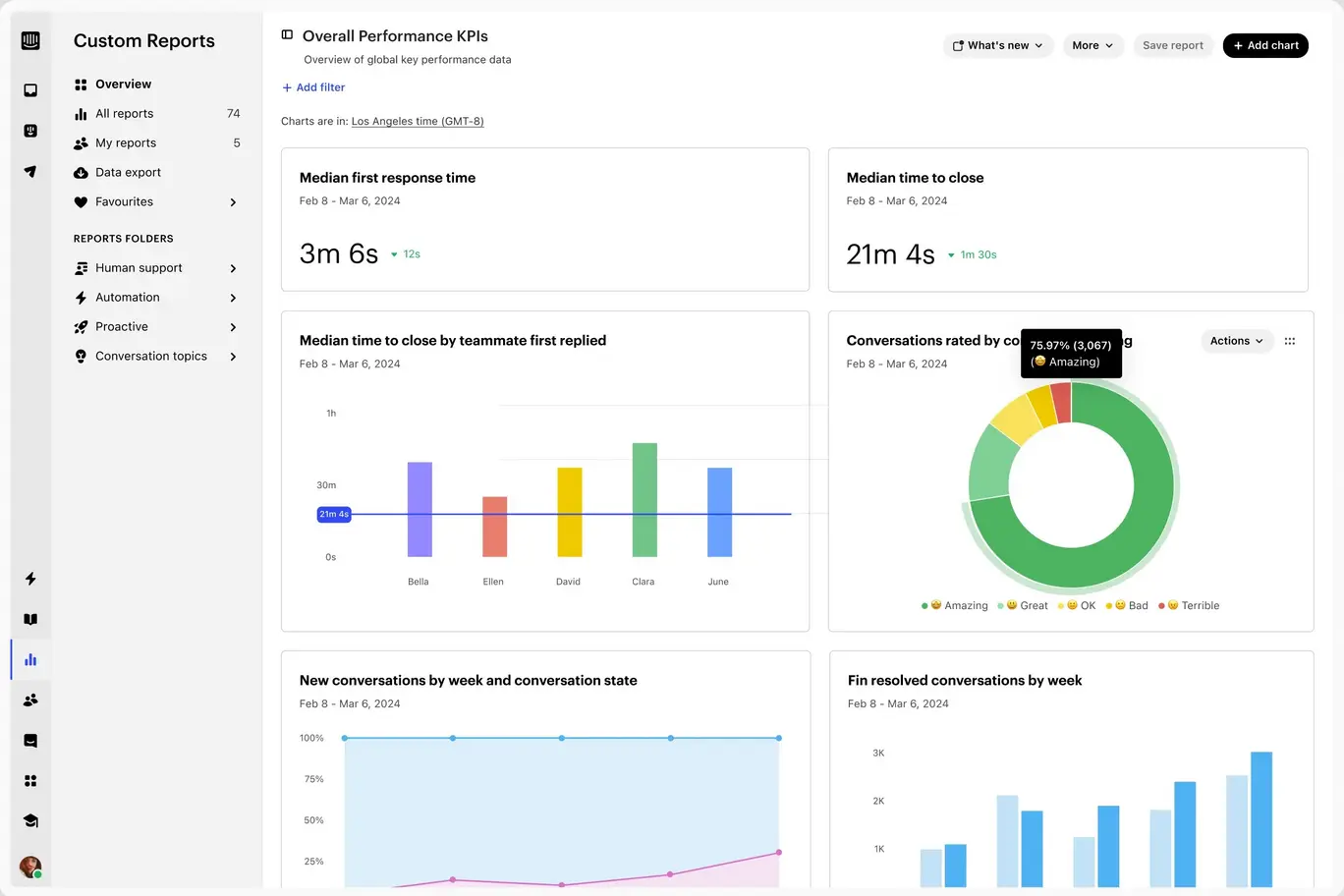
Intercom is a user communication and support platform, best known for live chat and helpdesk capabilities, that can meaningfully support product adoption when friction comes from questions, uncertainty, or missing context. Compared to apps that focus on UI-level guidance, Intercom works primarily through conversation and messaging.
How it supports activation & retention
Intercom reduces the risk of abandonment at critical moments by giving users a constant, easy way to get help inside the product. Automated in-app messages and email sequences can guide users through onboarding and later lifecycle stages such as re-engagement, feature promotion, or reminders about next steps. A major differentiator is AI. The Fin bot can answer questions based on the knowledge base, which shortens time to resolution and helps maintain user momentum, a key factor for activation and retention in more complex products.
Key capabilities
- Live chat with automations and bots for fast in-app support
- In-app messages triggered by segments and events, used for nudges and education
- Help Center articles combined with the Fin AI bot answering from documentation
- Simple product tours for basic highlights and introductions
Limitations to consider
Intercom can become expensive as your user base grows, and it’s easy to overuse it. Too many messages can hurt the user experience. Some channels, such as email campaigns, product tours, mobile push, or surveys, are priced based on usage, which can change cost dynamics at scale. Product tours are more of an add-on than a full alternative to dedicated onboarding tools, and effective automation usually requires solid event tracking.
Best for
B2B SaaS products, especially more complex ones, that want to scale user support and education from onboarding through ongoing adoption, and reduce time to problem resolution through automation and AI-powered assistance.
Productboard
What it does
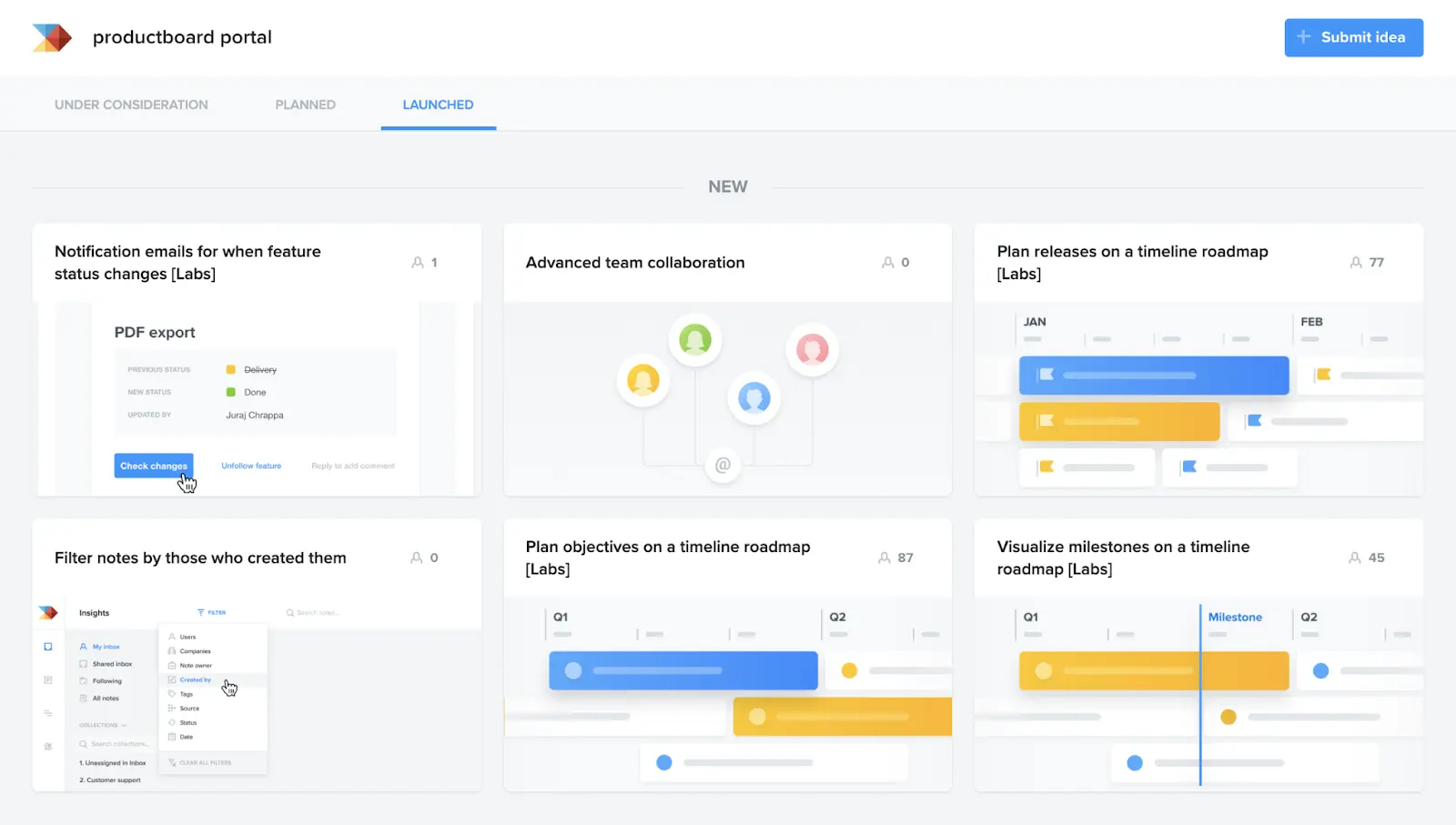
Productboard is a platform for collecting, organizing, and prioritizing user feedback so it directly influences the product roadmap. Unlike onboarding tools such as Appcues, Userpilot, or Chameleon, or analytics platforms like Amplitude, Productboard does not improve adoption directly in the UI. Instead, it helps teams build features that are actually worth adopting because they are grounded in real market needs.
How it supports activation & retention
Productboard strengthens adoption indirectly but effectively. It helps identify feature gaps that block activation and retention, such as missing integrations or critical workflows, and then assign them the right priority. It aggregates feedback from multiple channels, including support, sales, email, and CRM, maps it to product areas, and shows who and how many users are waiting for a specific feature, also broken down by segment.
Key capabilities
- Consolidation of feedback from multiple sources into a single repository
- Feature prioritization and scoring that accounts for impact across customer segments
- Public Portal for collecting votes and communicating status transparently
- Close-the-loop notifications that inform users when requested features are released
Limitations to consider
Productboard is a process tool. It only works when the team consistently engages with feedback and has a workflow to turn it into decisions. It does not replace behavioral analytics or UX diagnostics, where other tools are more appropriate, and it does not trigger adoption directly inside the product.
Best for
Product teams – especially in B2B companies – that receive a high volume of feature requests from multiple channels and want to prioritize development in a customer-centric way so that releases are well-targeted and actually adopted by the right user segments.
How to think about product adoption tools as a stack, not a list
Product adoption rarely breaks in just one place. Sometimes the problem is onboarding and guidance, sometimes it’s a lack of insight into real user behavior, and sometimes the product simply does not solve the problem users are trying to get done.
That is why lists like this should not be read as “pick one tool and you are done”.
The tools above cover different layers of the same problem. Some help you guide users through the product. Others help you see what users actually do. Others help you understand why they get stuck, leave, or never reach value in the first place.
In practice, strong adoption comes from combining these layers into a coherent stack, not from adding more features to a single tool.
If you’re choosing product adoption software, think less in terms of rankings and more in terms of gaps. Where does adoption break today, and which layer is missing in your current setup.
Filling that gap is usually more effective than replacing everything at once.
.svg)

.svg)


