A survey campaign is much more than “collecting feedback.” If you’re thinking about launching one, you’re already thinking in terms of faster response and stronger retention, done strategically, built around a clear goal, and time-boxed for a reason.
Lower churn, higher retention, and a product roadmap aligned with what the market actually needs (as long as feedback makes it into the backlog and someone turns it into decisions) – these are all realistic outcomes of a well-designed survey campaign.
In this article, we’ll break down what makes a good survey campaign and the best practices you can apply right away.
As always, it starts with the “Why?” (also known as the list of benefits). Once we’ve established the meaning, we can move into practice.
The benefits of setting up a survey campaign
Companies launch survey campaigns to:
- Monitor customer satisfaction in real time
While the campaign is live, surveys give you continuous signals about the health of your customer experience (NPS, CSAT, CES trends), not late insights. - Identify at-risk customers before they churn
A campaign helps you spot falling satisfaction, growing frustration, or a loss of perceived value before a customer decides to leave. - Prove the impact of CX initiatives
Survey campaigns force your team’s hypotheses to meet reality. They show what’s actually hurting customers, in the real context of product usage or support interactions. - Close the loop with customers who provide feedback
Customers see that you ask, listen, and respond, which reduces frustration, builds trust, and increases the likelihood they’ll stay, even in tougher moments. - Create a proactive customer experience strategy
Let’s pause on that last point, because it’s more than a benefit. It’s a fundamental mindset shift that powers mature, intelligent organizations – ones that protect the customer’s interest and their own at the same time.
And if that sounds like a win-win to you, read on.
Prevent churn by becoming proactive
Traditional customer experience is often reactive. The company wakes up when the customer is already halfway out the door, and bringing them back is often impossible.
On the other end of the spectrum is a proactive approach. The difference between proactive and reactive is night and day.
Proactivity works like an engine that lets your organization go much further, because you’re not constantly stopping to put out fires.
Instead, you move forward with a strategic approach, steady momentum, and fewer annoying stops and rollbacks to fix things that never had to break in the first place, if you had detected early signals like:
- falling satisfaction in specific customer segments (SMB, enterprise)
- growing frustration after key interactions (onboarding, support, setup)
- recurring issues mentioned in comments and messages
- specific points in the journey where the experience consistently breaks down
- drops in activity and adoption of key features (silence, “momentum loss”)
And so on.
At the core of proactivity is a simple but not-so-easy habit: listening to your customers.
A survey campaign is simply a way to practice that habit and get the full benefits from it.
If you want to revisit those benefits, scroll up. If you’re good, let’s get practical.
When to launch a survey campaign
In CX practice, people sometimes use “survey campaign” to describe two different things: a time-boxed campaign (start–end) and a systematic, always-on customer listening program.
In this article, “survey campaign” means time-boxed work only, with a clear start, goal, and close.
This doesn’t negate the value of always-on listening. Today, we’re focusing on start–end campaigns because they most often deliver fast, decision-ready insight that answers specific questions.
But when do you actually launch a survey campaign? What has to happen inside the company for it to become a signal that it’s worth starting a strategic, goal-driven feedback loop?
Here are a few scenarios.
1. When you need an answer to a specific business question
- you want to understand why churn is rising or retention is falling
- you want to pinpoint what’s breaking the experience at a specific stage
- you need input before a product or CX decision
In this case, the campaign has a clear goal, a start, and an end. For example: 4–6 weeks of data collection, then analysis and decisions.
2. After a meaningful change in the experience
- you launch a new onboarding, pricing, plan, or feature
- you change your support process
- you migrate customers to a new product version
This is a classic post-change validation campaign, best launched right after the change goes live.
3. When you see early warning signals in operational data
- a spike in tickets
- a drop in usage of key features
- more cancellations or downgrades
- more “dead accounts”
Here, the campaign plays the role of a diagnostic deep-dive. When should you launch it? As soon as possible, because later you may find the problem has already grown. Remember the proactive vs. reactive difference.
4. Before a key moment in the customer lifecycle
This is important and often overlooked. You launch the campaign before, not during:
- renewal
- upgrade
- a contract decision
The goal is to catch churn risk before it becomes reality. This typically runs a few weeks before the renewal window.
5. As a transition step toward an always-on model
When you don’t have a system yet, but you want to build one based on a pilot:
- you start with a time-boxed campaign
- you learn where feedback has the highest value
- then you turn it into a continuous program
A survey campaign is a three-step loop
No matter why you launch a survey campaign, it will follow a few phases:
- Collect feedback: What’s happening at specific touchpoints in the customer journey, such as onboarding, after a key action, or after a support interaction? Pay attention to survey type, timing, channel, and segmentation so you don’t ask randomly.
- Interpret the data: Combine results across channels, group responses into themes, spot patterns, and answer the questions: who has a problem, where, and what kind?
- Turn insights into action: Trigger responses at the individual customer level (outreach) and initiate systemic improvements.
After these three logical steps, you should monitor the effect. Do follow-up surveys show improvement? Are scores rising? Are complaints disappearing?
This kind of monitoring is crucial. It helps you avoid wishful thinking and stay honest about outcomes.
Monitoring can mean a short follow-up wave after changes are shipped, or returning to the same touchpoints in the next campaign.
For the purpose of this article, and to frame the campaign clearly, we’ll treat these three phases as the core. We’ll call them Collect, Analyze, and Act.
Let’s walk through them one by one.
Phase 1: Collect feedback at key touchpoints
To make sure you’re building a real survey campaign, not just “setting up little surveys,” you need clarity on three things: (1) what you measure and what you ask (metrics and questions), (2) why you’re doing it and for whom (a short campaign brief), and (3) where and when you ask (touchpoints and context).
That’s the order we’ll follow in the Collect phase.
What should you measure in a survey campaign?
Start by deciding what you’ll measure (1). The most common metrics are:
- NPS (Net Promoter Score): a likelihood-to-recommend question, great for periodic measurement of loyalty and overall sentiment.
- CSAT (Customer Satisfaction Score): a satisfaction rating (for example, 1–5) after a specific experience, such as a support interaction or product delivery.
- CES (Customer Effort Score): a question about how effortful something was (for example, resolving an issue or getting set up), useful after interactions that require the customer to invest effort.
Designing survey questions: what should you ask?
Metrics tell you the scale you’re using. A survey campaign also requires a decision on what you’ll ask – so the result actually leads to action.
One simple and effective structure is: 1 score, 1 driver, 1 next step.
- Score: NPS, CSAT, or CES (what’s the current state?)
- Driver: one question about the reason behind the score (why is it like that?)
- Next step: one question that points toward action (what would need to change for it to be better?)
Here’s some examples – match them to your goal and touchpoint:
Onboarding / activation (does the customer understand the value?)
- “How easy was it to get started?” (score)
- “What was the biggest obstacle in your first 7 days?” (driver)
- “What would help you reach your first success faster?” (next step)
Post-support / post-interaction (did support resolve the issue?)
- “How satisfied are you with how your case was handled?”
- “What worked or didn’t work in this interaction?”
- “Was your issue fully resolved?”
Product friction / feature adoption (why aren’t they using it?)
- “How useful is this feature for you?”
- “What’s stopping you from using it more often?”
- “What would need to change for you to use it regularly?”
Pre-renewal / retention pulse (will they stay and why?)
- “How would you rate the value you’re getting relative to the price?”
- “What’s the biggest reason to stay or leave?”
- “What would need to happen in the next 30–60 days for you to feel confident renewing?”
Designing a campaign brief
In a survey campaign, measurement is only the starting point. Before you launch your first survey, you need a short campaign brief (2):
- what the campaign goal is (for example, reduce churn in SMB, validate onboarding friction, understand a drop in support CSAT)
- what 1–3 hypotheses you have (what’s breaking the experience and why)
- who the campaign covers (segment or sample), how long it will run, and how often questions will appear (don’t burn your base and create survey fatigue)
- what you’ll consider success (“we’ll collect at least X responses in the segment,” “we’ll identify the top 3 drivers of low CSAT,” “we’ll flag every account with NPS 0–6 and trigger a follow-up”)
This is what separates a survey campaign from simply “setting up surveys.”
Where and when to ask
Just as important as choosing the metric (1) and setting the brief (2) is making sure you don’t collect feedback randomly. You want to ask in the right place and at the right time (3). Choose your moments intentionally. Ideally, you reach the customer while the experience is still fresh, not after they’ve had to reconstruct it from memory.
To answer the “where,” think in channels like:
- your website
- your web or mobile app
You can focus on a single channel or go multi-channel. Either way, you’ll need the right tool. Survicate, for example, lets you run a consistent feedback program across all the places where you need it.
The next key question is “when.” Context is king. The relevance and quality of feedback depends heavily on whether you match the survey to a specific customer behavior or lifecycle stage.
Here are a few examples of how to combine “where” with “when” in the Collect phase:
- An in-app survey appears after a meaningful event, such as finishing a tutorial, failing to complete a key feature flow, or reaching one month of using the product.
- A survey is sent by email after a set time window, for example 24 hours after a support ticket is resolved, or 30 days after a plan purchase as a classic check-in on how the product feels.
- A question is shown only to a specific segment, such as Premium users who haven’t logged in for two weeks, or visitors who opened your pricing page for the third time (a hesitation signal).
The Collect phase is the cornerstone of your survey campaign. The guidance above can feel like a lot to think through, especially since it’s only phase one. Understandable.
Let me try to motivate you, though:
- The more precise you are with your campaign assumptions and the questions you ask, the better your results will be. It works the other way too. If you rush this phase, you can end up with results that either don’t show the full picture or actively send you in the wrong direction. Think about it twice, or three times. Give yourself an extra day. It’s worth it.
- You don’t have to do this thinking in a vacuum. Maybe team brainstorming is already your default and you planned to design the campaign with others anyway. But if you’re the type who tends to bunker down with your work, this is a good moment to go against that habit. Call a meeting. Send cross-team questions. Talk to people. CX is a company-wide challenge, not a solo job. When you’re designing a survey campaign, try to spread the load across more people. It will take some pressure off you, too.
Phase 2: Analyze what you collected
The real value of a survey campaign shows up in analysis, when the data you’ve gathered starts to form a mosaic of concrete insights and clear directions.
With both quantitative and qualitative data in hand, work through three checkpoints.
1. Make sure the campaign has enough fuel
Before you interpret anything, pause and ask yourself a basic question: did this campaign collect enough signal to stand on? If seven people responded in the segment you actually care about, that’s not fuel. That’s fumes.
In practice, you’re checking three things: did you reach the right people (segment), did you collect responses in the places that were supposed to tell you something about the problem (touchpoints), and are the results heavily skewed by extremes (only the angry ones respond, or only the happiest ones).
Sometimes the best decision in Analyze is not to “draw conclusions,” but to extend the campaign by a week and deliberately capture the groups you’re missing.
2. Narrow the picture down to specifics
In a survey campaign, you don’t necessarily care that your NPS is 31. You care that it’s dropping. Or that CSAT still looks “fine,” but the share of low scores is rising, which means more unhappy customers are showing up in the data.
The point of the campaign is not to produce a nice-looking report. It’s to pinpoint where the customer experience starts breaking, before it turns into churn.
That’s why you break the results down by segments: plan, persona, region, lifecycle stage, whatever makes sense for your business. And very often, that’s where the magic happens.
You realize the drop is localized. Not “for everyone,” but, say, in SMB. Not “in the product,” but in onboarding. Not “in support,” but after a specific type of request.
3. Answer the “Why”
If you open a file with a hundred qualitative comments and start reading them one by one, you’ll fall into a classic trap. You’ll feel like “everything matters,” and at the same time you won’t know what to do first.
This is exactly the point where survey campaigns hit friction and get abandoned. Teams stop at “we collected the data,” but never move into action. The reason is simple: manual analysis is too slow and too fuzzy, especially if you did phase one well and now you have a lot of material.
So your goal is to turn raw text into patterns as quickly as possible. Which themes keep coming back? What drivers sit behind low scores? Is this more about performance, onboarding friction, pricing mismatch, or support quality?
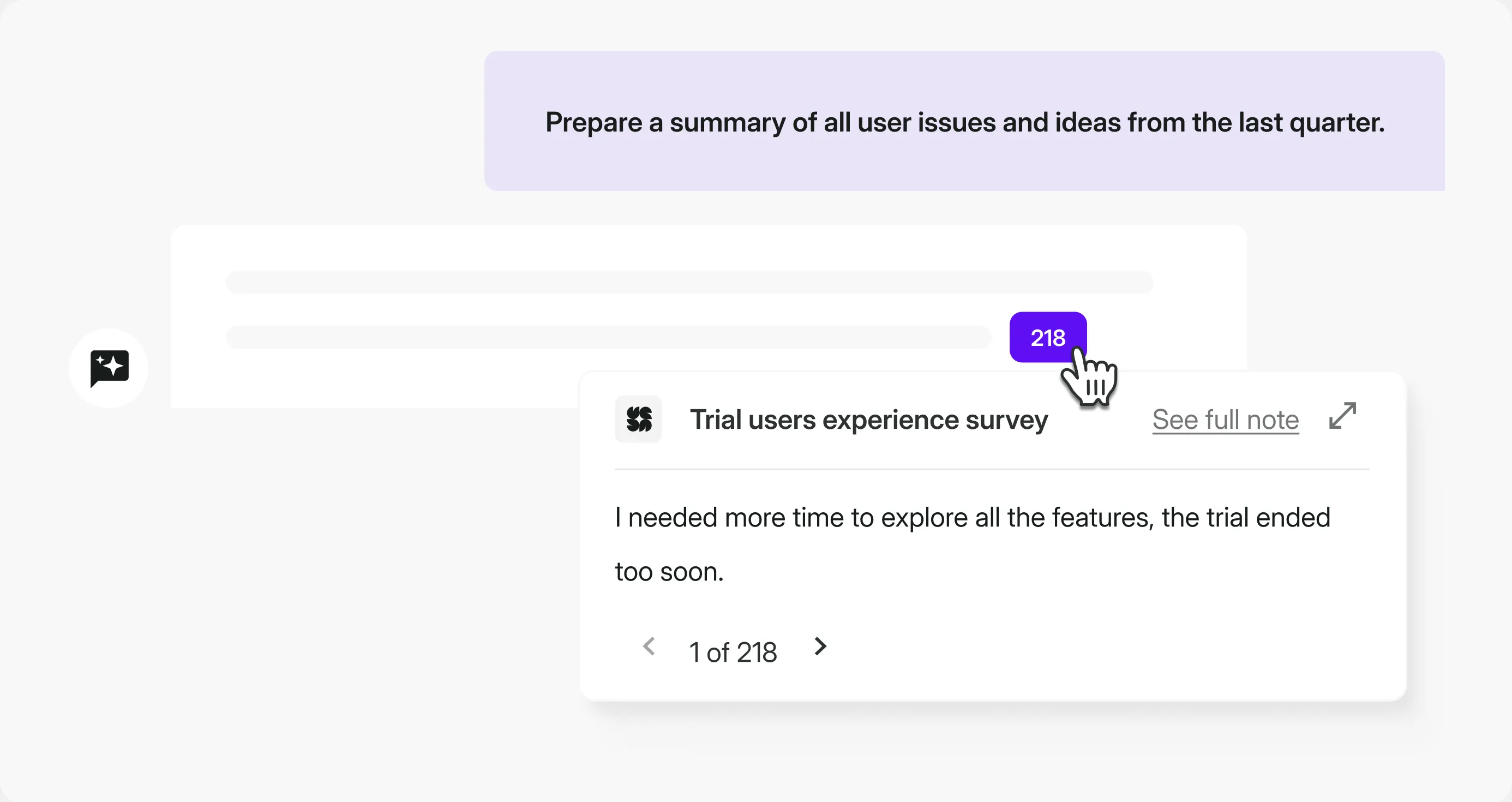
That’s exactly where Survicate’s AI Research Assistant shines. You ask a question in plain English and get an instant answer based on the feedback you already have, across surveys and other sources.
For some teams it might be a mix – CSAT surveys plus support tickets and a few transcripts from key customer conversations. AI takes care of the heavy lifting, helping you spot recurring themes, understand sentiment, and connect the dots faster than manual reading ever will.
Analysis doesn’t end when you know CSAT dropped. It ends when you can say: CSAT dropped because themes X and Y keep coming back, and it’s happening in segment Z.
In other words, you no longer have “feedback.” You have a diagnosis. Now you need to route it to the people and tools that will deliver the change.
Phase 3: Act and close the feedback loop
The assumption driving the third and final phase of a survey campaign is simple: collecting data and analyzing it without turning it into decisions and concrete actions is just a mental exercise. Real change-making starts in this last phase.
A second assumption supports it: if you act fast, without waiting for a “better moment,” you have a real chance to neutralize risk while it’s still early. That’s how you stay proactive about increasing retention and reducing churn.
But it’s not always about reacting to warning signals right here and now. Sometimes what you need is to remove the root cause, through longer-term fixes and features mapped out on the roadmap for the coming months.
These are two tracks of the Act phase. You can run them sequentially, but if you have the capacity, run them in parallel.
Acting on immediate risk
The campaign will surface signals that someone is on the edge. It would be a waste to ignore them.
In Survicate, you can set up condition-based notifications that trigger only when something truly important happens, for example when someone leaves a very low CSAT or CES score. With integrations, that alert can go straight into Slack.
In a well-designed process, that signal automatically turns into operational work:
- a ticket in Zendesk
- updated attributes in your CRM
- and an email from your marketing automation platform
Once again, it’s more than worth integrating your survey platform with the rest of your stack so feedback doesn’t create chaos.
There’s real satisfaction in setting up a smart automation flow and watching everything land where it should, with less manual effort than you’d expect.
You still have to act, of course. The difference is that automation lowers the cognitive overhead as much as possible.
One hygiene rule matters here: alerts need to be selective, or they’ll quickly fade into background noise. Conditions such as VIP-only, scores below 3, or detractors plus a negative comment matter more than the volume of notifications.
Turning signals into product improvements
Alongside 1:1 intervention with customers, a survey campaign has a second goal: remove recurring friction inside the organization, the kind that creates churn.
This is where you go back to your Analyze conclusions and make a simple move. You pick 2–3 themes with the highest impact, then you make sure they don’t get stuck in a document.
How to define “highest impact”? Most often, it comes down to a simple mix: how frequently the theme shows up, how hard it drags your scores down, and whether it hits the segments that are closest to renewal.
And this is where the Survicate workflow comes in again. Feedback that looks like a product request goes into the backlog (Jira). Feedback that looks like a process problem in support goes into Zendesk (or another ops tool). Feedback that’s clearly tied to a specific account goes into your CRM (for example, HubSpot).
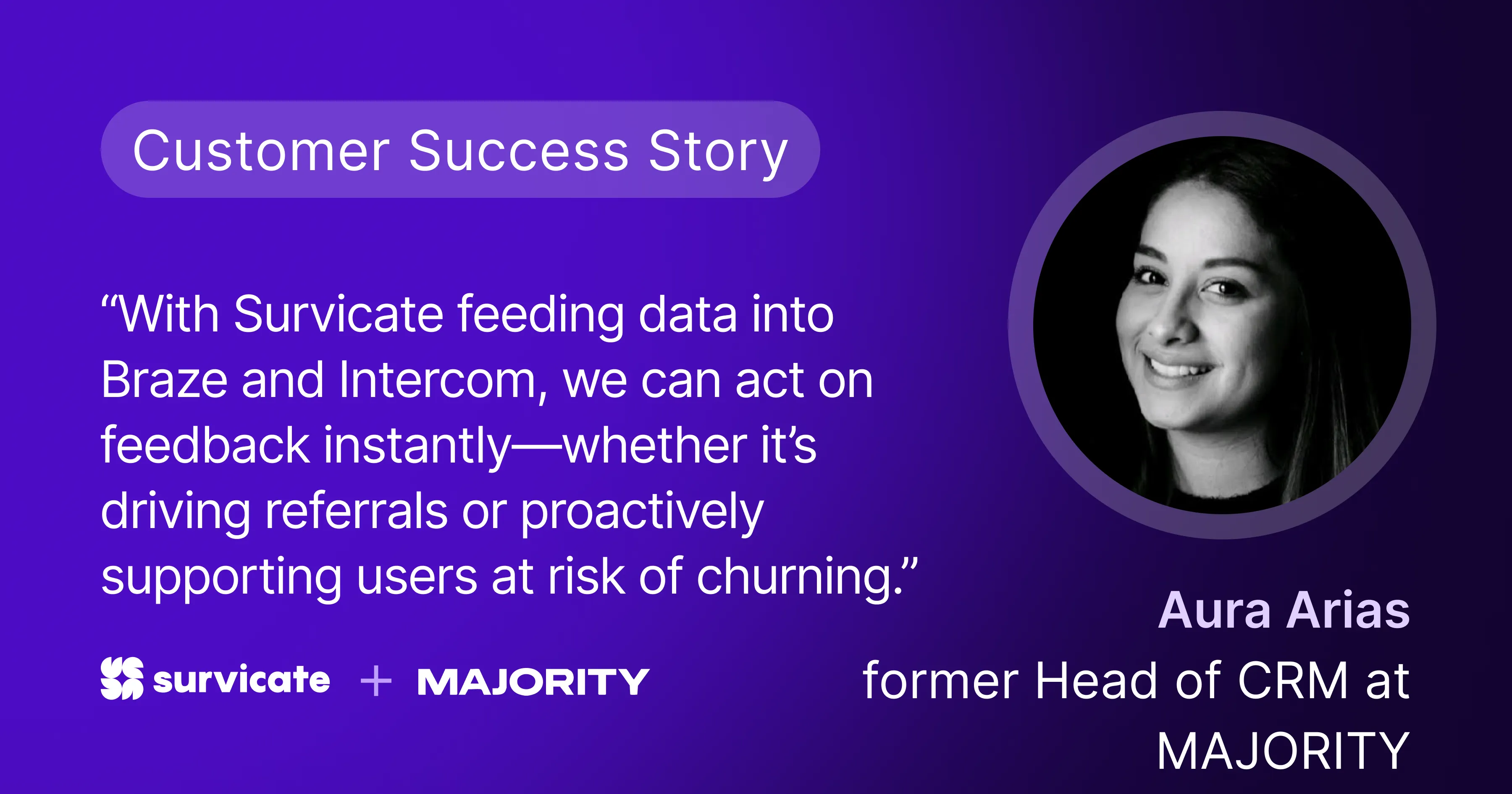
A strong example of this in practice is MAJORITY. They connected Survicate with Braze and Intercom so feedback doesn’t end as an insight. It automatically triggers the next steps. As MAJORITY’s Head of CRM put it:
“With Survicate, we could finally bring user feedback back into Braze and act on it in real time.”
Close the loop: show customers their voice changed something
“Close the loop” can sound like a cliché, but in practice it’s simple. Customers need to see that something happened after they answered. Sometimes that’s a short follow-up. Sometimes it’s a “you said, we did” section in a newsletter or release notes.
Either way, the effect is the same: trust grows, and feedback stops feeling to the customer like yet another survey to tick.
That’s the essence of a survey campaign. Not “we ran a survey,” but “we ran a campaign that detected risk early, triggered action, and removed the root causes behind it.”
And what follows naturally is:
“By listening actively, we became an organization that serves customers better and builds an advantage where it actually matters.”



.svg)

.svg)