TL;DR
- SurveySparrow's self-serve plans allow one active NPS, CSAT, or CES survey at a time. Running two together means buying the separately priced CX Suite or moving to Enterprise. Mobile in-app surveys also require Enterprise, while advanced analysis is available on Enterprise or on request.
- Three alternatives let you run several CX surveys on a published plan: Survicate, SurveyMonkey, and Iterate. They differ considerably on mobile delivery, AI analysis, and integrations.
- The other four solve narrower problems. Qualtrics handles large, complex programs at enterprise prices. Alchemer keeps mobile, automation, and AI analysis on its quote-based Platform. AskNicely is built around scores attributed to frontline employees and locations. Typeform offers the conversational format without the metric tracking a continuous program needs.
SurveySparrow is easy to like on day one. The chat-style surveys look good on a phone, the builder is quick to learn, and the first NPS survey is live before lunch.
The trouble starts a few months later, when that first survey has grown into a Voice of Customer program. Now there's CES after support, relationship NPS in the app and by email, and CSAT after a new feature launch. And a few thousand open-text comments a month that someone has to read.
At that point the plan you bought stops matching the job. Running a second CX survey and making sense of all those comments both push you beyond the plan you started on. Add surveys inside the app, and the public prices no longer tell you what the program will cost. You have to ask sales.
In this guide I compare seven SurveySparrow alternatives from the perspective of a CX Manager or Customer Ops lead at a B2C app or marketplace. I'll focus on the work that follows the first survey: keeping several metrics running across channels, finding patterns in the comments, and getting individual responses to someone who can follow up.
I work at Survicate, so I’m reviewing our competitors here. I'll be specific about where each tool works well, where it falls short, and where Survicate isn't the right pick either.
The tools aren't ranked.
| Tool | G2 rating | Known for | My 2 cents |
|---|---|---|---|
| Survicate | 4.6 (201) | Web, in-product, mobile app, email-embedded, and link surveys with Research Hub for AI analysis | Native mobile SDKs and in-product surveys from the entry plan, and Research Hub groups comments from surveys, app-store reviews, and support tickets into tracked themes on every plan. For Braze, Iterable, and product analytics integrations, you'll need Pro. |
| SurveyMonkey | 4.4 (23,900+) | General-purpose surveys with thematic analysis on Team Advantage | Team Advantage runs several CX surveys with thematic analysis, which suits an email-led program. In-app surveys need a separate product and a developer, and the bill grows on both seats and $0.15 overages. |
| Qualtrics | 4.3 (751) | Enterprise CX with Text iQ, Stats iQ, and governed closed-loop workflows | Handles feedback across web, mobile, and contact center, with advanced text analysis if you pay for the right license. The Rigor Premium also buys statistical and research controls many CX teams will never use. |
| Alchemer | 4.4 (955) | Research-grade survey builder with a mature mobile SDK on the Platform tier | Stronger survey logic and a more established mobile SDK than SurveySparrow, but in-app surveys, website intercepts, routing, and AI analysis all require the quote-based Platform. |
| AskNicely | 4.7 (1,050) | CX scores tied to frontline people, teams, and locations | Built for businesses that measure CX by agent, team, or branch. Survey design is limited to a score and comment, and mobile in-app surveys, coaching, and huddles require Transform. |
| Iterate | Too few reviews (14) | Surveys triggered from Braze, Iterable, Klaviyo, and Segment events | A strong fit if your journeys run in Braze or Iterable. Pricing follows monthly active users, not responses, and Research Assistant costs extra on Business. |
| Typeform | 4.5 (900+) | Design-led conversational forms | Conversational surveys much like SurveySparrow’s, but no native CX metric tracking or mobile SDK. Hard response caps can stop collection mid-campaign. Keep it for one-off surveys. |
Why are people leaving SurveySparrow?
The same frustration keeps coming up in reviews and in conversations with our sales team: SurveySparrow works well when you're launching a survey, but things get complicated once you're running a continuous CX program. Four limitations explain why.
One active CX survey per self-serve plan
SurveySparrow offers NPS, CSAT, and CES surveys on its Basic, Starter, and Business plans, but each allows just one active CX survey at a time. Run a transactional CSAT survey alongside relationship NPS, and you'll need the separately priced CX Suite or an Enterprise contract. SurveySparrow's own comparison posts put the CX Suite starting price at $249 a month, but you won't find it on the pricing page.
Advanced analysis is harder to get
Reporting is the most common complaint in G2 reviews of SurveySparrow, where the structured negatives are led by "Poor Reporting" and "Limited Reporting." On Capterra, a Customer Experience Manager in retail describes struggling with the daily volume of responses and having to export CSVs to make sense of them.
SurveySparrow does offer more advanced analysis, but getting access is another matter. CogniVue, its Key Driver Analysis tool, and custom dashboard widgets are listed on Enterprise only, while SurveySparrow's own blog describes text analytics as available on request.
Mobile in-app surveys start at Enterprise
SurveySparrow's mobile SDK puts Classic, Chat, and NPS surveys inside native iOS and Android apps, but it's only available on Enterprise. SpotChecks adds contextual targeting, triggers, and frequency controls, and comes as an extra add-on. Neither is available on the self-serve plans. For a consumer app, that's a particularly expensive channel to put behind a sales call.
Key lifecycle and product integrations require middleware
SurveySparrow connects natively to Zendesk, Intercom, HubSpot, and Segment. But Braze, Iterable, Customer.io, Amplitude, Mixpanel, and session replay tools such as FullStory need Zapier or a similar connector. Access to the native integrations is tiered, too: Zendesk, workflows, and webhooks start on Business, while the wider integration set is reserved for Enterprise.
SurveySparrow can still be a good choice for a team running one CX survey at a time. The difficulty comes when that team adds more surveys, needs feedback inside its app, and wants to analyze thousands of comments. By then, several parts of the program require separate purchases or an Enterprise contract, with prices you have to ask sales for.
How I did this review
What I looked for
I evaluated every tool against three requirements of a high-volume CX program:
- Running NPS, CSAT, and CES together, on the plan you'd buy. Can a mid-size CX team run several continuous surveys across web, mobile app, and email? Which plan covers that, and what requires a separate purchase?
- Analyzing open-text feedback without exporting it. When a few thousand comments arrive each month, can the tool group them into themes, track those themes over time, and show the quotes behind them? We've described how to run customer feedback analysis step by step in a separate guide.
- Getting feedback into the tools where the team works. For each tool I checked whether the connections to support desks, messaging platforms, and product analytics are native, require middleware, or are missing altogether. I also noted which plans include them. When a low score arrives, the person responsible for following up should be able to see who responded and what went wrong, without piecing the story together across several tools.
For pricing, I recorded how each vendor charges (per response, per seat, per monthly active user, or by quote) and what can increase the bill as the program grows.
How I validated the claims
I verified features, plan gates, and prices directly on each vendor's pricing page and help center. I checked review themes on G2, Capterra, and Reddit rather than relying on what vendors say about themselves. Where a vendor publishes no price, I used third-party purchase data from Vendr and similar sources, labeling those figures as buyer-reported. I also drew on our in-house testing of competing tools and transcripts from sales calls and customer interviews, including cases where Survicate wasn't the ideal fit.
7 SurveySparrow alternatives for a high-volume CX program
Survicate: multi-channel CX surveys with AI analysis from Growth
What does Survicate do?
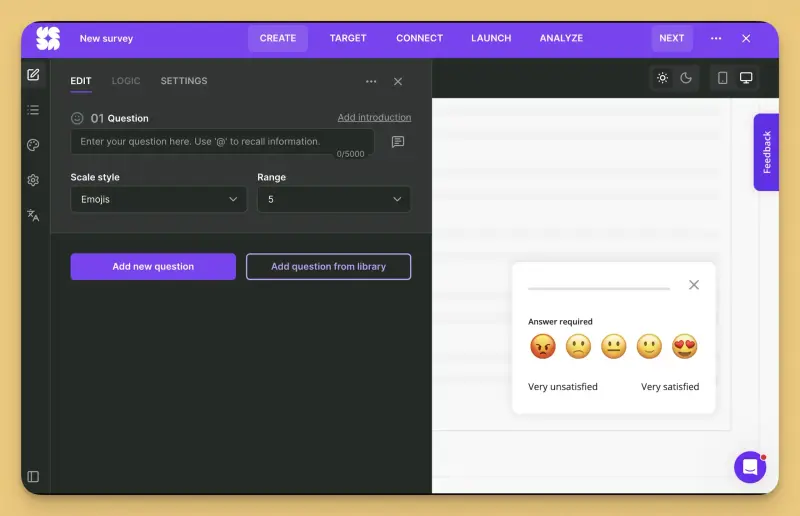
Survicate runs web, in-product, mobile app, email-embedded, and link surveys from one account. NPS, CSAT, and CES are available on every plan, with no cap on active surveys from Growth up. Mobile app surveys use native SDKs for iOS, Android, React Native, Flutter, and Unity. For email surveys, you embed the first question in a message sent natively, from Braze, Intercom, HubSpot, or another email tool, and the response is tied back to that contact.
Survicate also has Research Hub, an AI research repository that combines survey responses with other customer feedback, including App Store and Google Play reviews, Zendesk tickets, Intercom conversations, and call transcripts. It groups recurring themes, analyzes sentiment, and lets you trace each insight back to the original comments. You can edit the categories or ask Research Assistant questions across the connected sources.
Say a CX manager notices that "refund took too long" has grown from 4% to 11% of comments in a month. They can open the twenty comments behind the increase and share them with the support lead without exporting anything. Survicate MCP also connects the data to Claude, ChatGPT, and Slack, so the manager can investigate last month's detractor themes or draft a follow-up survey directly from an AI assistant.
Who is Survicate primarily for?
Survicate is aimed at CX, product, and marketing teams in digital businesses, such as consumer apps and marketplaces where feedback comes in through several channels. A CX team can run continuous surveys, send individual responses to support or lifecycle marketing, and investigate complaints that keep appearing across surveys and other feedback sources.
What's Survicate's ease of use?
Reviewers on G2 and Capterra often describe the survey builder and targeting as easy to learn, and several mention quick mobile SDK setup. Research Hub takes a little more preparation. You choose the sources for a research project and decide what you want to investigate. The AI then identifies themes and supporting comments, which you can review and adjust. Most of the work is in deciding what to look for, rather than sorting through the responses yourself.
What's Survicate's customer support like?
Human live chat is available on every plan. Capterra reviewers describe the team as quick to respond and knowledgeable, while TrustRadius reviewers on higher plans mention dedicated customer success managers. Pro adds priority chat and migration assistance, and Enterprise includes calls and 1:1 training. According to Survicate's own figures, the average first response takes 2 minutes, with a 97% satisfaction rate.
What are the main pros of using Survicate?
- NPS, CSAT, and CES can run together from Growth, with recurring surveys and no active-survey cap. A transactional CSAT survey and relationship NPS can run side by side without a separate purchase.
- AI categorization and sentiment analysis are included from Growth, while Research Hub is available on every plan. You can track recurring complaints and examine the original comments without rebuilding your analysis in a spreadsheet each month.
- Zendesk is native from the entry plan, with Custuomer.io and two-way Intercom and HubSpot integrations from Growth. A low score can reach a support ticket or update a contact record without middleware. (We've compared NPS tools that connect to HubSpot in a separate guide.)
- Pro adds native connections to Braze, Iterable, Amplitude, Mixpanel, FullStory, Smartlook, and UXCam. Feedback can update customer profiles in the tools lifecycle and product teams already use, without a Zapier step.
- Survicate MCP gives teams access to survey results, individual responses, and Research Hub insights from Claude, ChatGPT, and Copilot. Someone investigating a reported trend can check the comments behind it without switching back to Survicate.
What are the main cons of using Survicate?
- Survicate charges for both responses and data points, with overage fees. Several open-text questions in one survey can use up the data point allowance faster than the response allowance. Check both when estimating your costs.
- Braze, Iterable, Amplitude, Mixpanel, session replay integrations, webhooks, and event-based targeting require Pro. Growth supports targeting by attributes, URL rules, cookies, and previous responses, but not custom events.
- Growth includes one dashboard, while Pro includes ten. If different stakeholders need separate dashboards for NPS, CSAT, and CES, you'll need Pro.
- There's no built-in ticketing or case-management module. A negative response can reach Zendesk, Intercom, or HubSpot, but your team handles the follow-up there. SurveySparrow has its own ticketing from Business, including assignments and SLAs. That's an advantage if you don't already have a support desk.
Pricing
Survicate charges per response, with data points as a second usage meter. Growth starts at $56 a month for 100 responses, 500 data points a month, and ten seats. You can increase the volume using the pricing slider, or arrange a custom response pool while staying on Growth.
Pro starts at $349 a month, with a custom annual pool of responses and data points. Enterprise starts at $569 a month. Survicate publishes the features and integrations available on each plan, so you know which tier you need before discussing volume. The final Pro price depends on the pool you agree on.
There's also a 10-day trial of Pro-level features, with 25 responses and 100 data points.
My hot take: How does it compare to SurveySparrow?
SurveySparrow looks cheaper until you price the whole program. Take a consumer app running relationship NPS and transactional CSAT, collecting feedback inside the app, and analyzing thousands of open-text comments.
The CX Suite has a $249 monthly starting price in SurveySparrow's own comparison posts, but you won't find it on the pricing page. Enterprise pricing is unpublished, and SpotChecks is another add-on. You need a quote before you can work out what the program will cost.
Survicate gives you more to work with upfront. Growth covers multiple active CX surveys and AI categorization. Pro, starting at $349 a month, adds Braze, Iterable, product analytics integrations, event-based targeting, and ten dashboards
At high volumes, you still need to negotiate the annual response and data point pool. But you're negotiating volume on a plan whose features and starting price are published. With SurveySparrow, you're also negotiating the package and add-ons.
The restrictions matter again when the team tries to analyze those comments. Survicate includes AI categorization and sentiment analysis from Growth, and Research Hub can track a complaint across surveys and support conversations with the original comments attached.
On SurveySparrow that layer sits furthest up the pricing page, and it’s also the one reviewers complain about most. Requiring a sales conversation to improve your weakest-rated capability seems a strange choice.
SurveySparrow does have three advantages: WhatsApp and SMS surveys, available on Enterprise with separate message costs; its chat-style survey format; and built-in ticketing from Business. A team without a help desk may have good reason to prefer its response management. And if WhatsApp is where your customers answer surveys, Survicate won't cover that channel natively.
Survicate won't be the right fit for everyone. Here's when I’d pick someone else
I work at Survicate, so my preference is obvious. Below are the cases where I’d point you to another tool on this list.
Qualtrics is the better pick for research-heavy programs involving quotas, randomization, panel management, or significance testing across multiple markets. It was built for that kind of work, and Survicate doesn’t offer the same controls.
Iterate also belongs on the shortlist if your customer journeys run through Braze or Iterable. In Braze, both tools use a Custom Code in-app message, write answers back as attributes and events, and can embed the first survey question in an email. Iterate also connects natively to Airship, CleverTap, and MoEngage, which Survicate doesn't support. If your lifecycle team already uses one of those platforms, that's a concrete reason to consider Iterate.
AskNicely was built for service businesses measuring NPS by employee, team, or location. Its scorecards, coaching tools, and frontline workflows were built around that job, while Survicate focuses on collecting and analyzing feedback across digital touchpoints.
SurveyMonkey: the generalist many teams evaluate first
What does SurveyMonkey do?
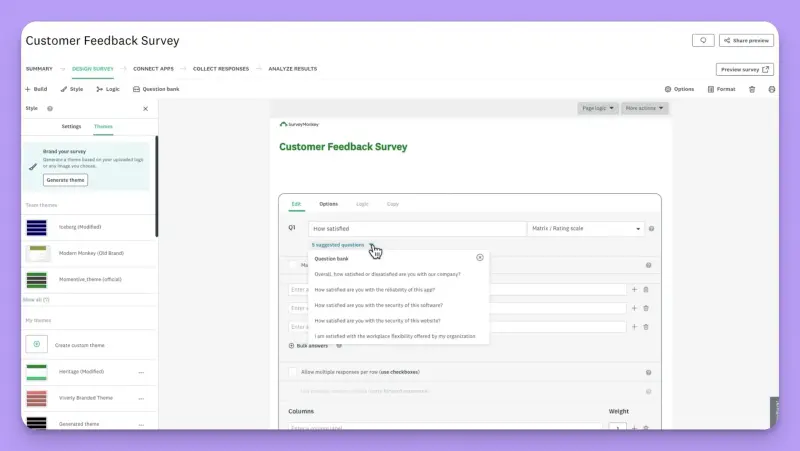
SurveyMonkey lets teams create surveys from a large template library and question bank, then distribute them by email, link, or website embed. It also has its own email collector. Results come in real time, with filters, cross-tabs, and exports. NPS and CSAT templates are included, while the Team plans add analysis across multiple surveys, AI-assisted analysis, and thematic analysis of open-text answers.
SurveyMonkey Audience also sells access to a respondent panel for market research, and an MCP-based Claude connector lets teams create surveys and query results from Claude.
Inside a mobile app, SurveyMonkey offers an iOS and Android SDK plus a more advanced in-app product, GetFeedback for Apps, which can trigger surveys after events such as a session start or app update. Both require developer work, and the SDK isn't available in SurveyMonkey's EU data center.
Website surveys have their own limitations. They appear through an embedded collector, with targeting based on session behavior rather than customer attributes or specific events in the product.
Who is SurveyMonkey primarily for?
SurveyMonkey is useful when one survey platform needs to serve several departments, from HR pulse checks and market research to occasional CSAT emails. A CX team that mainly surveys customers by email or link can use the same familiar tool as its colleagues in marketing and HR. It's a less convincing choice when feedback needs to reach customers at a specific moment inside an app.
What's SurveyMonkey's ease of use?
The builder earns much of the praise SurveyMonkey gets on Capterra. Reviewers like the templates and how quickly they can launch a survey. Complaints on Capterra and G2 tend to focus on what happens when they need more customization or analysis, with useful features reserved for higher plans.
Our own testing was less flattering. As my colleague Aleksandra Dworak noted in her Survicate vs. SurveyMonkey comparison, the recent redesign barely touched the survey builder: "For me it feels very much like editing a page on WordPress in 2010." G2 reviewers in September 2026 raised similar concerns, describing the setup as having a "really old UX" and features that feel "clumped together."
What's SurveyMonkey's customer support like?
The lower team plan includes email support, with phone support from Team Premier. Enterprise adds Customer Success access and premium onboarding. G2 reviewers generally describe the support team as helpful.
What are the main pros of using SurveyMonkey?
- Unlimited surveys on every team plan, so NPS, CSAT, and CES can run simultaneously without an active-survey cap.
- AI-assisted analysis, thematic analysis, and multi-survey analysis are included from Team Advantage. You can group open-text NPS answers into themes without exporting them.
- Around 200 integrations, including Zendesk and HubSpot on team plans. The Zendesk app lets agents select customers and send surveys from Zendesk, with responses stored on the contact record.
- SMS surveys are available, which few tools on this list offer, though only from the US data center.
What are the main cons of using SurveyMonkey?
- SurveyMonkey lacks native targeting based on user attributes and product events. You can't automatically ask customers for feedback after they complete onboarding, abandon checkout, or use a particular feature. For a digital product running a continuous VoC program, that makes it harder to reach the right users at the moment their experience is still fresh.
- In-app surveys require developer work, whether you use the mobile SDK or GetFeedback for Apps. The SDK also isn't available in the EU data center, which complicates things for European apps that need to keep their data there.
- Salesforce, Power BI, Tableau, and Marketo require Enterprise. Braze, Iterable, Customer.io, Amplitude, and Mixpanel have no native integrations at any tier, so you'll need Zapier or similar middleware.
- Team plans charge per seat, with a three-user minimum, and responses above the annual allowance cost $0.15 each. Add more people or collect more feedback than expected, and the bill rises on both counts.
- The annual response allowance is shared across users. A large research campaign can eat into the pool the CX team was counting on, and unused responses don't roll over.
- Reporting offers plenty of depth for analysts working with cross-tabs, but reviewers say it can be harder to configure than expected. A CX manager looking for recurring themes may find it more involved than necessary.
Pricing
SurveyMonkey charges per seat, with an annual response pool shared across users. Team Advantage costs $30 per user a month, billed annually, with a three-user minimum and 50,000 responses a year. Team Premier costs $92 per user a month for 100,000 responses a year, white labeling, and phone support.
Enterprise is quote-based, starts at five users, and adds custom response limits, SSO, and Enterprise-only integrations. Individual plans cost $39 to $139 a month for one user. Responses above the allowance cost $0.15 each on any paid plan.
I've covered the plans, limits, and additional costs in more detail in my SurveyMonkey pricing guide.
My hot take: How does it compare to SurveySparrow?
For an email-led CX program, SurveyMonkey solves two of SurveySparrow's biggest problems on a single plan. Team Advantage lets you run NPS, CSAT, and CES together and includes thematic analysis of open-text answers. Before buying, though, I'd test that analysis with a realistic batch of comments.
Many reviewers (although my colleague Aleksandra isn’t one of them) praise the survey builder but also describe the reporting as confusing. Reading the results of one survey is a very different job than making sense of several thousand comments every month.
Mobile is where the comparison changes. SurveySparrow has a native mobile SDK, even if you need Enterprise to use it. SurveyMonkey offers both an SDK and GetFeedback for Apps, but you'll need a developer to implement either. The SDK is also unavailable in the EU data center, a serious obstacle if your app needs EU data residency. And choosing SurveyMonkey's EU data center on Enterprise disables 14 features, including the Mobile SDK, Analyze with AI, most integrations, and the Audience panel.
I could consider SurveyMonkey for a simpler CX program built around email and link surveys, especially if other departments already use it. If most of your feedback needs to come from inside the app, those implementation and hosting restrictions make it a much harder sell. If in-app feedback rules SurveyMonkey out, our SurveyMonkey alternatives guide covers more options.
Qualtrics: the trade-up when the program needs research-grade controls
What does Qualtrics do?
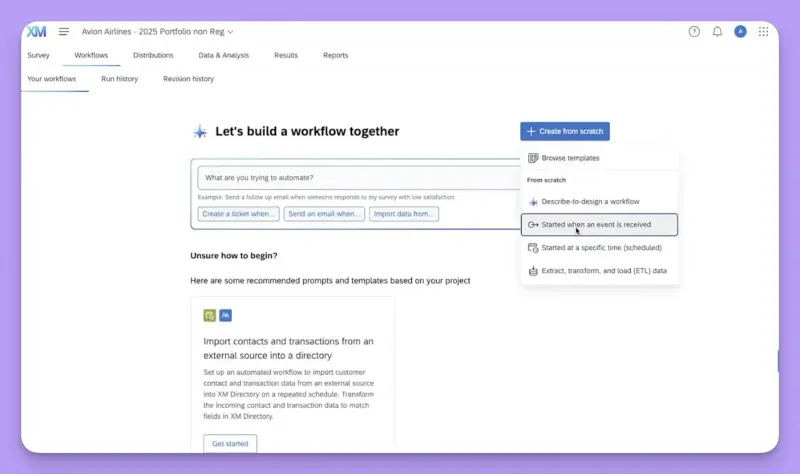
Qualtrics XM for Customer Experience collects feedback through email, web intercepts, in-app surveys on web and mobile, SMS, and contact centers. Text iQ and XM Discover analyze written feedback for themes, Stats iQ handles statistical tests and driver analysis, and Predict iQ models churn.
Text iQ comes in two license levels, with sentiment analysis reserved for the advanced one. When a customer gives a low score, the closed-loop module can assign it to an owner and create a Salesforce task or Slack alert.
And that's just the CX product. Qualtrics also covers employee experience, brand tracking, and market research with panels, alongside enterprise controls for permissions, data residency, and compliance.
No other tool on this list covers quite as much. Qualtrics also has an official MCP server that gives AI assistants access to surveys and responses through its public API, with access controls in place.
Who is Qualtrics primarily for?
I'd look at Qualtrics when a CX program is part of a larger research operation. Think of a consumer brand running NPS, CSAT, and CES alongside studies that need quotas, randomization, conjoint analysis, and significance testing across markets. That usually means a dedicated insights team and someone prepared to manage an implementation that can take months.
There's a price for that breadth. If your CX team mainly needs three continuous surveys and a way to understand thousands of comments, much of the research functionality will go unused. I've called this the Rigor Premium in my Qualtrics pricing guide, and it's worth asking how much of it your team will actually use.
What's Qualtrics' ease of use?
G2 reviewers praise Text iQ for turning open-text answers into usable themes, and the survey builder is capable. Configuration takes more work. Reviewers on G2 and PeerSpot describe a steep learning curve, particularly when setting up dashboards, while some PeerSpot reviewers report implementations that required an outside partner for three to four months.
What's Qualtrics' customer support like?
Your support experience depends heavily on the contract. Teams with premier support packages tend to report good experiences on G2, where Qualtrics' overall support scores are solid. Reviews from customers without those packages are more mixed, with complaints about slow responses and unresolved technical issues. Implementation assistance and premium support hours are also frequently charged separately, according to third-party reviews.
What are the main pros of using Qualtrics?
- Text iQ and XM Discover can handle open-text analysis at a scale few tools on this list are designed for, with driver analysis and predictive models available alongside it. For a CX program collecting hundreds of thousands of responses, that's a serious advantage. Check the license, though: Basic Text iQ caps analysis at 20,000 responses per survey and doesn't include sentiment. Advanced Text iQ removes those limits.
- Feedback collection covers the channels a large consumer brand needs, including mobile in-app, SMS, and contact centers, without separate channel add-ons.
- Built-in ticketing, closed-loop workflows, and role-based dashboards let large teams assign low scores, track follow-ups, and control who sees what across NPS, CSAT, and CES programs.
- Integrations include Salesforce, Zendesk, HubSpot, and Slack, alongside a large partner directory and a public API for teams building custom connections.
- EU data residency is available, along with the permissions and compliance controls that large organizations often need before procurement will approve a platform.
What are the main cons of using Qualtrics?
- CX pricing is entirely quote-based, and buyer-reported data puts the median annual contract near $30,000, before implementation and premium support. The difficult part is knowing what that price buys. Stats iQ and Advanced Text iQ are separate license lines, so a substantial contract doesn't automatically include the analysis features you want.
- Implementation can take months, and reviewers describe paying for help with integrations they expected to configure themselves.
- There's an extensive integration directory, but connecting everything can still require engineering work. G2 reviewers ask for more established integrations and describe setups that needed developer involvement. Braze and Iterable, for example, connect through the API or partner extensions rather than ready-made native integrations.
- Text iQ requires some ongoing attention. Reviewers say its automated categories can remain generic unless someone maintains the rules and categories over time.
- The self-serve Strategic Research plan is a market research product. It doesn't include the CX suite, so its published price won't tell you what a Qualtrics CX program costs.
Pricing
Qualtrics doesn't publish prices for its customer experience products. Contracts are based on interactions, modules, and users.
A free account allows 500 total responses, three active surveys, and one user. The only self-serve paid plan, Strategic Research, costs $420 a month billed annually for 1,000 responses a year shared across the account, or roughly $5 per response. It doesn't include the CX products discussed here.
CX contracts are a different matter. Vendr’s buyer-reported data puts the median at around $30,000, with reported prices ranging from about $7,000 to $140,000 depending on modules, seats, and response volume. Implementation and premium support typically cost extra.
My hot take: How does it compare to SurveySparrow?
Qualtrics can handle the CX program that pushes teams beyond SurveySparrow's self-serve plans. NPS, CSAT, and CES run across web, mobile, email, and contact center channels, and Advanced Text iQ can analyze open-text responses at volumes that would overwhelm a smaller setup. You'll need the right license for that analysis, though, and the contract makes most sense when your team also needs research-grade controls and enterprise governance.
If you're leaving SurveySparrow to avoid negotiating for basic CX capabilities, Qualtrics is a peculiar escape route. You're looking at a larger contract, a potentially months-long implementation, and another set of licences to understand. A company running a sophisticated research operation may be perfectly happy with that. For a CX team that wants three continuous surveys and readable themes, it's an awful lot to take on.
SurveySparrow is even easier to work with when a low score needs a follow-up. Both products have built-in ticketing and integrations with Zendesk, HubSpot, and Salesforce. With SurveySparrow, you can enable those connections from its app directory once you're on the required plan.
Qualtrics charges separately for its HubSpot connector. After signing a contract worth tens of thousands, calling your account executive to buy a HubSpot integration isn't exactly an attractive prospect.
Neither platform connects natively to Braze or Iterable, so you'd need middleware or custom development either way. If your CX team works mainly in Zendesk and HubSpot, SurveySparrow is easier to connect and gives you the response-management tools without a research platform attached. I'd choose Qualtrics if the scale, statistical depth, and governance requirements call for it. Otherwise, you're overpaying.
Alchemer: a capable platform with CX features spread across tiers
What does Alchemer do?
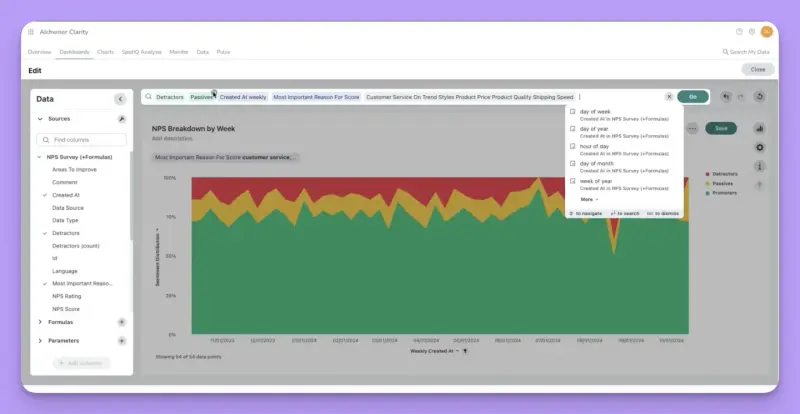
Alchemer, formerly SurveyGizmo, is a survey platform with advanced logic, detailed reporting, and self-serve plans for up to three users. It also has three products available through the quote-based Alchemer Platform:
- Alchemer Digital (formerly Apptentive) handles surveys and prompts inside native mobile apps.
- Alchemer Workflow routes responses and triggers follow-ups, while Alchemer Pulse analyzes open-text feedback with AI.
- Website Intercept, which lets you show surveys on your own site, is also unavailable on self-serve plans.
Alchemer positions itself between SurveyMonkey and Qualtrics, targeting teams that need more sophisticated research tools. There's no official MCP connection, so working with Alchemer data in an AI assistant requires a third-party connector.
Who is Alchemer primarily for?
Alchemer makes sense for research and insights teams building complex questionnaires and working with statistical exports. It also serves enterprises that buy the full platform, particularly consumer-app teams that need the mobile SDK inherited from Apptentive.
For a smaller CX team, the distinction is important. The self-serve plans give you a capable survey builder and reporting, but in-app feedback, response routing, and AI analysis all require the Platform.
What's Alchemer's ease of use?
Capterra reviewers praise Alchemer's survey-building capabilities, particularly its logic and customization options. The interface gets less praise. G2 reviewers describe it as dated and overwhelming for beginners, and some find complex mobile surveys clunky or have trouble locating the AI features.
For some, the builder also feels text-heavy compared with newer tools. That can be a reasonable trade-off for a researcher building a complex questionnaire, but a CX manager who wants a short survey live in ten minutes could expect a better design.
What's Alchemer's customer support like?
Collaborator includes email support, while Professional adds phone support with annual billing. G2 and Capterra reviewers generally praise the documentation and training resources, but some describe a drop in responsiveness after the sale. Several say support referred them to documentation when they needed help with a complicated issue. Limited live chat coverage outside US hours is another complaint.
What are the main pros of using Alchemer?
- Alchemer Digital, formerly Apptentive, offers a mature mobile in-app feedback SDK, with prompts, rating dialogs, and surveys inside iOS and Android apps. Pricing is quote-based and tied to monthly active users and seats, so the bill depends on the size of your active audience, even if relatively few people answer a survey.
- Advanced logic, quotas, and more than 40 question types support complex research questionnaires that many dedicated CX tools can't handle.
- NPS, CSAT, and CES surveys are available on self-serve plans, with annual response allowances ranging from 75,000 to 125,000.
- Alchemer Workflow can route responses and trigger follow-ups without code, while Alchemer Pulse groups written feedback into themes and analyzes sentiment. Both require the Platform.
- Native connections include Salesforce, HubSpot, and Slack, with Power BI and Tableau available for reporting.
What are the main cons of using Alchemer?
- No event-based targeting for web surveys or scheduling for recurring surveys. You can't automatically ask customers for feedback when they hit a problem during onboarding or checkout, or run regular surveys to monitor overall satisfaction. Both are essential to a continuous VoC program, as we've discussed in our guide to NPS and churn.
- Self-serve plans are limited to three users and priced per user. Need a fourth seat? You'll have to request a quote.
- Mobile in-app surveys, website intercepts, response routing, automation, AI theme analysis, and API access require the Platform. On self-serve plans, you're largely limited to email and link surveys, with neither of the in-product channels this comparison focuses on.
- Alchemer distinguishes between two-way "integrations" and one-way "connectors." Neither category includes Braze, Iterable, Customer.io, Amplitude, or Mixpanel, leaving consumer-app teams without native connections to much of their lifecycle and product analytics stack.
- Renewal pricing draws repeated complaints on G2 and Capterra, with reviewers reporting steep increases when their contracts come up for renewal.
Pricing
Alchemer charges per user on its self-serve plans, with a maximum of three users. On monthly billing, Collaborator costs $55 per user, Professional $165, and Full Access $275.
Annual billing brings those prices down to $315, $1,075, and $1,895 per user per year, respectively. That puts Collaborator at roughly $26 a month. The plans include 75,000, 100,000, and 125,000 annual responses, respectively, with API access from Professional and Salesforce integration on Full Access.
The Alchemer Platform, including Digital, Workflow, Pulse, SSO, and unlimited responses, is quote-based. There's a 7-day trial of the paid product, but no free plan.
My hot take: How does it compare to SurveySparrow?
Alchemer and SurveySparrow have a similar approach to pricing. Both offer affordable self-serve plans, then require you to talk to sales for some of the features a growing CX team needs most.
With Alchemer, that's mobile in-app surveys, website intercepts, response routing, and AI analysis. SurveySparrow puts the second active CX survey, key driver analysis, and SpotChecks behind the CX Suite, Enterprise, or additional purchases. If those gates are why you're leaving SurveySparrow, Alchemer moves them rather than removes them.
Alchemer does have advantages. Its survey builder handles more complex research questionnaires, and the mobile SDK it gained with Apptentive has a longer track record. But the self-serve plans still leave a CX team without recurring survey scheduling, automated response routing, or AI analysis of comments.
And while SurveySparrow has native connections to several common support tools, Alchemer also lacks the lifecycle and product analytics integrations a consumer app is likely to need.
So if your main frustration with SurveySparrow is having to negotiate for the tools that make a continuous CX program possible, I wouldn't expect much relief from Alchemer. You'd be pricing another enterprise package to solve much the same problem.
AskNicely: CX scores built around frontline teams
What does AskNicely do?
AskNicely collects NPS, CSAT, CES, and 5-star ratings through email, SMS, WhatsApp, QR codes, and web surveys. Mobile in-app surveys are available on Transform, its highest tier.
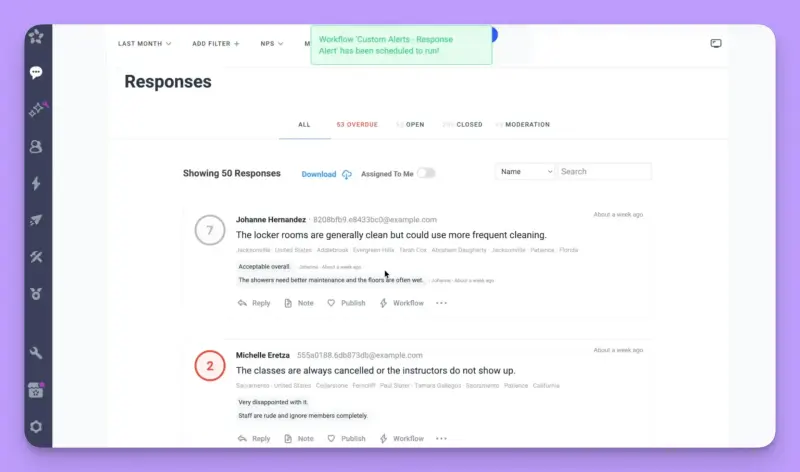
The product is built around what happens after a customer answers. Scores can be attributed to employees, teams, and locations, and frontline staff can check their own results and coaching notes in a dedicated mobile app.
Workflows handle follow-ups and escalations, with SLA reporting to track whether someone has responded. In 2026, AskNicely also introduced NiceAI for theme analysis and automated responses, available as a paid add-on on any plan.
This makes AskNicely particularly useful for service businesses where a named employee is responsible for the customer experience. Its AI works inside the product through NiceAI agents, with no official MCP connection to outside assistants.
Who is AskNicely primarily for?
AskNicely is designed for businesses with frontline teams: home services, clinics, hospitality, financial services, and multi-location retail. A CX or operations leader can see how individual technicians, agents, or branches perform based on feedback from the customers they serve.
For a consumer app, it makes the most sense when customers are rating an interaction with a person, such as a support chat or a conversation with a booking agent. If the team mainly wants feedback on onboarding, checkout, or product usability, much of AskNicely's focus on employee performance becomes less useful.
What's AskNicely's ease of use?
G2 reviewers praise AskNicely's ease of use, particularly how quickly they can set up a standard NPS or CSAT survey. The builder becomes restrictive when you need a more detailed questionnaire. It supports a score question, follow-ups, and a comment, leaving little flexibility for a churn survey or product feedback with several additional questions. G2's structured negatives reflect this, with "Survey Limitations" and "Difficult Reporting" among the complaints.
What's AskNicely's customer support like?
Customer support is one of AskNicely's most-praised features on G2, with reviewers sometimes mentioning individual support staff by name. There are complaints, too. Some users describe understaffed chat support and response times closer to email. A dedicated customer success manager is included only on contracts above $9,600 a year, a threshold AskNicely states on its pricing page.
What are the main pros of using AskNicely?
- Frontline attribution is arguably the strongest on this list. Scores can be tied to individual employees, teams, and locations, while Transform adds personal scorecards, team huddles, and coaching tools. A branch manager can see who's getting poor ratings and work with that person directly.
- Response management is built in, with workflows, escalations, and SLA reporting. Assigning feedback to a named employee starts on Grow, so teams can follow up on negative scores without a separate ticketing system.
- Surveys can reach customers through email, SMS, and WhatsApp, with the latter two channels missing from most tools in this comparison.
- Around 40 pre-built integrations, including Salesforce, HubSpot, Zendesk, Intercom, Slack, and Snowflake. The Salesforce integration also lets teams view AskNicely dashboards inside Salesforce.
- AI insight reports are available from Grow. NiceAI agents add theme analysis, automated summaries, and follow-ups, though they cost extra on every plan.
What are the main cons of using AskNicely?
- Survey design is limited to NPS, CSAT, CES, and 5-star ratings, with follow-up questions and comments. If you need a more detailed churn survey or want to investigate product feedback with several questions, you'll need another tool.
- Mobile in-app surveys, white labeling, and API data extraction require Transform. A consumer app that needs to ask questions inside the product has to buy the highest tier.
- There are no native integrations with Braze, Iterable, Customer.io, Amplitude, or Mixpanel. Connecting AskNicely to those tools means using the API or Zapier.
- Pricing is quote-only, contracts are annual, and there's no free trial. SSO costs an additional $1,500 a year, and NiceAI is a paid add-on regardless of your plan.
- Reporting focuses on individual employees, teams, and locations. Reviewers looking for deeper analysis describe it as difficult, which is a concern if your CX team needs to track recurring complaints across thousands of comments.
Pricing
AskNicely charges by response volume, with plans starting at 500 responses a year and prices rising as you increase the allowance. Responses above the agreed volume incur overage fees.
There are three tiers: Learn, Grow, and Transform. AskNicely doesn't publish prices on its pricing page, although its own blog gives approximate starting figures of $449 a month for Learn, $849 for Grow, and $999 for Transform, all billed annually.
Grow adds response assignment, Slack and Teams integrations, and AI insight reports. Transform includes mobile in-app surveys, white labeling, unlimited API data extraction, CX goals, and team huddles.
All contracts are annual, with no free trial. SSO costs another $1,500 a year, NiceAI is priced separately on every tier, and a dedicated customer success manager is included only on contracts above $9,600 a year.
My hot take: How does it compare to SurveySparrow?
AskNicely lets NPS, CSAT, and CES run continuously without a separate CX Suite, and has a more developed system for assigning feedback and following up with customers. If you're measuring which agent, branch, or driver earned which score, I'd put AskNicely ahead of the other tools on this list.
That focus leaves less room for a broader CX program for digital products and services. You can buy more than the starting allowance of 500 responses a year, so volume alone isn't the obstacle.
The survey builder is much harder to work around. AskNicely is designed for scores and comments, while a team investigating churn or product friction typically needs several questions in one survey. Mobile in-app feedback requires Transform, and NiceAI adds another charge if you want automated analysis of those comments.
You could end up paying for the highest tier and an AI add-on, then still need another tool for more detailed questionnaires. That's a difficult purchase to justify if your customers are mainly rating the app rather than the people serving them.
SurveySparrow at least lets you write the survey you want. AskNicely asks you to run the program it designed. And if that program matches yours, particularly in a business where frontline accountability matters, it can be the right choice.
If you like its frontline approach but need more flexibility in survey design, we cover other options in our AskNicely alternatives guide.
Iterate: surveys delivered through your marketing automation stack
What does Iterate do?
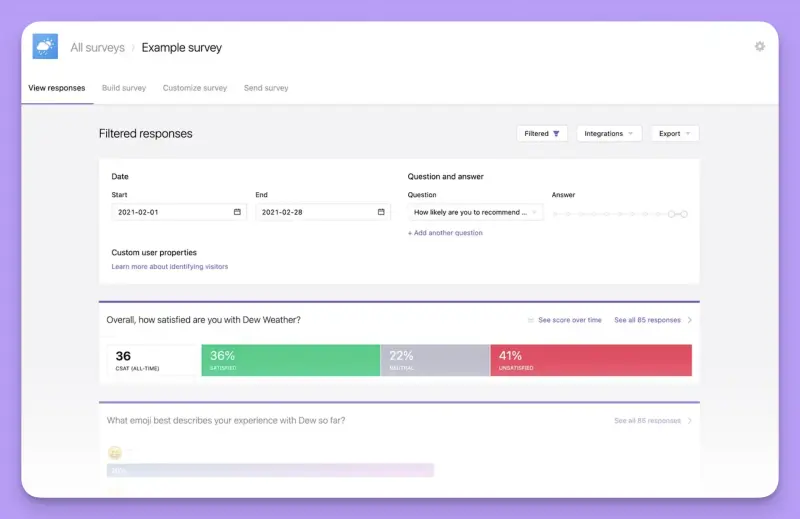
Iterate runs surveys on the web, inside native iOS and Android apps through its own SDKs, and by email. Its distinguishing feature is how closely it works with the lifecycle platforms consumer brands already use. An event in Braze, Iterable, Klaviyo, or Segment can trigger a survey, with the answers written back to the customer's profile as attributes and events. The lifecycle team can then use that feedback in the next step of the customer journey.
Iterate also offers Research Assistant, an AI tool that produces recurring insight reports, analyzes sentiment for each response, and suggests follow-up questions. An MCP server lets teams explore their survey data through an AI assistant.
Who is Iterate primarily for?
Iterate makes sense for product, research, and lifecycle marketing teams at digital product brands that already run customer communication through a marketing automation platform. Say you want to check customer satisfaction two weeks after onboarding. You can add the survey to an existing Braze Canvas and use the answers in subsequent messages or journeys. A CX team can work this way too, especially if the people responsible for acting on the feedback already use Braze or Iterable.
What's Iterate's ease of use?
Iterate has just 14 reviews on G2 and none on Capterra, so there's too little feedback to draw firm conclusions about usability. The reviews that exist describe the builder as intuitive and the dashboard as clear.
Iterate's documentation shows how to set up a survey in Braze by pasting a snippet into an in-app message. Surveys are also fully customizable, so you're not limited to a set of templates. Getting the design right can take a little longer, but you have more control over how the survey looks.
What's Iterate's customer support like?
The available G2 reviews mostly praise Iterate's support for quick responses and technical knowledge, although a few are less positive. With such a small review base, I'd be careful about drawing conclusions either way. Iterate also doesn't publish support tiers on its pricing page, so ask which channels and response times come with the plan you're considering.
What are the main pros of using Iterate?
- Iterate has one of the broadest sets of lifecycle integrations on this list. Braze, Iterable, Klaviyo, and Segment can trigger surveys using events already tracked in those platforms. Airship, MoEngage, and CleverTap are supported natively as well.
- Native SDKs for iOS, Android, and React Native let you trigger surveys after an action, after a delay, or at session start. Mobile in-app surveys are available without buying an additional product.
- Every plan includes unlimited surveys and responses, so NPS, CSAT, and CES can run together from Starter. Email sends have their own limits, but survey responses don't.
- Research Assistant analyzes open-text answers, including sentiment, and produces scheduled insight reports with supporting quotes. The MCP server also lets you explore feedback through an AI assistant.
- Monthly billing is the default, so you can use Iterate without committing to an annual contract.
What are the main cons of using Iterate?
- Pricing depends on monthly active users, regardless of how many complete a survey. If your app has 500,000 monthly active users, that's the audience you're billed for, even if only 50 people respond. Iterate's pricing bands also change at 50,000 MAU.
- Research Assistant costs extra on Business and only analyzes survey responses. You can't use it to investigate themes across app-store reviews, support conversations, and other feedback sources. White labeling is another paid extra on Business. If you want AI analysis and surveys without Iterate's branding, both add to the bill.
- Braze, Iterable, Klaviyo, Segment, and Mixpanel are premium integrations. They're paid add-ons on Starter and included from Business.
- There's no built-in closed-loop module. Iterate can write a detractor's score back to Braze or send it through a webhook, but managing a support case is another matter. Zendesk and Intercom aren't among its featured native integrations, so getting feedback into either requires Zapier or the API.
- Survey responses are unlimited, but email sends are capped at 1,000 recipients a month on Starter and 10,000 on Business. A consumer brand running relationship NPS by email could exhaust that allowance well before the month ends.
Pricing
Iterate charges by monthly active users, with unlimited survey responses. Starter costs $10 to $70 a month for up to 50,000 MAU. Premium integrations cost extra.
Business ranges from $150 to $425 a month for 50,000 to 1,000,000 MAU. It includes premium integrations, while Research Assistant remains a paid add-on.
Enterprise is quote-based and includes Research Assistant. Billing is monthly by default, with a 10% discount for annual commitments. There's also a 14-day free trial that doesn't require a credit card.
My hot take: How does it compare to SurveySparrow?
If your CX program runs through Braze or Iterable, Iterate is a strong fit. You can keep NPS, CSAT, and CES running together, trigger surveys from events you're already tracking, and write the answers back to customer profiles. Mobile in-app surveys are available without moving to Enterprise. SurveySparrow reserves that channel for Enterprise, while its self-serve plans allow only one active CX survey at a time.
The pricing model deserves some thought, though. Iterate charges for monthly active users, whether they answer a survey or not. Your audience could double while the number of responses stays exactly the same, and your bill would still increase. With SurveySparrow or Survicate, costs are tied to feedback volume instead. That makes Iterate less attractive if only a small fraction of your users ever receive a survey.
I'd also look carefully at what Research Assistant can analyze. It produces scheduled reports, sentiment analysis, and suggested follow-up questions, but only from Iterate's survey responses. If you're trying to understand a complaint that appears in surveys, app-store reviews, and support tickets, you'll need to bring those other sources together somewhere else. And on Business, Research Assistant costs extra.
SurveySparrow's text analytics are available on request, so Iterate at least gives you a clearer route to AI analysis, even if Business customers have to pay more for it. The other question is where your team follows up on negative feedback. If that happens in Braze, Iterate fits neatly into the workflow. If support handles those cases in Zendesk or Intercom, you'll need Zapier or the API to get the responses there.
I'd shortlist Iterate for a CX team already working in Braze or Iterable. Just check the MAU pricing and how feedback reaches the people responsible for following up before you commit.
Typeform: the conversational form builder that looks like a CX tool but isn't one
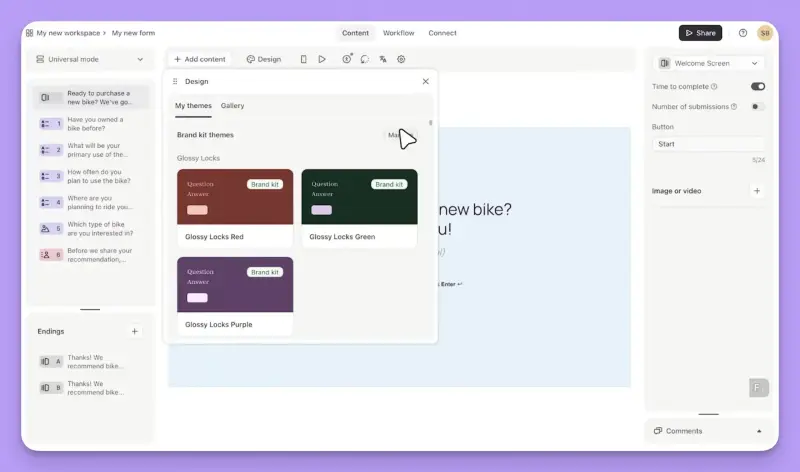
Typeform belongs on this list for a reason. G2 and Capterra regularly name it among SurveySparrow's alternatives, and SurveySparrow has its own comparison page for the two. The resemblance is obvious: both offer polished, one-question-at-a-time surveys. But once you need to track CX metrics over time or collect feedback inside a mobile app, the differences become hard to ignore.
What does Typeform do?
Typeform lets you build forms and surveys, with conditional logic, rich media, AI-assisted form creation, and a large template library. You can share them by link, embed them on a website as a popup, slider, or inline block, or invite people from an email.
Business adds drop-off and conversion analytics, while Growth Flow includes Salesforce, SMS follow-ups, and Smart Insights for AI-generated analysis. Typeform also offers Research Flow for AI-moderated studies and an MCP server for working with forms through AI assistants.
Who is Typeform primarily for?
Typeform appeals to marketing, sales, and operations teams collecting leads, registrations, applications, and occasional surveys where presentation matters. A CX team can use it for a one-off study, a quarterly relationship survey sent by link, or a post-event questionnaire.
What's Typeform's ease of use?
G2 and Capterra reviewers praise the builder and the experience of completing forms on mobile. The complaints tend to start when teams need more from the product: response limits that can stop collection, useful features reserved for higher tiers, and analysis that reviewers find less capable than what specialist survey platforms offer.
What's Typeform's customer support like?
Basic and Plus include email support, while Business and Growth Flow add live chat and priority handling. Enterprise includes dedicated support and is the only tier with phone support. Independent reviewers report email response times of one to two days on lower plans and generally praise the help center.
What are the main pros of using Typeform?
- Reviewers consistently praise Typeform's design. You can control fonts, colors, layouts, and media, and the one-question-at-a-time experience works particularly well on mobile.
- Conditional logic, hidden fields, and calculators give you flexibility when screening respondents or personalizing surveys.
- Webhooks and native integrations are available from Basic, including HubSpot, Slack, Klaviyo, Mailchimp, Google Sheets, and a Zendesk app, with more than 500 additional connections through Zapier.
- Smart Insights is available on Growth Flow, with AI-generated clarification questions on paid plans and an MCP server for working with forms through an AI assistant.
- Prices are published for every self-serve tier, so you can compare the plans and response allowances before buying.
What are the main cons of using Typeform?
- Response allowances are shared across all forms: 100 a month on Basic, 1,000 on Plus, and 10,000 on Business. Once you use up the allowance, forms stop collecting unless you add more capacity. A continuous CX program with several surveys running can reach that limit quickly.
- You can ask NPS, CSAT, and CES questions, but Typeform doesn't provide dedicated metric tracking over time, benchmark views, or built-in workflows that assign low scores to someone for follow-up.
- There's no native mobile SDK. Inside an app, surveys open as Typeform-hosted pages in a webview. Website surveys support page-behavior triggers, but there's no targeting based on custom product events or user attributes.
- Reporting focuses heavily on form performance, including completion, drop-off, and conversion. For AI-assisted analysis of open-text feedback, you'll need Smart Insights on Growth Flow, starting at $379 a month.
- Braze, Iterable, Amplitude, and Mixpanel have no native integrations. Connecting them requires Zapier or another intermediary.
Pricing
Typeform charges by response, with monthly allowances shared across forms. Basic costs $39 a month ($28 with annual billing) for 100 responses and one user. Plus costs $79 ($56 annually) for 1,000 responses and three users, and removes Typeform branding. Business is $129 ($91 annually) for 10,000 responses, five users, drop-off analytics, and live chat.
Growth Flow costs $379 a month ($266 with annual billing) and adds Salesforce, Smart Insights, and SMS follow-ups. Enterprise is quote-based for six or more users.
The free plan allows ten responses a month. Response add-ons can raise the limits to 750 on Basic, 2,500 on Plus, and 50,000 on Business.
My hot take: How does it compare to SurveySparrow?
If what drew you to SurveySparrow was the conversational format, I can see why you'd consider Typeform. I'd even give it the edge on design. But a CX team has to do something with those scores after collecting them.
SurveySparrow provides dedicated NPS, CSAT, and CES tooling, and a native mobile SDK on Enterprise. Typeform lets you ask the same questions, but tracking the metrics over time and assigning low ratings for follow-up requires work outside the product. There's no native mobile SDK either. And if you misjudge response volume, your survey can stop collecting halfway through a campaign.
I'd happily use Typeform for a yearly brand study or a post-event questionnaire where presentation matters and response volume is predictable. For a continuous CX program, I'd look elsewhere.
Is SurveySparrow right for you? The final verdict
SurveySparrow remains a sensible choice if you run one CX survey at a time and like its conversational format. It also supports WhatsApp and SMS on Enterprise, with additional message costs.
The situation changes when you want several CX metrics running together, feedback inside your mobile app, or advanced analysis of thousands of comments. Those requirements take you beyond the self-serve plans, into the separately priced CX Suite, Enterprise, and potentially further add-ons.
Which SurveySparrow alternative should you choose?
- Survicate: For B2C CX teams running NPS, CSAT, and CES across web, mobile, and email, with thousands of open-text comments to analyze. Growth covers multiple active surveys and AI categorization, but event-based targeting and the consumer-app integrations require Pro. Remember to account for both responses and data points.
- SurveyMonkey: For CX programs built around email and link surveys, particularly when marketing and HR already use the platform. Team Advantage covers multiple metrics and thematic analysis. Watch the per-seat costs and $0.15 response overages. Native mobile feedback also takes more work to implement.
- Qualtrics: For enterprises that need research-grade controls, statistical analysis, and contact-center feedback alongside their CX program. You'll be buying into a more complex licensing and implementation process, with capabilities such as Advanced Text iQ and the HubSpot connector priced separately.
- Alchemer: For research teams building complex questionnaires, or businesses prepared to buy the full Platform for its mobile SDK and CX capabilities. The self-serve plans leave out in-app surveys, website intercepts, automation, and AI analysis.
- AskNicely: For service businesses measuring customer experience by employee, team, or location. Its frontline coaching and response management are particularly useful here, though the survey builder is restrictive and mobile in-app feedback requires Transform.
- Iterate: For consumer brands running customer journeys through Braze or Iterable. It handles continuous surveys and lifecycle triggers well, but pricing follows monthly active users, and Research Assistant only analyzes survey responses, leaving app-store reviews and support conversations outside the picture.
- Typeform: For one-off surveys, brand studies, and event questionnaires where design matters. It offers a polished experience, but lacks dedicated CX metric tracking and a native mobile SDK. Response caps can also interrupt collection.
Still undecided? Start with the reason you wanted to leave SurveySparrow. If the one-active-survey limit was the problem, check which plan lets you run several metrics together. If you were exporting CSVs every month to understand customer feedback, test the alternative's text analysis with a realistic batch of comments.
And if the sales conversation was what put you off, calculate the cost of the entire program before comparing prices. The entry plan may look attractive until you add the channels, integrations, analysis, and response volume you need.
Frequently asked questions
Is SurveySparrow good for NPS, CSAT, and CES programs?
SurveySparrow supports all three metrics, but its self-serve Surveys plans allow only one active CX survey at a time. To run NPS and CSAT simultaneously, you'll need the separately priced CX Suite, which SurveySparrow's own posts say starts at $249 a month, or an Enterprise contract.
What are the best SurveySparrow alternatives for a consumer app?
Survicate is a close match for consumer apps that need web, mobile in-app, and email surveys, with AI analysis of open-text feedback available on published plans. Iterate is worth considering if your customer journeys already run through Braze or Iterable. For large programs that also need enterprise governance and research-grade analysis, look at Qualtrics.
Which SurveySparrow alternatives have a free plan or trial?
Survicate has a free plan with 25 responses a month and one active survey at a time, plus a 10-day trial of paid features. SurveyMonkey and Typeform also offer free plans, with Typeform allowing 10 responses a month. Qualtrics has a free account with 500 responses. Iterate offers a 14-day trial and Alchemer 7 days. AskNicely has no free trial.
Which SurveySparrow alternatives are cheaper?
Several have lower starting prices, although that doesn't mean they'll cost less for the same CX program.
SurveySparrow's self-serve Surveys plans are inexpensive if you only need one active CX survey. For NPS, CSAT, and CES running together, its own comparison posts put the CX Suite starting price at $249 a month. Enterprise is quote-based.
Four alternatives start below that figure:
- SurveyMonkey Team Advantage costs $90 a month for three seats, billed annually.
- Survicate Growth starts at $56 a month, with pricing increasing as you add responses and data points.
- Iterate starts at $10 a month, based on monthly active users.
- And Alchemer Collaborator costs $315 per user a year with annual billing, or about $26 a month.
Those plans come with different limits, especially around mobile in-app surveys, integrations, and AI analysis. Compare the cost of the program you intend to run, since getting all those features will likely require additional purchases.
Qualtrics and AskNicely use quote-based pricing. Vendr reports a median AskNicely contract of around $8,935 a year, but that's buyer-reported spending, not a directly comparable starting price.
Does SurveySparrow work with Braze, Amplitude, or Mixpanel?
Not natively. SurveySparrow connects to HubSpot from Starter, Zendesk and Intercom from Business, and Salesforce and Segment on Enterprise. Webhooks are available from Business. For Braze, Iterable, Customer.io, Amplitude, and Mixpanel, you'll need Zapier, Integrately, or another intermediary.
Author's note (last verified: 12 November 2026): Statements such as "best" reflect our opinion and typical use cases, not a universal guarantee. This comparison is based on publicly available information and our best understanding at the time of writing. Vendors may change features, pricing, and packaging without notice. For the latest details, please check the official sources or reach out to the vendor directly.
Key takeaways
- Survicate is the closest match for a multi-channel CX program. It supports concurrent NPS, CSAT, and CES surveys, mobile in-app feedback, and AI analysis across surveys, app reviews, and support conversations. Advanced integrations and event-based targeting require Pro.
- SurveyMonkey and Iterate solve different parts of the SurveySparrow problem. SurveyMonkey works well for email-led programs with multiple metrics. Iterate is better suited to teams running surveys through Braze or Iterable, though its AI analysis only covers survey responses.
- Alchemer has a similar pricing problem to SurveySparrow. Its self-serve plans leave out mobile in-app surveys, website intercepts, automation, and AI analysis. Moving to Alchemer may mean negotiating another enterprise package.
- Qualtrics and AskNicely are best suited for more specialized needs. Qualtrics brings research-grade controls and enterprise governance. AskNicely focuses on frontline accountability. Typeform is the outlier: good for conversational forms, but limited as a continuous CX platform.