To get real value from NPS data, you need it to work inside your CRM, not next to it. The hard part is making it show up in HubSpot in a way your team can actually act on. A low score should land on the contact, trigger a follow-up, and maybe open a ticket or alert the right owner. A high score should be just as actionable, for example a review request or a referral ask.
That’s what this list is built around: NPS tools that connect to HubSpot and to what degree they enable you to fully close the customer loop. For each tool, we break down how it works with HubSpot day to day, where the limits are, and what you’ll realistically need to pay to use the integration.
HubSpot feedback tools comparison
| Tool | Integration type | G2 rating | Group + who is it for |
|---|---|---|---|
| Mid-market CX tools | |||
| Survicate | Native HubSpot Marketplace app | Teams using HubSpot that want to run NPS/CSAT/CES across key touchpoints and turn responses into automated follow-ups inside HubSpot. | |
| SurveySparrow | Native HubSpot Marketplace app | Teams using HubSpot that want to capture insights via surveys while also using surveys for lead qualification and automated outreach. | |
| Zonka Feedback | Native HubSpot Marketplace app | Teams that want NPS synced to HubSpot contacts in real time, with workflows to act on negative feedback, reduce churn, and turn promoters into advocates. | |
| SurveySensum | Native HubSpot Marketplace app | Teams that want a simple HubSpot-connected CX survey setup: track scores in HubSpot contacts, trigger surveys from workflows, and create leads directly from responses. | |
| Retently | Non-Marketplace integration | Teams that prefer workflow-triggered transactional surveys from HubSpot (via webhook action), with feedback exported back into HubSpot customer profiles. | |
| NPS-specialist platforms | |||
| InMoment (Wootric) | Native HubSpot Marketplace app | Teams that want to run a structured Voice of Customer program in HubSpot, and use workflows to respond to detractors and build advocates. | |
| AskNicely | Native HubSpot Marketplace app | Teams that want NPS feedback tied directly to HubSpot contact lists ("smart lists") and written back to contact records. | |
| Enterprise CX suites | |||
| Qualtrics | Qualtrics Extension / Workflows | Enterprise teams using Qualtrics that need to push survey data into multiple HubSpot objects as part of more complex workflows. | |
| Medallia | Implementation-led CRM integration | Enterprise orgs that want VoC feedback embedded into CRM workflows so account managers and contact center agents can view feedback and close the loop from inside their CRM. | |
How we made this test
We reviewed a set of NPS tools that can connect to HubSpot, so you can run NPS in a way that actually fits your CRM workflows. The list includes a mix of:
- NPS-specialist platforms built around structured NPS programs
- Mid-market CX tools that cover NPS among other feedback methods
- Enterprise CX suites where NPS is one part of a broader experience stack
Our goal was simple: help you understand what each HubSpot integration really enables (and what it doesn’t), especially in an NPS context. This is most useful if your team already runs on HubSpot and you want an NPS tool that can use HubSpot data for targeting and identification, then send results back to HubSpot for follow-ups and automation.
We based the comparison on official vendor documentation, HubSpot integration pages (where available), and community feedback (G2 and Marketplace reviews).
From that, we extracted the most practical use cases, requirements, and limitations. Some limitations are explicitly mentioned by users; others are implied by how the integration is designed (for example, plan gating, sync timing, or setup complexity). Listed brands are not placed in order of importance or ranking of any sort.
To keep this useful and comparable, we focused on:
- What the integration syncs to HubSpot, whether the sync is one-way or two-way, and how targeting and respondent identification works
- How workflows are handled
- Practical constraints such as sync frequency, required HubSpot tiers, and plan requirements on the tool’s side
- What users consistently praise or complain about in reviews
Use this as a starting point for your own evaluation and a shortcut to the integration details that usually take the most time to verify.
Survicate: 2,000+ installs
Survicate is a customer feedback platform for running NPS, CSAT, and CES surveys across email, website, and in-product touchpoints. It’s also one of HubSpot’s Essential Apps for Customer Service (2025) and the most widely adopted survey integration on this list, with 2,000+ installs.
The tool may be a perfect fit for SaaS and ecommerce teams that want fast, flexible NPS in HubSpot with strong targeting, workflow automation, and a feedback hub for ongoing analysis.
Why choose Survicate for HubSpot NPS specifically?
Survicate is built to close the loop, not just collect the NPS score. The integration is genuinely two-way: you can trigger surveys from HubSpot workflows - for example, right after a ticket closes - and sync those responses back as contact properties and timeline events to trigger follow-ups automatically.
Respondents are identified using HubSpot contact data, so nothing comes in anonymous. Teams can also send feedback from HubSpot records into Research Hub, Survicate’s research repository, for AI-assisted analysis across multiple sources like survey responses, support tickets, sales call transcriptions, and more..
How does Survicate integrate with HubSpot?
Survicate is a native HubSpot Marketplace app. It pulls HubSpot contact data for respondent identification and precise targeting, and pushes survey responses back as contact properties and timeline events. Workflows run in both directions – trigger a survey send from HubSpot, or trigger a HubSpot action from a survey response.
💡 What are the features and use cases of this integration?
- Embed the first survey question directly in HubSpot emails and keep surveys short for optimal completion rates
- Identify respondents using HubSpot contact data, so responses don’t come in as anonymous
- Sync survey answers back to HubSpot as contact properties and timeline events
- Use HubSpot contact properties to target and filter survey results by segment
- Trigger surveys from HubSpot workflows, for example after a ticket is closed
- Trigger HubSpot workflows based on feedback, for example when NPS is 6 or below
- Send HubSpot tickets and other record-level feedback to Research Hub for AI-assisted analysis with App Cards
⭐ Do users like it?
Survicate is rated 4.6/5 on G2, with 201 reviews, and 4.6/5 on Hubspot Marketplace (68 reviews). Reviewers most often highlight ease of use, a smooth setup, and strong support.
Some cons include:
- In G2 feedback, some users mention targeting edge cases that require extra tweaking, for example surveys showing up on the wrong pages.
- You’ll need a bit of setup to get the most out of the integration, especially mapping survey answers to HubSpot properties and deciding what should be written to the contact timeline.
- Email surveys are designed to be sent through your email platform (like HubSpot marketing emails), so you’re not getting a separate “send email campaigns from Survicate” module.
🏷️ How much will it cost me?
The HubSpot integration is available in all Survicate plans (starting from $56/month). You can also test it out with the 10-day free trial which comes with all Pro plan features.
SurveySparrow: 600+ installs
SurveySparrow is an omnichannel experience management platform for running customer and employee feedback programs, including CX surveys. It might be a fit for HubSpot teams that want to launch NPS or CSAT quickly, trigger surveys from contact or deal lifecycle events, and keep results tied to HubSpot contacts (and deals) for segmentation and follow-ups.
How does SurveySparrow integrate with HubSpot?
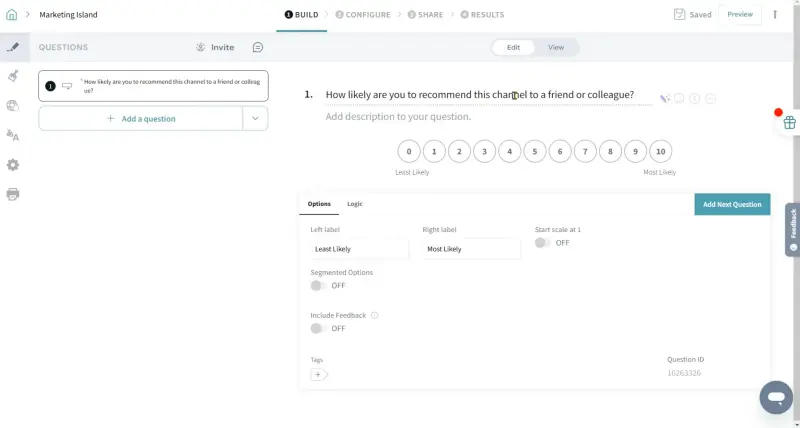
SurveySparrow offers a native HubSpot integration, available via the HubSpot App Marketplace. The integration focuses on triggering surveys based on HubSpot CRM events and syncing responses back into HubSpot records, so you can segment customers by score and automate follow-ups (or other workflows) based on survey responses.
💡 What are the features and use cases of this integration?
- Create SurveySparrow CSAT/NPS surveys
- Convert survey responses into HubSpot contacts – useful if you treat surveys as a lead capture
- Trigger surveys based on HubSpot events, e.g., contact/deal updates or deal stage changes
- Map survey responses to HubSpot fields (create or update mappings)
⭐ Do users like it?
SurveySparrow is rated 4.4/5 on G2. Reviewers often highlight the conversational UI and ease of use.
Some cons include:
- Users often point out that advanced features are gated behind higher-tier plans, which can make the tool feel pricey once you outgrow the basics
- Users also mention limited customization and reporting depth as recurring drawbacks
- The core CRM actions are focused on contacts and deals, so if your HubSpot setup relies heavily on other objects or very specific event logic, you’ll want to verify fit before committing
🏷️ How much will it cost me?
SurveySparrow has a free plan, but the HubSpot integration is available on paid tiers (Starter or higher). The Starter plan is listed at $39/month.
Zonka Feedback: 60+ installs
Zonka Feedback is a customer feedback platform for measuring CX metrics like NPS, CSAT, and CES across key touchpoints. It could be a fit for SaaS or ecommerce teams that want to run surveys across channels and keep the results visible inside your CRM.
How does Zonka Feedback integrate with Hubspot?
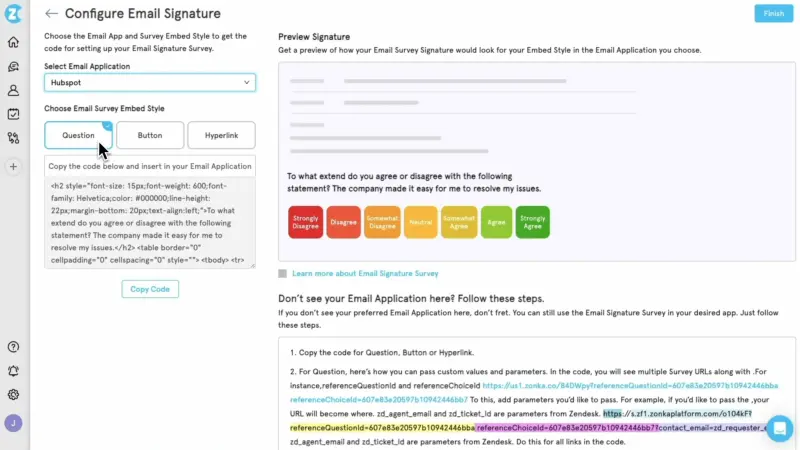
Zonka Feedback offers a native HubSpot integration via the HubSpot App Marketplace. You can trigger email and SMS surveys from HubSpot workflows, then sync scores and response data back to HubSpot contacts, either as contact properties or in the contact timeline.
💡 What are the features and use cases of this integration?
- Trigger automated email and SMS surveys from HubSpot workflows
- Map survey questions and responses to HubSpot contact properties
- Sync NPS, CSAT, and CES scores back into HubSpot, together with response data
- Create new HubSpot contacts or update existing ones when responses come in
- Use synced scores to segment contacts and automate follow-ups in HubSpot workflows
⭐ Do users like it?
Zonka Feedback is rated 4.7 out of 5 on G2 (81 reviews). Users often like the ease of setup and customization, and they frequently call out helpful support. Some mention a learning curve once you go deeper into advanced workflows and reporting.
Note: the HubSpot Marketplace listing has its own rating: 4.0 out of 5, based on 2 reviews.
Some cons include:
- Plan eligibility is a bit unclear: the HubSpot Marketplace listing says the integration is available starting from Zonka’s Starter plan, but Zonka’s own setup guide says you need Growth or Enterprise
- The integration is built around HubSpot contacts (properties and timeline events), so it may feel limiting if your workflow depends on syncing survey data to deals, tickets, or other objects
- On G2, some users mention software instability or a learning curve when you go beyond basic surveys into more advanced setup and reporting
🏷️ How much will it cost me?
Zonka Feedback doesn’t publish a price list and pushes you toward a demo, but it does offer a 14-day free trial. Zonka’s setup guide also lists the HubSpot integration on higher Zonka plans (Growth or Enterprise), so it’s worth double-checking plan eligibility before you commit.
SurveySensum: 50+ installs
SurveySensum is a CX-focused survey platform that helps teams collect NPS and CSAT feedback and turn it into follow-up actions, with an emphasis on fast setup and practical reporting.
How does SurveySensum integrate with HubSpot?
SurveySensum’s native HubSpot app is built around two things:
- syncing survey responses into HubSpot contact properties,
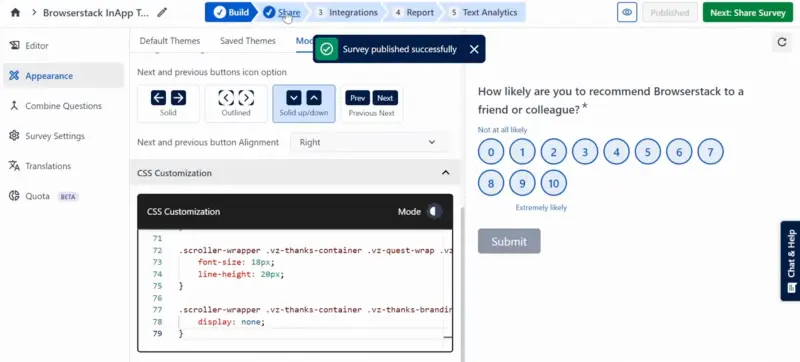
- and triggering surveys from HubSpot workflows, including when a ticket status changes.
It also has a “Share via HubSpot” flow meant to pass respondent details from HubSpot, so you don’t have to ask people for contact info in the survey itself.
💡 What are the features and use cases of this integration?
- Sync NPS, CSAT, and CES responses into HubSpot contact properties
- Map survey questions to specific HubSpot properties and test the mapping with a dummy contact
- Trigger surveys from HubSpot workflows, including ticket-based workflows
- Create leads directly from survey responses
- Share surveys from HubSpot campaigns as a link or an embedded survey, while capturing respondent details from HubSpot
⭐ Do users like it?
SurveySensum is rated 4.6/5 stars on G2 (39 reviews). Reviewers often appreciate its responsive support and how quickly they can set up surveys and start collecting feedback, even without a heavy implementation.
Some cons include:
- The HubSpot sync is contact focused (survey responses map to contact properties), so it may be limiting if you need survey data tied to deals, tickets, or other HubSpot objects
- Setup can be fragile if your HubSpot property types don’t match your survey question types, since mismatches can cause sync errors
- If you want to embed surveys in HubSpot marketing emails, it requires copying embed code into an HTML email module, which adds manual setup overhead
- In user reviews, some people mention performance hiccups (for example, delays when submitting responses) and gaps in some integrations for their stack
🏷️ How much will it cost me?
SurveySensum is a paid, annual product, with pricing starting at $3,600 per year. You can start with a 30-day free trial capped at 25 responses.
Retently: Not on marketplace
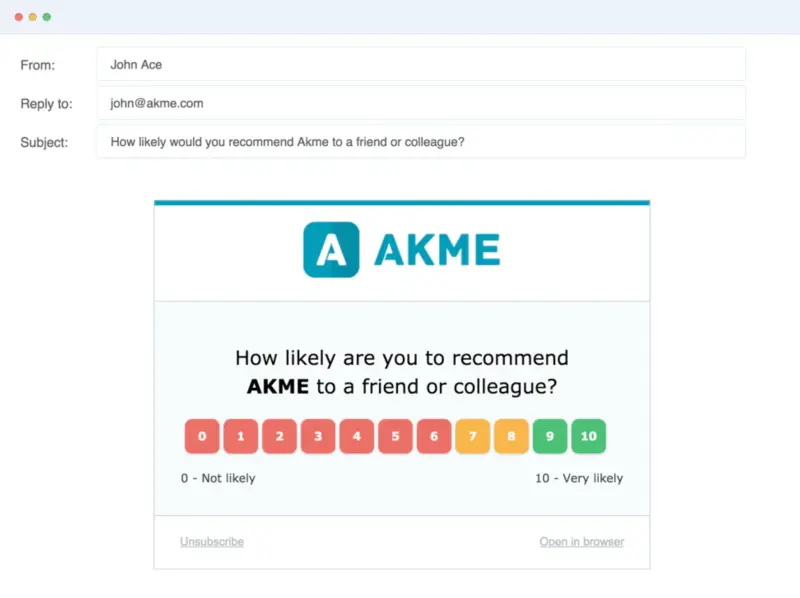
Retently is a customer feedback platform for running recurring NPS, CSAT, and CES surveys. It’s built mainly for always-on measurement and customer segmentation rather than one-off surveys.
How does Retently integrate with HubSpot?
Retently’s flow is built around syncing contacts and lists from HubSpot, triggering transactional surveys from HubSpot workflows via a webhook action, and exporting feedback back into HubSpot as contact properties.
Unlike some other tools in this list, Retently’s HubSpot integration isn’t available as a HubSpot App Marketplace listing. In practice, that mainly means setup happens inside Retently and your HubSpot workflows.
💡 What are the features and use cases of this integration?
- Sync contacts and lists from HubSpot, so you can filter NPS results by segment and contact properties
- Trigger transactional survey sends from HubSpot workflows by adding a Retently webhook link
- Use sampling, delays, and throttling to avoid over-surveying customers
- Export feedback and score back into HubSpot as contact properties
⭐ Do users like it?
Retently is rated 4.7 out of 5 on G2 (29 reviews). Reviewers often highlight responsive support and a tool that feels easy to run day to day, while some mention missing features once they need more advanced setups.
Some cons include:
- Retently relies on HubSpot workflows and the “Send a webhook” action to trigger surveys, so you need the right HubSpot automation tier for webhooks
- There’s no standard HubSpot App Marketplace listing to install, so setup and ongoing management happen inside Retently and your HubSpot workflows
- HubSpot export is framed around syncing feedback into HubSpot customer profiles as contact properties, so if your process depends on writing results to deals or other HubSpot objects, you’ll want to verify whether that’s supported
- On G2, reviewers sometimes flag gaps once they move beyond basic setups and want more advanced capabilities
🏷️ How much will it cost me?
Retently offers separate Ecommerce and B2B plans, but the HubSpot integration is only available on B2B tiers. In practice, that means you need at least the B2B Pro plan, starting at $269 per month (billed annually).
InMoment: 300+ installs
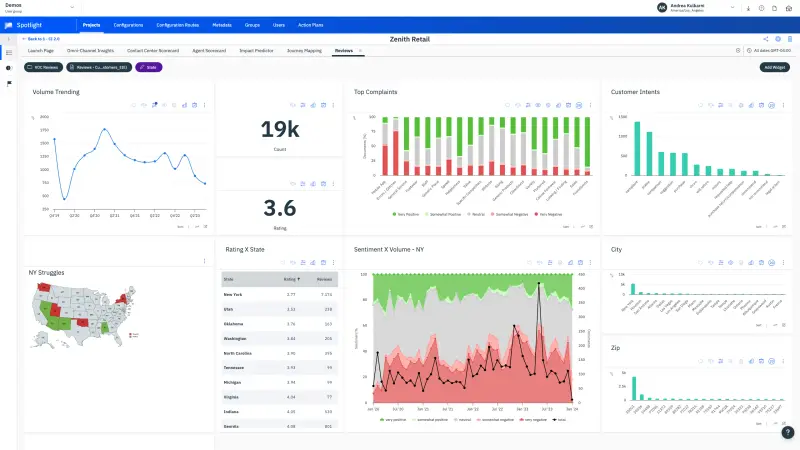
InMoment (formerly Wootric) helps teams run a structured Voice of Customer program by collecting and analyzing experience signals across key touchpoints, then turning scores and comments into follow-ups inside HubSpot. It’s fitted for teams that want to set up NPS automation in HubSpot and implement a repeatable “close the loop” process.
How does InMoment integrate with HubSpot?
InMoment connects to HubSpot as a certified Marketplace app and syncs microsurvey responses into HubSpot contact records. You can send surveys to HubSpot lists, or trigger them at key journey points using smart lists and workflows. Responses then appear as contact properties and in the contact timeline, so teams can segment by score and automate close-the-loop actions.
💡 What are the features and use cases of this integration??
- Run microsurveys (2-step) across email, in-app, and SMS
- Send surveys to any HubSpot list using InMoment’s customizable email survey template
- Trigger surveys at key journey points with HubSpot smart lists and workflows
- Sync survey score, feedback comment, and response date into HubSpot contact properties – so responses live in the CRM
- Segment contacts by score (e.g., promoters/detractors) to monitor customer health and prioritize follow-ups
- Automate “close the loop” actions in HubSpot workflows, e.g., ask promoters for a review
⭐ Do users like it?
On G2, InMoment is rated 4.7 out of 5 stars (Note: the HubSpot Marketplace listing for InMoment has a separate rating of 2.3 based on a small number of reviews.) Reviewers often highlight an intuitive dashboard that makes it straightforward to collect and analyze feedback.
Some cons include:
- The HubSpot Marketplace rating is low, including a 1-star review saying the integration was set up but nothing appeared in HubSpot
- The integration is contact-first: shared data is centered on contacts, contact properties, and timeline events, so it may not fit workflows that depend on syncing results to other HubSpot objects
- The Pro plan is positioned as “one CX metric in one channel,” so if you want to run NPS and CSAT together, or collect feedback across multiple channels from day one, you may need a higher tier
🏷️ How much will it cost me?
Pricing is not fully transparent across the whole InMoment platform, and many packages are quote-based. However, the HubSpot Marketplace listing for InMoment shows a Pro plan at $224.08/month (with “Contact Sales” for other options).
AskNicely: 200+ installs
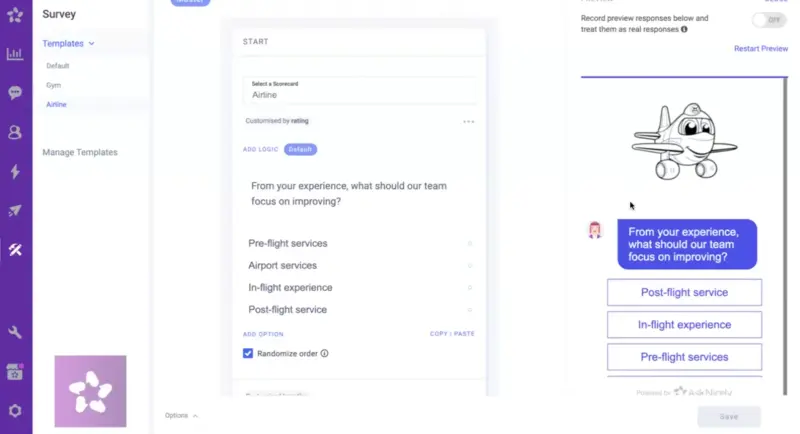
AskNicely is an NPS/CX platform built for service businesses. It focuses on capturing real-time feedback and turning it into frontline actions – to improve retention, referrals, and overall customer experience.
How does AskNicely integrate with HubSpot?
AskNicely offers a native HubSpot integration that imports HubSpot Active Lists into AskNicely, pulls selected contact properties for segmentation, and then writes NPS (and other survey) responses back to HubSpot as contact properties and timeline events so you can trigger HubSpot workflows based on scores and feedback.
💡 What are the features and use cases of this integration?
- Import HubSpot Active Lists into AskNicely to target the right contacts (and survey them at key lifecycle moments)
- Sync NPS/CSAT/CES results back to HubSpot contact records
- Trigger HubSpot workflows based on survey results, e.g., automatic follow-ups for detractors or outreach to promoters
- Pull HubSpot contact properties into AskNicely for segmentation and analysis
⭐ Do users like it?
On G2, AskNicely is rated 4.7 out of 5 stars (1050 reviews). Reviewers often highlight ease of use and how the platform helps teams act on feedback quickly.
Some cons include:
- The integration requires a paid HubSpot Marketing site and access to Active Lists, which can be a blocker depending on your HubSpot setup
- Sync is nightly (11pm local time), so it’s not ideal if you expect real-time list updates or instant eligibility changes
- AskNicely cannot import Company fields, only Contact fields, which can limit segmentation if your key attributes live on company records
- If a contact falls off an Active List, AskNicely deactivates them and they won’t be eligible for automated surveys, which can surprise teams relying on dynamic list logic
🏷️ How much will it cost me?
AskNicely doesn’t offer a self-serve free trial and typically provides pricing via a tailored demo. However, the HubSpot Marketplace listing shows an indicative price of $449/month for the Learn plan (with Grow/Transform available as well).
Qualtrics: Not on marketplace
Qualtrics is a full-scale customer experience platform that can run NPS programs alongside broader CX measurement and analytics. It makes the most sense if your HubSpot setup needs survey results written to multiple objects (like Deals or Tickets) and then used in more advanced workflows.
How does Qualtrics integrate with HubSpot?
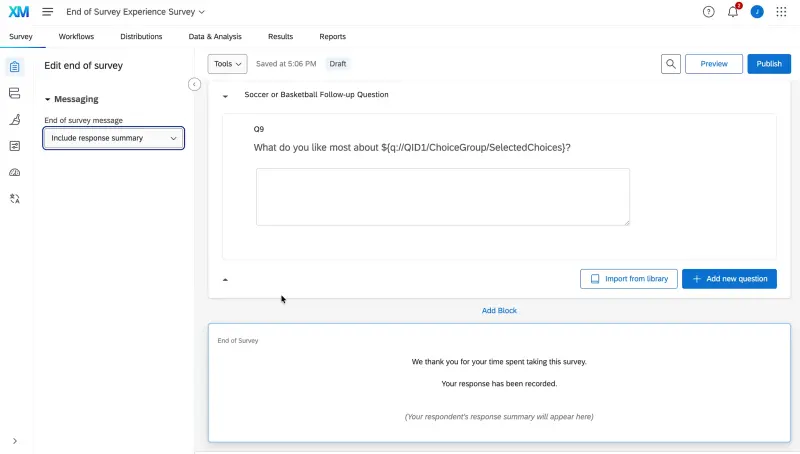
Qualtrics isn’t available as a standard HubSpot App Marketplace listing. Instead, the HubSpot integration is offered as a Qualtrics extension and is used inside Qualtrics Workflows, where you can push survey data into HubSpot and trigger CRM actions based on responses.
In practice, that means setup and access are managed from the Qualtrics side, rather than through a one-click Marketplace install in HubSpot.
💡 What are the features and use cases of this integration?
- Push Qualtrics survey response data into HubSpot via Qualtrics Workflows tasks
- Create or update HubSpot contacts, deals, tickets, and companies based on survey responses using Qualtrics Workflows
- Update HubSpot custom objects when you need CRM data structures beyond standard records
- Pull HubSpot contact lists into Qualtrics to build targeted distributions and manage audiences in XM Directory
- Manage contact subscription actions in HubSpot as part of a workflow
⭐ Do users like it?
On G2, Qualtrics Customer Experience is rated 4.3/5 (747 reviews). Reviewers often appreciate the platform’s depth of analytics and flexibility.
Some cons include:
- The HubSpot integration is a paid add-on and not included in a standard Qualtrics license, so the total cost is typically higher than mid-market NPS tools
- Setup and ongoing maintenance live in Qualtrics Workflows, which can be more complex than a simple CRM-native setup, especially once you maintain multiple object mappings and rules
- Qualtrics is an enterprise platform, and G2 reviewers often mention a steep learning curve and overall complexity
🏷️ How much will it cost me?
Qualtrics pricing is quote-based. The HubSpot integration is a paid add-on and requires a qualifying Qualtrics license, so you’ll need to contact sales for an exact price.
Medallia: Not on marketplace
Medallia is a customer experience platform used to run programs at scale, alongside broader feedback collection and analytics. It’s a better fit for enterprise teams that want a central place to manage experience data, not just a standalone NPS tool.
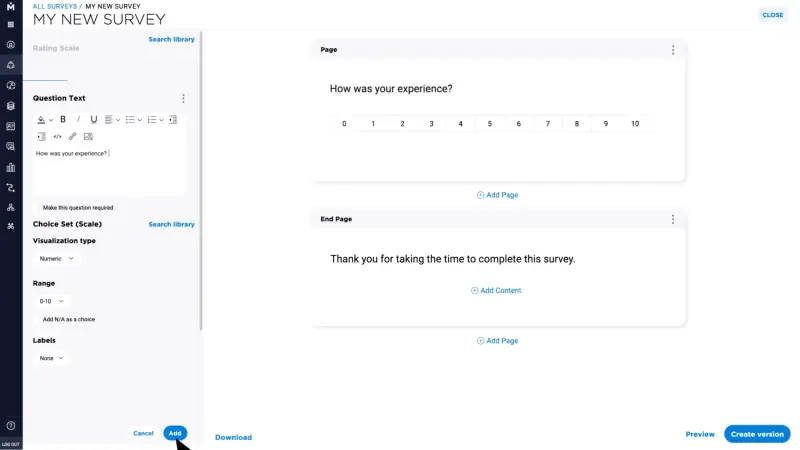
How does Medallia integrate with HubSpot?
Medallia does not appear to offer a one-click HubSpot App Marketplace app for its core CX platform. Instead, Medallia positions integration as a broader “CRM integration” approach: bringing feedback into your CRM so teams can view it, take action, and close the loop without switching tools.
If HubSpot is your CRM, you should expect an implementation-led setup through Medallia’s integration layer and APIs rather than a typical Marketplace install, so the exact scope depends on your data model (what you want to sync into which HubSpot objects) and how much customization you’re willing to do.
💡 What are the features and use cases of this integration?
- Run NPS as part of a broader VoC program and use HubSpot as the “action layer” for follow-ups
- Embed feedback into CRM workflows so teams can review it and close the loop inside the CRM
- Trigger surveys around service events, such as right after a support ticket is closed, when you want feedback tied to a specific service interaction
- Route low scores or negative feedback into alerts and case workflows
- Connect experience data across systems using Medallia’s integration layer and APIs – useful when HubSpot is just one of several systems that need the signal
⭐ Do users like it?
On G2, Medallia Customer Experience is rated 4.5 out of 5 stars (201 reviews). Reviewers often highlight strong analytics and reporting.
Some cons include:
- There’s no standard “one-click” HubSpot App Marketplace install for Medallia’s core CX platform, so you should expect an implementation-led setup rather than an app you just connect in minutes
- Medallia positions this as a general “CRM integration” concept (often illustrated with Salesforce examples), so HubSpot specifics usually require validation and custom configuration
- On G2, users mention complexity and a learning curve, which typically translates into more setup and admin overhead
🏷️ How much will it cost me?
Medallia doesn’t publish standard self-serve pricing. In practice, it’s a sales-led, enterprise purchase, and connecting it to your CRM involves implementation work.
Picking the right tool for HubSpot NPS integration
We looked at how each integration behaves in real HubSpot workflows: targeting, data sync, and the follow-up automations you can actually trigger from an NPS score.
Mid-market CX tools
If you want fast, flexible NPS for SaaS or ecommerce, these are the best fits:
- Survicate: if HubSpot is where your team lives, Survicate is the strongest fit in this list. With 2,000+ installs and HubSpot's Essential Apps for Customer Service recognition in 2025, it has the adoption to back it up - but the real advantage is depth. You get two-way sync, respondent identification, workflow automation in both directions, App Cards on HubSpot records, and Research Hub for AI-assisted analysis across survey and support data. Most tools in this list do one or two of those things. Survicate brings it all together: the HubSpot-native workflow layer plus a dedicated research repository for teams that want to go deeper than a score.

- SurveySparrow, Zonka Feedback, SurveySensum, and Retently can work too. They're a better match if you need simpler CRM mapping without the Research Hub layer, or – in Retently's case – a tool built around recurring transactional NPS rather than event-triggered HubSpot workflows.
NPS-specialist platforms
If you run NPS as a structured program with repeatable routines:
- AskNicely is a strong fit for service teams where follow-up and frontline execution matter, though the nightly sync is worth factoring in if your workflows depend on real-time list updates.
- InMoment suits lightweight microsurveys and basic promoter-detractor workflows, but check the HubSpot Marketplace reviews before committing.
Enterprise CX suites
If you’re running a broader VoC program across teams and systems:
- Qualtrics and Medallia are built for this and make the most sense if you need survey responses written automatically to multiple HubSpot objects – deals, tickets, companies – as part of complex workflows. Expect sales-led pricing and heavier implementation either way..
If HubSpot is your home base and you're in the mid-market bucket, Survicate is the clearest choice. No other tool in this group combines two-way sync, workflow automation in both directions, and a research layer that pulls HubSpot data into AI-assisted analysis. It has the install count and the HubSpot recognition to back it up – and it's still quick to launch.
Author’s note (last verified: 13 May 2026): Statements such as ‘best’ reflect our opinion and typical use cases, not a universal guarantee. This comparison is based on publicly available information and our best understanding at the time of writing. Vendors may change features, pricing, and packaging without notice. For the latest details, please check the official sources or reach out to the vendor directly.