
A product team rarely needs to survey everyone who opens the app. If you want to understand why users abandon onboarding, you ask the people who reached that point. Everyone else is irrelevant to that particular study. Yet Sprig still brings that much larger audience into the price.
Its usage model counts Monthly Unique Users (MAU), including people who never see a survey, and then applies separate limits to the feedback and behavioral data you collect. Your product can grow, your research program can stay exactly the same, and the Sprig bill can still move. You are paying more without learning more.
That is the problem I use to judge the seven Sprig alternatives below. I work at Survicate, so you know where I’m coming from; regardless, I use the same criteria for every tool on the list, and I will be open about where Survicate falls short.
Listed tools are not placed in order of importance or ranking of any sort.
TL;DR
Here’s the short version before we dive deeper.
Why are people leaving Sprig?
Here’s the mechanic. Sprig counts Monthly Unique Users, which may include people who visit your website or use your application without ever seeing a study. It then counts study units separately: survey responses, feedback responses, replay clips, and heatmap captures.
That split matters. Your research team controls how many studies it launches and how much material it collects. It has much less control over how quickly the product’s audience grows. Sprig lets both numbers push you toward a limit.
The reviews line up with the theory. On G2, teams describe the billing model as confusing and the plans as expensive at scale, with usage that's hard to see until you've tripped a limit.
Sprig does give teams a usage screen and sends alerts as they approach their limits. That helps you see the meter. It does not necessarily make the next contract easy to predict.
A few practical patterns show up again and again:
- The bill scales with users, not insight. More sign-ups, higher cost, whether or not those people ever answered a question.
- Support waits for enterprise. Real human support and a dedicated Slack channel land on the top tier. Teams outside North America mention slower replies across time zones.
- One channel per study. You pick a delivery method per study rather than running web, mobile, email, and link from one shared setup.
If surveys, replay, heatmaps, and AI analysis all have a regular place in your research workflow, paying for broad product reach may be an acceptable part of the package.
The calculation looks worse when you run targeted surveys for a small fraction of a very large audience. Then you are paying partly for people who never contribute anything to the study.
If that is the wall you have hit, the rest of this guide is for you.
How I did this review
I work at Survicate, so my preference is obvious. Survicate is on this list, and I know it better than the other tools. I also know where it will not replace Sprig, and where another alternative is the better pick. I will make those cases in the comparisons themselves, including ours.
What I looked for
I used four criteria. Pricing comes first. The other three keep this from becoming a list of cheaper survey tools that cannot do the job you were using Sprig for.
- Pricing model. Does the tool charge for users, sessions, or seats you may never survey, or for the responses you actually collect? This leads every review because it's the reason most people are here.
- Mobile SDK quality. Web and mobile coverage, and whether the developer experience holds up: native rendering, event and server-side targeting, cross-platform support.
- Multichannel from one response pool. Can you run in-app, mobile, email, link, and website surveys from one place, or are you boxed into a single channel per study?
- Support without an enterprise contract. Is there a human to talk to on a normal paid plan, or is help gated to the top tier?
How I validated the claims
Pricing, features, and support tiers came first from each vendor's own website and pricing or documentation pages, then got cross-checked against user reviews on G2 and Capterra and discussions on Reddit. Here and there I also drew on our insights from in-house testing of competitor tools and sales calls transcripts. Where public pricing was quote-only, I've said so rather than guessed. Buyer-reported contract data for some tools comes from marketplace sources such as Vendr, and I've flagged it as an aggregate benchmark, not a list price.
7 alternatives to Sprig, compared for product teams that are scaling
I’m writing mainly for product and UX research teams: the product managers, product designers, and user researchers running in-app feedback as their user base grows. They are the ones most likely to feel the downside of Sprig’s pricing model.
A quick note on scope. This isn’t a surveys-only comparison. A response does not become useful just because it reached a dashboard. Feedback may arrive through several channels, but the team still has to make sense of it and get it to the person who can decide what happens next. That’s the full loop of collect, analyze and act, so I judged each tool on that whole spectrum.
Survicate: multichannel feedback with a research repository, priced on responses
Survicate is a customer feedback platform for product and research teams that want to run in-product, website, email, and link surveys from one place. It also gives them somewhere to bring the results together and understand what customers are saying across the journey.
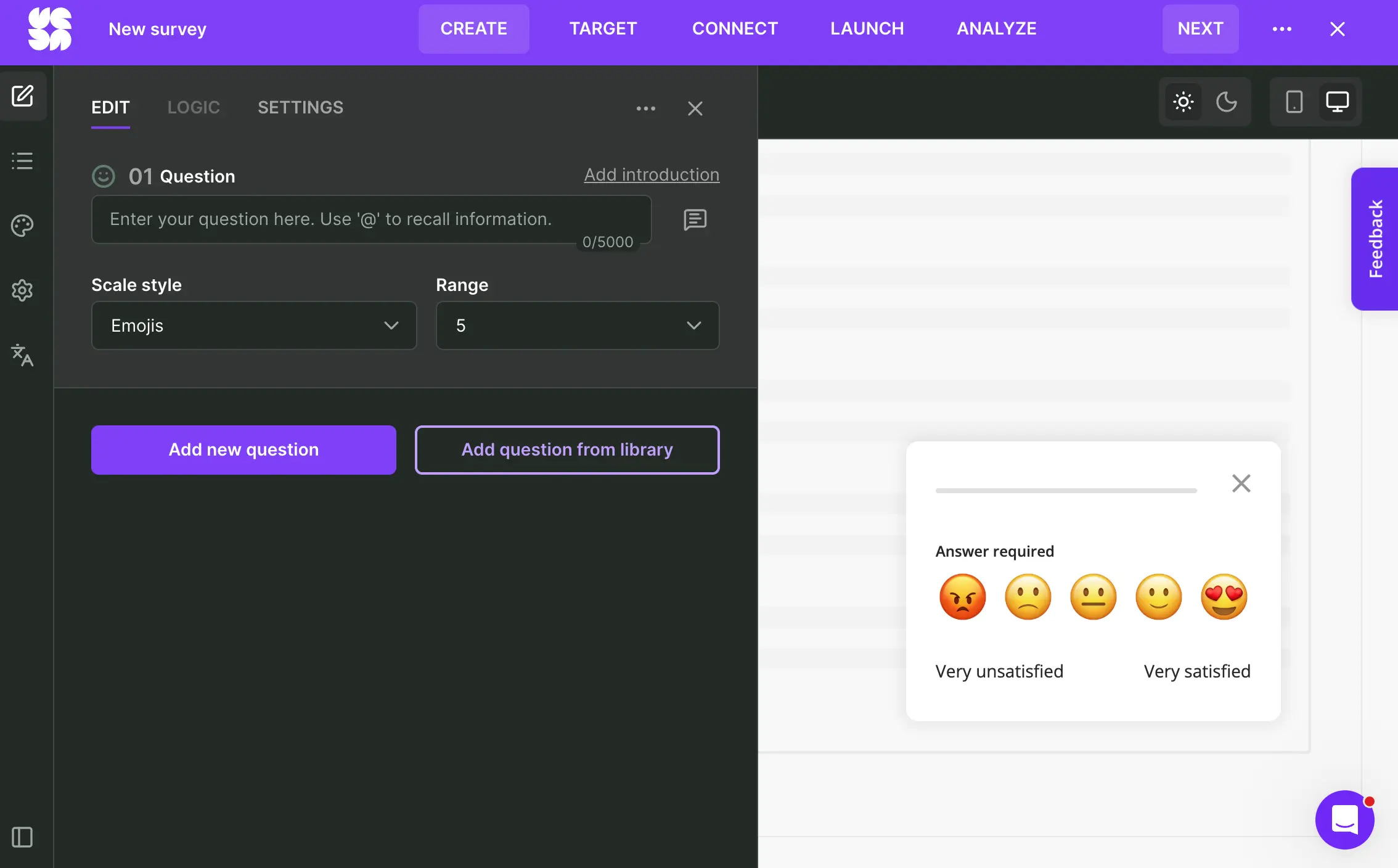
What does Survicate do?
Surveys can run inside web and mobile products, on websites, through email embeds, and from shareable links, with the responses coming back to the same account. Research Hub, Survicate’s AI research repository, can then combine those responses with feedback from connected sources, find recurring themes, and help the team investigate open-text comments to act on them later on.
From there, 40+ native integrations help move feedback into the tools where the team works, so it can trigger follow-ups and feed back into product and customer workflows. This collect-to-act loop removes the usual step of exporting survey results somewhere else before anyone can properly make sense of them.
Who is Survicate primarily for?
Survicate is mainly for product, CX, and UX research teams at SaaS and digital product companies. It makes the most sense when feedback needs to run continuously across web and mobile, and the team also needs somewhere to work through the comments that come back, without moving to an enterprise research suite.
What's Survicate's ease of use?
Customers often describe getting through onboarding in around ten minutes and launching their first survey on the same day. The mobile side installs through a light SDK rather than a heavy engineering project.
What's Survicate's customer support like?
Survicate includes human support on every paid plan, with live chat and fast first-response times. You do not need an Enterprise contract to get a person involved.
What are the main pros of using Survicate?
- Pay for responses, not users. Pricing tracks the feedback you collect, so a bigger user base doesn't automatically mean a bigger bill.
- Run several survey channels from one response pool. Web, mobile, website, email embeds, and link surveys can be managed from the same account, with the results kept together.
- Broad mobile coverage. The SDK supports iOS, Android, React Native, Flutter, and Unity, giving Survicate wider cross-platform coverage than Sprig.
- Research Hub can group recurring themes and help the team understand what really sits behind them. Integrations can then send the relevant feedback into the tools where someone will use it.
What are the main cons of using Survicate?
- Standard question types cover most needs but aren't the deepest on this list. If your research leans on advanced formats like conjoint or MaxDiff, that's a gap.
- Survicate doesn't include heatmaps or session replay, so it cannot replace the behavioral research side of Sprig. If those capabilities are central to your program, you'll need another tool alongside it.
- Responses are not the only usage meter. Survicate also counts data points, so teams using more of the analysis layer need to monitor both allowances.
Pricing
Survicate pricing starts from $56/month on the Growth plan to $569/month on Enterprise, and the free trial covers all pro-level features. Higher tiers scale the monthly response pool.
My hot take: how does it compare to Sprig?
If Sprig’s user-based pricing has become a tax on growth, Survicate is one of the clearest alternatives. It charges for responses, so adding users to your app does not increase survey costs on its own. In-product web and mobile, website, email, and link surveys also stay in one account, with human support included on paid plans.
A continuous multichannel feedback program is where Survicate makes the stronger case. Research Hub gives the team space to work through the comments, while integrations help responses reach the people who can act on them. In that setup, you solve the pricing problem without breaking the feedback workflow across several tools.
Sprig, on the other hand, remains the deeper product research tool. Its behavioral targeting, session replay, and video and voice questions give a dedicated research team more ways to study what users do and why. If those capabilities are central to your program, switching to Survicate would leave a noticeable gap. (See how the two line up in our side-by-side Survicate vs Sprig breakdown.)
Pendo: product analytics and in-app guidance, priced on MAU
Pendo is a product experience platform best known for analytics and in-app guides. Surveys and product discovery sit inside the same wider platform, though both cost extra on the lower paid tiers. Of all the tools on this list, Pendo comes closest to matching Sprig’s breadth. It also carries over the problem that may have sent you looking elsewhere: pricing tied to monthly active users.
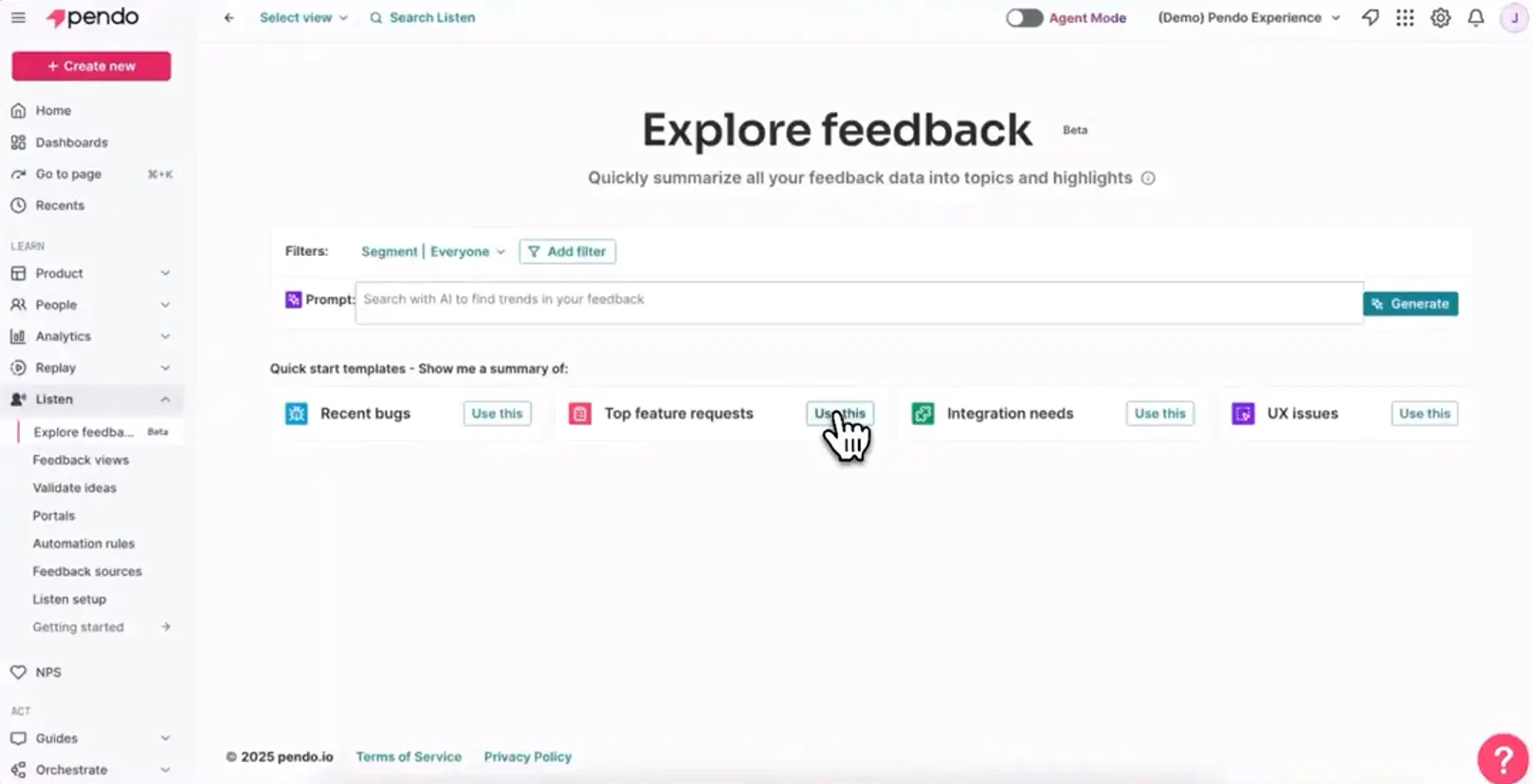
What does Pendo do?
It combines product analytics, in-app onboarding and guidance, and feedback collection across web and mobile apps. Polls and NPS can be read alongside usage data, while feature requests flow into Pendo’s product discovery tools. The platform is built around product adoption, with feedback adding context to what users do.
Who is Pendo primarily for?
Product, customer success, and support teams at mid-market and enterprise companies that want analytics and in-app guidance in the same platform. Surveys make the most sense here as a supporting part of that setup.
What's Pendo's ease of use?
The interface is polished, but the first setup can be heavier than it looks in the demo. One G2 reviewer said it required more engineering collaboration than the sales pitch suggested, while the platform’s learning curve comes up repeatedly in reviews.
What's Pendo's customer support like?
Human technical support is available on every paid plan: you start with Pendo’s support bot and can escalate the issue to an engineer. Dedicated customer success and technical account management sit with the enterprise offering.
What are the main pros of using Pendo?
- Deep product analytics and in-app guidance. Survey responses can be read alongside what the same users do in the product.
- Web and mobile coverage with unlimited app keys.
- A strong fit when feedback supports an adoption and analytics program.
What are the main cons of using Pendo?
- MAU pricing with no public list price. Paid plans use custom MAU volumes, so you need a sales conversation to find out what your user base will cost.
- The add-ons matter. Session Replay is included from Core, while Sentiment and product discovery cost extra below Ultimate.
- Growth can reopen the contract. Pendo says paid accounts that exceed their MAU limit may need an adjustment. Separately, one Reddit buyer reported being moved from a discontinued $7,000 Starter plan to a $35,000+ tier.
Pricing
Pendo Free covers up to 500 MAU and includes some basics. Paid tiers use custom pricing based on MAU volume and selected modules. Vendr puts common annual spend at around $20,000 to $60,000+, with larger deployments reaching six figures (buyer-reported, not official Pendo pricing).
My hot take: how does it compare to Sprig?
I would take Pendo seriously if leaving Sprig is also your chance to buy product analytics and in-app guidance. Then the extra machinery has a purpose, as Pendo is taking on a much larger job than collecting feedback.
As an escape from Sprig’s pricing, though, it is not a good choice. The MAU meter keeps running, and the price still sits behind a sales call. Depending on the plan, surveys add another module to the deal. Your product grows, the contract follows. Pendo may be the better platform for your team and still be the wrong answer to the problem that sent you shopping.
Refiner: in-app microsurveys for SaaS, with unlimited responses
Refiner is a customer feedback survey tool built for SaaS products across web and mobile. It stays close to Sprig’s in-app survey use case, with one useful difference: paid plans include unlimited responses, even though pricing still scales with MAU.
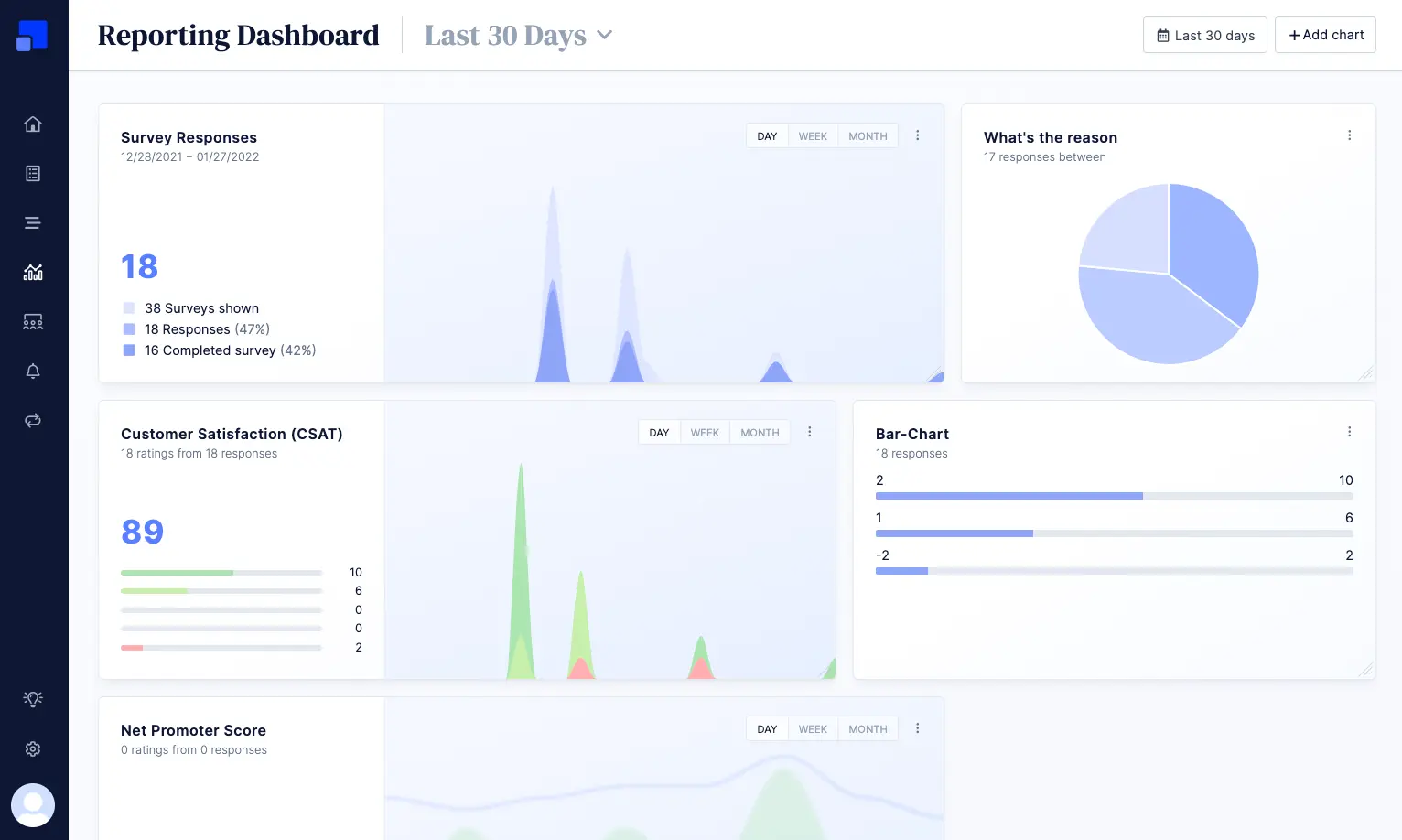
What does Refiner do?
It runs targeted surveys inside web and mobile apps, along with website popups, email surveys, and shareable links. Campaigns can use user traits and product events, so a team can ask right after a specific action rather than rely on a generic timer.
Who is Refiner primarily for?
Product and growth teams at SaaS companies with web or mobile products. Refiner is a specialized tool, and that narrow focus is part of its appeal.
What's Refiner's ease of use?
Setup is straightforward and requires little developer work. The survey builder is modern and easy to navigate, so the path from signup to the first live survey is short.
What's Refiner's customer support like?
Essentials includes email support, Growth adds live chat, and Enterprise adds phone support and a dedicated contact. Reviews tend to describe the team as fast and friendly, and you do not need the top tier to reach a person.
What are the main pros of using Refiner?
- Unlimited survey responses on paid plans. Refiner still prices by MAU, but running more surveys or collecting more answers does not raise the bill within the MAU band you already pay for.
- Strong web and mobile coverage, with a JavaScript client for web and SDKs for iOS, Android, React Native, and Flutter.
- A modern, on-brand survey UI, with strong response rates in Refiner’s own benchmark.
What are the main cons of using Refiner?
- Refiner remains a focused feedback tool. It now includes reporting dashboards, AI response tagging, and in-app messages, but no product analytics or research repository.
- Pricing tiers still climb with MAU. For in-app surveys, Refiner usually counts users who logged into your product, so a large or fast-growing audience keeps some of the scale pressure you get with Sprig.
- The review base is small, which leaves less evidence about how Refiner holds up in larger or more complex research programs.
Pricing
A 30-day trial is available, followed by a limited free plan. Paid plans run from $99 to $239 per month, scale with MAU, and keep responses unlimited. Enterprise pricing is custom.
My hot take: how does it compare to Sprig?
Refiner makes sense when Sprig mostly means in-app surveys in your team’s daily work. It keeps targeted surveys across web and mobile, with a strong SDK. Session replay, heatmaps, and the broader behavioral research layer stay behind. Some teams will miss that depth; I suspect others will realize they were paying for more research machinery than they used.
In Refiner’s case, unlimited responses make the clearest difference. A good response rate no longer burns through study units, so there is less reason to hesitate before launching another survey. The MAU meter stays, however. As your audience grows, Refiner can move you into a higher price band whether those extra users answer anything or not. I see Refiner as a partial answer to Sprig. It removes much of the anxiety around collecting feedback, while leaving the cost of a growing user base in place.
Qualaroo: contextual on-site Nudges, with unlimited responses
Qualaroo is a long-running feedback tool built around "Nudges," targeted microsurveys you fire on specific pages or flows. It suits teams that want some insight without standing up a full research project.
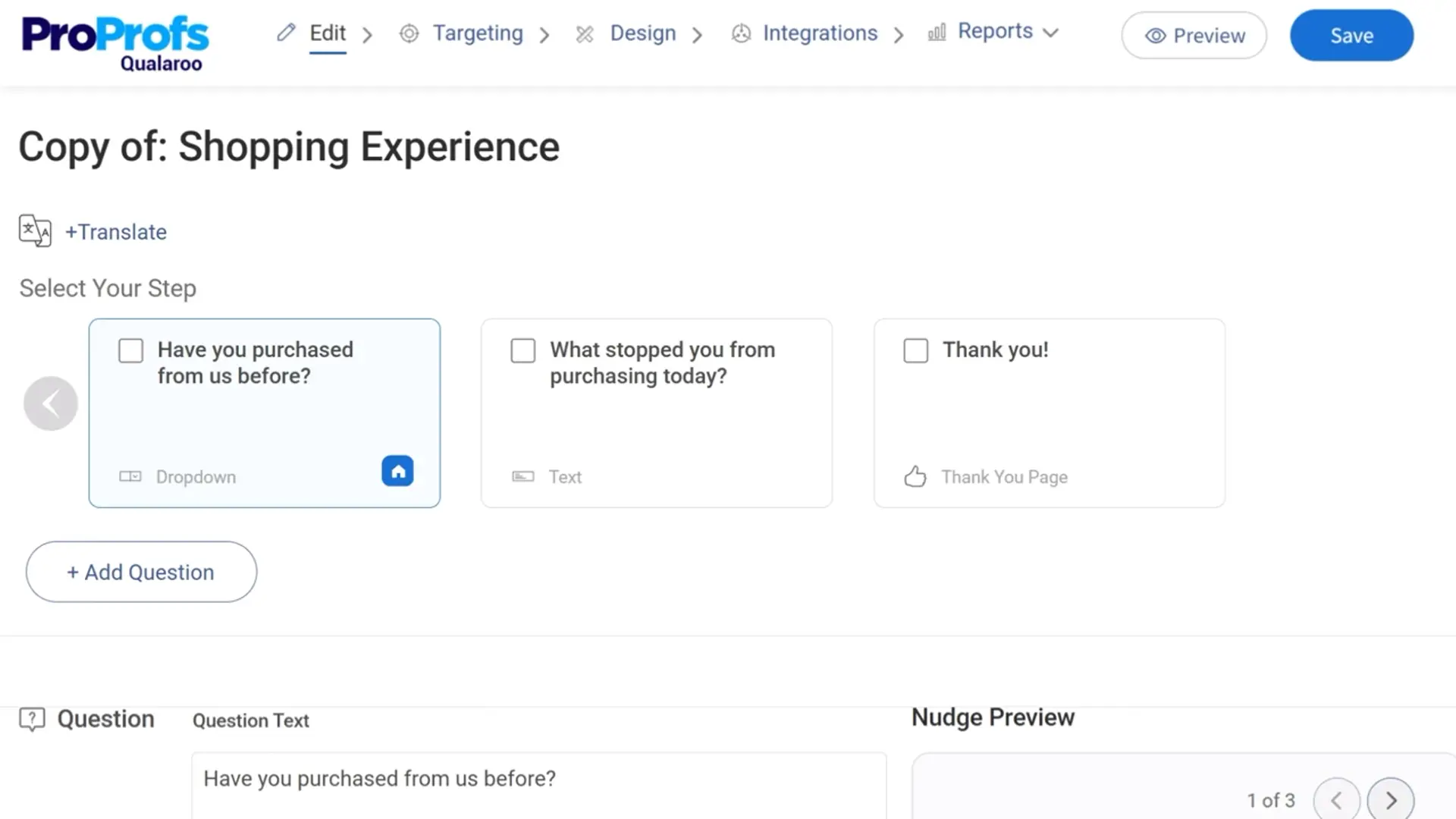
What does Qualaroo do?
It shows contextual surveys (Nudges) on websites and inside web apps, with detailed control over who sees them and at what point in a page or flow. The main idea here is to ask while the experience is still fresh, rather than reconstruct it later from a general survey. The platform also supports 70+ languages and IBM Watson sentiment analysis.
Who is Qualaroo primarily for?
Product, UX, and CRO teams that want fast, in-context website and web-app feedback. It reaches from SMB up to enterprise.
What's Qualaroo's ease of use?
Nudges are quick to set up and easy to target. The main knock in reviews is an interface that feels dated, and the fact that desktop Nudges don't clone cleanly to mobile.
What's Qualaroo's customer support like?
Qualaroo offers email, phone, and live chat support. Enterprise adds a dedicated support team and account manager, but you do not have to buy the largest contract just to get a person on the other end.
What are the main pros of using Qualaroo?
- Unlimited responses with no per-response overage. Like Refiner, this defuses the meter that makes Sprig costly.
- Fast, contextual targeting on specific pages and flows.
- AI sentiment analysis and 70-plus languages for reading open text at scale.
What are the main cons of using Qualaroo?
- Native mobile SDKs sit behind Enterprise. The Mobile Nudge available on Business runs in a mobile browser, so teams collecting feedback inside an iOS or Android app have to move to the top tier.
- The AI sentiment layer is also Enterprise-gated.
- The UI shows its age next to the newer product-first tools.
Pricing
Qualaroo’s free plan is capped at 50 lifetime responses. Published paid pricing starts at $19.99/month with annual billing. Enterprise shows a starting price of $149/month but still requires a sales call, while the broader Customer Delight and Customer Growth bundles reach $499/month. Paid plans include unlimited responses, with usage measured through tracked pageviews and email sends. Removing Qualaroo branding costs $300/year. Native mobile SDKs and IBM Watson sentiment analysis are Enterprise features.
My hot take: how does it compare to Sprig?
Qualaroo makes a more convincing case than Sprig on the web. It does not count everyone who happens to use your product. The meter starts when a Nudge is displayed, and the responses themselves remain unlimited. I find that much easier to defend: you pay for survey reach, even if you are not paying only for completed feedback.
What makes me less enthusiastic is the mobile. Qualaroo keeps native iOS and Android surveys on Enterprise, while Sprig offers mobile delivery as a Starter add-on. Qualaroo’s Enterprise price is public, so the tier name alone is not the problem, but the product still feels built from the web outward. For contextual website and web-app feedback, it might be a credible swap. A mobile-first team should compare SDK coverage before moving.
Iterate: on-brand mobile and web surveys for consumer apps
Iterate is a survey tool for digital products, with a particularly good fit for consumer apps. It covers mobile, web, and email, and gives teams enough control to make in-product surveys feel like part of the interface.
What does Iterate do?
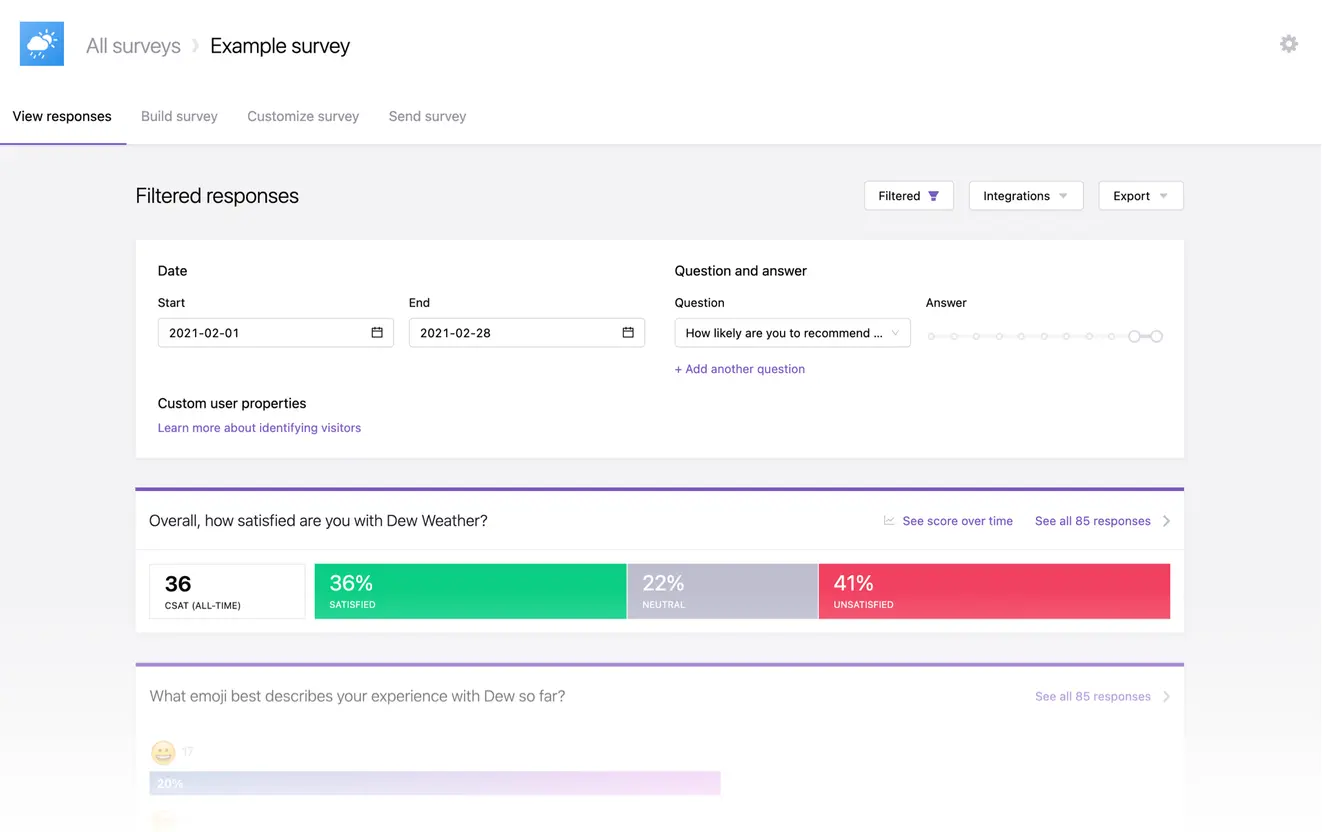
It runs mobile in-app, website, and email surveys, with event-based targeting so they appear after specific user actions. Teams can match surveys to their product, while the optional Research Assistant analyzes open-text feedback for themes, sentiment shifts, and outliers.
Who is Iterate primarily for?
Product, marketing, research, and design teams at digital businesses. Consumer apps are the clearest fit, especially when an off-brand survey would be hard to hide inside the product.
What's Iterate's ease of use?
The mobile SDKs are lightweight, open source and cover iOS, Android, and React Native. Once they are in place, surveys can be tied to product events from the Iterate dashboard.
What's Iterate's customer support like?
Feedback on support is positive, although Iterate’s review base is still small. One G2 reviewer specifically praises the team for helping with technical issues, which is a useful signal for teams implementing surveys through a mobile SDK.
What are the main pros of using Iterate?
- Unlimited responses. A survey that performs well does not push you into an overage.
- Strong native mobile SDKs for iOS, Android, and React Native, with event-based targeting.
- On-brand surveys that fit the product experience.
- Multichannel across mobile, web, and email from one platform.
What are the main cons of using Iterate?
- In-app pricing still climbs with MAU. Responses are unlimited, but a growing app can pay more before collecting another answer.
- Research Assistant and premium integrations are paid add-ons; white labeling costs extra too. A more complete setup can cost considerably more than the base survey configuration.
- Small review base, so there's less independent signal to lean on.
Pricing
Iterate publishes a configurator for its paid plans. Pricing scales with total MAU across mobile and web apps, monthly email sends, and optional features such as Research Assistant, premium integrations, and white labeling; responses remain unlimited. The plans are highly customizable and can cost anywhere from tens to hundreds of dollars a month, or several thousand at the extreme end.
My hot take: how does it compare to Sprig?
Iterate understands something many survey tools forget: once a survey appears inside a client’s app, it becomes part of the product experience, and its mobile SDKs and brand controls let teams treat it that way.
I like its pricing story more than Sprig’s: you can see what you’ll pay, and a successful survey will not punish you with response overages. The old problem has not disappeared, though, because MAU still sets the in-app price. For teams choosing Iterate for its mobile execution, that may be a fair trade. If user growth showing up on the feedback bill drove you away from Sprig, you will find the same line item here.
Alchemer Mobile (Apptentive): deep mobile in-app feedback, priced on MAU
Alchemer Mobile, formerly Apptentive, is the mobile specialist inside the wider Alchemer platform. Its SDK coverage is the broadest on this list, and large consumer brands use it to collect in-app feedback and manage app-store ratings.
What does Alchemer Mobile do?
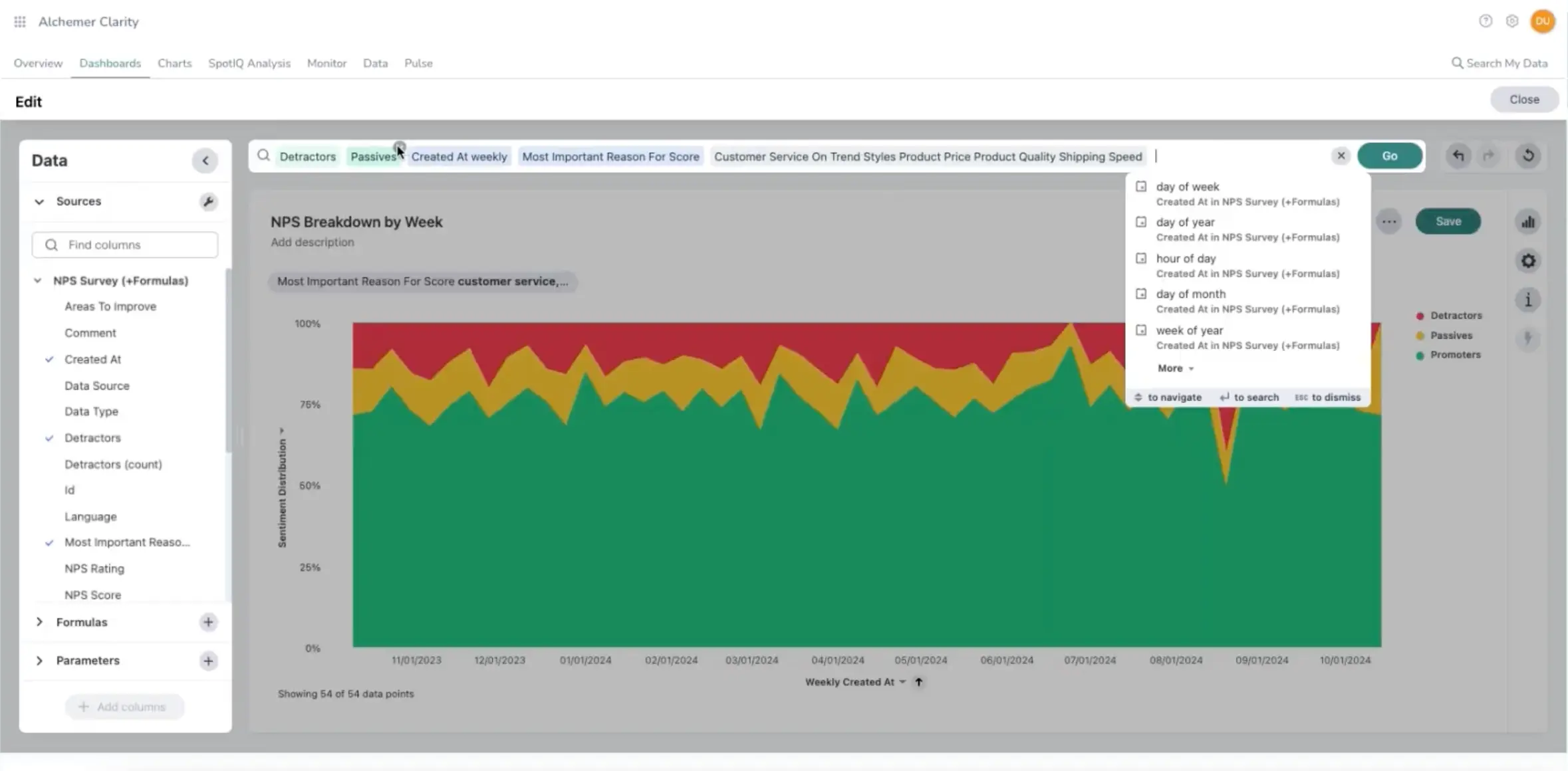
It captures mobile in-app feedback through surveys, in-app notes, ratings prompts, and a message center, with a "Love" sentiment metric to gauge how users feel. Post-Alchemer, feedback can extend to email, SMS, and web through the broader platform.
Who is Alchemer Mobile primarily for?
Mobile product managers and marketers at large consumer brands, the kind of team shipping high-traffic iOS and Android apps.
What's Alchemer Mobile's ease of use?
The dashboard is easy to navigate, and surveys are quick to set up once the SDKs are in place. Multi-target interactions also save teams from rebuilding the same survey for each platform: one setup can cover iOS, Android, and web while keeping the targeting rules each app needs.
What's Alchemer Mobile's customer support like?
Reviewers describe support as responsive and helpful, including when technical questions come up. With a product this deeply embedded in the app, that can spare the mobile team a fair amount of trial and error.
What are the main pros of using Alchemer Mobile?
- Native mobile SDK coverage across many platforms.
- Strong track record lifting app-store ratings through well-timed prompts.
- Responsive support and a mature mobile feature set.
What are the main cons of using Alchemer Mobile?
- MAU plus seat-based pricing, with no public list price. Alchemer counts unique devices that launch the app over a rolling 30 days, whether those users ever see a survey or not.
- Email and SMS require access to Alchemer Survey, so Alchemer Mobile alone does not provide the full multichannel setup.
- Too much product and contract for a team that only needs a straightforward in-app survey tool.
Pricing
Alchemer Mobile is quote-only. Contracts set limits for both MAU and seats; unless an order form says otherwise, current service terms list overages of $0.005 per MAU and $50 per seat each month. Those figures explain what happens after you cross a contract limit, not what a typical subscription costs.
My hot take: how does it compare to Sprig?
If my feedback program lived inside a high-traffic consumer app, Alchemer Mobile would get a serious look. It supports more mobile frameworks than Sprig and gives app-store ratings a central place in the feedback program. For a team judged as much by its App Store score as by survey results, that difference is meaningful.
Billing still follows the size of the app. Every device that launches it can count toward MAU, whether or not its user ever sees a survey, and seats are metered separately. A team using the full mobile toolkit may find that reasonable. When research reaches only a fraction of the audience, the fit becomes harder to defend.
SurveySparrow: conversational, omnichannel surveys, priced on responses
SurveySparrow is known for conversational, chat-like surveys, but channel reach is the stronger reason to consider it here. Across CX and EX programs, it gives teams more ways to reach respondents than any other tool on this list.
What does SurveySparrow do?
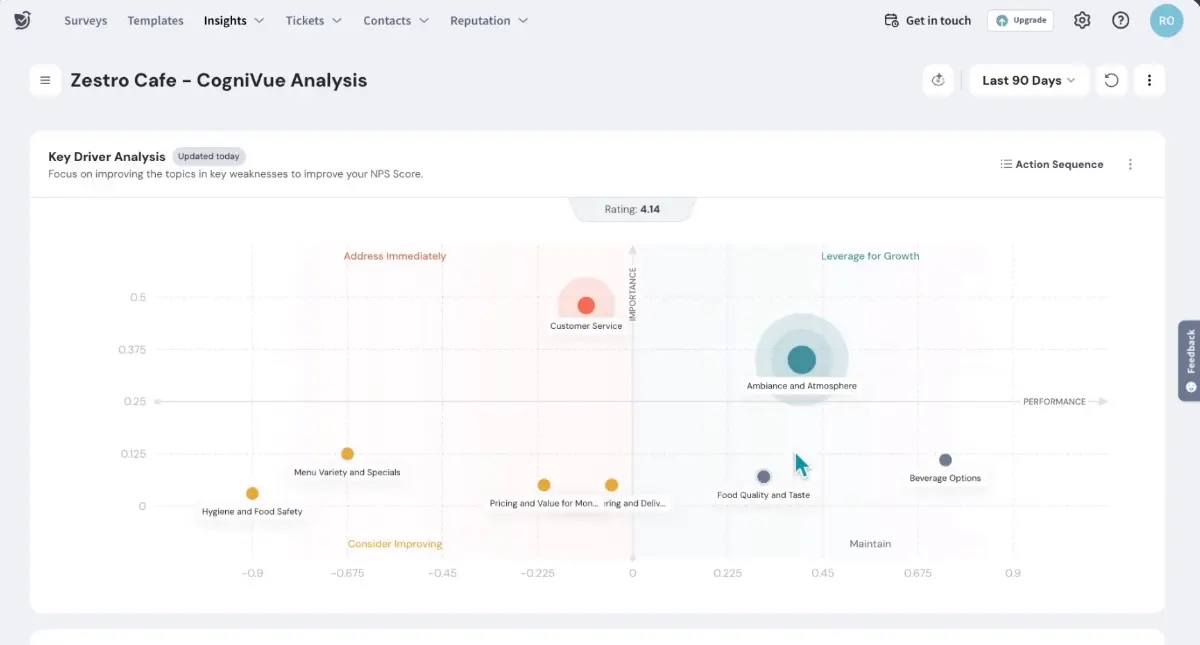
It builds conversational surveys and sends them through email, SMS, WhatsApp, social media, QR codes, web links, and websites, all from one platform. SurveySparrow calls its targeted in-app microsurveys SpotChecks. They can appear on selected web pages or app screens, or after a user completes a specific action.
Who is SurveySparrow primarily for?
SMB and mid-market CX, HR, and marketing teams that want omnichannel distribution and a friendly survey experience.
What's SurveySparrow's ease of use?
The conversational builder is approachable. Website surveys are the easier starting point; mobile SpotChecks need an SDK setup first. Reviewers are less enthusiastic about the flexibility of the design and reporting tools.
What's SurveySparrow's customer support like?
Paid customers can reach support around the clock on weekdays, although the channel depends on the plan: email on Basic and Starter, chat on Business, and a dedicated CSM on Enterprise.
What are the main pros of using SurveySparrow?
- The main usage meter is the feedback you collect, not the size of the audience you could survey. Seats and feature packages still affect the price, but user growth alone does not.
- The broadest channel reach here, including SMS and WhatsApp, from one response pool.
- Conversational surveys are easy to build and pleasant to answer, which matters when the same program reaches customers through very different channels.
What are the main cons of using SurveySparrow?
- The native in-app SDK story is weaker than the product-first tools, so deep in-product targeting isn't its strength.
- Response limits are only part of the bill. Seats and feature access change with the tier, the jumps between plans can be steep, and some reviewers report frustrating experiences with renewals and cancellations.
- SurveySparrow analyzes what users tell you, but it doesn't provide Sprig's behavioral context through session replays and heatmaps. Teams that rely on both will need another tool alongside it.
Pricing
Survey plans start at $19 to $79 per month with annual billing, but those prices apply to the lowest response allowance in each plan. Basic, Starter, and Business each offer three response tiers, taking the price as high as $275 per month. Enterprise is quote-based, and SurveySparrow does not publish a price for its separate CX Suite.
My hot take: how does it compare to Sprig?
SurveySparrow makes its strongest case when feedback travels through different channels. Email, SMS, and WhatsApp sit at the center of the product, and the main usage meter follows responses. That combination suits a feedback program growing across channels rather than merely adding more users.
I would not dismiss its in-app side, either. SpotChecks can reach web and mobile users at specific moments, which should be enough for many product teams. Sprig adds more research context around those moments, especially through session replay and heatmaps. The useful question is how often your team actually uses that depth, and whether it is worth keeping MAU in the pricing equation.
Is Sprig right for you? The final verdict
Sprig remains a capable product research tool. Its pricing simply ages badly as the product succeeds. You pay for monthly users whether or not they ever see a survey, so audience growth feeds the meter before it produces a single new answer. The highest-touch support is reserved for Enterprise, and each study stays within one channel. None of these are minor inconveniences once a feedback program starts to grow.
Pricing still gives us the clearest map of the alternatives. The phrase “unlimited responses” deserves an asterisk, though. A tool can let you collect as many answers as you want while quietly measuring something else.
- Survicate and SurveySparrow come closest to response-based pricing. Seats and feature tiers still matter, especially in SurveySparrow, but the size of your product audience is not the main meter.
- Refiner ties its plans to MAU, Qualaroo to tracked pageviews, and Iterate to MAU, email sends, and optional features. Responses remain unlimited; growth simply reaches the bill through a different meter.
- Pendo and Alchemer Mobile stay closest to Sprig’s model. Both price on MAU, with seats adding another meter in Alchemer. Their extra capabilities have to justify that model because the pricing itself offers no relief.
Which Sprig alternative should you choose?
I’m part of the Survicate team, and that bias belongs on the page. I have tried to handle it in the most useful way I know: by being clear about where Survicate is the best fit and where I would send a product team elsewhere.
- If you want web, mobile, website, email, and link surveys in one feedback program, with responses flowing into Research Hub for analysis, this is where I think Survicate makes the strongest case.
- If you need to reach customers through SMS and WhatsApp as well, SurveySparrow goes further than anyone else here. Its SpotChecks also cover targeted surveys inside web and mobile apps.
- If you want a focused in-app survey tool for a SaaS product, Refiner keeps responses unlimited and the product narrow. Just remember that its pricing tiers still follow MAU.
- If your feedback lives mostly on websites and web apps, Qualaroo’s contextual Nudges still do that job well. Pricing follows pageviews, while native mobile requires Enterprise.
- If a survey inside a consumer app has to feel like part of the product, Iterate takes that concern seriously. Responses are unlimited, although MAU remains part of its highly customizable pricing.
- If product analytics and in-app guidance are driving the purchase, Pendo is the obvious candidate. Be prepared to keep MAU pricing and pay separately for some of its more interesting capabilities.
- If mobile feedback is the entire program, Alchemer Mobile has the deepest SDK coverage here. It is also an enterprise-leaning purchase with MAU-plus-seat pricing, so that depth needs to be worth the commitment.
Feature tables can make this decision look harder than it is. Go back to what made Sprig uncomfortable in the first place. A team that regularly uses session replay, heatmaps, and deeper research methods should protect that capability. A move prompted by MAU pricing should end with a different meter; otherwise, user growth will keep shaping the bill.
FAQ
Does switching off MAU-based pricing actually save money as you scale?
It depends on the gap between your user count and your response count. If you have a large or fast-growing user base but survey only a slice of it, MAU pricing charges you for reach you don't use, so a response-based or unlimited-response tool usually wins as you grow. If you survey nearly everyone who uses the product, the gap is smaller and the saving is less dramatic.
What should a mobile-first team check before picking a Sprig alternative?
Some tools here put native mobile behind the top tier, as Qualaroo does. Alchemer Mobile and Iterate make mobile a core strength, while Refiner and Survicate also offer mobile SDKs without requiring an Enterprise plan. Check the SDK covers your stack, iOS, Android, and any cross-platform framework you use, before committing.
What's the difference between multichannel and multiple channels?
Not quite. The useful version is running web, mobile, email, and link surveys from one setup and one response pool, so you're not rebuilding per channel or paying separate meters. Sprig's model, one channel per study, is the constrained version. Tools like Survicate and SurveySparrow run true multichannel; some in-app-first tools are narrower.
How should you compare tools with quote-only pricing?
Ask for the pricing metric, not just the number. Whether a vendor charges by MAU, seats, sessions, or responses tells you how the bill behaves as you grow, which matters more than this month's figure. Several tools here are quote-only, so pin down the metric on the sales call and model it against your own growth.
Author's note (last verified: 02 September 2026): Statements such as 'best' reflect our opinion and typical use cases, not a universal guarantee. This comparison is based on publicly available information and our best understanding at the time of writing. Vendors may change features, pricing, and packaging without notice. For the latest details, please check the official sources or reach out to the vendor directly.



.svg)

.svg)