Putting a survey in front of a customer is the easy part now. Most feedback tools do that perfectly well. The real differences show up in what happens around the survey: who sees it, where the response goes next, and whether it becomes part of a broader feedback program or ends up as another isolated data point.
I work at Survicate, so writing about Survicate alternatives here might feel a little odd. A tad funny, even. But this is part of my job: staying objective and keeping you informed about what the market offers. If another tool fits the job better, I want that to be clear too. I've tried to make our weak spots as easy to find as our strengths.
One note on scope. Survicate runs surveys across website, in-product, mobile, and email, and pairs them with Research Hub, which brings feedback from multiple sources into one place for analysis. So the comparison below looks at a broader job than survey building alone: collecting contextual feedback across digital channels, connecting it to the rest of the stack, and helping digital product and CX teams do something with what they learn.
The tools listed here are not ranked.
TL;DR
Here's the short version. The tools below are strong in different parts of the feedback process. The trade-offs come after.
Why do people look for Survicate alternatives?
People often start looking for a new feedback tool because their job has changed around it. The team needs quantitative research, another channel, or a different workflow. Those are different problems, and they lead to different alternatives.
- You need quantitative research methods, not just research. Survicate runs continuous research well: surveys across channels, tickets and calls pulled into Research Hub, findings traced back to the source comments. What it doesn't do is conjoint analysis, significance testing between two user segments, or managed respondent panels. When the study design is the hard part, Qualtrics or Alchemer give a researcher more to work with, at a higher cost in money, setup, and people who understand the configuration.
- You want the follow-up to live inside the feedback tool. Survicate closes the loop through your stack: a low CSAT score can open a Zendesk ticket, alert a Slack channel, or fire a Braze event. Who owns that ticket afterwards depends on how those tools are set up. There is no built-in case management with owners, deadlines, and escalation rules, and no implementation partner to configure one. If you want a queue of unresolved detractors inside the survey platform itself, Zonka's case management or the workflow layer in Qualtrics sits closer to that job.
- You need to send surveys natively over SMS or WhatsApp. Survicate runs surveys on your website, inside your web and mobile app, and embedded in email. You can drop a survey link into an SMS or WhatsApp message, but Survicate won't send it, and the respondent answers in a browser rather than in the conversation. If most of your customers reply on WhatsApp after a delivery, Zonka is built for that path (it sends through Infobip, and the survey still opens as a link).
The alternatives below are easier to compare once you know which of these problems brought you here.
How I did this review
What I looked for
I judged every tool on the same basic job: getting a targeted survey to the right person across the channels that matter, then making sure the response can go somewhere useful. That meant looking at how broadly each tool collects feedback, how precisely it can target a survey, how well it connects to the rest of the stack, and what happens when open-ended responses start piling up. I also looked at how the pricing changes as the program grows.
How I validated the claims
I started with each vendor's own site and documentation and, where available, our internal notes from testing some of these tools and sales call transcripts with customers who had used them. I then cross-checked features, pricing, support, and real-world experience against recent reviews on G2, Capterra, TrustRadius, and Reddit discussions from teams who have actually used them.
Those user reports were particularly useful for the parts a feature page rarely tells you much about: setup, support, and what becomes frustrating after a few months. Ratings and prices can sometimes move overnight, so I suggest you do a quick reality check before committing.
The 7 Survicate alternatives for a connected feedback program
Survicate goes first, followed by the seven alternatives. I've kept this section short and built around the more useful question: when does another tool make more sense?
Survicate: targeted multichannel feedback with a research layer
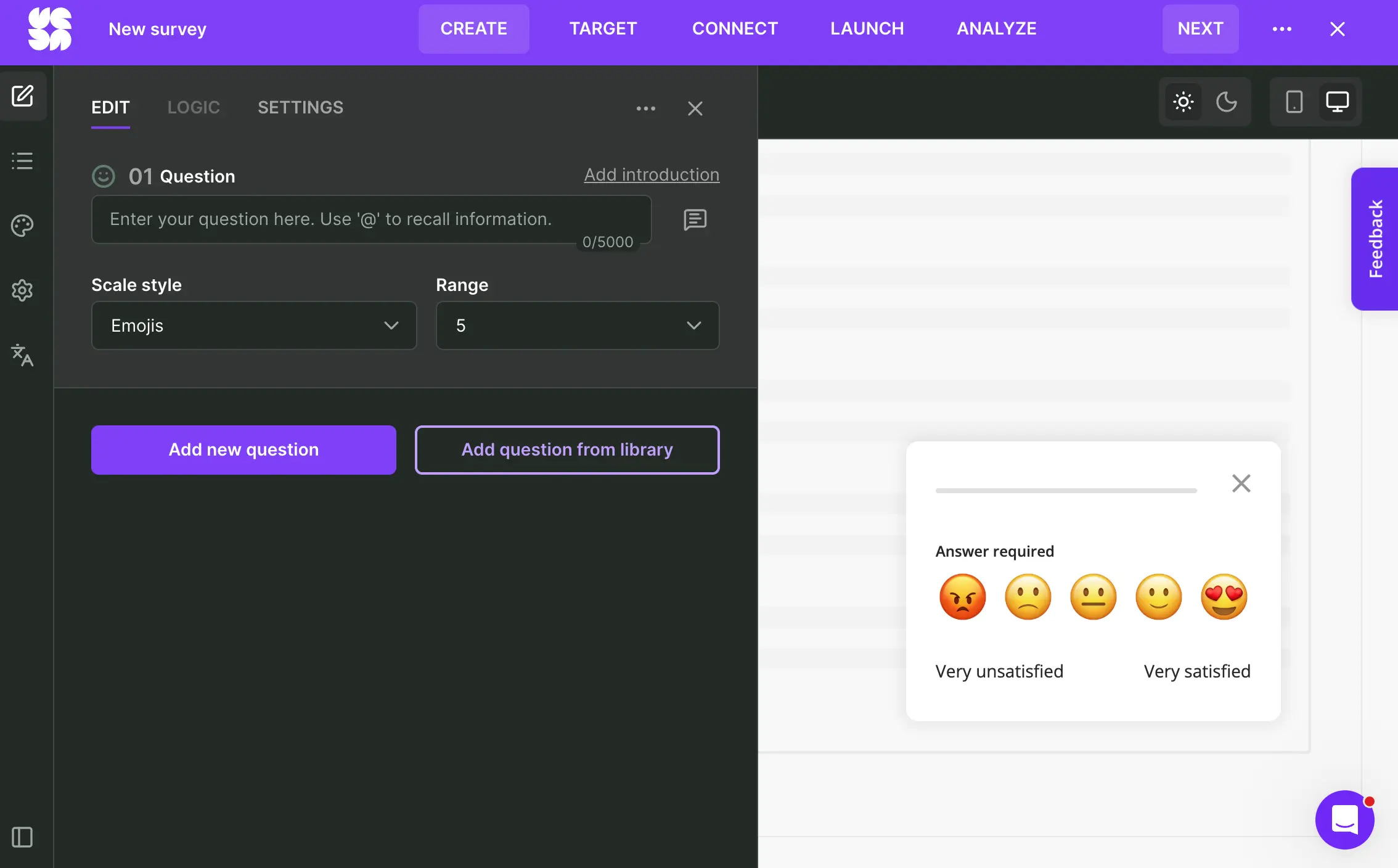
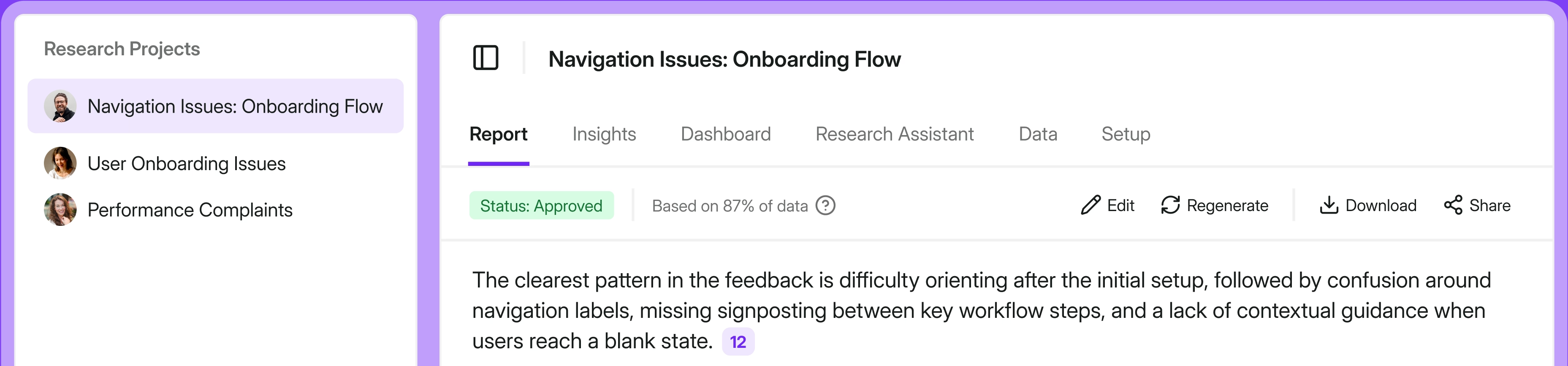
Survicate collects feedback across website, in-product, mobile app, and email. Research Hub extends that beyond surveys by bringing in feedback from 15+ sources, including support tickets, call transcripts, and app store reviews, so teams can analyze customer evidence in one place and trace AI findings back to the source comments behind them.
Its main strength is how those pieces connect. You can target surveys by event, attribute, or behavior, then pass the response into tools such as Intercom, HubSpot, Amplitude, or Braze instead of leaving it in a survey dashboard. And because pricing isn't based on monthly active users, growth in traffic or product usage doesn’t automatically boost the price you pay.
My hot take: how does Survicate compare to the rest of this list?
Since I work at Survicate, the useful thing I can do here is be clear about the cases where I would look elsewhere.
If the hard part of your program is advanced, quantitative research, Qualtrics goes much further into statistics, conjoint studies, and managed panels. If feedback has to work across stores, kiosks, offline environments, SMS, or WhatsApp, Zonka is built for channels Survicate does not own natively.
If you run dozens of surveys through Braze or Iterable and want every answer written back without maintaining question-to-field mappings, Iterate does that with less setup.
Where Survicate makes the most sense is when the difficult part is keeping the whole digital feedback program connected. A high volume of surveys needs to appear in the right context across web, in-product, mobile, and email, then move into the rest of the customer stack and sit alongside tickets, calls, reviews, and other evidence for analysis.
You give up some specialist depth, but for many teams that is a fair trade. The payoff is having more of the feedback loop working as one system, without stepping up to an enterprise research suite or tying the bill to every active user.
If that sounds like the middle ground you were looking for, you may not need to look much further. If not, keep reading. The rest of the list is where the more specialized trade-offs start to matter.
Qualtrics: enterprise experience management for large research programs
What does Qualtrics do?
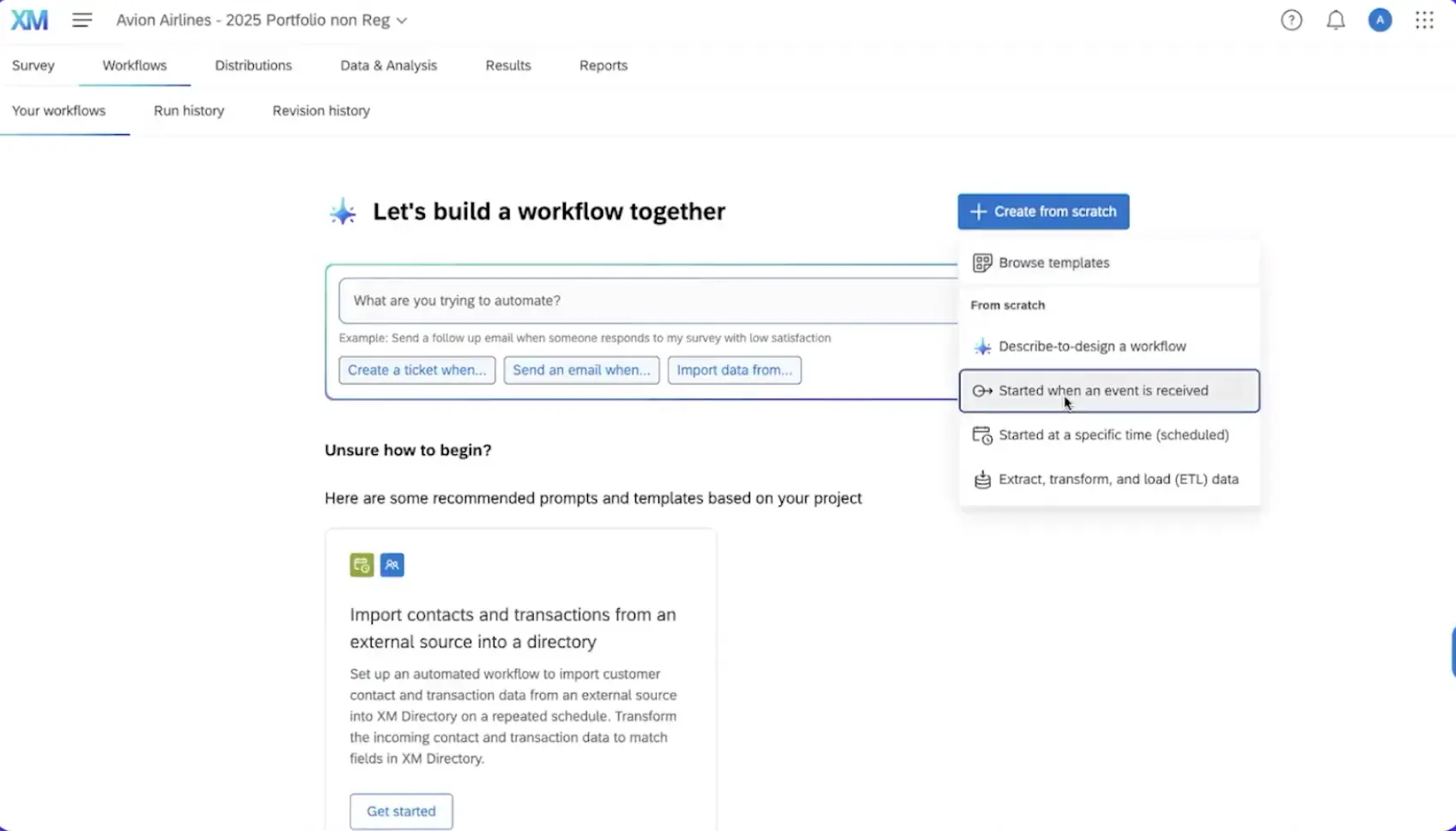
Qualtrics is a full experience management platform, but its real distinction is the research machinery behind the surveys. Teams can control study design with randomization, quotas, conjoint and other advanced logic, then test the findings with crosstabs, significance testing, regression, and text analysis. Add respondent panels, professional services, and enterprise governance, and you have infrastructure built for research programs that run across markets and departments at once.
Who is Qualtrics primarily for?
Large enterprises with dedicated research teams and the budget for an implementation partner, particularly when studies need to hold up statistically or run consistently across markets. It also fits academic and market researchers who will use conjoint, MaxDiff, or panel sampling on a regular basis rather than once a year.
What's Qualtrics's ease of use?
Reviewers consistently describe a steep learning curve and long setup. Qualtrics asks more from the people running it than most tools on this list. A basic survey is manageable, but when it comes to advanced logic, targeting, modules, and administration, be prepared for some serious hurdles.
One team our sales organization spoke to ran into a more concrete version of that problem: after the person who had configured Qualtrics left, the remaining team struggled to make even basic changes. That is the less visible cost of a platform this configurable. Someone has to know how it was put together.
What's Qualtrics's customer support like?
Enterprise support exists, but the experience depends heavily on the contract. Reviewers describe everything from useful enterprise assistance to slow responses and implementation work handed off to third parties, so this is one area I would clarify during procurement rather than assume the Qualtrics name guarantees a particular level of service.
What are the main pros of using Qualtrics?
- Research depth that lets you test whether a finding actually holds up. Randomization, conjoint, significance testing, regression, and advanced crosstabs give serious research teams much more than another survey dashboard.
- You can do a large part of the analysis without exporting the data elsewhere. Researchers can cross-tab, filter, compare cohorts, and interpret results inside the platform.
- It is built to keep complex research programs consistent across teams and markets. Governance, localization, role controls, and advanced study design become much more valuable once research is running at enterprise scale.
What are the main cons of using Qualtrics?
- A lean team can end up carrying far more platform than the program needs. If most of the work is NPS, CSAT, CES, dashboards, and closed-loop workflows, much of the advanced research layer may sit unused.
- Complexity creates an operational dependency on people who know the setup. The more sophisticated the implementation becomes, the harder it is for someone new to step in and make changes without first learning how the system was configured.
- The bill is harder to predict than the initial quote suggests. Suites, modules, seats, response volume, professional services, and renewal terms can all change the eventual cost.
Pricing
The Customer Experience suite is quote-based. Qualtrics does publish a $420-per-month Strategic Research tier, billed annually at $5,040 for 1,000 responses, but that is a different product from the CX suite most teams here would be evaluating. Third-party (Vendr) data puts the median Qualtrics contract at around $30,000 per year, with a very wide spread depending on what is included.
We break down Qualtrics pricing in detail, including tips for negotiating your contract, in our guide to Qualtrics pricing.
My hot take: how does Qualtrics compare to Survicate?
Qualtrics pulls ahead when the research itself is the difficult part. If your team runs conjoint studies, tests statistical significance, compares large samples, or needs tight governance across markets, Survicate is not trying to match that depth. Those capabilities are a real reason to choose Qualtrics, provided your team will actually use them.
Survicate makes more sense when the challenge is getting feedback into the right moments and then keeping it moving. You can target surveys across website, in-product, mobile, and email, connect responses to the rest of the customer stack, and analyze them alongside tickets, calls, reviews, and other evidence in Research Hub.
For a mid-market team running continuous NPS, CSAT, product feedback, and follow-up workflows, that can be far more useful than having a beast of a toolkit and using only a fraction of its expensive capabilities. So I would frame the choice around the type of work your team has to do.
If it’s all about the nuts and bolts of the research itself, Qualtrics gives you far more to play with. But if the job is getting contextual feedback across digital channels, connecting it to the rest of the stack, and making sure someone can act on it, Survicate makes more sense, both operation- and budget-wise. Our guide to Qualtrics alternatives goes deeper into the other options between those two ends.
SurveyMonkey: the familiar general-purpose survey tool
What does SurveyMonkey do?
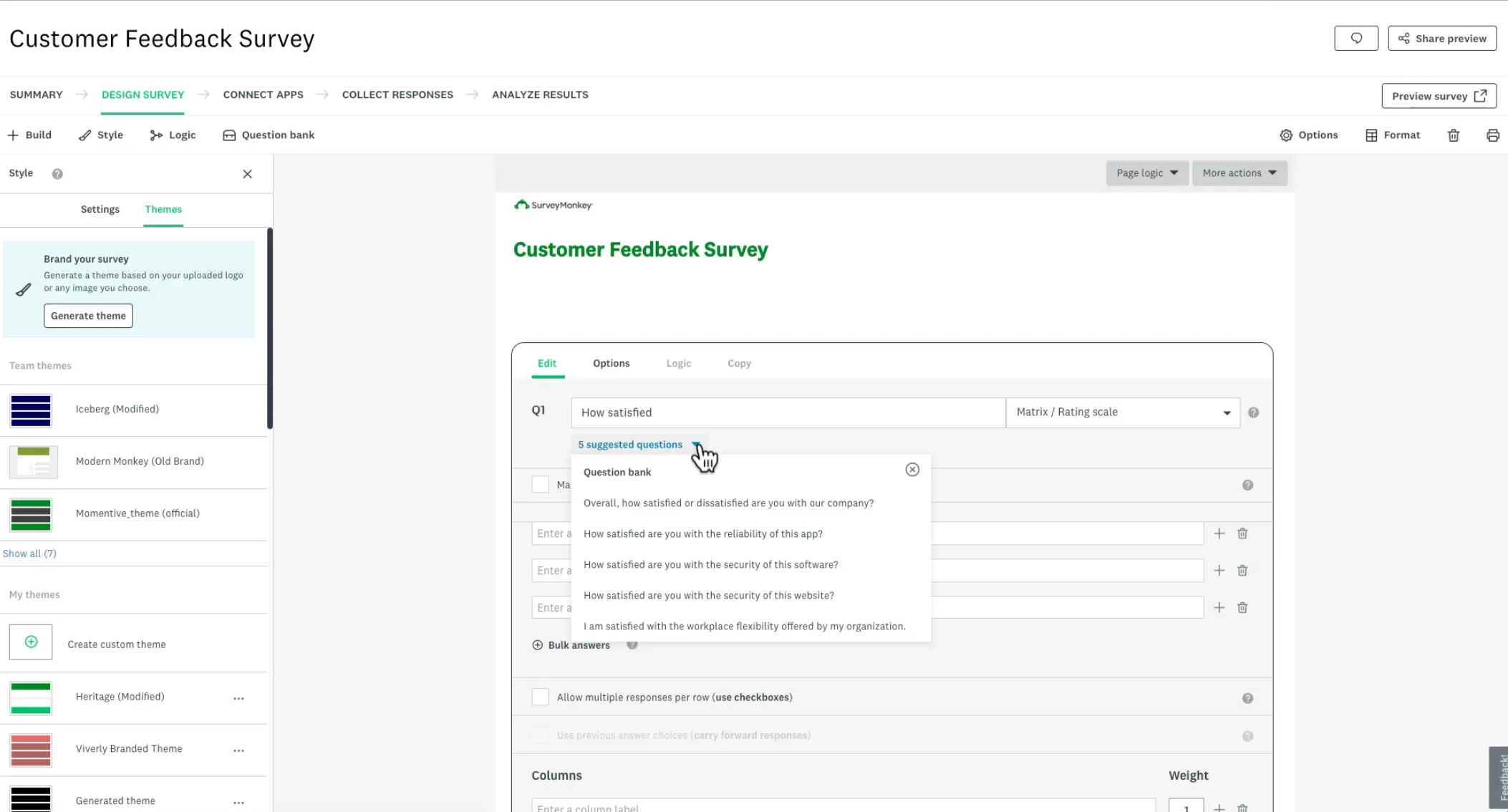
SurveyMonkey is a general-purpose survey platform used for market research, CX, employee feedback, and plenty of one-off studies in between. It covers website, email, links, mobile, and other distribution methods, with a large library of templates and question types. You can also use SurveyMonkey Audience when you need respondents rather than already having an audience of your own.
Who is SurveyMonkey primarily for?
Teams that want a familiar survey builder for a wide range of research jobs, especially when the survey itself is the main project. It also makes sense when buying responses from a managed panel is part of the research.
What's SurveyMonkey's ease of use?
For a straightforward survey, SurveyMonkey is easy to get moving with, although some reviewers call the interface dated, with several noting they'd been "clicking around a lot" to find basic things. The friction shows more when the job expands into advanced logic, integrations, or contextual product feedback.
What's SurveyMonkey's customer support like?
SurveyMonkey has the support infrastructure you would expect from a vendor of its size, but access depends heavily on the plan. All paid customers get 24/7 email support, while Premier adds phone support and Enterprise includes premium onboarding and access to Customer Success.
User experiences are somewhat mixed: some reviewers mention helpful staff, while others report slower or less satisfying support when the issue goes beyond a straightforward question.
What are the main pros of using SurveyMonkey?
- You can get conventional research up and running quickly. The large template and question library gives teams plenty to work with without designing every survey from scratch.
- You can buy respondents when you don't have an audience of your own. SurveyMonkey Audience makes panel research part of the same broader research setup.
- There are plenty of ways to get a survey in front of people. Website surveys, email, links, QR codes, mobile SDKs, and SMS on eligible setups cover a wide range of distribution needs.
What are the main cons of using SurveyMonkey?
- Product feedback is spread across different products and setup paths. Website targeting and the mobile SDK live in core SurveyMonkey, while configurable event-triggered app campaigns sit in GetFeedback for Apps, which makes a connected program harder to keep in one place.
- More contextual in-app feedback can create extra developer dependency. The more tightly surveys need to react to product behavior, the less this feels like the simple survey workflow SurveyMonkey is known for.
- Closing the loop takes a lookup first. SurveyMonkey captures the answer but not the user attributes or product events behind it, so pushing a low score to the account owner means an integration plus a search for who that customer is.
Pricing
SurveyMonkey has a limited free Basic plan, plus Individual, Team, and Enterprise subscriptions. Team Advantage costs $30 per user per month and Team Premier $92, both billed annually and starting at three users. That puts the lowest Team plan at $1,080 per year. Enterprise pricing is custom, and paid plans charge $0.15 for each response above the included limit.
One thing to watch if Salesforce is central to your feedback program: GetFeedback Direct is being retired on December 31, 2026, with SurveyMonkey Enterprise set as the migration path. Teams relying on GetFeedback’s Salesforce-native workflows should factor that transition into the decision.
My hot take: how does SurveyMonkey compare to Survicate?
SurveyMonkey is at its best when you can draw a box around the study. There is a questionnaire to build, an audience to reach, and a set of results to analyze. Sometimes you don’t even have the audience yet, and SurveyMonkey can sell you access to one. It has spent years specializing at that kind of work, and for some research projects, that is exactly enough.
Things get messier once the answer itself is supposed to travel. A customer hits a certain point in the product, gets surveyed there, leaves a poor score, and now that response should update the CRM, reach the right team, and help them understand what is going on.
SurveyMonkey can cover pieces of that journey, but you start assembling products, integrations, plans, and setup paths. Survicate starts from a broader assumption: that the survey is only the beginning.
That is the distinction I find most useful here. SurveyMonkey remains a capable survey platform. Survicate covers the survey part too, but puts more weight on what happens around it: what customer context comes with the response, where that response goes next, and what to do with it. For a wider comparison, our guide to SurveyMonkey alternatives covers sixteen options by use case.
Alchemer: flexible survey building with deep logic
What does Alchemer do?
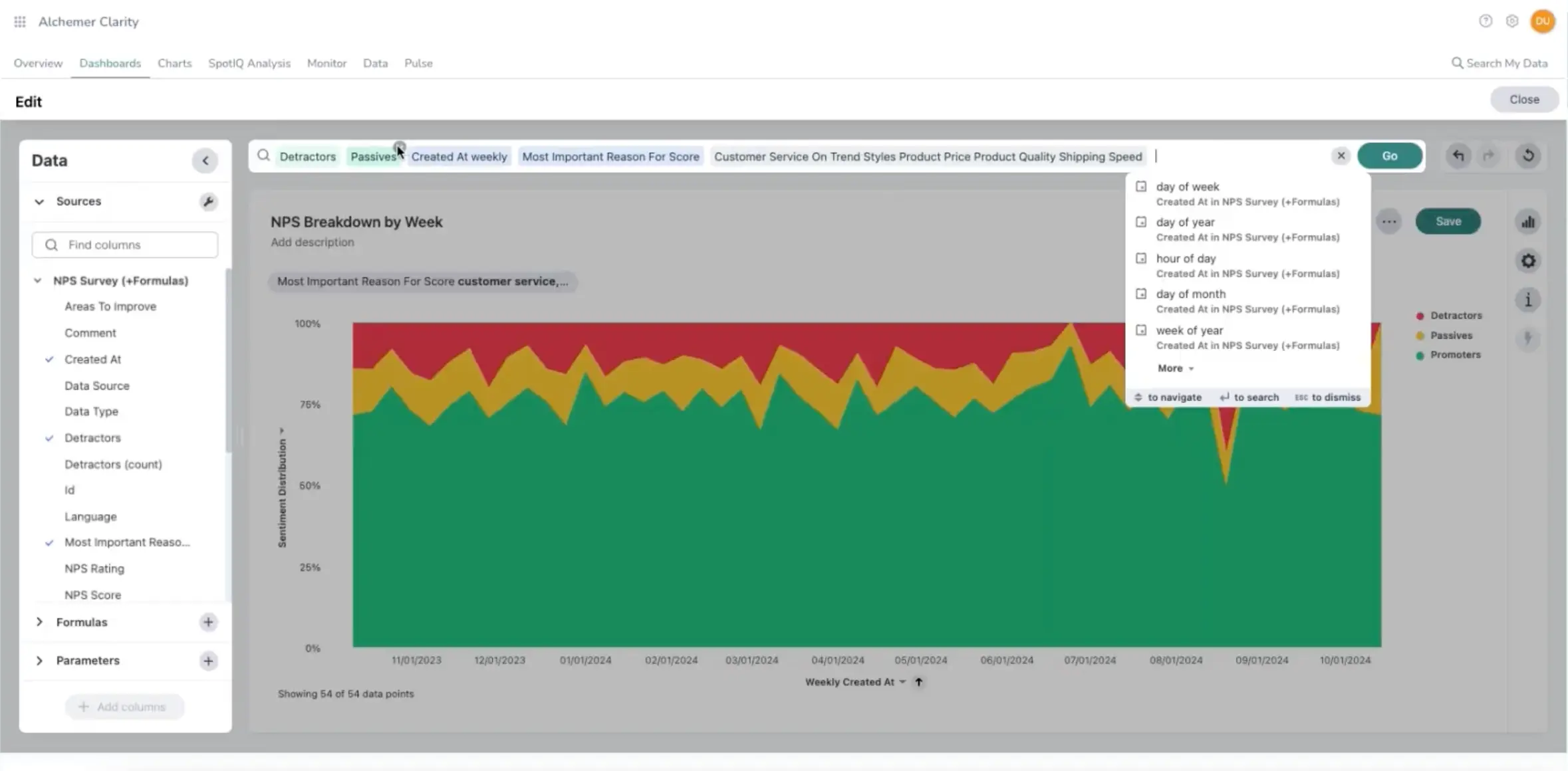
Alchemer grew out of a serious survey engine, and you can still see that DNA. Alchemer Survey gives researchers more than 40 question types, advanced logic, and substantial reporting options. The wider product family stretches further, into website intercepts, native in-app feedback, SMS, and automated workflows.
Who is Alchemer primarily for?
Researchers, CX teams, and market researchers who regularly build complex studies and need more freedom inside the questionnaire itself. It becomes particularly interesting when branching, piping, reporting, and research design are doing real work rather than sitting there for the occasional advanced survey.
What's Alchemer's ease of use?
Reviewers praise the logic and customization but describe the interface and looks as dated. There is a lot to learn once you move beyond the basic survey builder. Advanced logic, reporting, integrations, and the wider Alchemer setup all need someone to understand and maintain them.
That burden is easier to justify when each survey is a substantial research project. It becomes more noticeable when feedback runs every day across several channels and the same team has to keep the whole setup working after launch.
What's Alchemer's customer support like?
Some reviewers note support leans on documentation for complex jobs and that response times can lag on bigger tasks. Professional and Full Access include email and phone support, while the Business Platform adds 24/7 expert support and a dedicated Customer Success Manager.
What are the main pros of using Alchemer?
- Complex questionnaires have plenty of room to grow. More than 40 question types and advanced logic give researchers much more freedom when a study needs to branch, pipe answers, or adapt heavily to previous responses.
- Researchers can do serious work with the results. Crosstabs, reporting options, and SPSS exports make Alchemer useful beyond simply collecting responses and checking a dashboard.
- The Alchemer family can cover much more than standalone surveys. Website feedback, native apps, SMS, and workflows let larger programs expand into additional channels when needed.
What are the main cons of using Alchemer?
- Adding another feedback channel can mean adding another product to operate. Website Intercept, Digital, and the broader Business Platform extend Alchemer well beyond Survey, but the program becomes more distributed as those pieces accumulate.
- Customer context does not automatically follow the respondent across the whole stack. Feedback collected in Survey cannot simply become targeting context in Digital, which makes sequential, always-on programs harder to run as one continuous experience.
- The self-serve route gets cramped once more people need to work hands-on. Public Survey plans top out at three users, so a broader team that needs to create, analyze, or administer surveys moves toward custom packaging.
Pricing
Public Survey plans range from $55 to $275 per user per month on monthly billing, with lower annual rates and a maximum of three users on the higher self-serve tiers. Broader Business Platform requirements are custom-priced, while capabilities such as Website Intercept and some integrations move the bill higher.
My hot take: how does Alchemer compare to Survicate?
I can see the appeal of Alchemer the moment a questionnaire starts misbehaving. You need another branch, a more unusual question type, deeper crosstabs, an SPSS export, and suddenly the extra machinery feels entirely justified. Survicate is deliberately lighter here. A research team that regularly pushes survey design hard may notice that difference pretty quickly.
The interesting part comes after the questionnaire. Alchemer has grown wide enough to cover websites, native apps, workflows, SMS, and more, but those capabilities arrived as different parts of a larger product family. You can build a broad feedback program with them; you also inherit the seams. A survey response collected in one part of the stack does not automatically become customer context everywhere else.
Survicate gives the researcher less room to make one questionnaire perform acrobatics. In return, web, in-product, mobile, and email feedback are much easier to run as parts of the same ongoing program, with the same customer context feeding targeting, integrations, and analysis.
For a team doing sophisticated studies, I would happily take Alchemer's extra survey depth. But for a team that has to keep feedback running every week while product, CX, and support all need to use what comes back, I’d rather have fewer moving parts to manage.
Refiner: lightweight surveys for SaaS
What does Refiner do?
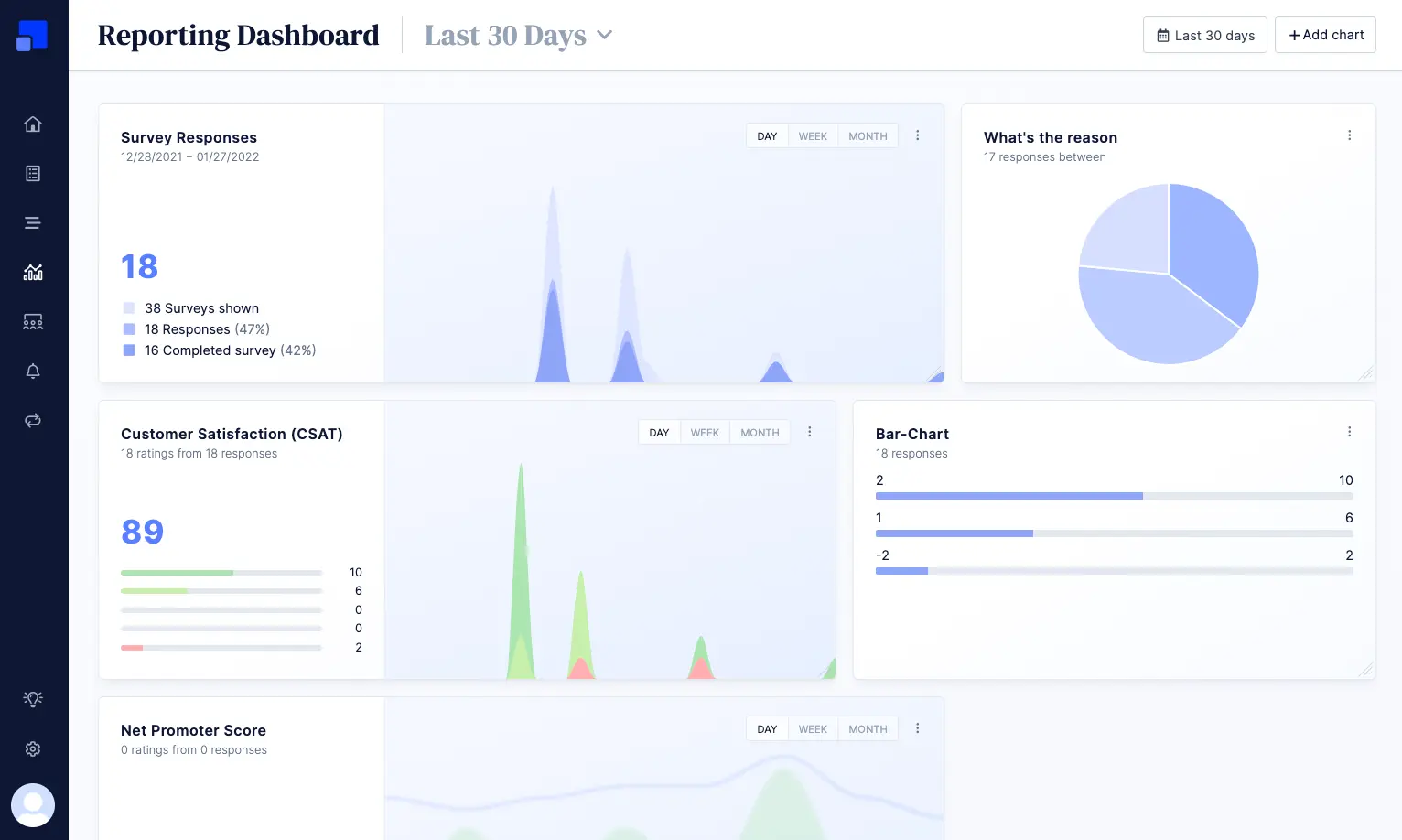
Refiner is a customer feedback tool built around SaaS products. In-app surveys are still the center of gravity, but the same product also covers native mobile apps, website pop-ups, email surveys, and shareable links. You can target surveys using user data, segments, timing, and tracked events, then pass the results into the CRM, analytics, or workflow tools already sitting around the product.
Who is Refiner primarily for?
Product and growth teams at SaaS companies that want feedback to stay close to user behavior. It is especially appealing when the main job is asking the right customer a short question at the right moment, without bringing in a much heavier research platform.
What's Refiner's ease of use?
Users often praise Refiner’s ease of setup and customization. Refiner benefits from staying fairly straightforward. In-product, mobile, website, email, and link surveys all live in the same tool, so a team can cover several survey channels without assembling a larger platform around them.
The setup gets more technical once targeting depends heavily on product data. Users need to be identified correctly, events need to arrive reliably, and the attributes Refiner acts on have to be kept in order. Nothing unusual for a SaaS stack, but it is worth remembering that “lightweight” does not mean “no implementation.”
What's Refiner's customer support like?
The review base is still relatively small, but there is some feedback mentioning a responsive CS team. Support is available through email, and the company says replies usually come within a few hours. Enterprise adds phone support, a dedicated representative, and priority support.
What are the main pros of using Refiner?
- It is comfortable inside a SaaS product. Targeting by user traits, segments, timing, and events lets teams ask for feedback in context instead of sending the same survey to everyone.
- You are not confined to an in-app widget. Native mobile, website pop-ups, email, and survey links let the same team reach users outside the product when needed.
- It plugs into the kind of stack teams already use. HubSpot, Salesforce, Braze, Amplitude, Mixpanel, Segment, and workflow integrations help survey data follow the customer into other systems.
What are the main cons of using Refiner?
- Growth can raise the bill before it raises the amount of feedback you collect. Pricing is primarily MAU-based, so identified active users can count even if most of them never see or answer a survey.
- The connected setup starts higher up the pricing ladder. CRM, CDP, and product analytics integrations sit on Growth, so teams that want survey responses flowing through the rest of the stack outgrow the entry plan quickly.
- The analysis stays close to the surveys Refiner collects. If support tickets, calls, reviews, and other customer evidence also matter, you will need somewhere else to bring those sources together.
Pricing
Refiner offers a 30-day trial, followed by a limited free plan. Paid plans start at $124 per month and go up to $279 per month at the standard 5,000-MAU allowance, with pricing increasing as your active user base grows. Responses remain unlimited, while Enterprise is custom-priced.
My hot take: how does Refiner compare to Survicate?
There is something appealing about a tool that knows what it wants to be. Refiner stays close to product feedback, does the core survey job well, and does not ask a small product team to adopt a whole research operation around it. If you mostly want to catch an NPS, CES, or short product question at the right moment and send the answer somewhere useful, that restraint may be a feature.
The catch appears as the company grows. A bigger active user base pushes MAU pricing upward whether those users are answering surveys or quietly ignoring them, while more of the customer story starts showing up outside surveys altogether. Survicate is built to absorb more of that sprawl. Research Hub brings multiple sources together, while survey pricing follows responses rather than the size of the active user base.
I would not dismiss Refiner for being narrower. Narrow can be what a product team needs. But once you find yourself paying for thousands of users you never survey and opening another tool every time you want to understand what customers are saying outside the product, the simplicity starts to lose its charm.
Iterate: lifecycle-native surveys for product-led teams
What does Iterate do?
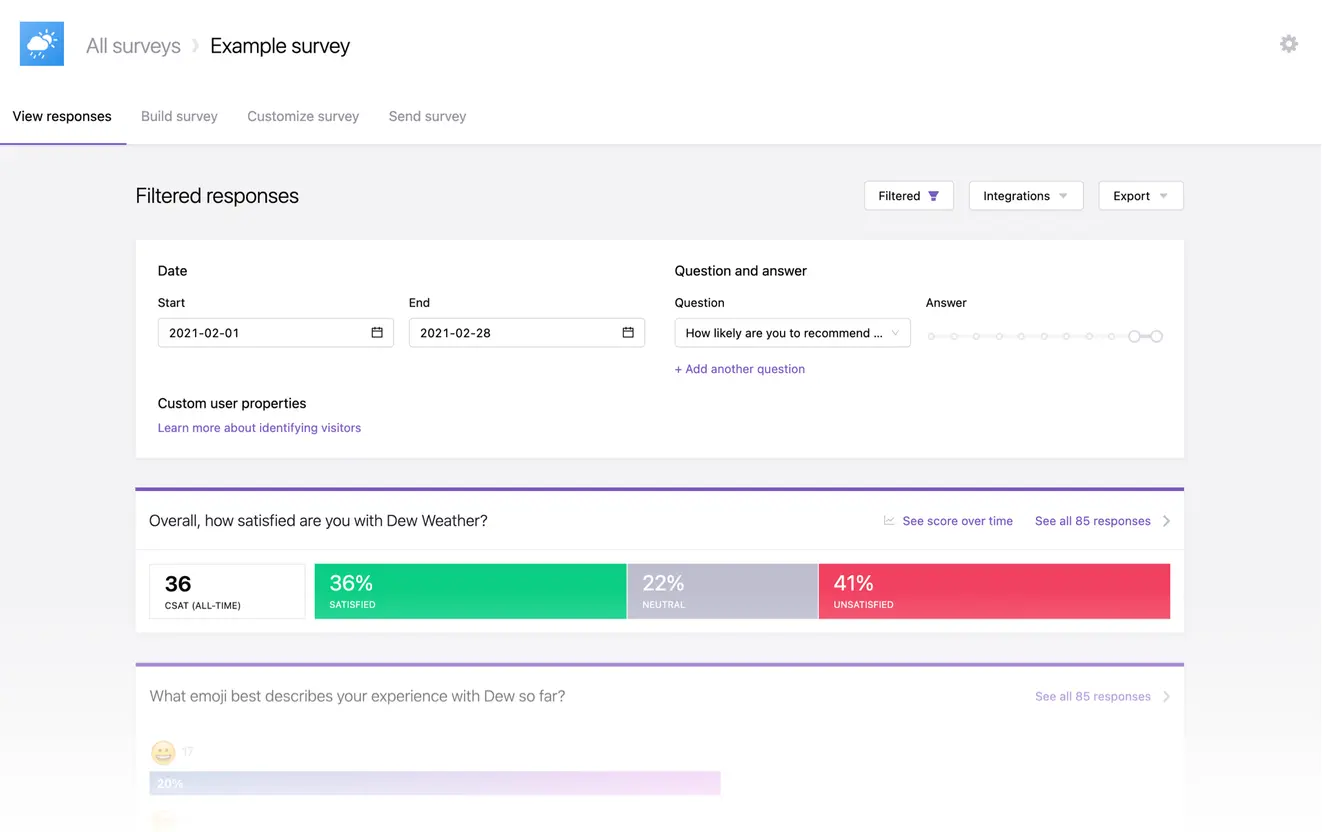
Iterate runs surveys across email, link, website, and native mobile apps, but its most distinctive trick is what happens inside lifecycle platforms. With Braze and Iterable, teams can launch surveys through existing campaigns and write answers back as user attributes and events in real time, without manually mapping every question one by one.
Who is Iterate primarily for?
Product, research, and lifecycle teams that already run a large part of customer engagement through tools like Braze or Iterable. It becomes especially interesting when survey responses are meant to change segments, trigger campaigns, or feed the next step in a customer journey.
What's Iterate's ease of use?
Iterate can piggyback on infrastructure a lifecycle team already has. With Braze in-app messages, for example, surveys can run through the existing Braze SDK instead of requiring another SDK just for the survey.
That does not make the integration completely hands-off. You still need API credentials, reliable user identification, and some setup before the pieces start talking to each other. Iterate's own native in-app surveys use separate SDKs.
What's Iterate's customer support like?
Iterate has a relatively small public review base, so I would not read too much into ratings alone. This is one of those cases where the trial matters more than the review average: test how quickly support responds when something in the integration does not behave as expected.
What are the main pros of using Iterate?
- Survey answers can immediately become lifecycle data. Responses can flow back into Braze or Iterable as attributes and events, so feedback can change segments, campaigns, and follow-up while the context is still fresh.
- It removes a lot of tedious mapping work. Surveys can slot into existing lifecycle campaigns without rebuilding every question-response pair manually.
- It covers more than in-app surveys. Email, web, native mobile, links, and Shopify give product and lifecycle teams several ways to reach users from the same tool.
What are the main cons of using Iterate?
- Feedback collected elsewhere still needs another home. Research Assistant can analyze Iterate survey responses, but tickets, calls, app reviews, transcripts, and other customer evidence have to be brought together somewhere else.
- The operational handoff after a response is thinner than the lifecycle activation layer. Iterate can enrich profiles and trigger activity, but workflows such as creating a support ticket, assigning a named owner, and tracking follow-up usually need to be built in the surrounding stack.
- Product growth can raise the bill before survey usage grows with it. Starter and Business scale mainly with audience size, so a larger active user base can cost more even when only a fraction of those users are actually surveyed.
Pricing
Iterate lets you build a paid plan through its online configurator. The monthly price depends on total MAU across web and mobile apps, email volume, and any extras you add, such as Research Assistant, premium integrations, or white labeling. Survey responses stay unlimited.
That also means the headline ranges on the pricing page, $10-75 for Starter and $150-425 for Business, only tell you so much. You need to start clicking through the options and adjusting the allowances before the real monthly cost becomes clear. Depending on the setup, that can mean anything from a few dozen dollars to several hundred, and into the thousands for larger configurations.
My hot take: how does Iterate compare to Survicate?
Iterate is very good at keeping a survey close to the lifecycle machinery around it. A response can come back into Braze or Iterable as an event or attribute and immediately change what happens to that customer next. If that is where your team already does most of its segmentation and follow-up, there is a satisfying economy to the setup.
The edges start showing when surveys stop being the whole feedback job. A frustrated customer may answer a survey today, open a support ticket tomorrow, leave an app review next week, and mention the same problem on a call
Iterate can analyze the first of those, but Survicate's Research Hub is built to put the rest of that evidence beside it, while its CRM and helpdesk integrations give responses a more direct route into the systems where someone owns the follow-up.
There is also the pricing question. I find response and data-point pricing easier to justify for a growing product than paying according to the size of the active audience, especially when most users will never see a survey.
With Iterate, the headline plan ranges also tell only part of the story because MAU, email volume, Research Assistant, premium integrations, and other extras all move the final number.
Iterate remains compelling when feedback is tightly woven into lifecycle campaigns. Survicate starts to pull ahead once the work around those surveys becomes as important as the surveys themselves.
Mopinion: website and app feedback for digital enterprises
What does Mopinion do?
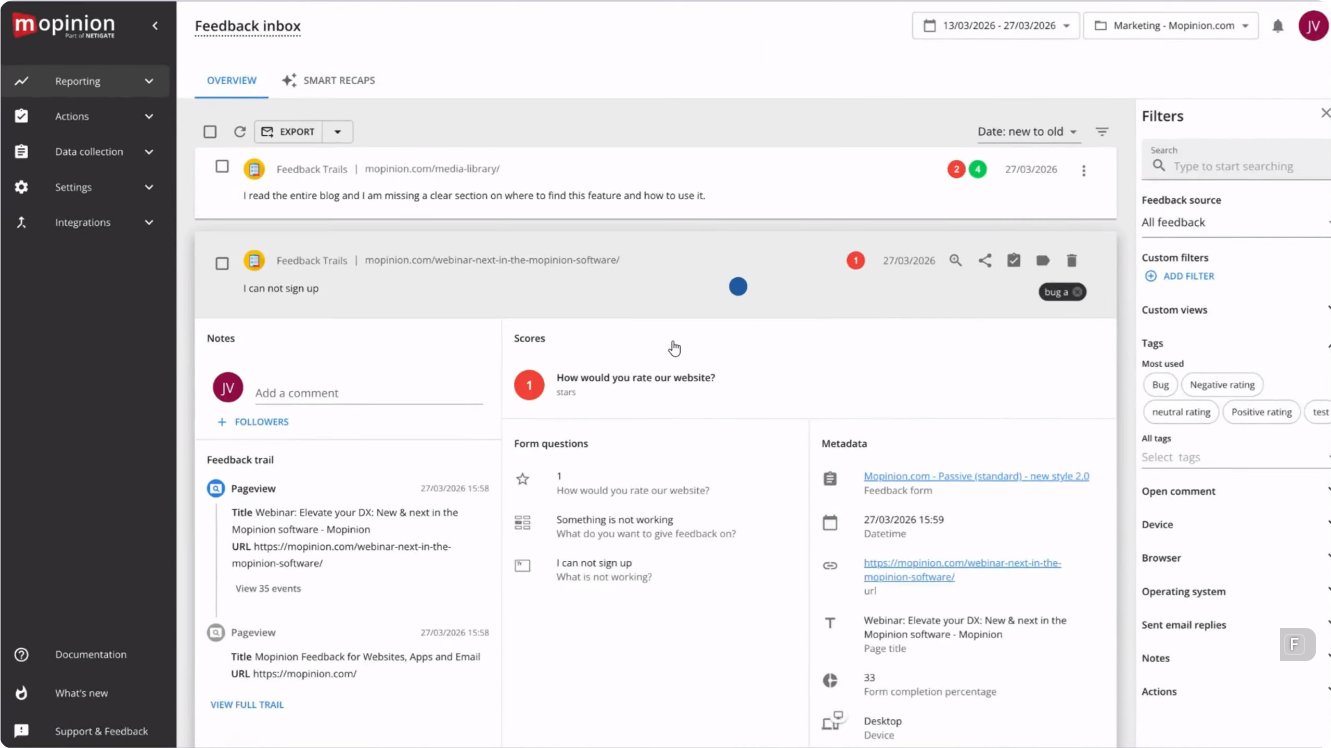
Mopinion is a digital feedback platform built around websites, mobile apps, and email. Its real strength is control over when and where a feedback form appears: teams can trigger surveys from page behavior, exit intent, time on page, or specific in-app events. Dashboards, text analytics, and Smart Recaps then help make sense of the responses that come back.
Who is Mopinion primarily for?
Digital, CX, and product teams at larger organizations, especially in industries such as retail, travel, and telecom, where feedback needs to appear at very specific moments across busy websites and mobile apps.
What's Mopinion's ease of use?
Getting the first forms live seems relatively approachable. Reviewers often describe form creation and implementation as straightforward, while also praising the amount of control Mopinion gives them over who sees a form and when it appears.
The learning curve shows up more clearly once you move beyond the basics. Reviewers describe parts of the interface as unintuitive and single out the analytics dashboard as harder to work with, so more advanced setups may take some trial and error.
What's Mopinion's customer support like?
Support is one of the more consistently praised parts of the product. Reviewers describe the team as responsive and helpful, which becomes more valuable once you're working through a less straightforward setup or dashboard issue.
What are the main pros of using Mopinion?
- You can ask for feedback at very specific moments in the digital experience. Behavioral triggers across websites and native apps let teams react to what a visitor or user is actually doing instead of relying on generic survey timing.
- Teams get useful analysis without leaving the feedback workflow. Dashboards, text analytics, and Smart Recaps help turn large volumes of open comments into something easier to inspect and prioritize.
- There is real support behind the more complicated setups. Reviewers regularly single out onboarding and customer support as strengths, which becomes useful when targeting and configuration get more involved.
What are the main cons of using Mopinion?
- The core product sees the customer mainly through owned digital touchpoints. Website, app, and email feedback are covered, but tickets, calls, reviews, and other evidence do not automatically join the same analysis layer inside Mopinion.
- Adding channels means adding separate components and usage meters. Websites, Email, and Apps are priced separately, so a program that looks affordable on one surface can become much more expensive once you need all three.
- The flexibility comes with more setup and a steeper learning curve. Reviewers describe parts of the interface and analytics experience as unintuitive, so deeper targeting, dashboards, and configuration can take more trial and error than the initial setup suggests.
Pricing
Mopinion Standard starts at $279 per month for Websites with annual billing. Email adds $255 per month and Apps $463, bringing a three-channel Websites + Email + Apps setup to $997 per month. Each channel also has its own usage meter, based on factors such as pageviews, email volume, or app sessions. Enterprise pricing is quote-based and adds further configuration and service options.
My hot take: how does Mopinion compare to Survicate?
Mopinion can make sense when the craft of collecting feedback on a website or inside an app really matters. A retail or travel team may care intensely about whether a form appears after a particular behavior, on the right page, at the right point in the journey, without irritating everyone else. Mopinion is focused on that layer.
The picture gets less tidy once the customer starts talking elsewhere. A complaint may surface in a support ticket, a call transcript, an app review, and a survey response within the same week.
Mopinion is very capable at monitoring and analyzing the feedback it collects, but bringing that wider evidence into the same research process moves you toward Netigate Insights and the broader ecosystem. Survicate keeps more of that work inside the Research Hub.
That is the difference I would pay attention to. Mopinion goes deeper into the nitty-gritty of feedback on websites and apps. Survicate puts more emphasis on keeping survey feedback connected with the rest of the customer evidence once it comes in. It also doesn't charge you for a separate Apps component just to bring native mobile feedback into the same program.
Zonka Feedback: omnichannel feedback, including offline
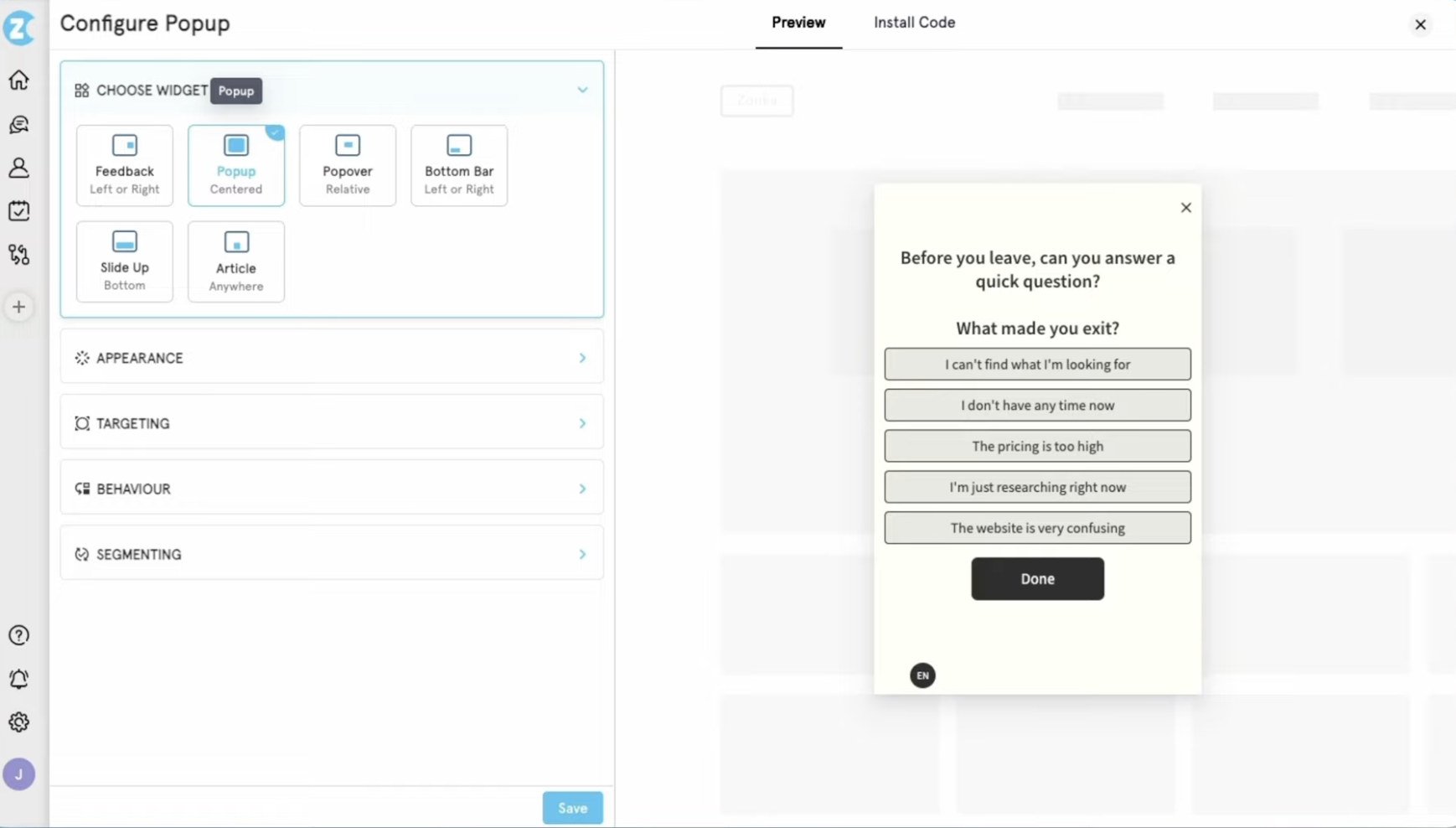
What does Zonka Feedback do?
Zonka is built for feedback programs that stretch across both digital and physical touchpoints. Alongside website, in-product, email, and link surveys, it covers SMS, WhatsApp distribution, kiosks, and offline collection. Its AI Feedback Intelligence layer also pulls together surveys, support tickets, chats, reviews, and other feedback sources for thematic, sentiment, and trend analysis.
Who is Zonka Feedback primarily for?
CX teams working across locations, frontline operations, and digital channels at the same time. Retail, healthcare, hospitality, and other location-based businesses are the obvious fit, especially when feedback still has to work at a counter, on a kiosk, or somewhere with unreliable internet.
What's Zonka Feedback's ease of use?
Reviewers generally find Zonka approachable to set up, which matters given how much ground the platform covers. Building and deploying a straightforward survey program should not be hard to get moving.
The deeper you go into the advanced features, the steeper the learning curve gets. Reviewers specifically mention automation and custom reporting as areas that take more time to learn, and the breadth of available options makes the platform less straightforward once you move beyond the basics.
What's Zonka Feedback's customer support like?
Support is consistently well regarded in reviews. Enterprise customers also get tailored onboarding, personalized training, and priority support, which becomes more useful as the program spreads across teams and locations.
What are the main pros of using Zonka Feedback?
- You can collect feedback in places most digital-first tools barely touch. Kiosks, offline surveys, SMS, and WhatsApp distribution make Zonka useful when the customer journey includes stores, clinics, branches, or other physical locations.
- The analysis does not stop with Zonka surveys. AI Feedback Intelligence can bring tickets, chats, reviews, and other external sources into the same research layer, giving CX teams a broader picture of what customers are saying.
- Responses can move into an actual follow-up process. Case management, alerts, and workflows help turn a poor score into an owned issue instead of another item sitting unnoticed in a dashboard.
What are the main cons of using Zonka Feedback?
- WhatsApp is less native than the label may suggest. Zonka uses Infobip to send the message, and the customer completes the survey through a browser link rather than inside the WhatsApp conversation itself.
- Pricing gets harder to reason about once both product layers are involved. Feedback Management is metered by responses, while AI Feedback Intelligence uses data credits, so the final cost depends on how much you collect and how much you analyze.
- A digital-only product team may end up buying infrastructure it never really uses. Location management, kiosks, offline collection, and messaging channels are valuable in the right environment, but they add little if all feedback already happens inside a web or mobile product.
Pricing
Zonka does not publish a fixed price list. Feedback Management is priced by response volume, while AI Feedback Intelligence uses a separate data-credit model; the two can be purchased separately or bundled.
Capterra currently lists starting points of $199 per month for Feedback Management and $999 per month for AI Feedback Intelligence, and a 14-day trial is available upon a demo call. For a realistic budget, you will still need a custom quote based on the product mix and channels you plan to use.
My hot take: how does Zonka Feedback compare to Survicate?
Zonka is the tool on this list that makes the digital-physical divide feel almost beside the point. A customer can answer on a kiosk in a clinic, receive a survey over SMS after a store visit, or leave feedback online, and the same CX program can still follow what happens next. For organizations with branches, frontline staff, or physical service moments, that is a serious advantage rather than an extra channel on a feature page.
Survicate lives in a more digital world. Website, in-product, mobile, and email feedback sit naturally alongside product and customer-stack integrations, while Research Hub brings surveys together with tickets, calls, reviews, and other evidence for analysis.
If the customer journey already happens mostly on screens, Zonka's offline and location machinery can start to feel like equipment for a problem you do not have.
And that is why I would not treat Zonka as simply “Survicate with more channels.” Its operational aim is quite different. The tool’s breadth becomes justified when feedback has to survive the jump from an app or inbox to a shop floor, clinic, branch, or other physical environment.
Is Survicate right for you? The bottom line
By this point, the pattern should be fairly clear. There is no universally better feedback tool here. Each one becomes more interesting when a particular part of the feedback job starts demanding more attention than the rest.
Which Survicate alternative should you choose?
- Need quantitative research, statistics, or managed panels at enterprise scale? Qualtrics gives you far more research depth, but you pay for it in money, setup, and the people needed to run the platform properly.
- Mostly running general-purpose surveys or buying panel responses? SurveyMonkey covers that ground well. It becomes less straightforward when those surveys need to behave like one connected product-feedback workflow.
- Building studies where complex logic and questionnaire design do the heavy lifting? Alchemer gives researchers more room inside the survey itself. A broader always-on program, however, starts spreading across more parts of its product stack.
- Want a specialized SaaS survey tool close to the product experience? Refiner keeps that job relatively lean. MAU pricing becomes harder to ignore as the user base grows, and analysis remains centered on the surveys Refiner collects.
- Need survey answers to feed straight back into Braze or Iterable? Iterate handles that lifecycle loop unusually well. Its case gets weaker once tickets, calls, reviews, or more operational follow-up become an equally important part of the feedback program.
- Care deeply about exactly when and where feedback appears across websites and apps? Mopinion gives digital teams a lot of control there. Broader multi-source analysis starts pulling you into the wider Netigate ecosystem.
- Collect feedback across stores, clinics, branches, kiosks, or offline environments? Zonka reaches places most digital-first tools do not. That extra infrastructure can be unnecessary weight for a team whose customer journey already happens almost entirely online.
Survicate makes its strongest case when none of those specialist needs has taken over the whole program. You still need serious, high-volume targeting, but across website, in-product, mobile, and email. Responses have to move into the CRM, help desk, analytics, or engagement tools your team already uses.
And once surveys are only part of what customers are telling you, Research Hub can put them beside tickets, calls, reviews, and other evidence instead of leaving every source in its own corner.
That combination is not really a compromise between the tools above. For many digital product and CX teams, it is the job: collect feedback in context, keep it connected to the customer stack, and analyze the wider customer story without graduating to an enterprise research suite or paying according to every active user.
If that sounds suspiciously close to your day-to-day work, the Research Hub side of Survicate is worth a closer look. If one of the specialist problems above is what brought you here, follow that signal instead.
And if you are still narrowing the field, our broader roundup of voice of customer tools and our look at AI survey tools approach the market from two different angles.
FAQ
What actually separates a targeted feedback tool from a basic survey builder?
Context. A basic survey can reach people through a link, email, or another distribution channel. A targeted tool also decides who should see it and when, based on things such as an event, attribute, page, behavior, or cohort. That makes the answer much easier to interpret because you know what the customer was doing when you asked.
How should I weigh pricing models when comparing these tools?
Start with the meter, not the headline price. A cheap-looking plan can become expensive for very different reasons: more seats, more active users, more responses, more pageviews, more channels, or more data analyzed.
- That distinction matters here:Refiner and Iterate can get more expensive as the audience grows, even if survey volume stays modest.
- Alchemer's public Survey plans scale by seat.
- Mopinion adds channel and usage limits into the equation, while Zonka separates response volume from AI data credits.
- Qualtrics is largely quote-based, so the bigger question is what ends up inside the contract.
Before comparing prices, ask what actually makes the bill grow.
What's the most common mistake teams make when replacing a feedback tool?
Replacing the survey and forgetting everything that happens after it. A response can look perfectly organized in a dashboard and still go nowhere. The useful test is whether the right customer context travels with it, whether someone knows they own the follow-up, and whether the response reaches the CRM, help desk, or other system where that work actually happens.
Do I need a separate research repository, or is a survey tool enough?
If most of your evidence comes from surveys, probably not. The reporting and AI inside the survey tool may be enough.
The need appears once the same customer story starts showing up in support tickets, call transcripts, app reviews, chats, and other sources. At that point, somebody has to bring those signals together.
That can be a separate research repository or a feedback-intelligence layer inside the platform, such as Survicate Research Hub. What matters is whether you can investigate those sources together instead of opening five tools and reconstructing the story yourself.
Author's note (last verified: 29 September 2026): Statements such as "best" reflect our opinion and typical use cases, not a universal guarantee. This comparison is based on publicly available information and our best understanding at the time of writing. Vendors may change features, pricing, and packaging without notice. For the latest details, please check the official sources or reach out to the vendor directly.





.svg)

.svg)