GetFeedback Direct will shut down on December 31, 2026, taking its surveys, Salesforce triggers, and historical data with it. SurveyMonkey, which owns GetFeedback, is pointing users toward SurveyMonkey Enterprise. That may be the right move for your CX/CS team. But it may also leave you paying for a larger, more complex platform than your NPS and CSAT program requires.
A forced migration like this one is a rare chance to fix what never quite worked. From what I’ve seen, most teams didn't love everything about GetFeedback. They appreciated the Salesforce connection and tolerated the rest: the custom-quote pricing, the slow support, the roadmap that went quiet years ago.
I'm on the team at Survicate, so my point of view isn't difficult to guess. I'll be specific about where each tool works well, where it falls short, and where Survicate may not be the best fit either.
I compare the tools on the three things that matter most to CX and CS teams leaving GetFeedback: how closely they can recreate its Salesforce workflow, which channels they cover for NPS, CSAT, and CES, and whether important responses reach someone who can act on them. The goal is to preserve the feedback loop without paying for an enterprise suite you'll use a fraction of. The tools below appear in no particular order.
TL;DR
If your GetFeedback program was mostly relational and transactional NPS/CSAT/CES tied to Salesforce, and you don't want to jump into a full enterprise suite, the mid-market feedback platforms on this list cover most of what you actually used.
Here’s the short breakdown before we go deeper with each listed tool.
Why are people leaving GetFeedback?
Most GetFeedback Direct users are leaving for the same reason: SurveyMonkey has made the decision for them. The Salesforce-native product for relational and transactional NPS, CSAT, and CES will be retired on December 31, 2026.
The names require a quick untangling. GetFeedback Digital, the website and in-app feedback product formerly known as Usabilla, is staying. Teams that use only Digital are unaffected; this guide is for Direct users.
The pattern is familiar in software. A focused product gets acquired, the acquirer underinvests, and the tool eventually gets folded into the bigger platform. SurveyMonkey acquired GetFeedback already back in 2019 but kept it mostly separate. Existing users could carry on much as before; the less fortunate consequence was a roadmap that barely moved.
Now the recommended exit is SurveyMonkey Enterprise, a platform that isn't Salesforce-native, which is awkward given that the native Salesforce connection was the whole reason many teams picked GetFeedback in the first place.
There were reasons to look around even before the sunset. Reviews on G2 and Capterra repeatedly mention the cost of adding Salesforce, the lack of public pricing, and long waits for support. Here's a real one from a Capterra reviewer in IT services who summed up the pricing gripe plainly: it gets "very expensive if you want to have the Salesforce connection."
How I did this review
My aim in this review is to show what each tool was built for, where it begins to strain, and which ones deserve a place on your shortlist before the clock runs out.
What I looked for
I focused on the questions that will determine how much of your current workflow survives the move:
- Salesforce fit. Whether the tool lives natively inside Salesforce or connects from the outside, and which parts of your GetFeedback workflow you can rebuild.
- Channel coverage. Whether the tool runs NPS, CSAT, and CES across email, web, in-app, and mobile, not just one lane.
- Closing the loop. Whether feedback routes back into your CRM and triggers action, or just sits on a dashboard.
How I validated the claims
I checked feature, integration, and pricing claims against each vendor’s own documentation. For the less tidy part, i.e. what the tool is like to live with, I read reviews on G2 and Capterra, and followed relevant Reddit discussions. Where relevant, I also drew on our in-house testing of competitor products and insights from documented sales calls. When a vendor puts pricing behind a sales call, I say so. Any numbers from third-party sources are clearly marked as estimates.
How 7 feedback tools compare after GetFeedback
I chose these seven tools for CX and CS teams moving a multichannel, Salesforce-powered feedback program out of GetFeedback Direct. They cover different versions of that workflow, so the best fit depends on how your team collects feedback and what needs to happen in Salesforce afterward. For each tool, I cover what it does, who it's for, ease of use, support, pros and cons, pricing, and a hot take on how it holds up for a team migrating a Salesforce-connected NPS/CSAT/CES program.
Survicate
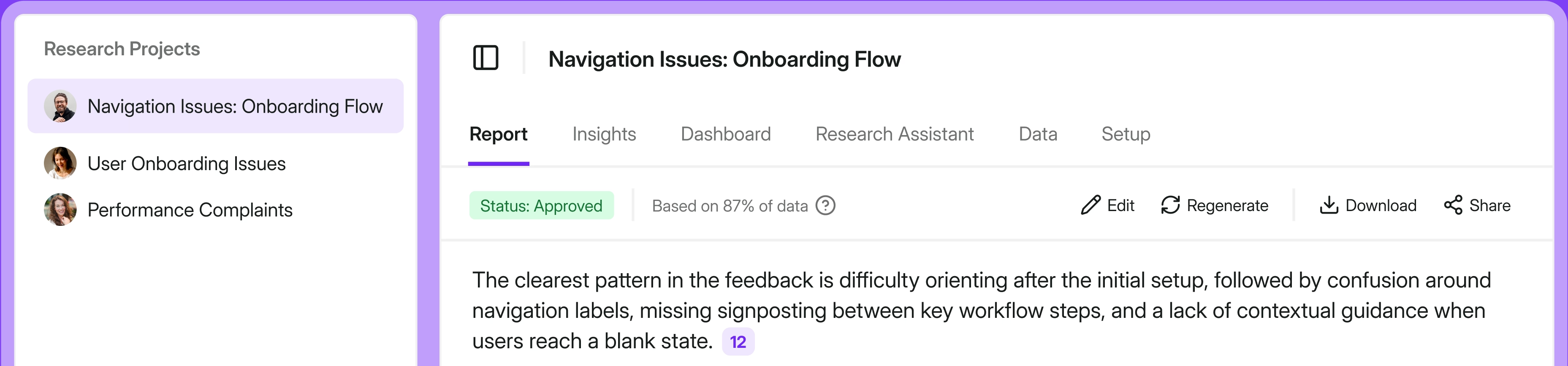
Survicate is built for running multichannel NPS, CSAT, and CES programs that stay connected to the CRM and other tools a CX team already uses.
What does Survicate do?
Survicate is a customer feedback platform that helps teams collect, analyze, and act on feedback across the customer journey. You can run NPS, CSAT, and CES surveys across email, link, website, in-product, and mobile app, then send the results into your CRM and the rest of your stack. On the analysis side, its AI research repository, Research Hub, brings feedback from multiple sources together, detects recurring themes, and lets you explore it using natural language. If an NPS score falls, for example, you can look at the comments from that customer segment and see which problems keep returning.
For GetFeedback Direct users, the relevant part is what happens after the response comes in. Survicate maps survey answers to fields across standard and custom Salesforce objects, so an NPS or CSAT score can update a Contact, Account, or Case and feed segmentation, routing, and reporting rather than sitting in a separate tool.
Who is Survicate primarily for?
Customer experience and customer success teams at B2B SaaS, digital product, and ecommerce companies that want continuous NPS/CSAT/CES feedback connected to their CRM and product stack. Marketing and CRM teams running lifecycle feedback fit the same profile.
What's Survicate's ease of use?
This is a consistent strength in reviews. On G2, Survicate scores highly for ease of use and ease of setup, and reviewers repeatedly describe getting onboarded in minutes. Surveys can be built from 400+ templates, an 800+ question library, or generated with AI, with no developer needed for standard web and email surveys.
What's Survicate's customer support like?
Support is another recurring positive. Survicate offers human live chat, with 97% satisfaction rate and a 2-minute first response time. For a team leaving GetFeedback partly because of slow support, that's a meaningful contrast.
What are the main pros of using Survicate?
- Multichannel by default. NPS, CSAT, and CES run across web, in-app, email, link, and mobile from one platform.
- Strong CRM and stack sync. Field mapping to standard and custom Salesforce objects, plus native integrations with HubSpot, Intercom, Zendesk, and more.
- AI analysis built in. Research Hub centralizes feedback and surfaces themes, with natural-language querying.
- Fast setup and human support, with pricing published up front.
What are the main cons of using Survicate?
- Not Salesforce-native. It connects from the outside, so you will not see its dashboards or manage the survey program inside the Salesforce interface.
- The Salesforce integration supports Sales Cloud only, so Service Cloud teams won't get the same connection.
- No built-in case management. Even with capable native integrations, you manage assignments and follow-up in the connected tools rather than in Survicate.
Pricing
Survicate pricing starts at $56/month on the Growth plan. There's a free plan, and a free trial that includes all pro-level features. Higher tiers (Pro and Enterprise) add deeper integrations, dashboards, and enterprise controls. The Salesforce integration is available from the Pro plan, priced at $349/month.
My hot take: how does it compare to GetFeedback?
For a CX or CS team that ran NPS, CSAT, or CES through GetFeedback and cared most about multichannel delivery plus a live CRM connection, Survicate can handle much of the same work. It also adds product and mobile surveys, along with Research Hub for analyzing feedback from multiple sources.
I see us as one of the strongest fits for teams whose feedback program spans product, web, mobile, and email, with Salesforce connecting the results to customer records. However, Survicate won’t be the right fit for every team. The main compromise is that it does not live inside Salesforce.
If your automation relied heavily on the Salesforce interface or Service Cloud, it will not recreate the same native setup. For most multichannel feedback programs, though, the broader reach and analysis capabilities make that trade well worth considering.
SurveyMonkey (Enterprise)
SurveyMonkey’s Enterprise plan is the default migration path GetFeedback pushes you toward, which is exactly why it deserves a hard look rather than an automatic yes.
What does SurveyMonkey do?
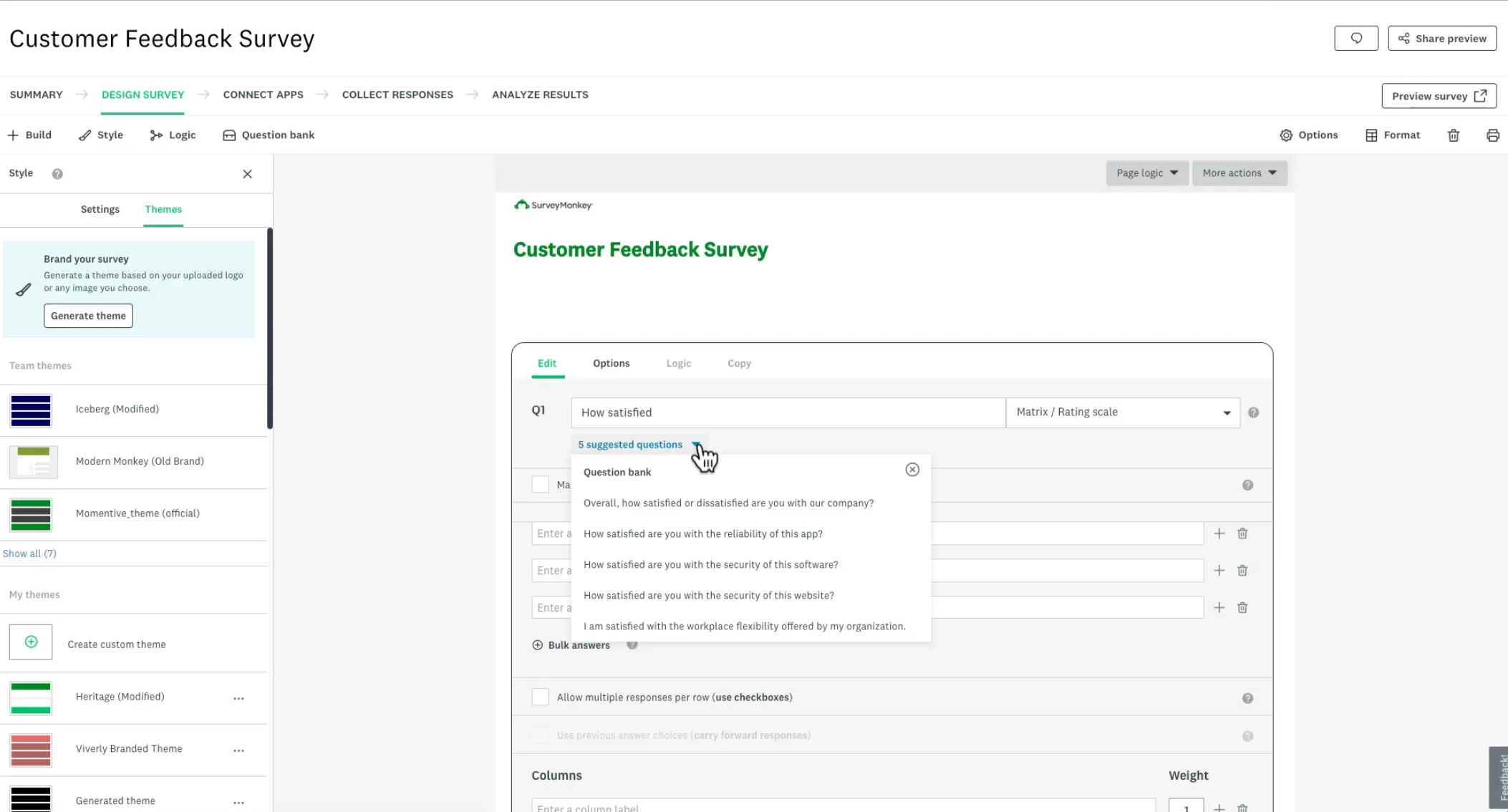
SurveyMonkey is one of the more popular survey platforms, covering market research, customer experience, and employee experience. It supports NPS, CSAT, and other surveys across email, links, websites, and mobile devices. You also get a large question bank and access to a respondent panel, so you can buy responses for research projects.
SurveyMonkey Enterprise is the version offered to migrating GetFeedback customers. It adds more advanced research tools, over 200 integrations, and HIPAA compliance.
Who is SurveyMonkey primarily for?
SurveyMonkey suits organizations whose survey needs extend beyond customer feedback into market research, employee experience, and other use cases. Companies that want to consolidate survey work spread across several teams can bring it onto one platform with SurveyMonkey Enterprise.
What's SurveyMonkey's ease of use?
The experience is mixed. Basic surveys are easy enough to build, but reviewers say the interface can become cluttered and feel dated. If your team is used to GetFeedback’s cleaner builder, this may be one of the first differences you notice.
What's SurveyMonkey's customer support like?
Support draws a fair share of complaints. TrustRadius reviewers ask for live support inside the product and faster responses. Some also describe the company’s approach to refunds and contracts as rigid.
What are the main pros of using SurveyMonkey?
- Broad question types and templates to cover customer feedback and more formal research in the same platform. Wide channel coverage, including email, web links and QR codes, website embeds and pop-ups, SMS, mobile SDK, and offline kiosk surveys.
- The Salesforce integration can trigger surveys from record changes, map responses back to Salesforce, and feed reports, dashboards, and follow-up automations.
What are the main cons of using SurveyMonkey?
- It does not recreate GetFeedback Direct’s in-Salesforce experience. SurveyMonkey can push responses into Salesforce, but survey setup stays in SurveyMonkey and operational follow-up still depends on Salesforce Flows or another connected tool.
- Product feedback is possible, but targeting is fairly basic compared with feedback-first tools built around product events and user attributes.
- Some capabilities depend on where your data is stored. SMS requires the US data center, while the Mobile SDK and Salesforce Lightning Flows and Components are unavailable in the European data center.
Pricing
SurveyMonkey presents Enterprise as the migration option for GetFeedback Direct customers, and pricing is available only by quote. Third-party buyer (SpendHound) data reports average annual SurveyMonkey spend around $5,000 for SMBs and around $40,000 for enterprise organizations.
My hot take: how does it compare to GetFeedback?
SurveyMonkey Enterprise may look like the easiest answer because it is the one SurveyMonkey is offering you. For me, its strongest argument is consolidation. If several teams already use SurveyMonkey for customer feedback, employee surveys, or market research, bringing that work onto one Enterprise platform can make sense.
I would be more cautious if your main job is rebuilding a Salesforce connected NPS, CSAT, or CES program. The native GetFeedback setup does not carry over, and you may end up paying for research capabilities your team rarely uses. In that situation, compare SurveyMonkey with lighter feedback tools before accepting the default route. We also have a separate list of survey tools that connect with Salesforce.
Qualtrics
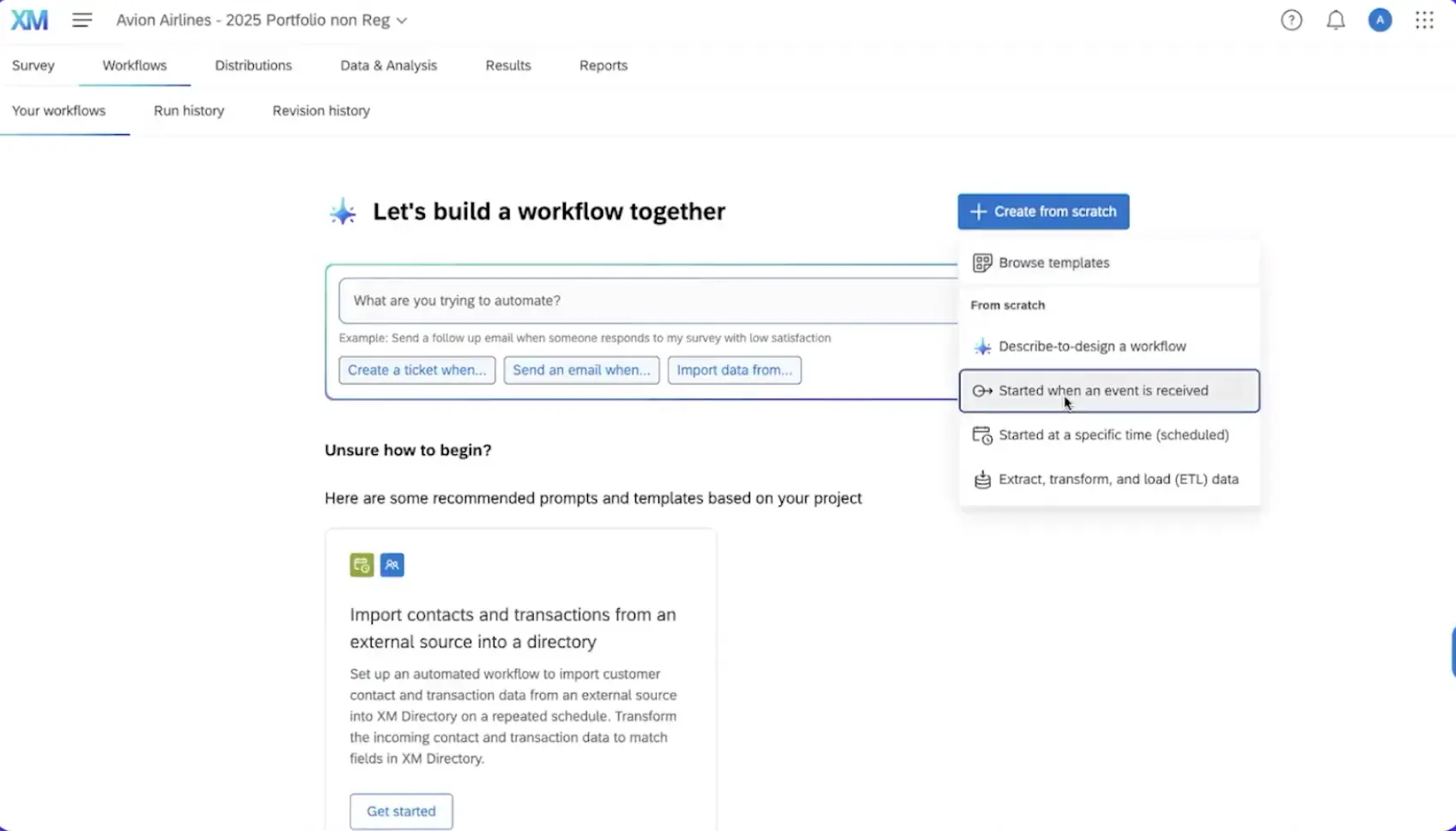
Qualtrics covers customer, employee, brand, and product experience. Its survey tools include advanced logic, statistical analysis, and text analysis. If you are replacing GetFeedback, the customer experience product is the part to examine. It can run NPS and CSAT programs, connect results with Salesforce, and feed them into follow up workflows. All of that sits inside a much broader platform designed for complex research and experience management programs.
What does Qualtrics do?
Qualtrics is the enterprise option on this list, built for organizations that need much more than a straightforward NPS or CSAT program. There is also a direct parallel here: Qualtrics has already retired Delighted, another focused feedback tool, while SurveyMonkey is retiring GetFeedback.
Who is Qualtrics primarily for?
Qualtrics is primarily for large enterprises with dedicated CX, research, or operations teams running complex programs across several markets. It also suits academic research teams that need advanced study design and statistical analysis.
What's Qualtrics's ease of use?
Qualtrics takes time to learn. Reviewers on Reddit and G2 often call it the gold standard for enterprise and academic research, but also warn that it can be overkill for smaller projects. Several say you need a dedicated researcher to use it well.
What's Qualtrics's customer support like?
Qualtrics provides implementation support for the rollout. Onboarding can take weeks, and the cost reflects a much more involved setup than you would get with a lighter survey tool.
What are the main pros of using Qualtrics?
- The deepest analytics on this list, including cross-tabs, significance testing, and text analysis.
- Broad compliance coverage such as HIPAA and FedRAMP for regulated industries and public-sector programs.
- Respondent panels and tools for running complex research projects across multiple markets.
What are the main cons of using Qualtrics?
- The Salesforce integration is capable but takes work to configure. Response mapping must be set up for each survey, while triggers, email surveys, and response mapping depend on your Qualtrics license.
- Multichannel coverage can add cost and implementation work. SMS is an add-on, while in-app feedback requires the Mobile App SDK and developer involvement.
- Closing the loop adds real admin overhead. Ticket owners need Qualtrics accounts, and someone has to maintain permissions, queues, routing rules, and workflows.
Pricing
Qualtrics CX pricing is quote based. The public Strategic Research license starts at $420 per month billed annually, but it is a research product rather than a comparable price for replacing GetFeedback. Marketplace data puts the median Qualtrics contract near $30,000 per year.
My hot take: how does it compare to GetFeedback?
Qualtrics is the most capable platform here. For a large enterprise running complex feedback and research programs across many markets, its depth can justify the price. If your CX or CS team wants to track NPS and CSAT, connect results to Salesforce, and act on detractors, Qualtrics can certainly do the job. But if your feedback program does not span multiple departments, markets, and research use cases, the cost and complexity will be hardly possible to justify. You would be bringing in an enterprise research platform for a relatively straightforward feedback workflow.
A more focused platform will be easier to implement and run, and probably won’t blow your budget either. The Delighted shutdown makes that decision harder. If GetFeedback has already forced your team into a migration, moving to a vendor that is closing its own lighter feedback tool and steering customers toward a much larger platform is a hard sell.
SurveySparrow
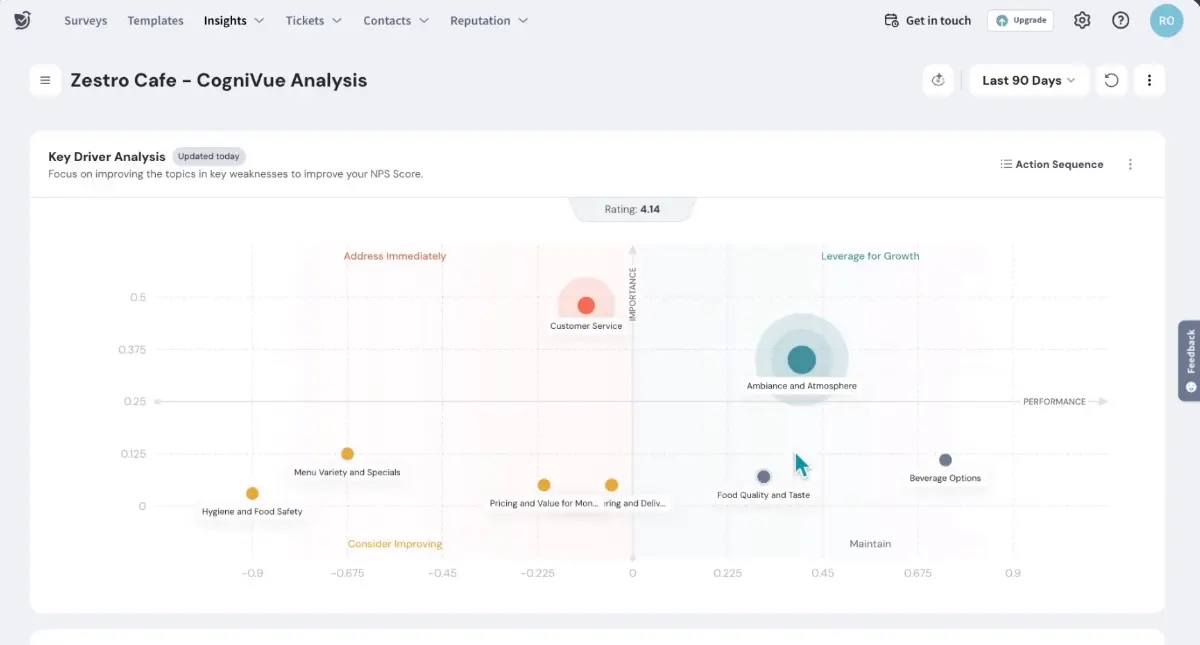
SurveySparrow is a well-rounded CX platform that has aggressively courted GetFeedback customers, with a conversational survey style as its calling card.
What does SurveySparrow do?
SurveySparrow runs NPS, CSAT, and CES programs across email, SMS, websites, and products. Its surveys can present questions one at a time in a format that resembles a chat, which is intended to improve completion rates. The platform also includes case management and reputation management, plus an AppExchange app that connects SurveySparrow with Salesforce.
Who is SurveySparrow primarily for?
SurveySparrow is primarily for small and mid-size CX teams that want to collect feedback across several channels, then close the loop inside SurveySparrow through built-in ticket management. Its conversational surveys are particularly relevant when response and completion rates are a priority.
What's SurveySparrow's ease of use?
G2 reviewers often praise the intuitive builder and quick deployment. Some find it less flexible for complex surveys, however, and say the more advanced settings take time to learn.
What's SurveySparrow's customer support like?
Feedback on support is mixed. SurveySparrow receives decent support scores in G2 comparisons, but some reviewers say the answers they receive miss the point of the question.
What are the main pros of using SurveySparrow?
- Broad channel mix that covers email, SMS, WhatsApp, web, and in-app feedback.
- Built-in ticket management gives negative feedback an owner and a status instead of leaving it on a dashboard.
- The AppExchange app can rebuild event-triggered CSAT and NPS workflows and map scores back to Salesforce without custom middleware.
What are the main cons of using SurveySparrow?
- It does not preserve GetFeedback’s in-Salesforce operating model. The survey program still lives in SurveySparrow, while response mapping requires Salesforce Site, Apex, webhook, and field-mapping work.
- Native ticket management creates a second place for follow-up if your service team already works in Service Cloud. Keeping the loop in Salesforce means rebuilding it with Salesforce cases and flows.
- The public survey prices do not describe a Salesforce-connected, multichannel CX deployment. The Salesforce app is a paid per-user add-on, while SMS and WhatsApp require messaging-provider setup.
Pricing
With annual billing, SurveySparrow’s Basic, Starter, and Business plans begin at $19, $39, and $79 per month. These entry prices cover the lowest response limits; choosing the largest allowance can raise the price up to $275 per month. Enterprise and the separate CX Suite require a custom quote.
My hot take: how does it compare to GetFeedback?
SurveySparrow is a credible option if the move away from GetFeedback is also a chance to change how your team works. It covers a broad mix of channels, and the conversational format is useful when getting people to finish surveys is part of the problem. Built-in ticket management can then give each low score an owner without sending it to another system.
Where I pause is Salesforce. The AppExchange app can trigger surveys from Salesforce events and send responses back, but it does not recreate GetFeedback’s in-Salesforce setup. The survey program stays in SurveySparrow, and response mapping takes real Salesforce admin work. A Service Cloud team may end up with a second follow-up queue or have to rebuild cases and flows to keep that work in Salesforce.
I would shortlist SurveySparrow if SMS or WhatsApp matter, you want follow-up built into the survey platform, and your team is comfortable using SurveySparrow day to day. I would be more cautious if Salesforce must remain the one place where surveys are monitored and detractors are handled.
Zonka Feedback
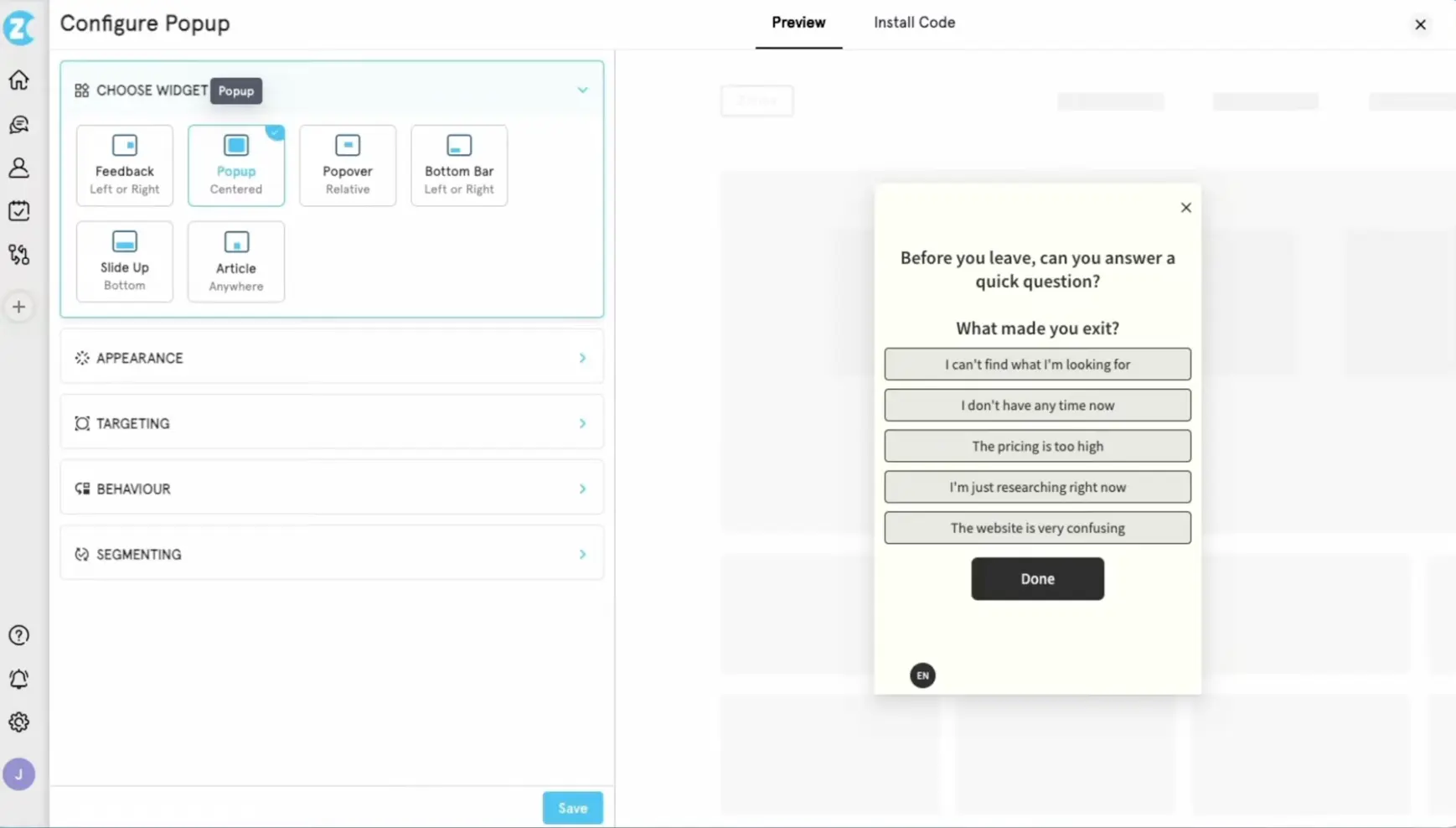
Zonka Feedback is one of the closest GetFeedback alternatives for teams that need both broad channel coverage and a Salesforce AppExchange app. Zonka has also built a migration offer specifically for GetFeedback Direct customers.
What does Zonka Feedback do?
Zonka Feedback runs NPS, CSAT, and CES surveys through email, SMS, WhatsApp, websites, products, kiosks, and offline channels. Its Salesforce AppExchange app can trigger surveys and sync scores back into Salesforce. The platform also includes case management, reputation management, and AI Feedback Intelligence for identifying themes and sentiment.
Who is Zonka Feedback primarily for?
Zonka Feedback is primarily for CX and VoC teams that collect feedback across both digital and physical touchpoints, including multi-location and frontline operations. It is particularly relevant to teams that want to keep survey triggers and follow-up inside Salesforce. If you're comparing several platforms in this category, our overview of voice of the customer tools is a useful companion read.
What's Zonka Feedback's ease of use?
Reviewers generally find the survey builder easy to use and praise its survey logic. The more advanced configuration is less immediate, so expect to spend some time with the documentation.
What's Zonka Feedback's customer support like?
Support receives generally positive reviews. Users often mention quick responses, and some say the team helped them with custom feature requests.
What are the main pros of using Zonka Feedback?
- The widest channel coverage here, including SMS, WhatsApp, kiosk, and offline.
- A Salesforce AppExchange app that can trigger surveys and sync scores back.
- AI analysis for themes and sentiment, plus case management for assigning and tracking follow-up.
What are the main cons of using Zonka Feedback?
- Pricing is quote-based only.
- Advanced setup takes more work because of the platform’s breadth.
- Digital CX teams may not need the capabilities that distinguish Zonka from lighter feedback tools.
Pricing
Zonka Feedback does not publish fixed plan prices. Feedback Management and AI Feedback Intelligence are both quote-based, with pricing tied to response volume for the former and data credits for the latter. The two products can also be bundled. TrustRadius places Zonka’s pricing between $199 (Feedback Management) and $999 (AI Feedback Intelligence) per month. These are not official prices, however, so treat them as a rough benchmark.
My hot take: how does it compare to GetFeedback?
Zonka Feedback comes closer to GetFeedback Direct than most tools on this list, especially if your program depends heavily on Salesforce and also uses SMS, WhatsApp, kiosks, or offline surveys. Its AppExchange app can trigger surveys and return scores to Salesforce. That is a closer match to GetFeedback’s setup than a basic connector.
Before you commit, ask Zonka to show you how it would rebuild your Salesforce objects, triggers, and follow-up workflows. Also check how many of its extra channels and frontline features your team would actually use. They add less value if most of your feedback comes through web, product, mobile, and email.
The price needs the same scrutiny. Pricing is quote-based, and costs rise with volume, and AI usage needs. You would need to book a demo, and map the channels, response volume, and analysis features you need before assuming Zonka will offer a simpler or cheaper way out of GetFeedback.
AskNicely
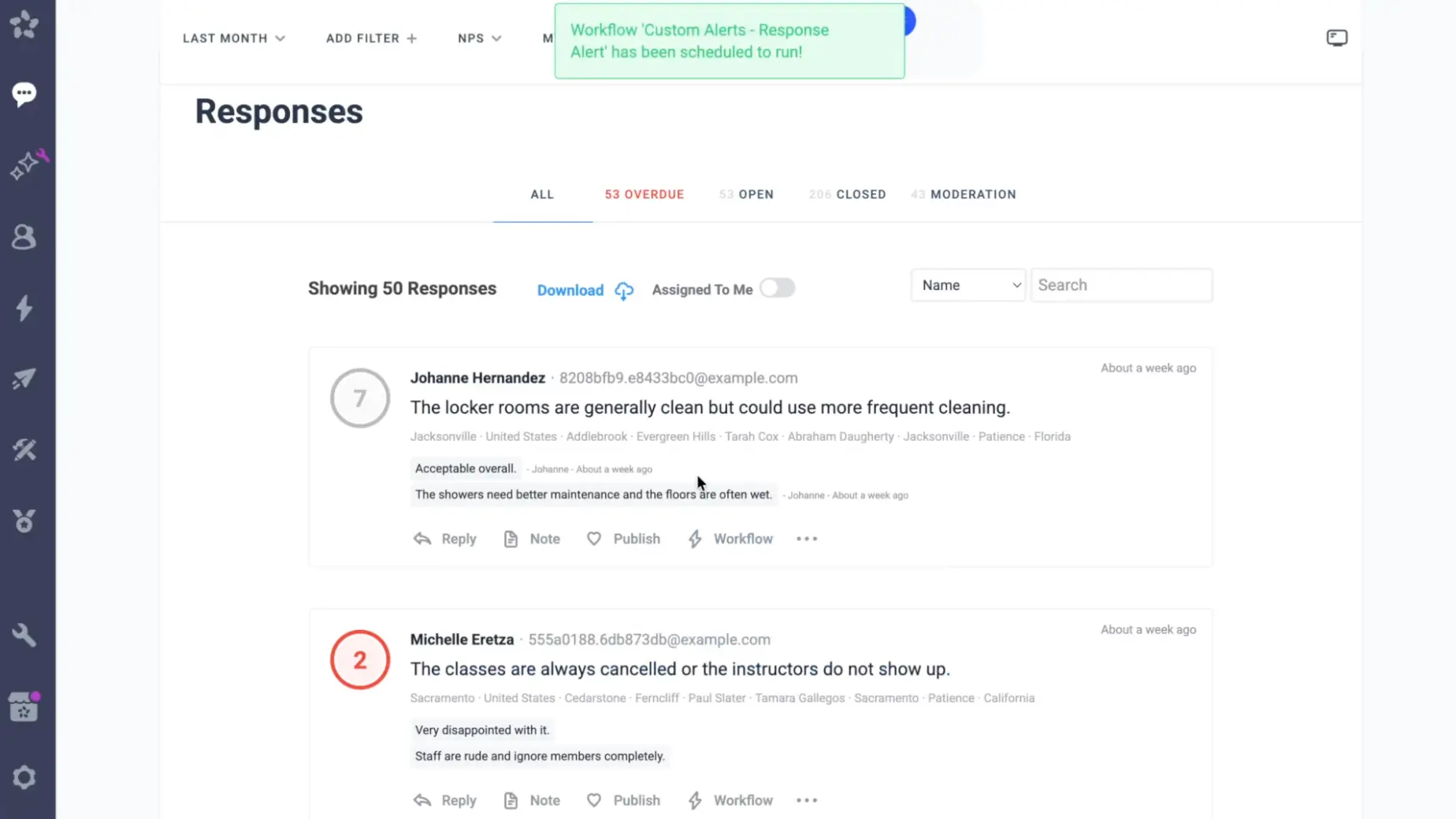
AskNicely is built for service teams that want feedback to change what happens on the frontline. It brings NPS, CSAT, and CES into the daily work of managers, who can follow up with customers and coach their teams around what they hear.
What does AskNicely do?
AskNicely collects NPS, CSAT, CES, and 5-star ratings through email, website surveys, and SMS. The results feed into team analytics, goals, and recognition features for frontline staff. Its Salesforce integration uses an AppExchange managed package, allowing managers to view feedback on Salesforce records and teams to trigger surveys through Salesforce Flow.
Who is AskNicely primarily for?
AskNicely is primarily for multi-location service businesses in hospitality, healthcare, and other frontline industries. It fits teams that want managers to use customer feedback to coach employees, recognize strong performance, and follow up when a location or team falls short.
What's AskNicely's ease of use?
Reviewers generally find the setup quick and the interface easy to use on mobile. Some say, however, that sending surveys still involves extra steps or CSV uploads.
What's AskNicely's customer support like?
Support is definitely not a weak spot, but it does draw some criticism. Some G2 reviewers describe chat support as understaffed or slow, especially for teams in different time zones.
What are the main pros of using AskNicely?
- Built-in case management and coaching help frontline managers follow up with customers and improve team performance.
- The AppExchange managed package puts feedback on Salesforce records and supports survey triggers through Salesforce Flow.
- Email, SMS, WhatsApp, QR code, and mobile app surveys provide strong multichannel coverage.
What are the main cons of using AskNicely?
- It is not a Salesforce-native successor to GetFeedback Direct. AskNicely remains a separate platform.
- In-app and white-label surveys are limited to the highest plan.
- The entry plan offers only simple case management. Assigning responses and managing advanced cases requires a higher, quote-based plan.
Pricing
You need to book a demo to get any number, and your account is created only after you sign. However, its own blog materials list prices of $449 per month for Learn, $849 for Grow, and $999 for Transform, all billed annually. Pricing scales with response volume, and additional charges apply if you exceed your plan’s response limit.
My hot take: how does it compare to GetFeedback?
AskNicely can run the multichannel NPS, CSAT, CES, and 5-star program a GetFeedback team needs. Several tools on this list can. What AskNicely does unusually well is give each poor response somewhere to go: a manager can pick it up, follow it through to resolution, and later use the same feedback in a coaching conversation. The score has an owner.
The Salesforce integration restores some of the old GetFeedback experience. Feedback can appear on customer records, and Salesforce Flow can trigger surveys. But the program is still run in AskNicely. For a team leaving GetFeedback Direct, that means replacing one native setup with two connected systems.
I would shortlist AskNicely for a service business where branch or frontline managers will genuinely own the follow-up. For a central or digital-first CX team, the packaging is less convincing: in-app surveys arrive alongside frontline coaching, and the price could be hard to defend if the team has no use for the coaching layer.
Retently
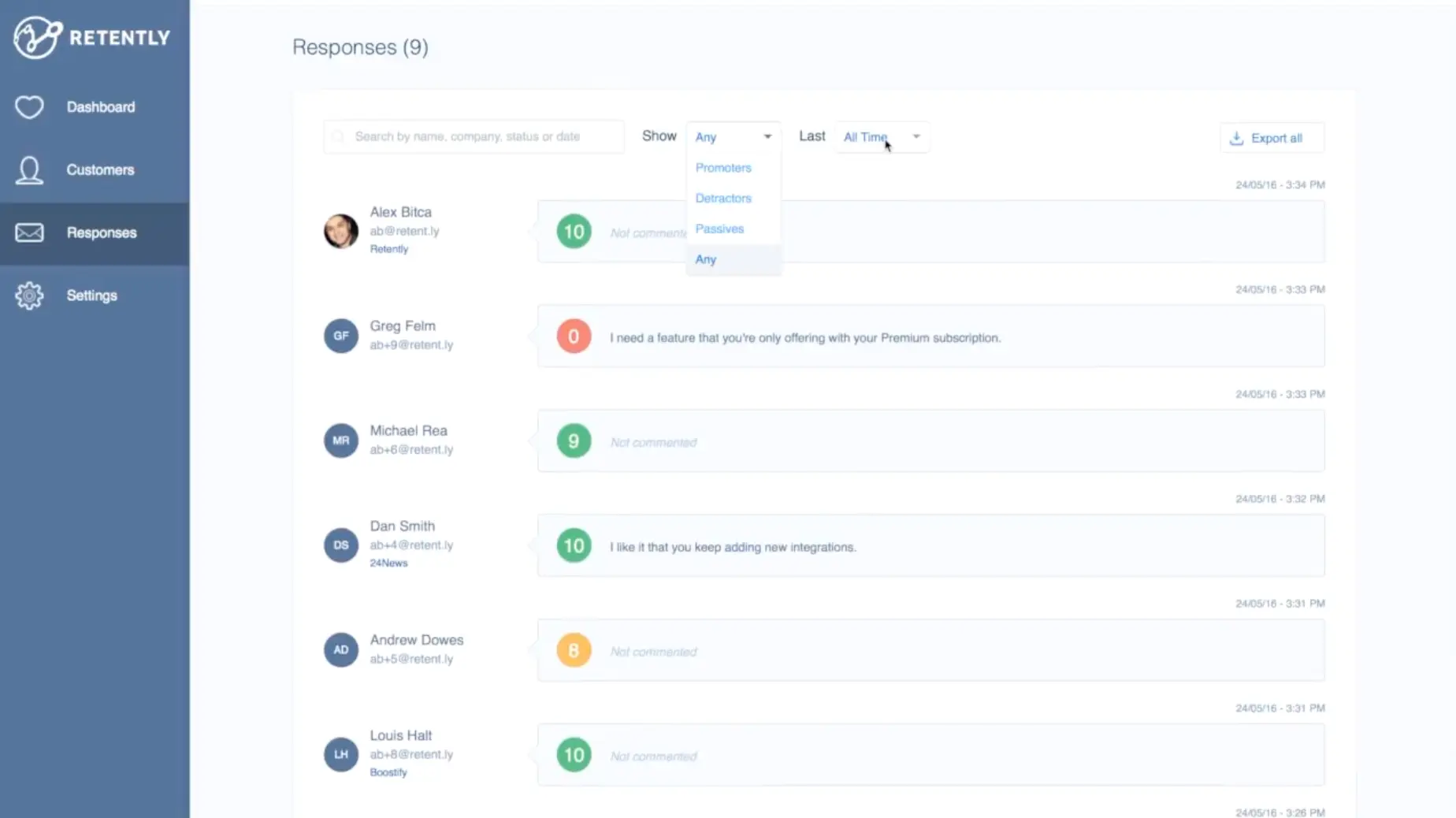
Retently is the most focused NPS/CSAT/CES automation tool here, with a reputation for support and set-and-forget programs.
What does Retently do?
Retently lets you schedule relationship surveys and trigger transactional NPS, CSAT, or CES surveys after an event. Surveys can go out by email, in-app, SMS, or link. On Enterprise, its direct Salesforce integration can trigger surveys from CRM events and write scores and comments back to customer records. Low scores can then be routed to whoever should follow up. It is designed to keep the same feedback programs running continuously, rather than support a stream of one-off surveys.
Who is Retently primarily for?
Retently is primarily for B2B SaaS and ecommerce teams that run automated NPS, CSAT, or CES programs and want the results to feed into a CRM like HubSpot, Salesforce, or Pipedrive.
What's Retently's ease of use?
Reviewers often say they had their first program running within a day or two. They also describe the reporting dashboard as clean and easy to navigate.
What's Retently's customer support like?
Customer support is one of the most frequently praised parts of Retently. G2 and Capterra reviewers mention very fast live-chat replies and a team that helps with more than basic troubleshooting.
What are the main pros of using Retently?
- Recurring and event-triggered surveys across email, web in-app, SMS, and link make Retently well suited to continuous NPS, CSAT, and CES programs.
- Its two-way Salesforce integration can trigger surveys from CRM events and write scores and comments back to customer records, avoiding manual exports.
- Alerts, auto-replies, and follow-up assignments keep detractors from sitting in a dashboard.
What are the main cons of using Retently?
- The survey builder remains centered on NPS, CSAT, and CES. You can add follow-up questions, but it is not a flexible research tool.
- The Salesforce integration requires Enterprise, so GetFeedback teams cannot price the closest setup without speaking to sales.
- There is no mobile SDK, so you will need another tool for surveys inside a native mobile app.
Pricing
Retently publishes separate options for ecommerce and B2B businesses. Its public plans are priced at $99-100/month for Basic and $299/month for Pro, with a 10% discount on annual billing. Enterprise pricing is custom. Salesforce is sold as an add-on to Pro, so a Salesforce-connected setup starts at $399 per month and scales with survey volume.
My hot take: how does it compare to GetFeedback?
Retently is a clean migration only if your GetFeedback program was narrow to begin with. If most of the work involved sending recurring email NPS or post-interaction CSAT surveys, syncing the scores with your CRM, and alerting someone when a customer was unhappy, Retently can recreate that loop without pulling you into an enterprise research suite. The catch for Salesforce-based teams is price: the integration is a Pro add-on, so a connected setup starts at $399 per month and scales with survey volume.
Retently might be a valid replacement for the program you run today, but perhaps not the one you will need in a year or two. Once the product team wants to run research, marketing needs a different type of survey, or the team asks for feedback inside the native mobile app, you will need another tool.
I would shortlist Retently if the brief really is: automate NPS, CSAT, and CES, keep Salesforce updated, and make sure detractors reach the right person. If the team expects the platform to support a broader VoC program over time, I would say: keep looking. Retently’s simplicity remains an advantage only for as long as your program stays within those boundaries.
Which GetFeedback alternative is right for you? The final verdict
The worst outcome is defaulting to SurveyMonkey Enterprise simply because it's the path in front of you, then discovering you've taken on a heavier, pricier platform that still isn't Salesforce-native. So I strongly suggest spending whatever time you have matching a tool to how your team actually works.
The through-line across every tool here is the same question GetFeedback answered for you: does feedback stay connected to the systems where your team takes action? A score on a standalone dashboard is a report. A score that updates a Salesforce record, routes a detractor, and triggers a follow-up is a feedback loop. That loop, not the survey itself, is what you're really replacing.
Which GetFeedback alternative should you choose?
- For multichannel NPS/CSAT/CES tied to your stack, without enterprise overhead: Survicate is a fit, especially if your feedback spans web, in-app, and email and needs to reach Salesforce, HubSpot, or Intercom. It can be less suitable if most of your feedback program runs inside Salesforce itself.
- For teams already standardized on SurveyMonkey elsewhere: SurveyMonkey Enterprise makes consolidation sense, as long as you accept the connector-based Salesforce setup.
- For large enterprises with dedicated CX teams and complex research: Qualtrics has the depth, if you can absorb the cost and setup.
- For teams that care most about conversational surveys and messaging channels such as SMS or WhatsApp: SurveySparrow is worth considering.Just don’t expect it to feel like GetFeedback inside Salesforce.
- For Salesforce-heavy programs that also span SMS, WhatsApp, kiosks, or offline surveys: Zonka Feedback comes closer to GetFeedback than most tools here, provided you will use that breadth and can justify the volume-based pricing.
- For multi-location service businesses that want to turn NPS into frontline coaching, goals, and recognition: AskNicely, but only if managers will use those features regularly.
- For a narrow, automated relationship NPS/CSAT tied to Salesforce: Retently, if you don't need broad survey types or native mobile surveys and expect the program to stay focused.
Survicate won't be the right fit for everyone: here's when you should pick someone else
I work at Survicate, so my preference is obvious. But an honest comparison also means being clear about where another tool may fit better. Depending on how your GetFeedback program works, some other tool may better suit your needs.
If your GetFeedback program lives deep inside Salesforce, with automation managed in the Salesforce UI, custom-object logic, and a Service Cloud footprint, Survicate isn't your closest match. Our integration connects Survicate to Sales Cloud, however it does not place the product inside Salesforce or add a Survicate dashboard to its interface.
Zonka Feedback is the first option I would investigate in this case because it has a Salesforce AppExchange app. That gives it a head start, but not necessarily a guarantee that it can recreate your existing setup. So, before signing, I would ask Zonka to show me how it would handle objects, triggers, and follow-up workflows.
Choose AskNicely when branch or location managers are expected to use NPS for coaching, employee goals, and recognition. That is the job its product is designed around. If you need enterprise-grade research, with cross-tabulation, significance testing, or heavy governance out of the box, Qualtrics is built for that and we aren't. And if your program is a tightly scoped, automated relationship NPS loop over email, with no need for in-product or mobile surveys, Retently does that one job cleanly.
FAQ
Is GetFeedback actually shutting down, or just changing?
GetFeedback Direct, the Salesforce-native product for relational and transactional NPS/CSAT/CES, is being retired on December 31, 2026. GetFeedback Digital, the website and in-app feedback product formerly called Usabilla, is continuing under the GetFeedback name. If you run Direct, you need to migrate before the deadline.
What should I do with my GetFeedback data before the deadline?
Export your historical response data first, before anything else. Once the platform shuts down, that data can't be recovered, and it's the one thing you can't rebuild later. Do it early, not in the final week when support queues are longest.
Do I have to move from GetFeedback to SurveyMonkey Enterprise?
No. It's the recommended path, not a requirement. Because SurveyMonkey Enterprise isn't Salesforce-native, you'll be rebuilding your Salesforce workflows either way, so it's worth evaluating alternatives that fit your actual program before you commit.
What's the most important thing to look for in a GetFeedback replacement? Whether feedback stays connected to the systems where your team acts. Prioritize the depth of the CRM connection, the channels you actually use, and whether scores can trigger follow-up automatically. A tool that only collects responses recreates the least valuable part of what you had.
Author's note (last verified: 19 August 2026): Statements such as "best" reflect our opinion and typical use cases, not a universal guarantee. This comparison is based on publicly available information and our best understanding at the time of writing. Vendors may change features, pricing, and packaging without notice. For the latest details, please check the official sources or reach out to the vendor directly.


.webp)
.webp)
.svg)

.svg)