



Most CX team measures satisfaction across the journey. Far fewer close the loop on a single bad score.
Survicate is a Voice of Customer platform that integrates with Zendesk in both directions:
Feedback out: when a ticket closes, Zendesk sends the customer a Survicate survey, and the answer goes back to the ticket.
Feedback in: Zendesk tickets flow into Survicate, where they sit next to survey responses and 15+ other feedback sources.
We looked at how Survicate's Zendesk customers use the integration, with a focus on our B2C Consumer Apps & Software segment, and at what scale.
The numbers below cover all Zendesk x Survicate customers from November 2025 to October 2026.
Every Voice of Customer program runs two loops.
Survicate's Zendesk integration covers both:
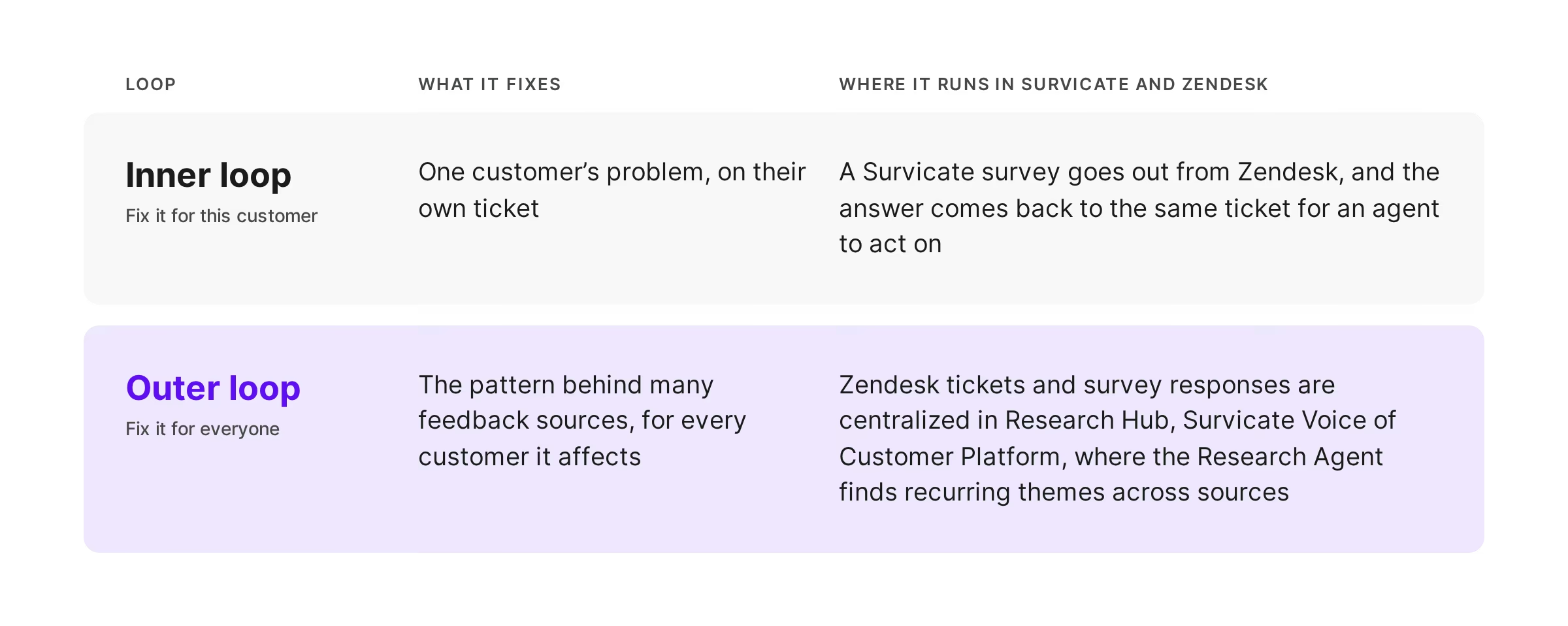
The inner loop closes a ticket well. The outer loop makes sure the same ticket doesn't come back next month.

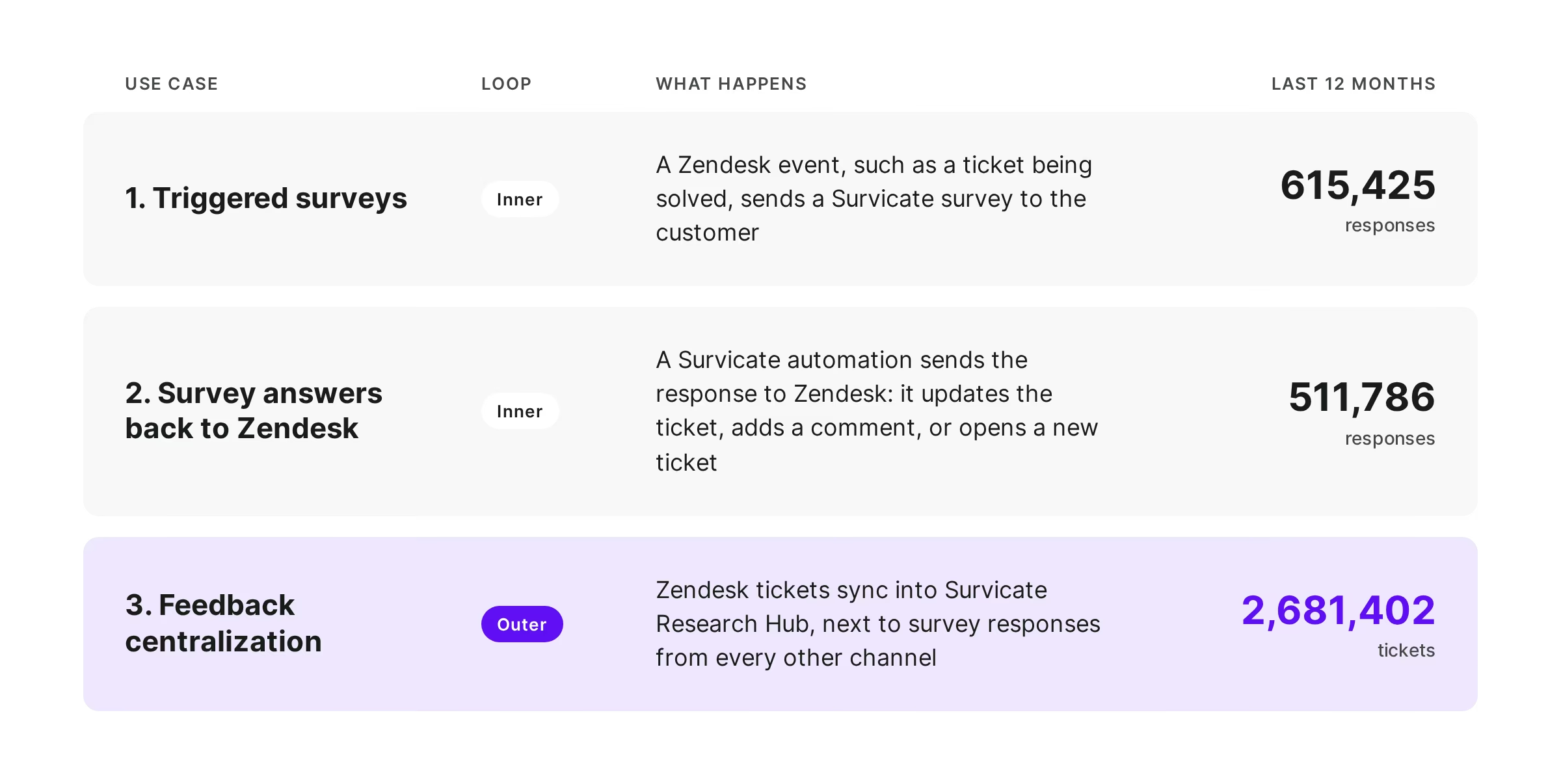
Three key use cases, and their numbers:
The problem every CX team knows
A customer who gave you a 5 in March is a 1 in May. One late delivery, one dropped consultation, one refund that took a week. With no subscription to cancel, churn looks like this: they order less, then stop.
The survey caught it, but the score went to a dashboard the agent never saw, and nobody went back to the customer. The inner loop never closes, and with nobody connecting the dots across tickets, the outer loop never starts.
The shift: feedback goes out with the ticket, and comes back to it
Often it's the same survey: Zendesk sends it, the customer answers, and the answer lands back on the ticket it came from. Nobody switches tools or exports anything. And because every answer belongs to a known customer and ticket, the same complaint across one market, plan or issue type becomes a pattern you can fix once for everyone. That's the outer loop, starting from the same data.

1. Surveys triggered by Zendesk events
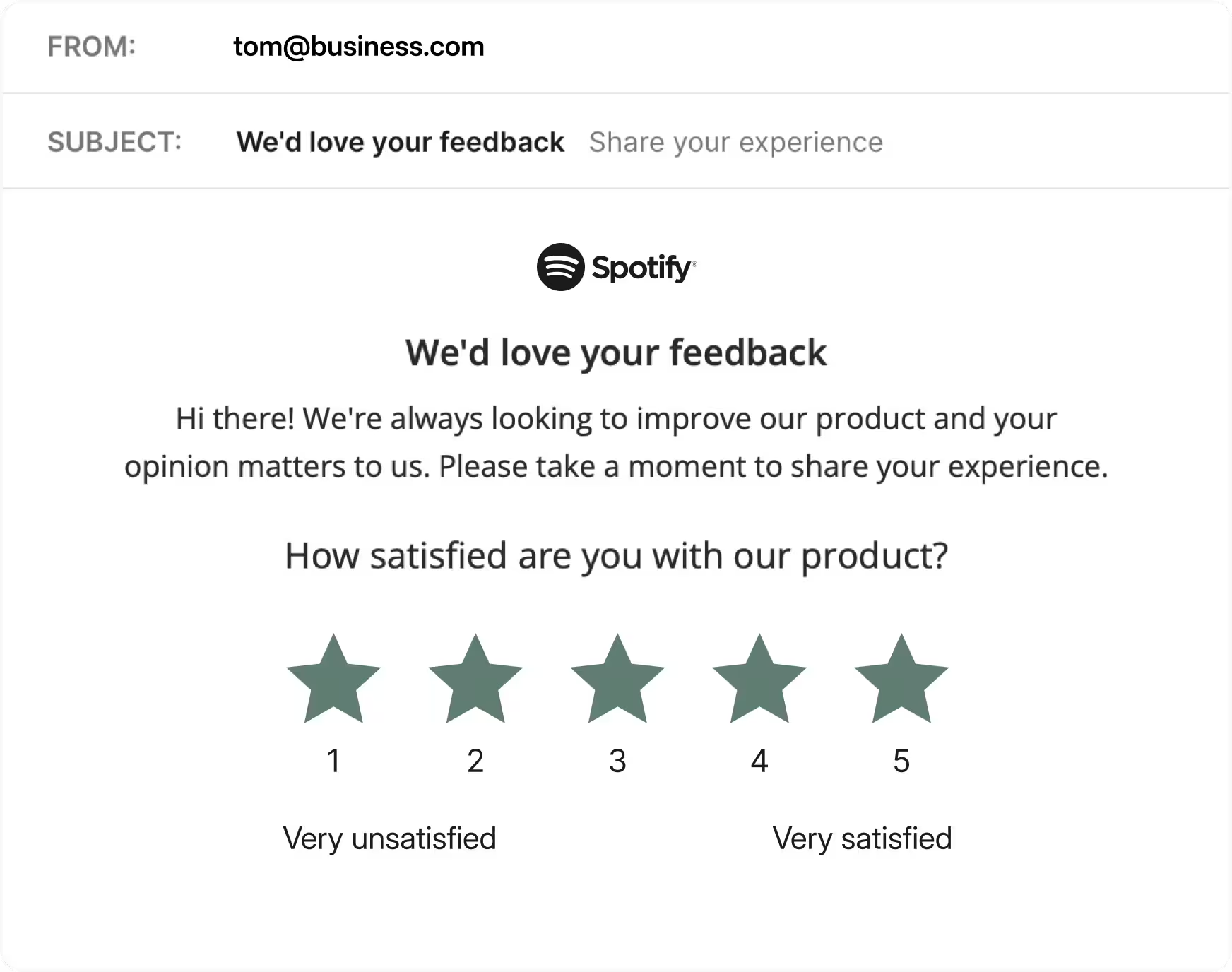
A Zendesk automation sends the email after a ticket is solved. The first question of a Survicate survey is embedded in the email, so the customer answers without leaving their inbox. Each answer is tied to that customer and that ticket, which turns CSAT into a transactional metric you can cut by issue type, brand or market.
2. Survey answers back to Zendesk
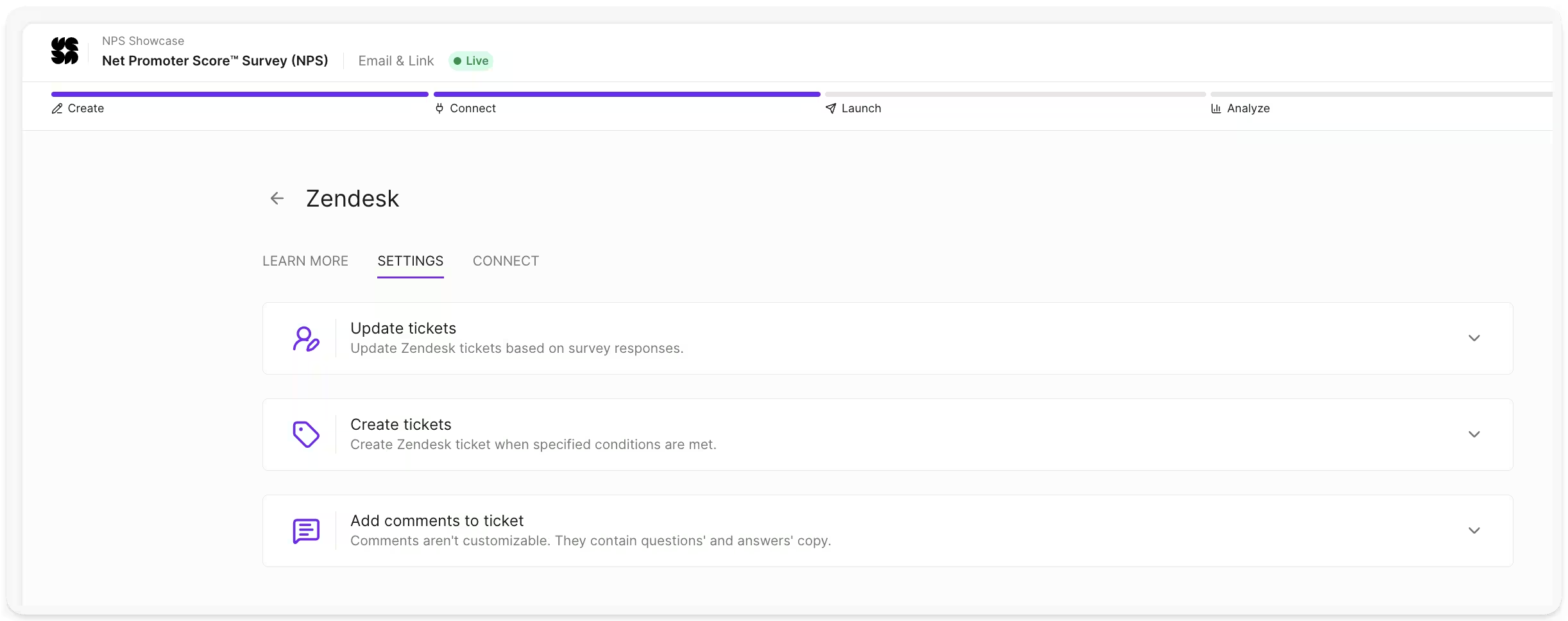
After the score, the customer explains it in an open question. That answer goes back to Zendesk as a private comment on the original ticket. A low score can also change the ticket status, raise its priority or open a new ticket, on conditions the CX team sets. The agent sees the feedback where they already work, and the inner loop closes without anyone exporting anything.
3. Feedback centralization
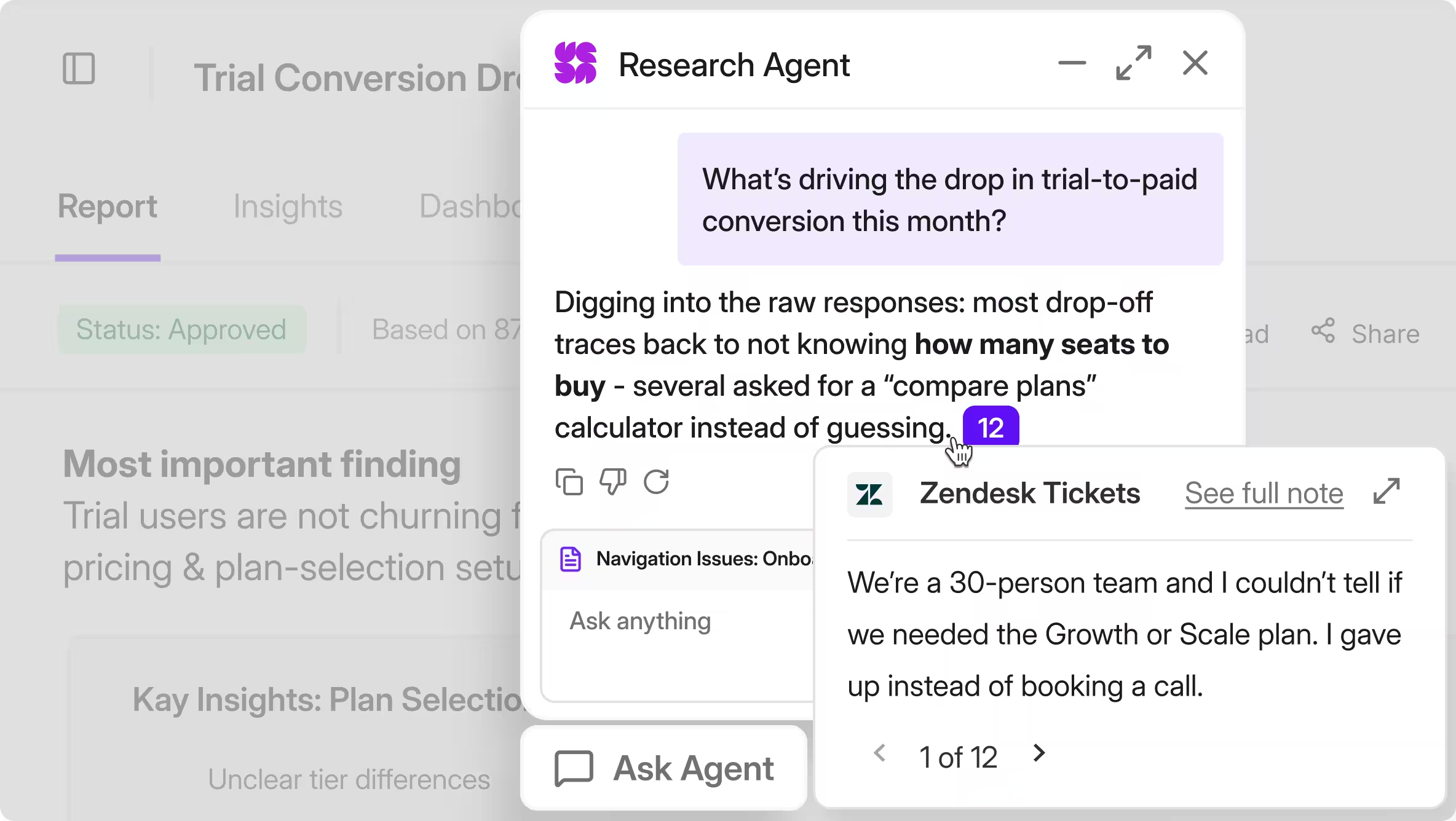
Zendesk tickets are one of the richest feedback sources a company has, and usually the least analyzed. Synced into Research Hub, they sit next to survey responses, so CX and research teams centralize feedback instead of reading each tool separately. Zendesk now makes up 24.4% of all research notes the Research Agent reads, second only to Survicate surveys. A Research Project across tickets and survey responses shows how often an issue really comes up, with every finding linked to the ticket it came from.
Where it's happening: B2C software and apps
B2C software and apps sent 417,985 responses through the integration in the window. Volume is high, customers don't have account managers, and a bad interaction quietly turns into a lost user.
Consumer apps live on volume: large user bases, high ticket counts and no account manager to notice when someone drifts away. They use the inner loop end to end. A CSAT question goes out after every support contact, and an unhappy user's open answer comes back to the ticket so an agent can follow up.
Fintech and banking apps are 14% of the cohort, and 96% of their responses came from surveys sent through Zendesk. For them use case 1 is the core: transactional CSAT after every support contact, by issue type, brand or market, without a second tool.
Healthcare software and apps are 15%, and 83% of their responses went back to the ticket. For them use case 2 is the core: a bad experience after a visit or consultation lands on the ticket as a comment, and the patient experience team sees it the same day.
How to set it up
- Send a survey after solving a ticket (use case 1): create an email survey, pick Zendesk under Identify respondents, add the attributes you'll segment by, and drop the embedded first question into a Zendesk automation.
- Connect the survey to Zendesk (use case 2): choose whether responses update tickets, add comments or create new ones, and set the conditions for each.
- Sync tickets into Research Hub (use case 3): add Zendesk as a feedback source, so tickets and surveys are analyzed together.
The result: one Voice of Customer view
The inner loop gets one customer a reply. The outer loop finds what to fix for everyone. With Zendesk tickets and survey responses centralized in Survicate, both run from the same data. It's also why Zendesk is the most-used helpdesk integration on Survicate, at 2.6x the next one.
Want to see what the Zendesk integration could do at your scale? Book a call or try Survicate for free.

